Mineuniverse
Resource Packs
HALLOWEEN CROSSHAIR

HALLOWEEN CROSSHAIR

RESOURCE PACK
HALLOWEEN CROSSHAIR FOR MINECRAFT PVP
by d_de_diego_d
Download Claim this project
Add a badge to your pageLink to HALLOWEEN CROSSHAIR from a README, website or forum post.
Preview: Badge

Badges update automatically and link to the resource pack page on MineUniverse.


1,480 downloads
0 likes
0 followers
Updated Oct 14, 2026
0 hypes
Follow0
16x Animated Miscellaneous Modern
Advertisement Remove ads with Premium →


Imagen

HALLOWEEN CROSSHAIR

ENGLISH

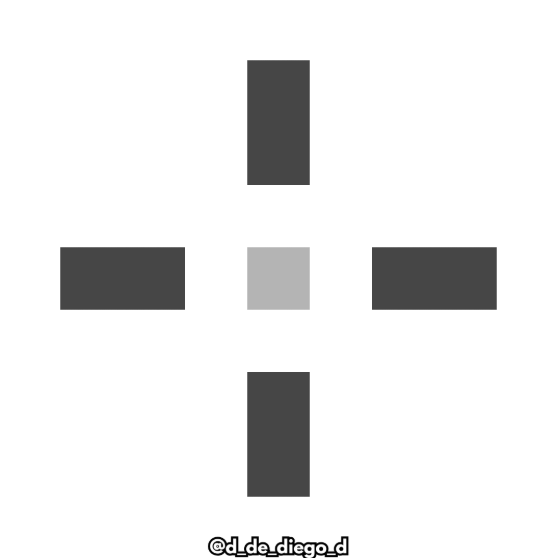
Texture pack with a custom crosshair for the minecraft.

Enjoy these terrifying times with this Halloween-themed pumpkin-shaped scope.


Contains:


    - Custom Crosshair


MORE CROSSHAIRS:


  By @d_de_diego_d
ESPAÑOL

Pack de texturas con una mira customizada para el pro pvp de minecraft.

Disfruta de estas épocas terroríficas con esta mira con temática halloween, con forma de calabaza.


Contiene:


      - Mira customizada


By @d_de_diego_d
 

MORE CROSSHAIRS:


By @d_de_diego_d
❤️ Support Me ❤️

Supplementaries Discord Support me on Patreon  Youtube Channel


                                                ⭐ Our Projects⭐

Haunted HarvestSnowy SpiritStorage LabelsGoatedMysyical Oak TreeCarpeted StairsMmmMmmMmmMmmMoyaiJeedBetter Lily PadsAdvancement FramesRandomiumSleep TightPolytoneHeartstoneMap AtlasesUniversal SawmillAmendments


© TRIDEX 2025 - All Rights Reserved

HALLOWEEN CROSSHAIR 1.8 - 1.20.zip
MC 1.17.1, 1.9.1, 1.16.3, 1.13.1, 1.9.3, 1.8.7, 1.19.3, 1.20.2, 1.16.1, 1.18.1, 1.20.5, 1.9.4, 1.9.2, 1.8.4, 1.14.4, 1.14.1, 1.12.1, 1.17, 1.12, 1.14.3, 1.15, 1.16, 1.13
Release 2025-10-27 Get
HALLOWEEN CROSSHAIR 1.21+
MC 1.21, 1.21.5, 1.21.8, 1.21.9, 1.21.10, 1.21.4, 1.21.3, 1.21.7, 1.21.1, 1.21.6, 1.21.2
Release 2025-10-27 Get

Requirements & install

How to use this resource pack in Minecraft
Resolution
16x
Minecraft
1.21.3 – 1.21.10
Install folder
.minecraft/resourcepacks

How to install resource packs

  1. Download the resource pack .zip file (do not extract it).
  2. In Minecraft open Options → Resource Packs → Open Pack Folder.
  3. Drop the .zip into the resourcepacks folder (.minecraft/resourcepacks).
  4. Move the pack to the Selected column and click Done.
Browse more: 16x resource packs 32x resource packs 64x resource packs 128x resource packs 256x resource packs 512x+ resource packs Resource Packs for 1.21.10 All resource packs

More from d_de_diego_d

Advertisement Remove ads with Premium →

You Might Also Like