Mineuniverse
Resource Packs
GRGT

GRGT

RESOURCE PACK
Compatibility between GemsRealm and Gregtech Modern
by cristalpower2
Download Claim this project
41 downloads
0 likes
Updated Oct 14, 2026
0 hypes
16x Mod Support
Advertisement Remove ads with Premium →

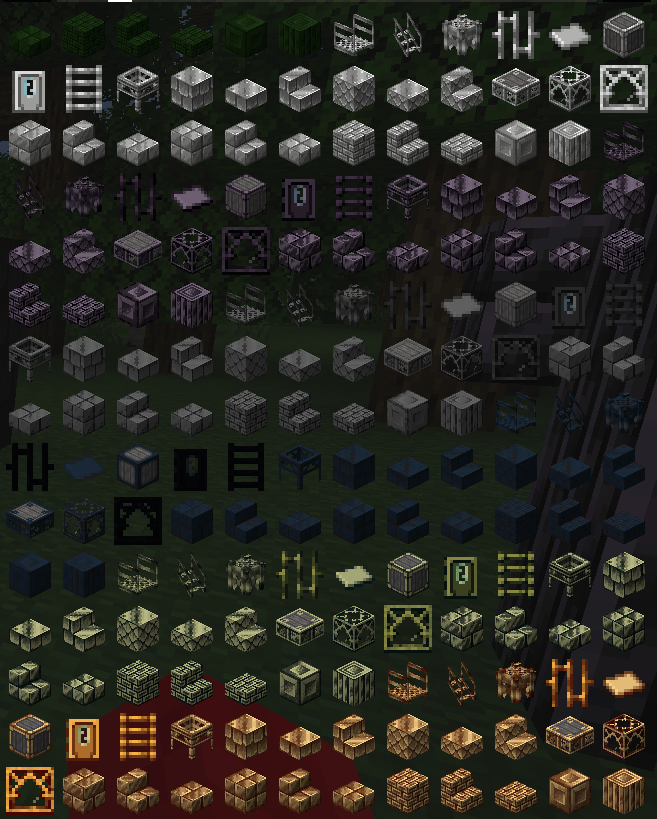
This resourcepack is meant to fix the compatibility between GregTech modern And GemsRealm. This addon only takes the gregtech textures and puts them where GemsRealm expects them to be.

!Warning! if you add new metals/gems via kubejs or via gregtech addons you need to:
- Get the texture from GregTech's files for ingot/gem and block based on the texture (ex: dull)
- Color them based on the color(s) of the material configured. (using a program like GIMP)
- put them in assets/gtceu/textures/<block/item> folder

Or set them to blacklist in the GemsRealm configuration (gemsrealm-hazardous.toml)

Otherwise ALL the texture will be broken.

i am trying to add further compatibility between GemsRealm and Gregtech:
https://github.com/GregTechCEu/GregTech-Modern/issues/3967


GRGT 0.0
MC 1.20.1
Release 2025-09-25 Get

Requirements & install

How to use this resource pack in Minecraft
Resolution
16x
Minecraft
1.20.1
Install folder
.minecraft/resourcepacks

How to install resource packs

  1. Download the resource pack .zip file (do not extract it).
  2. In Minecraft open Options → Resource Packs → Open Pack Folder.
  3. Drop the .zip into the resourcepacks folder (.minecraft/resourcepacks).
  4. Move the pack to the Selected column and click Done.
Browse more: 16x resource packs 32x resource packs 64x resource packs 128x resource packs 256x resource packs 512x+ resource packs Resource Packs for 1.20.1 All resource packs

More from cristalpower2

Advertisement Remove ads with Premium →

You Might Also Like