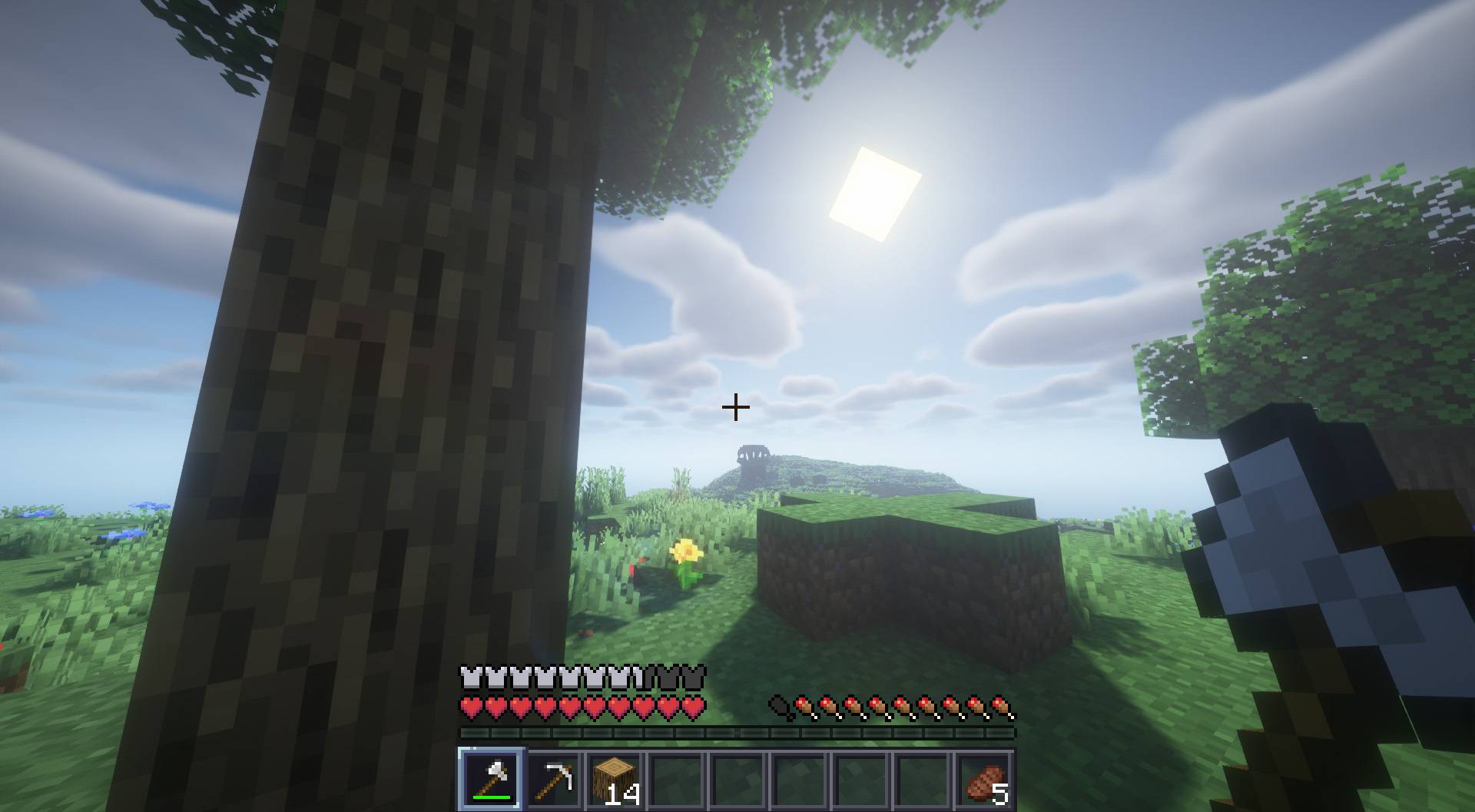
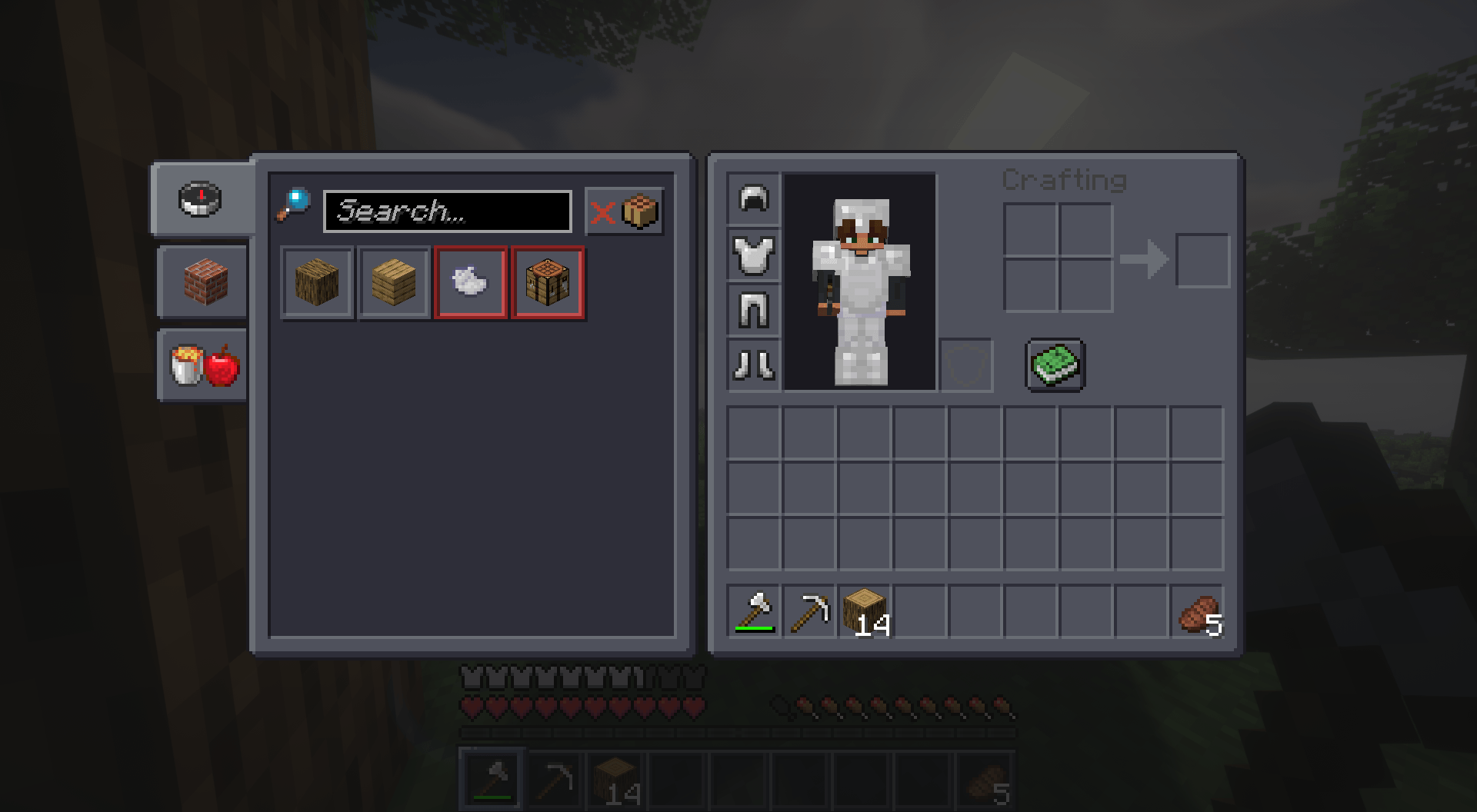
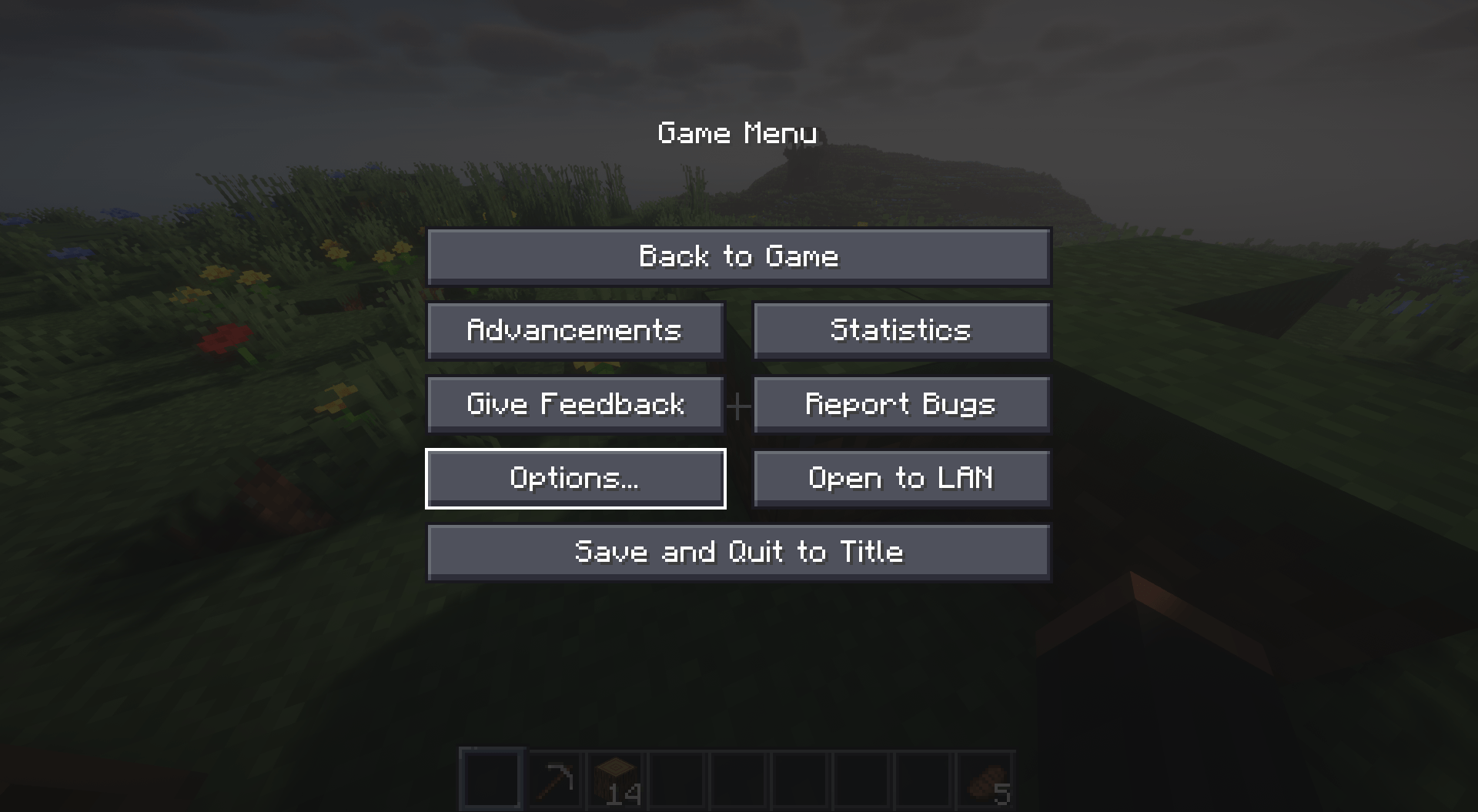
This resource pack is a transformative addition to the Minecraft gaming experience, specifically altering the appearance of the user interface (GUI) to embody a sleek, dark, and minimalist style. Upon implementing this pack, players will immediately observe a comprehensive makeover across various interface elements, including but not limited to the inventory, quick access panel, settings menu, and more, all of which have been meticulously redesigned to exude a more refined and visually appealing aesthetic.
The pack's dark and minimalist theme introduces a sense of sophistication and modernity to the game's interface, enriching the overall gameplay ambiance. The subdued color palette not only adds depth but also fosters an immersive gaming environment, enhancing the player's engagement and enjoyment throughout their Minecraft adventures.
By integrating this resource pack into your Minecraft gameplay, you seamlessly blend functionality with aesthetics, resulting in a harmonious and elevated gaming experience. Whether you appreciate the subtleties of design or simply seek a refreshing visual overhaul, this resource pack offers a delightful enhancement that aligns with contemporary preferences and elevates the overall appeal of Minecraft's user interface.