Mineuniverse
Resource Packs
Greenfield Resource Pack

Greenfield Resource Pack

RESOURCE PACK
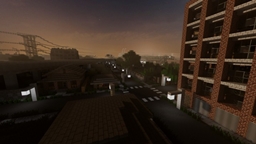
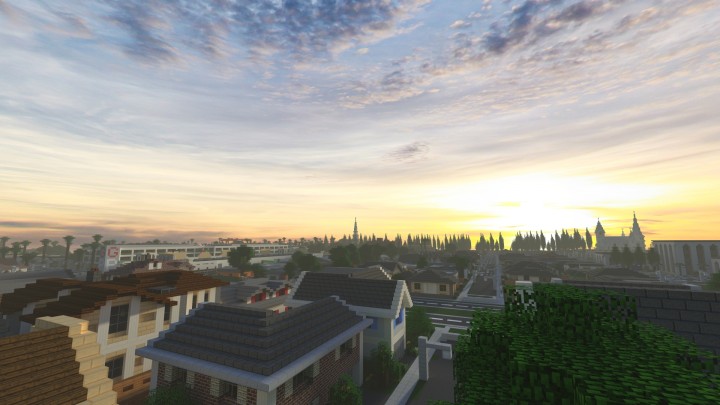
A modern resource pack for your Minecraft world.
by Unknown025
Download Claim this project
32,844 downloads
0 likes
Updated Oct 14, 2026
0 hypes
16x Modern
Advertisement Remove ads with Premium →


I originally posted this resource pack because there was no stand-alone download for the pack on Greenfield's website, but now they added a link to download it through Adf.ly, and while I don't like Adf.ly I also do not want to take away their profit that they earn through their work on the pack. With this in mind, I will not release any further updates to the resource pack and will keep the current downloads available (reason for this is because the resource pack available for download is outdated since 1.8, and I've just made the resource pack usable for 1.10 without updating the textures. Consider these downloads as "legacy". If anyone has any problems with the current downloads, feel free to notify me and I will take them down).

Sincerely,

Unknown025


Greenfield project.

Resource pack [1.10] [Latest].


Credits:

Thinknoodles - custom sky

KristofferAndre - textures

Kevin MacLeod (http://incompetech.com) - custom music

 

Greenfield Resource Pack (Improved version) [1.10]
MC 1.9.1, 1.9.3, 1.10-Snapshot, 1.9.4, 1.9.2, 1.10.2, 1.10, 1.10.1, 1.9-Snapshot, 1.9
Release 2016-07-09 Get
Greenfield Resource Pack (Improved version)
MC 1.7.6, 1.8.7, 1.7.4, 1.7.7, 1.7.5, 1.6.1, 1.8.4, 1.7.9, 1.8.8, 1.7.2, 1.8-Snapshot, 1.8.3, 1.8.6, 1.7.8, 1.6.4, 1.7.10, 1.8, 1.8.2, 1.8.5, 1.8.9, 1.8.1, 1.6.2
Release 2015-04-05 Get
Greenfield Resource Pack
MC 1.7.6, 1.8.7, 1.7.4, 1.7.7, 1.7.5, 1.6.1, 1.8.4, 1.7.9, 1.8.8, 1.7.2, 1.8-Snapshot, 1.8.3, 1.8.6, 1.7.8, 1.6.4, 1.7.10, 1.8, 1.8.2, 1.8.5, 1.8.9, 1.8.1, 1.6.2
Release 2015-03-01 Get

Requirements & install

How to use this resource pack in Minecraft
Resolution
16x
Minecraft
1.9.1 – 1.10.2
Install folder
.minecraft/resourcepacks

How to install resource packs

  1. Download the resource pack .zip file (do not extract it).
  2. In Minecraft open Options → Resource Packs → Open Pack Folder.
  3. Drop the .zip into the resourcepacks folder (.minecraft/resourcepacks).
  4. Move the pack to the Selected column and click Done.
Browse more: 16x resource packs 32x resource packs 64x resource packs 128x resource packs 256x resource packs 512x+ resource packs Resource Packs for 1.10.2 All resource packs

More from Unknown025

Advertisement Remove ads with Premium →

You Might Also Like