Mineuniverse
Resource Packs
Golden Days Emissive Ores

Golden Days Emissive Ores

RESOURCE PACK
Emissive Ores for Golden Days recourse pack
by ChrizCldrn
Download Claim this project
Add a badge to your pageLink to Golden Days Emissive Ores from a README, website or forum post.
Preview: Badge

Badges update automatically and link to the resource pack page on MineUniverse.

6,043 downloads
0 likes
0 followers
Updated Oct 14, 2026
0 hypes
Follow0
16x Mod Support
Advertisement Remove ads with Premium →

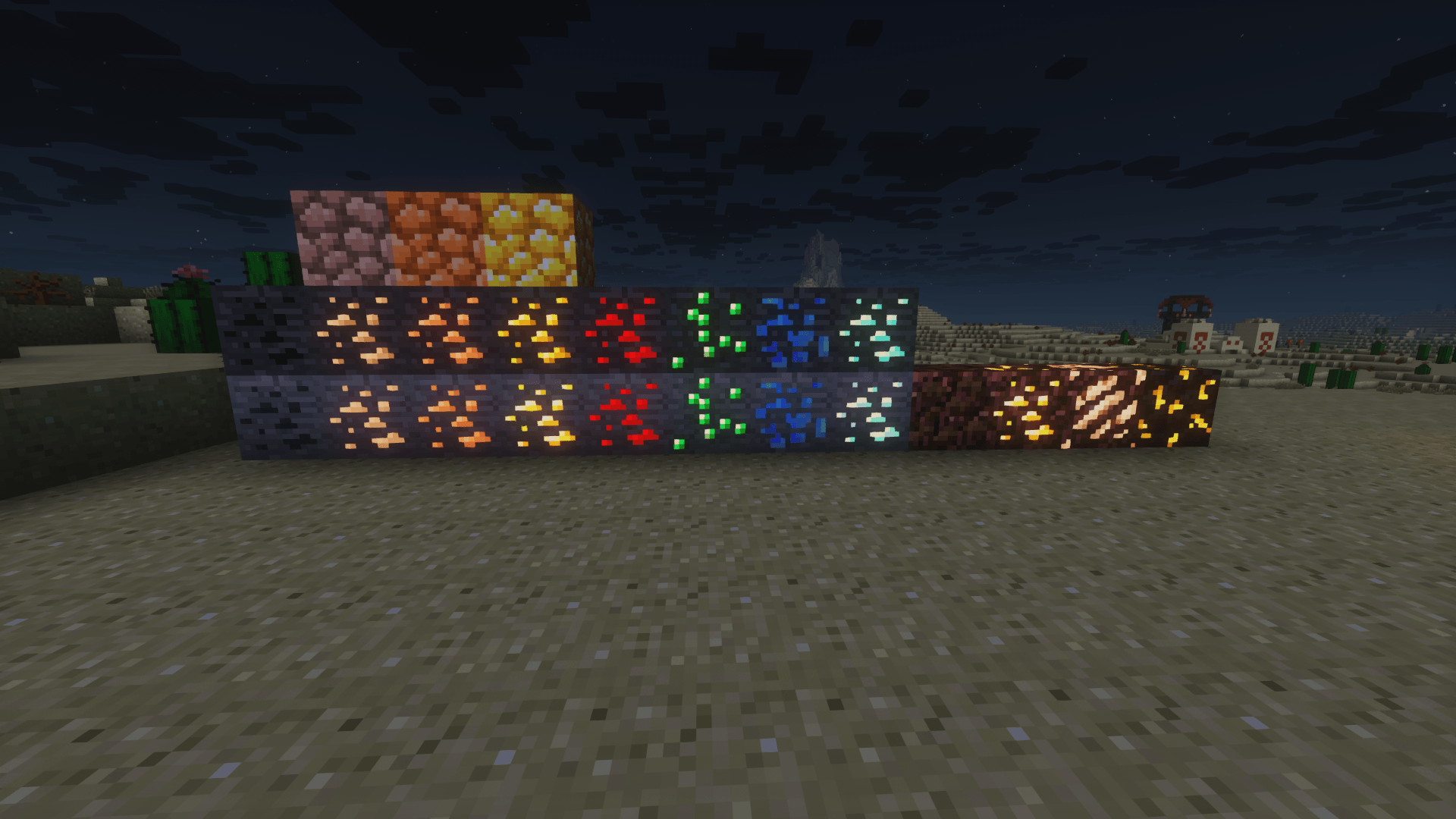
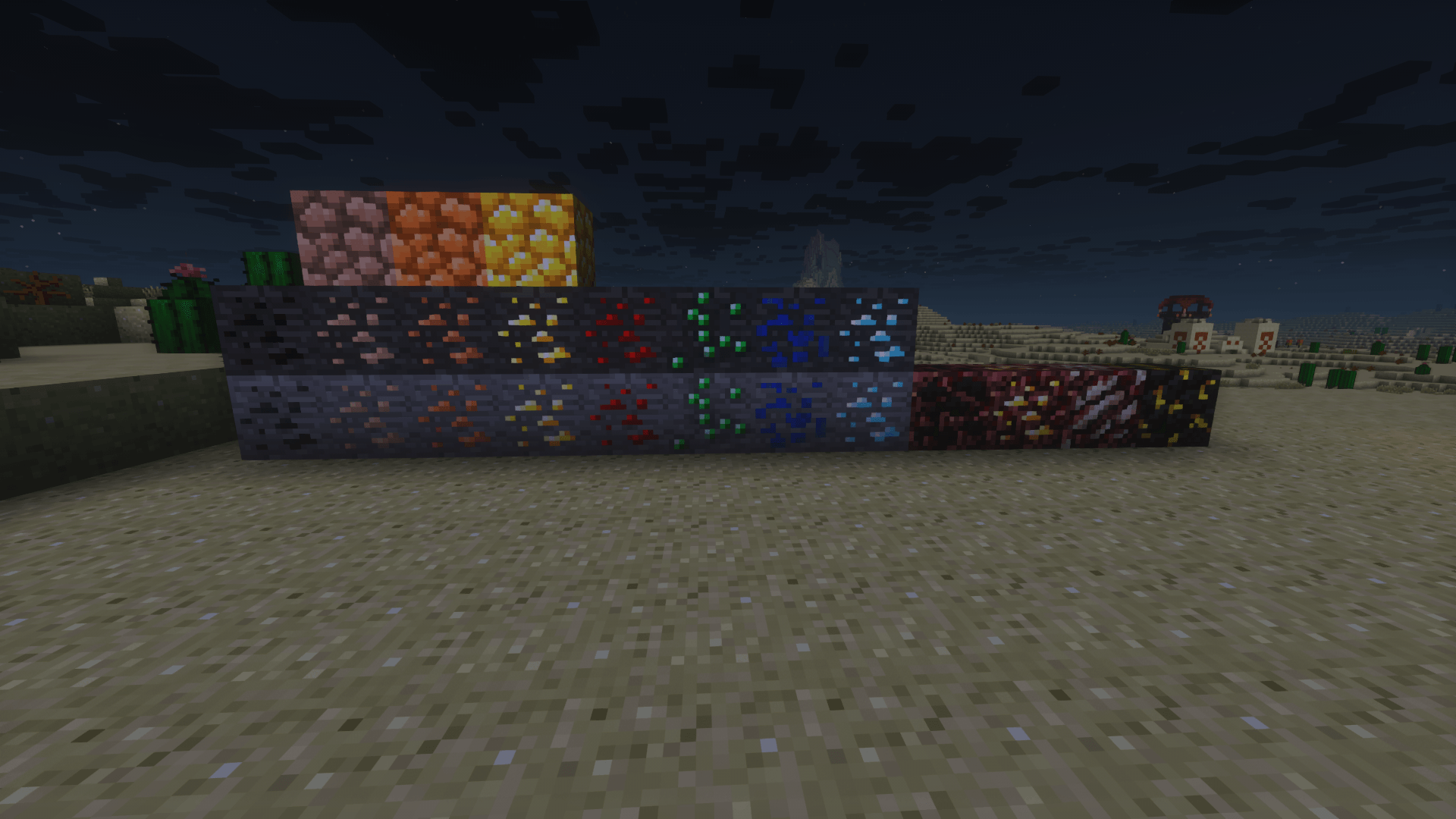
Golden Days Emissive Ores is a compatibility resource pack designed to enhance visibility while preserving the classic aesthetic of the Golden Days resource pack. It adds subtle emissive effects to all ores, allowing them to glow naturally in dark environments without changing their original textures or colors.

The emissive glow is carefully balanced to feel authentic and unobtrusive, ensuring it complements Golden Days’ nostalgic visuals rather than overpowering them. This pack is ideal for players who want easier ore spotting during mining while staying true to the classic Minecraft look.

Requires Golden Days Base to function properly and is intended to be used alongside it.

Requires Continuity or anyother mod that allows for emisive textures.

Golden Days Emissive Ores.zip
MC 1.21, 1.20.2, 1.21.8, 1.20.5, 1.21.5, 1.21.4, 1.20.1, 1.20, 1.20.6, 1.21.1, 1.21.6, 1.21.3, 1.21.7, 1.20.4, 1.20.3, 1.21.2, 1.21.9, 1.21.10, 1.21.11, 26.1-snapshot
Release 2026-01-01 Get
Golden Days Emissive Ores.zip
MC 1.21, 1.20.2, 1.21.8, 1.20.5, 1.21.5, 1.21.4, 1.20.1, 1.20, 1.20.6, 1.21.1, 1.21.6, 1.21.3, 1.21.7, 1.20.4, 1.20.3, 1.21.2, 1.21.9, 1.21.10, 1.21.11
Release 2025-12-21 Get

Requirements & install

How to use this resource pack in Minecraft
Resolution
16x
Minecraft
1.21.5 – 26.1-snapshot
Install folder
.minecraft/resourcepacks

How to install resource packs

  1. Download the resource pack .zip file (do not extract it).
  2. In Minecraft open Options → Resource Packs → Open Pack Folder.
  3. Drop the .zip into the resourcepacks folder (.minecraft/resourcepacks).
  4. Move the pack to the Selected column and click Done.
Browse more: 16x resource packs 32x resource packs 64x resource packs 128x resource packs 256x resource packs 512x+ resource packs Resource Packs for 26.1-snapshot All resource packs
Advertisement Remove ads with Premium →

You Might Also Like