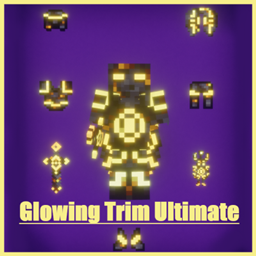
✨ Glowing Trim Ultimate Pack
Hello everyone! 👋
Back with a brand new Minecraft texture pack!
This is the ultimate combination of all Glowing Trim series packs:
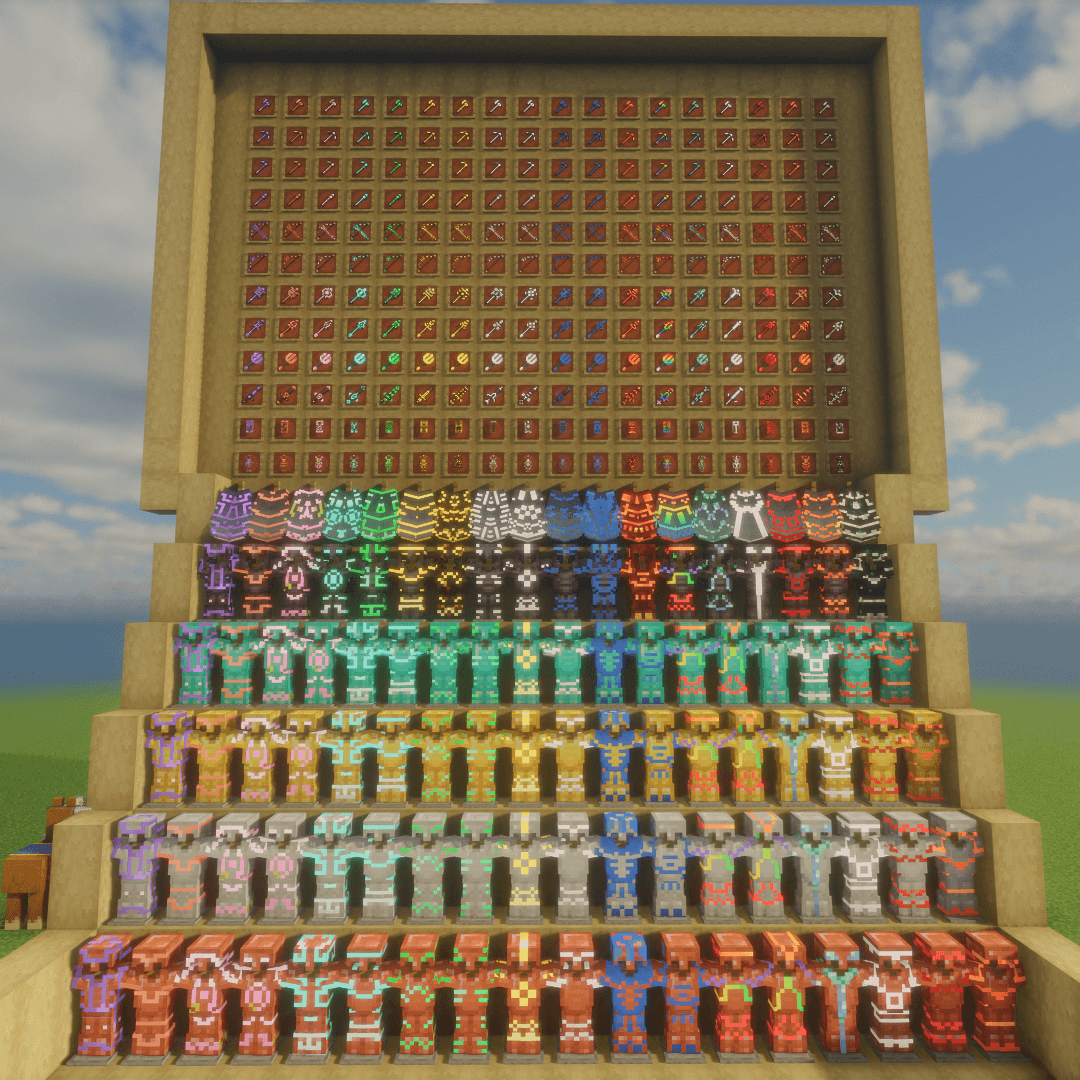
• Glowing Trim Armors
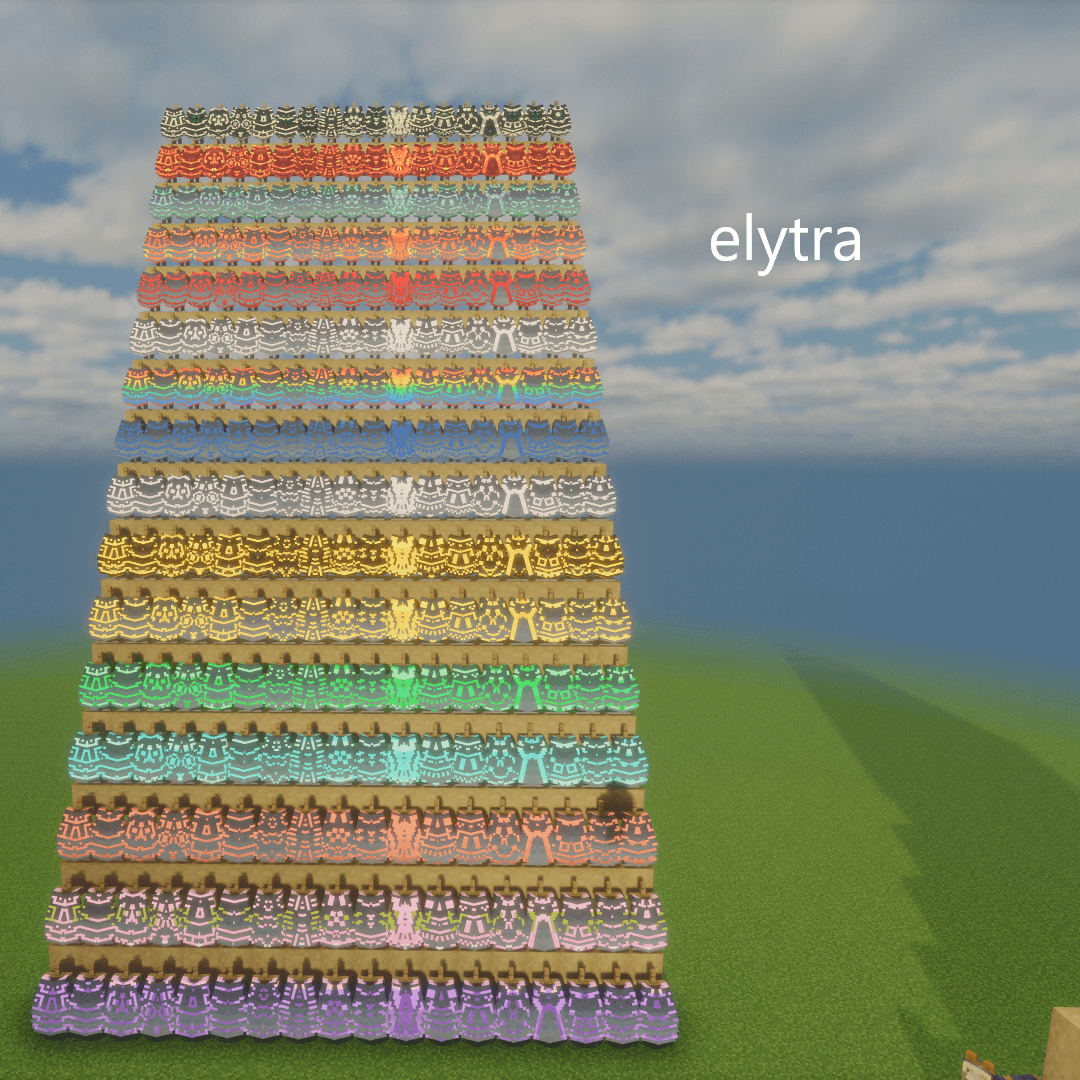
• Glowing Trim Elytra
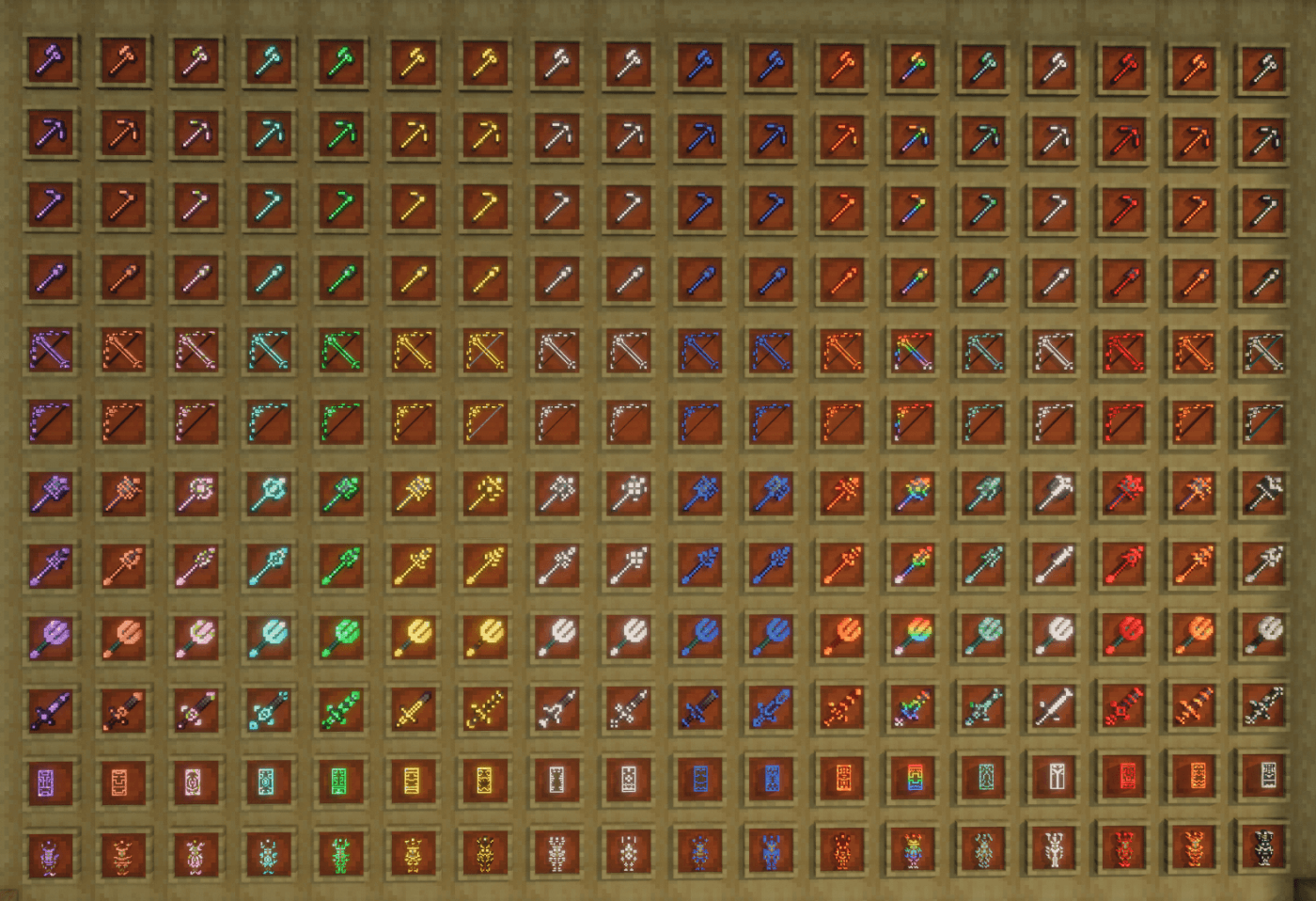
• Glowing Trim Weapons & Tools
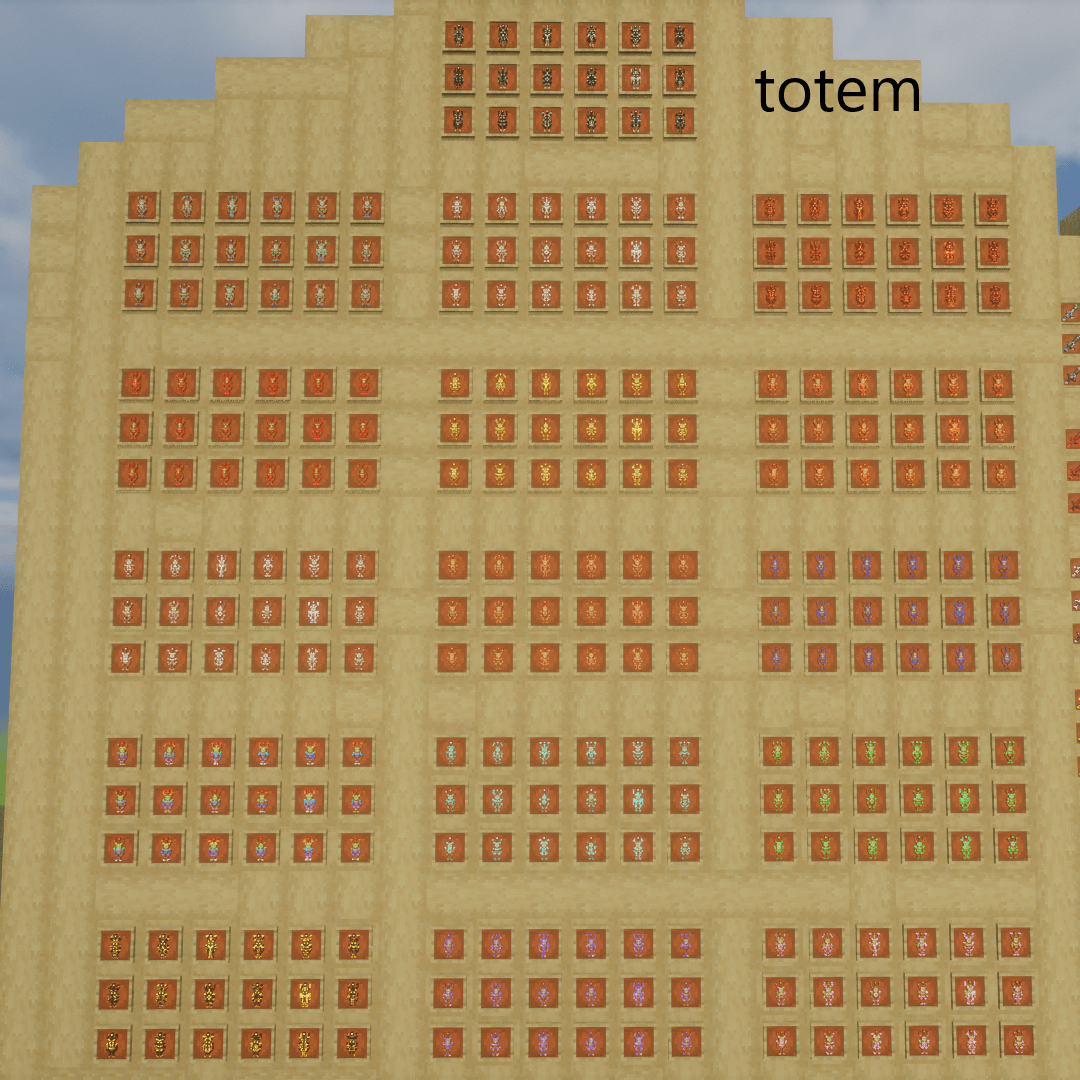
• Glowing Trim Totem
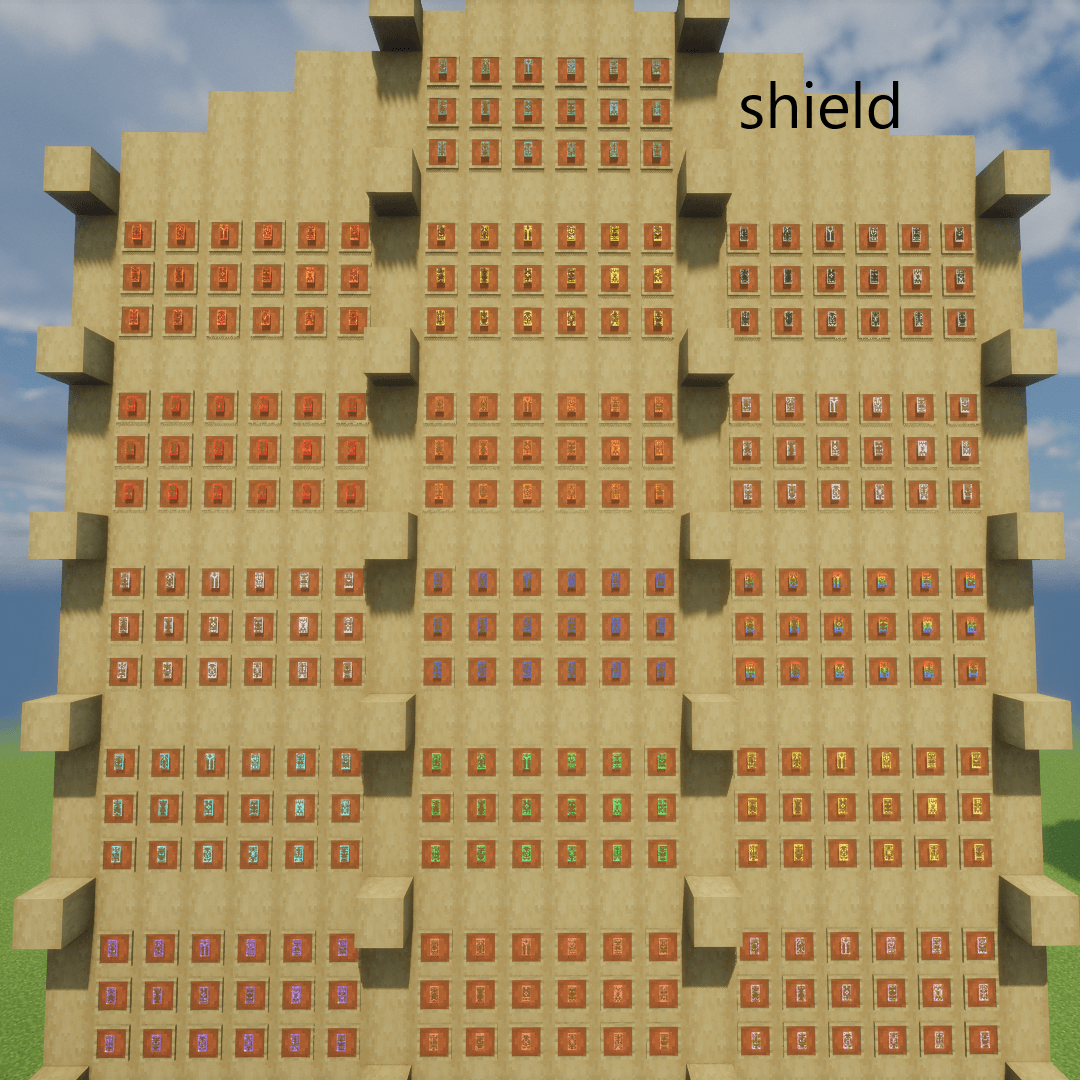
• Glowing Trim Shield
-------------------------------------------------------------------------------------------------------
🔥 Overview
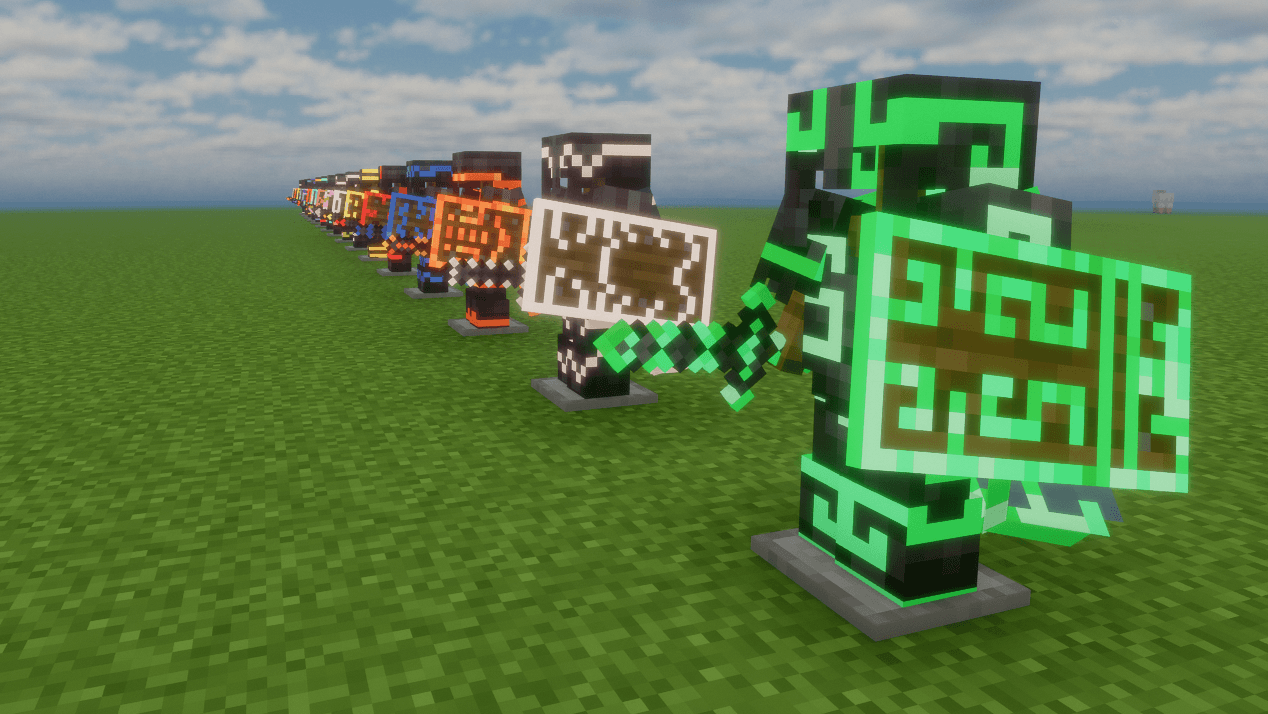
Introducing the Glowing Trim Ultimate Pack — a stylish texture pack that adds emissive glowing trims to
your armor, elytra, shield, totem, weapons, and tools,
allowing you to customize your gear and stand out with unique combinations.
✔ Works with or without shaders
✔ Supports all shader types (low-end to high-end)
✔ Smooth performance and multiplayer-friendly
-------------------------------------------------------------------------------------------------------
🔥 Features
✨ Emissive (glowing) trim effects
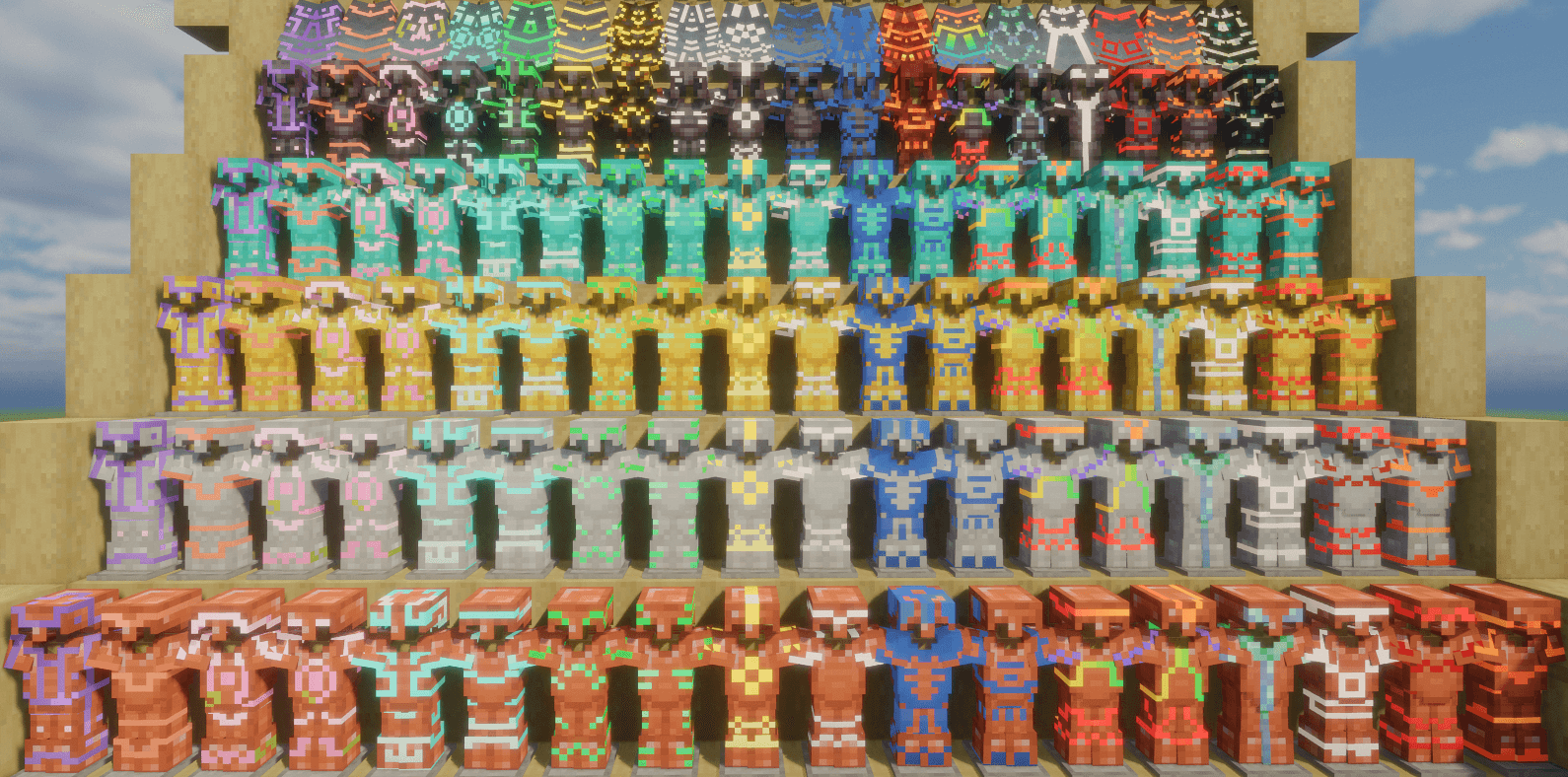
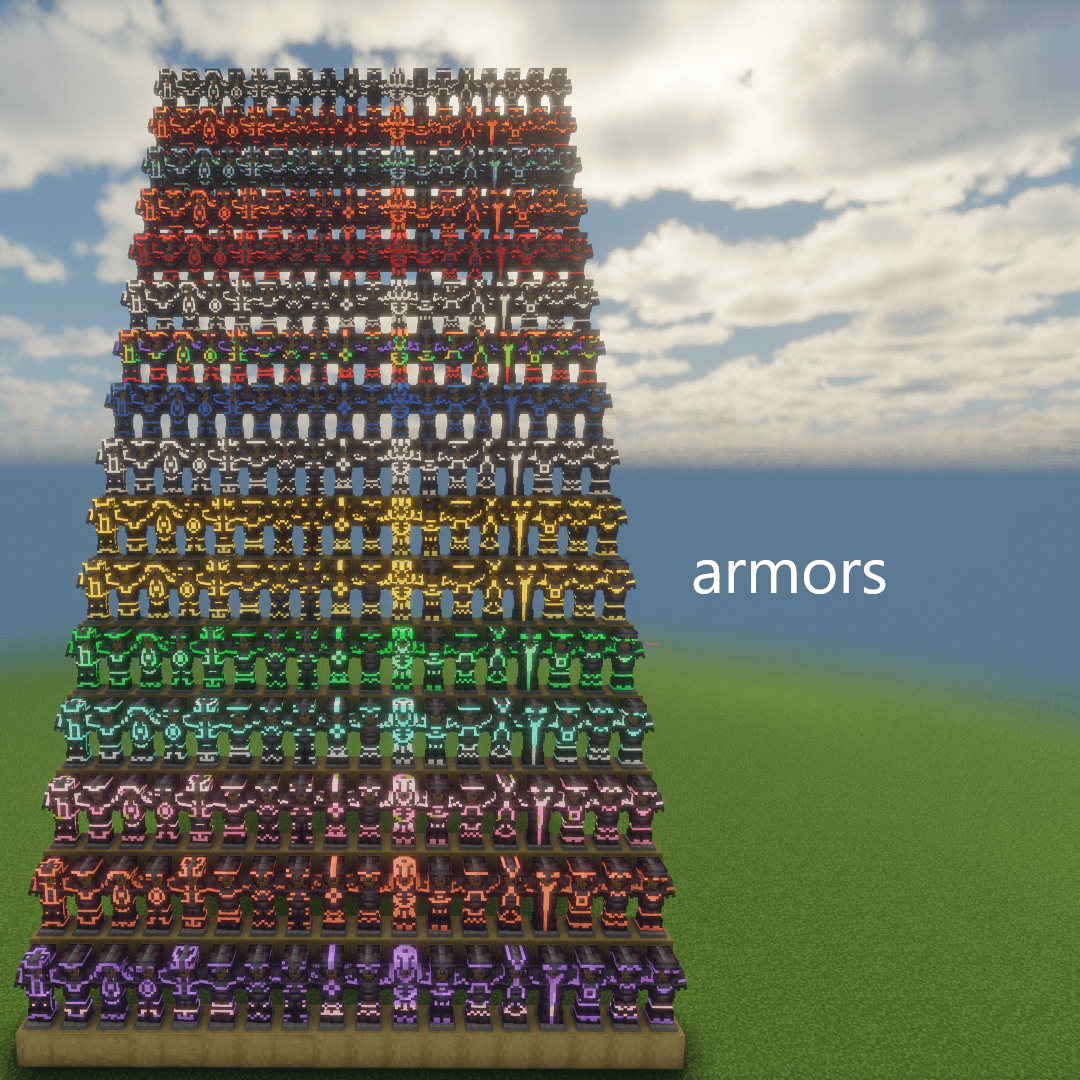
🎨 13 base colors + 3 Netherite-exclusive colors
🛡️ 18 unique trim designs
🔧 Easy activation via item renaming
💡 Works with or without shaders
⚡ Mix & match colors and designs
-------------------------------------------------------------------------------------------------------
📌 Important Information
✔ OptiFine is required
✔ Uses Custom Item Textures (CIT)
✔ Effects apply to all supported items
✔ Simply rename items to activate designs
-------------------------------------------------------------------------------------------------------
⚔️ Supported Items
Armor:-
Iron, Copper, Gold, Diamond: [13x18x4x4]=3744
Netherite: [16x18x4]=1152
Weapons:-
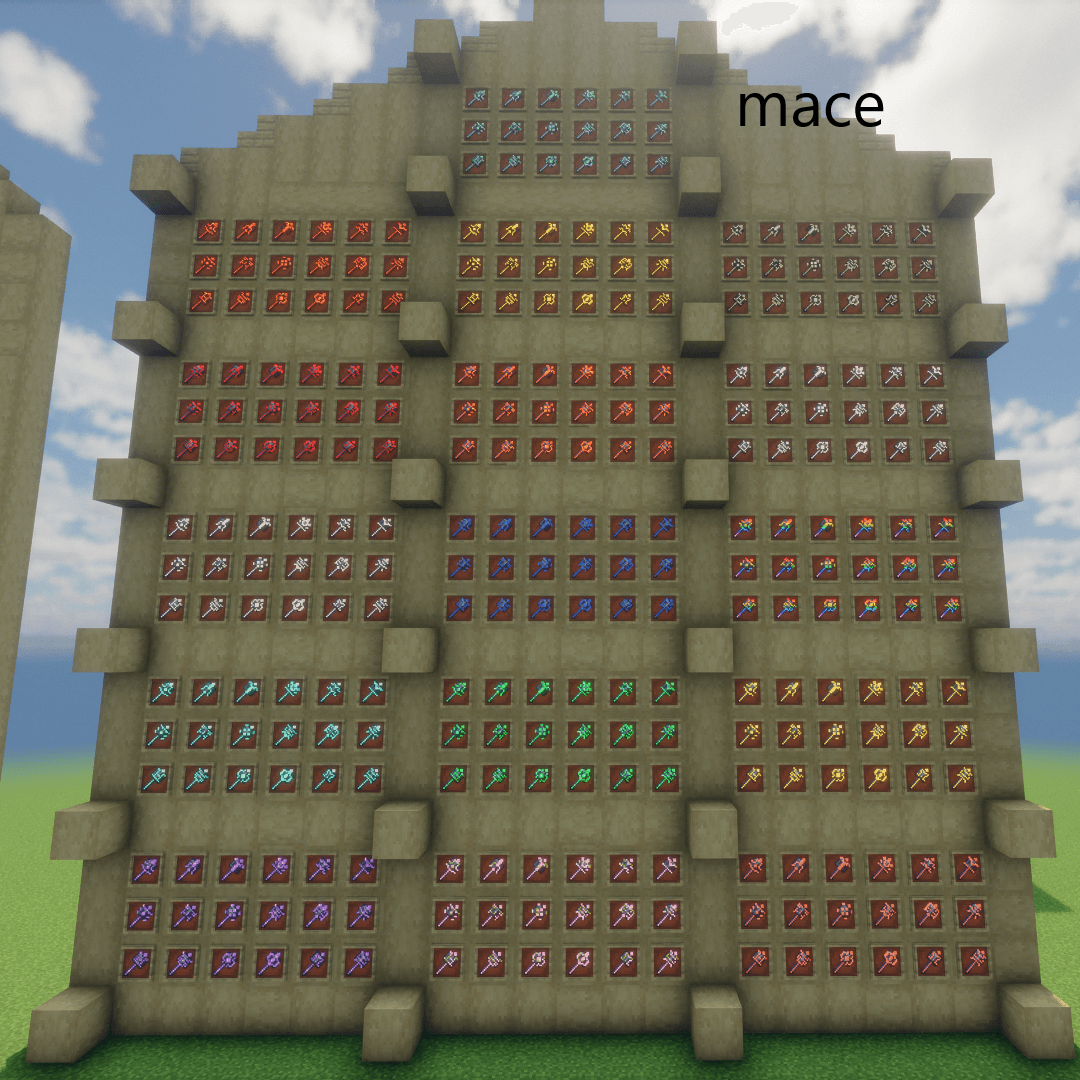
Mace: [16x18x1]=288
Trident: [16x1x1]=16
Bow: [16x1x1]=16
Crossbow: [16x1x1]=16
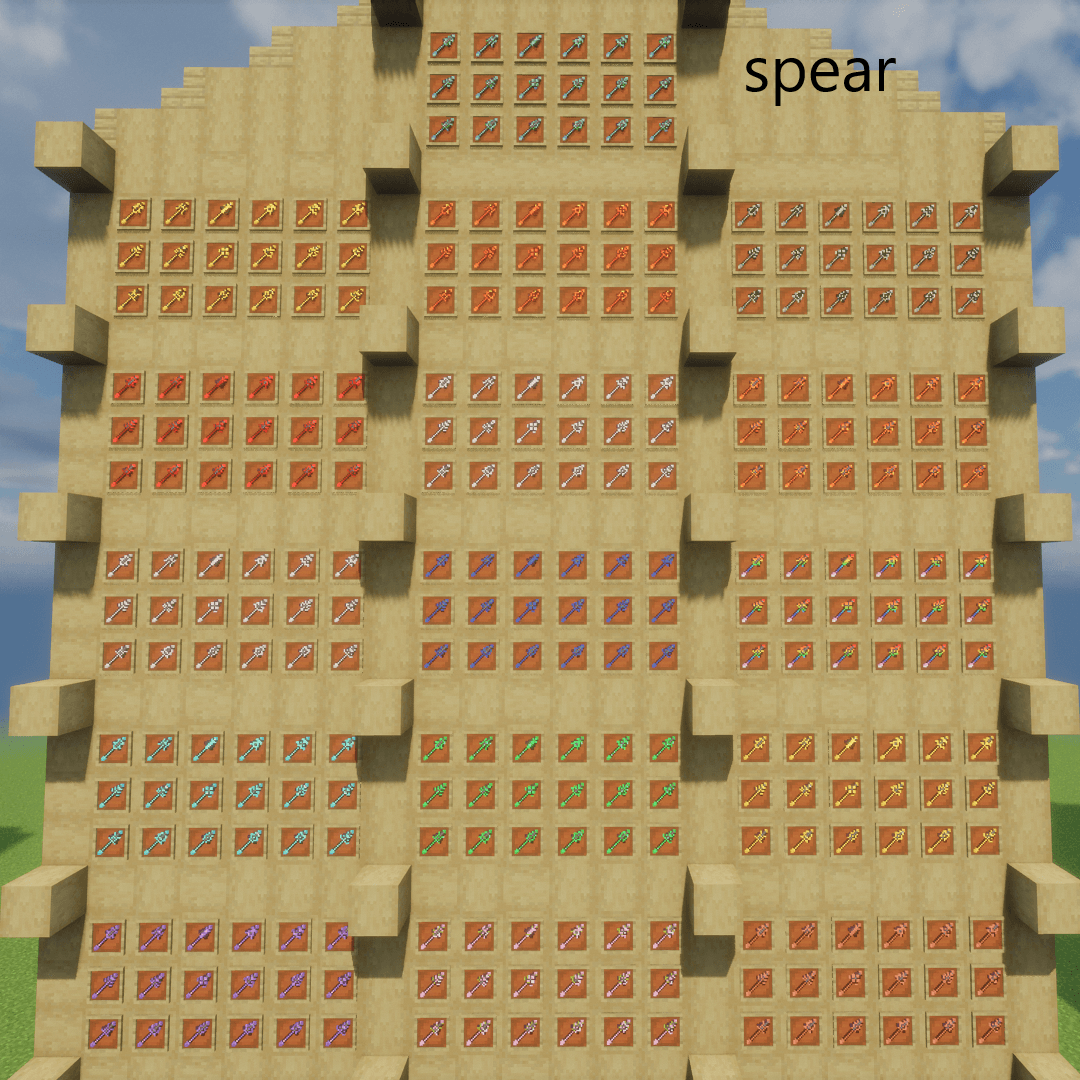
Spear:-
(Iron → Diamond): [13x18x4]=936
(Netherite): [16x18x1]=288
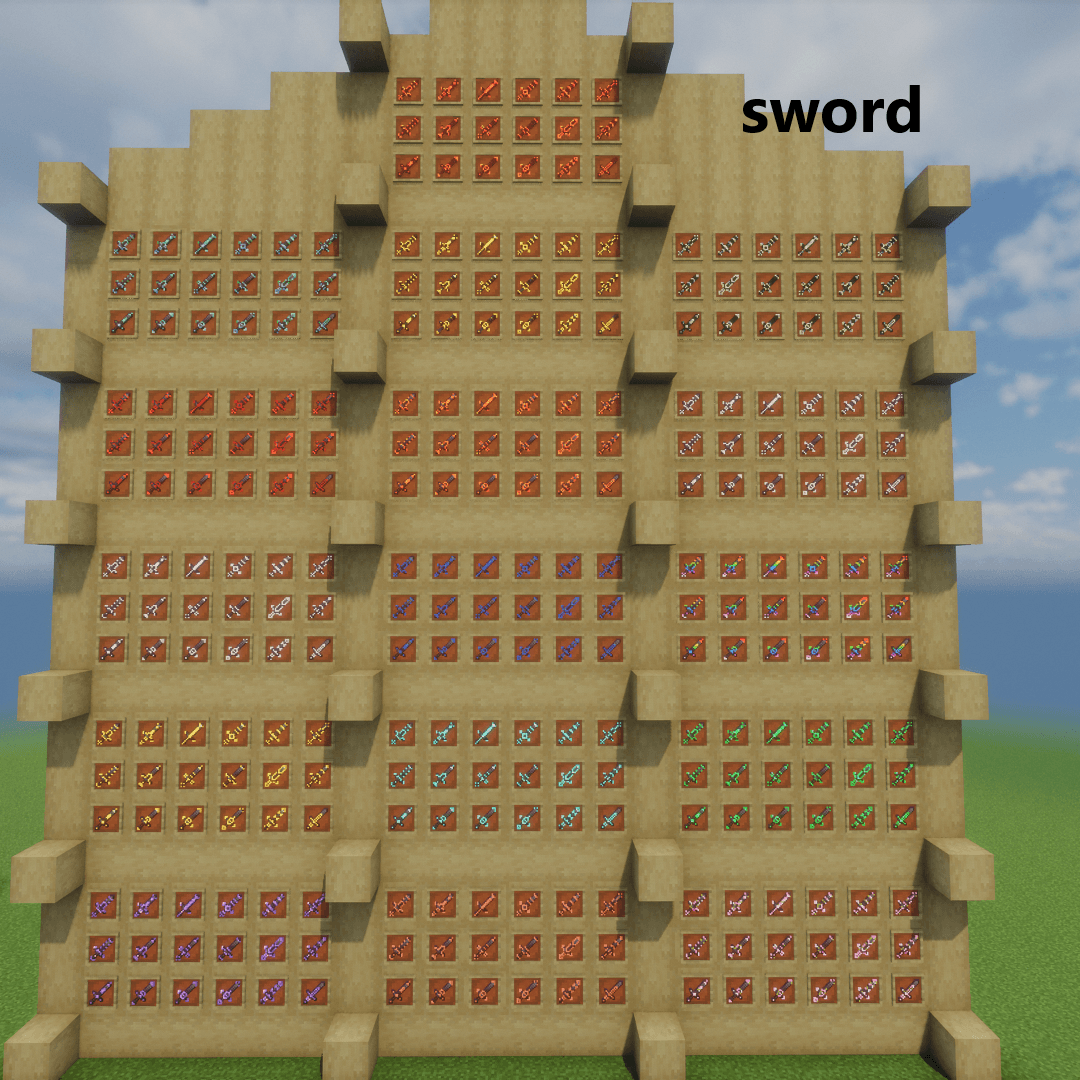
Swords:-
(Iron → Diamond): [13x18x4]=936
(Netherite): [16x18x1]=288
Tools:-
Hoe, Shovel, Pickaxe, Axe
(Iron → Diamond): [13x1x4x4]=208
(Netherite): [16x1x4x1]=64
Other Equipment:-
Elytra: [16x18x1]=288
Shield: [16x18x1]=288
Totem of Undying: [16x18x1]=288
Total Combination:-
[3774x1152x288x16x16x16x936x288x936x288x208x64x288x288x288]
=118,512,526,272,794,925,750,373,169,070,342,144
= 1.185 × 10³⁵ (approx)
= 118.51 decillion (approx)
-------------------------------------------------------------------------------------------------------
🎨 Color System
🌈 Base Colors (13)
| Color Name | Code |
| ----------------- | ---- |
| Amethyst | a |
| Copper | c |
| Cherry | ch |
| Diamond | d |
| Emerald | e |
| Gold | g |
| Iron | i |
| Lapis | l |
| Netherite | n |
| Quartz | q |
| Redstone | r |
| Resin | rs |
| Prismarine | p |
🔥Netherite Exclusive (+3)
| Gilded Blackstone | gb |
| Magma | m |
| Sculk | s |
-------------------------------------------------------------------------------------------------------
🛡️Trim Designs
| Design | Code |
| --------- | ---- |
| Bolt | 1 |
| Coast | 2 |
| Dune | 3 |
| Eye | 4 |
| Flow | 5 |
| Host | 6 |
| Raiser | 7 |
| Rib | 8 |
| Sentry | 9 |
| Shaper | 10 |
| Silence | 11 |
| Snout | 12 |
| Spire | 13 |
| Tide | 14 |
| Vex | 15 |
| Ward | 16 |
| Wayfinder | 17 |
| Wild | 18 |
-------------------------------------------------------------------------------------------------------
⚙️ How to Use
Rename your item using:
[Color Code] + [Design Code]
Examples:
r14 , a10 , l6 , g7 , c4 , d16 , l2 , n9 , i3 , q12, ch18 , rs17, p15.
🔥 Netherite Only
Examples:
m5, gb6, s10
-------------------------------------------------------------------------------------------------------
📌 Items with fixed designs (no trim variations):
(Trident, Bow, Crossbow, Tools)
Use color code only:
Examples:
r , a , l , g , c , d , l , n , i , q , ch , rs, p.
🔥 Netherite Only
Examples:
m , gb , s
-------------------------------------------------------------------------------------------------------
✨ Changes Applied
•After applying the pack:
1]Armors Appearance (Iron → Netherite)
2]Elytra Appearance
3]Shield Appearance
4]Totem Appearance
5]Spear models (1.21.11+)
6]Mace models (1.21+)
7]Trident, Bow, Crossbow
8]All Swords (Iron → Netherite)
9]All Tools (Iron → Netherite)
10]🆕 Copper weapons (1.21.9+)
11]GUI elements
-------------------------------------------------------------------------------------------------------
⚠️ OptiFine Settings Required
Make sure these options are enabled:
✔ Emissive Textures
✔ Custom Items
Otherwise, the pack may not work properly.
Without OptiFine, the glowing (emissive) effect may not work, or the entire pack may fail.
-------------------------------------------------------------------------------------------------------
===🔧 Alternative Mods===
=Fabric Mods
---EMF (Entity Model Features)
---ETF (Entity Texture Features)
---Continuity
---CIT Resewn/CIT Resewn Continuation
---Indium
=Forge Mods
---EMF (Entity Model Features)
---ETF (Entity Texture Features)
---Connectedness
---Fusion (Connected Textures)
---CIT Resewn/CIT Resewn Continuation
=NeoForge Mods
---EMF (Entity Model Features)
---ETF (Entity Texture Features)
---Continuity
---CIT Resewn/CIT Resewn Continuation
-------------------------------------------------------------------------------------------------------
❗ Troubleshooting
🔄 Reload resource packs if it stops working
⚙️ Check OptiFine version compatibility
📦 Ensure proper installation
-------------------------------------------------------------------------------------------------------
🌍 Compatibility
✔ Singleplayer & Multiplayer
✔ Versions: 1.16 → Latest
✔ Separate files per version
-------------------------------------------------------------------------------------------------------
🎉 Final Note
Upgrade your gear with Glowing Trim Ultimate and stand out with your own unique style.
Thanks for downloading ❤️