Mineuniverse
Resource Packs
Glowing Animated Ore / Ores

Glowing Animated Ore / Ores

RESOURCE PACK
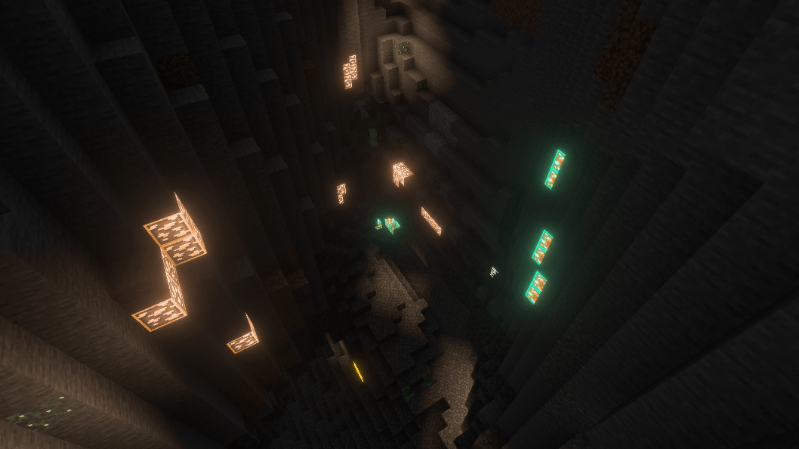
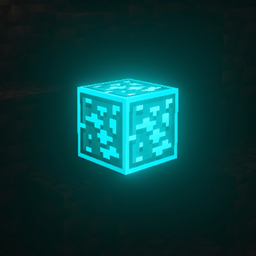
Best Animated glowing ores texture pack so that people can notice ores quickly. This makes ores outlined, animated + glowing
by NetherSpark_Studios
Download Claim this project
220,977 downloads
0 likes
0 followers
Updated Oct 14, 2026
0 hypes
Follow0
16x Animated Miscellaneous Modern
Advertisement Remove ads with Premium →

Bring your mining adventures to life with Animated Glowing Ores! Every ore is outlined, illuminated, and smoothly animated — turning the dull stone walls of your cave into a vibrant treasure map.This pack makes all ores easy to spot, even in pitch-black caves. Each ore type has its own unique glowing color and a subtle pulse animation, so you’ll instantly recognize diamonds, redstone, and emeralds from afar.

💎 Features:
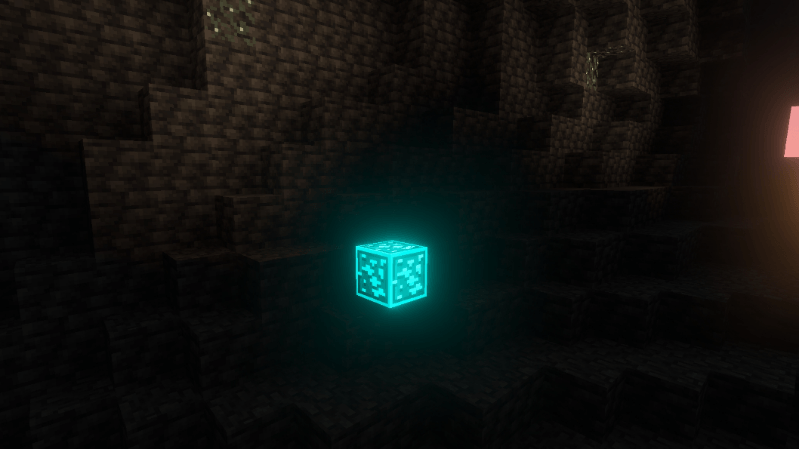
  • Full animation + glowing outlines for every ore (Overworld + Deepslate).
  • Works perfectly with OptiFine or emissive texture support.
  • Optimized for visibility – find ores quickly without breaking immersion.
  • Compatible with most shaders and other texture packs.

Optifine Needed

Socials:

Join our discord 

✅ Allowed with My Projects

  • You can showcase my work in videos/streams if you give proper credit (e.g., link to the official download).
  • You can edit file for personal use only

❌ Not Allowed with My Projects
  • You cannot distribute through monetized links (AdFly, Linkvertise, etc.).
  • You cannot edit and re-share my projects 
animated glowing ores v1.1.zip
MC 1.21.2-Snapshot, 1.21, 1.21.6-snapshot, 1.21.1-Snapshot, 1.21.8, 1.21.5, 1.21.4, 1.21.5-Snapshot, 1.21.1, 1.21.6, 1.21.3, 1.21.7, 1.21-Snapshot, 1.21.4-Snapshot, 1.21.2
Release 2026-03-22 Get
animated glowing ores'.zip
MC 1.21.2-Snapshot, 1.21, 1.21.6-snapshot, 1.21.1-Snapshot, 1.21.8, 1.21.5, 1.21.4, 1.21.5-Snapshot, 1.21.1, 1.21.6, 1.21.3, 1.21.7, 1.21.4-Snapshot, 1.21.2, 1.21.9-snapshot, 1.21.9
Release 2026-03-04 Get

Requirements & install

How to use this resource pack in Minecraft
Resolution
16x
Minecraft
1.21.5-Snapshot – 1.21.9
Install folder
.minecraft/resourcepacks

How to install resource packs

  1. Download the resource pack .zip file (do not extract it).
  2. In Minecraft open Options → Resource Packs → Open Pack Folder.
  3. Drop the .zip into the resourcepacks folder (.minecraft/resourcepacks).
  4. Move the pack to the Selected column and click Done.
Browse more: 16x resource packs 32x resource packs 64x resource packs 128x resource packs 256x resource packs 512x+ resource packs Resource Packs for 1.21.9 All resource packs

More from NetherSpark_Studios

Advertisement Remove ads with Premium →

You Might Also Like