Mineuniverse
Resource Packs
Gleamless - An AlarkiusJ Glass RP

Gleamless - An AlarkiusJ Glass RP

RESOURCE PACK
Smooth and Cleaner Glass!
by AlarkiusJay
Download Claim this project
Add a badge to your pageLink to Gleamless - An AlarkiusJ Glass RP from a README, website or forum post.
Preview: Badge

Badges update automatically and link to the resource pack page on MineUniverse.

3,314 downloads
0 likes
0 followers
Updated Oct 14, 2026
0 hypes
Follow0
16x Miscellaneous
Advertisement Remove ads with Premium →

This is my first resource pack I made, which I am also publishing publicly! Before this work, I mainly edited off of other packs and used it for my own personal aesthetic. Anyways, here's my first official resource pack I am releasing!


Gleamless (1.19+)

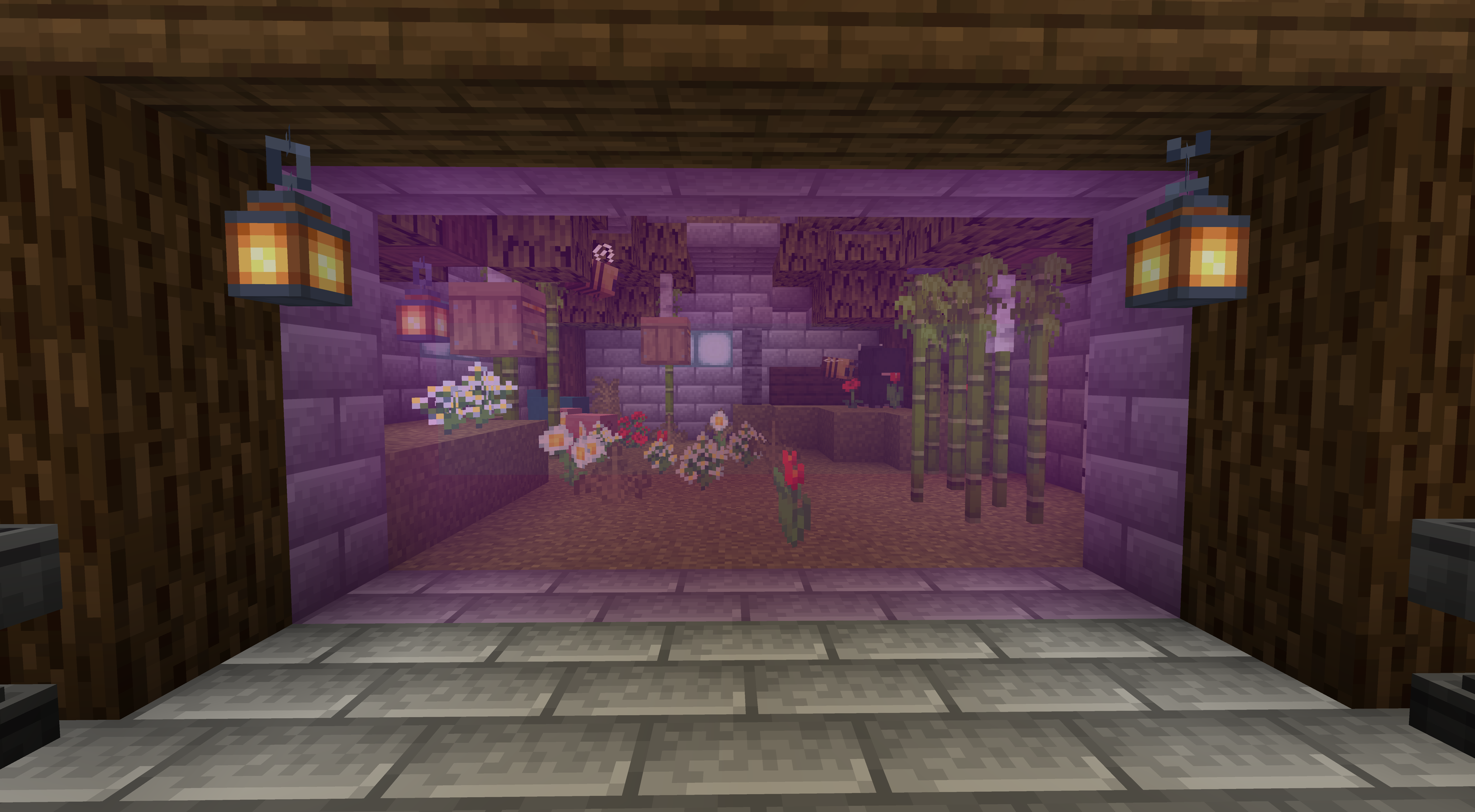
This pack aims to make glass look cleaner and smooth. All the stained glass are borderless except the main glass texture. 
For the main glass texture, it's a 64x64 size, because I wanted the border lines to be thin, not thick! (please try to keep this in mind)

(the other glass textures are 16x16) 


This has Optifine's Connected Textures Support! Shaders are optional for using this resource pack, but as I was testing out, I found out that the lighter colors don't shine and show well. Shaders aren't recommended, but you can feel free to try! 


If you like this pack or want to see some improvements, don't hesitate to leave some comments! 

Gleamless - GlassRP
MC 1.20
Release 2023-07-11 Get
Gleamless - An AlarkiusJ Glass RP.zip
MC 1.19.2, 1.19.1, 1.19
Release 2022-10-11 Get
Smooth Vanilla Glass 1.19+.zip
MC 1.19.2, 1.19.1, 1.19
Alpha 2022-10-09 Get
Smooth Vanilla Glass 1.19+.zip
MC 1.19.2, 1.19.1, 1.19
Release 2022-10-07 Get

Requirements & install

How to use this resource pack in Minecraft
Resolution
16x
Minecraft
1.19 – 1.20
Install folder
.minecraft/resourcepacks

How to install resource packs

  1. Download the resource pack .zip file (do not extract it).
  2. In Minecraft open Options → Resource Packs → Open Pack Folder.
  3. Drop the .zip into the resourcepacks folder (.minecraft/resourcepacks).
  4. Move the pack to the Selected column and click Done.
Browse more: 16x resource packs 32x resource packs 64x resource packs 128x resource packs 256x resource packs 512x+ resource packs Resource Packs for 1.20 All resource packs
Advertisement Remove ads with Premium →

You Might Also Like