Mineuniverse
Resource Packs
Glass Panes CTM Fix

Glass Panes CTM Fix

RESOURCE PACK
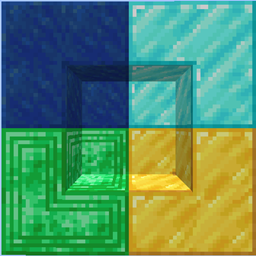
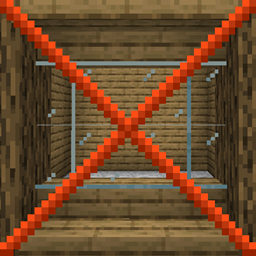
Fixes connected textures for glass panes with ctm.
by WenXin2
Download Claim this project
93,558 downloads
0 likes
0 followers
Updated Oct 14, 2026
0 hypes
Follow0
16x Miscellaneous
Advertisement Remove ads with Premium →


Link: https://rocketnode.com/wenxin
Code: WARP-PIPES 25% Off


This is an addon to my MC Connected CTM pack to fix glass panes with ctm.

This resource pack should also work with most resource packs. 

This is not needed if Optifine or Connectedness is installed.


Click here to download the MC Connected CTM resource pack.


I've partnered with RocketNode Hosting!

RocketNode provides top-tier server hosting worldwide, allowing you to set up your server with just a few clicks! Their intuitive dashboard makes server management a breeze, and you can even schedule automatic restarts without needing any coding knowledge.

Use the code WARP-PIPES to get 25% off your first month on any of their gaming servers. Get started here: https://rocketnode.com/wenxin

 

Glass Panes CTM Fix 1.2X.x-1.0.zip
MC 1.20.2, 1.21, 1.20.5, 1.21.5, 1.21.8, 1.21.4, 1.20.3, 1.20.6, 1.20.4, 1.21.3, 1.21.7, 1.21.1, 1.21.6, 1.21.2, 1.21.9-snapshot
Release 2025-08-19 Get
Glass Panes CTM Fix 1.20.1-1.0.zip
MC 1.20.2-Snapshot, 1.20.1, 1.20
Release 2023-08-30 Get
Glass Panes CTM Fix 1.19.4-1.0.zip
MC 1.19.4-Snapshot, 1.19.4
Release 2023-05-05 Get
Glass Panes CTM Fix 1.19.2-1.0.zip
MC 1.19.3, 1.19.2, 1.19.1, 1.19
Release 2022-10-22 Get
Glass Panes CTM Fix v1.0-1.18.zip
MC 1.18.1, 1.18.2, 1.18, 1.18-Snapshot
Release 2022-01-25 Get
Glass Panes CTM Fix v1.0-1.17.zip
MC 1.17.1, 1.17, 1.17-Snapshot
Release 2022-01-25 Get
Glass Panes CTM Fix v1.0.zip
MC 1.16.3, 1.16.1, 1.16, 1.16.5, 1.16.4, 1.16.2
Release 2021-01-13 Get

Requirements & install

How to use this resource pack in Minecraft
Resolution
16x
Minecraft
1.21.2 – 1.21.9-snapshot
Install folder
.minecraft/resourcepacks

How to install resource packs

  1. Download the resource pack .zip file (do not extract it).
  2. In Minecraft open Options → Resource Packs → Open Pack Folder.
  3. Drop the .zip into the resourcepacks folder (.minecraft/resourcepacks).
  4. Move the pack to the Selected column and click Done.
Browse more: 16x resource packs 32x resource packs 64x resource packs 128x resource packs 256x resource packs 512x+ resource packs Resource Packs for 1.21.9-snapshot All resource packs

More from WenXin2

Advertisement Remove ads with Premium →

You Might Also Like