Mineuniverse
Resource Packs
Gempire - Gemstones Reimagined

Gempire - Gemstones Reimagined

RESOURCE PACK
Overhauls gemstone textures from Gempire
by StellarDust
Download Claim this project
Add a badge to your pageLink to Gempire - Gemstones Reimagined from a README, website or forum post.
Preview: Badge

Badges update automatically and link to the resource pack page on MineUniverse.

2,020 downloads
0 likes
0 followers
Updated Oct 14, 2026
0 hypes
Follow0
16x Miscellaneous Mod Support
Advertisement Remove ads with Premium →


Preview:

♦Pearl♦


♦Sapphire / Ruby♦


♦Zircon♦


♦Spinel♦


♦Garnet♦


♦Tourmaline♦


♦Quartz♦


♦Miscellaneous♦


About:

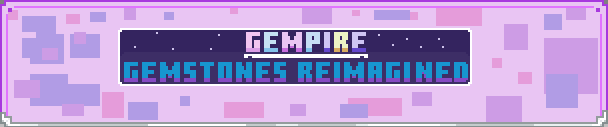
Gempire - Gemstones Reimagined is a resource pack designed to enhance the appearance of gemstone items from the Gempire mod. This pack replaces the textures of gemstone items to make them smoother, more vibrant, and better integrated with the surrounding world. It focuses exclusively on gemstones and their layers, such as cracked and perfect. Other textures, including entity textures and non-gemstone items, are not included in this resource pack. 

Currently doesn't replace gemstone bases.

Replaces These Gemstones : 

  • Colored: Pearl, Sapphire, Ruby, Spinel, Zircon, Garnet, Tourmaline.
  • Non Colored: Quartz, Topaz.
  • Singular: Rutile, Nephrite, Emerald, Peridot.


Suggestions or Ideas:

Don't Hesitate to leave your feedback on current textures, or ideas for new ones. For example, some unique way to integrate gemstone bases, instead of just using white hued gemstones.


This is not a standalone resource pack, it requires Gempire to function. And all of the credit for the mod goes to the Authors of Gempire.

 

GGR_v0.2.6.zip
MC 1.20.1, 1.20
Release 2025-03-05 Get
GGR_v0.2.5_1.20.1.zip
MC 1.20.1, 1.20
Release 2025-02-05 Get
Gempire - Gemstones Reimagined v. 0.2.4.zip
MC 1.19.4
Release 2025-01-12 Get

Requirements & install

How to use this resource pack in Minecraft
Resolution
16x
Minecraft
1.19.4 – 1.20.1
Install folder
.minecraft/resourcepacks

How to install resource packs

  1. Download the resource pack .zip file (do not extract it).
  2. In Minecraft open Options → Resource Packs → Open Pack Folder.
  3. Drop the .zip into the resourcepacks folder (.minecraft/resourcepacks).
  4. Move the pack to the Selected column and click Done.
Browse more: 16x resource packs 32x resource packs 64x resource packs 128x resource packs 256x resource packs 512x+ resource packs Resource Packs for 1.20.1 All resource packs

More from StellarDust

Advertisement Remove ads with Premium →

You Might Also Like