Mineuniverse
Resource Packs
Gator's Fresh Tools

Gator's Fresh Tools

RESOURCE PACK
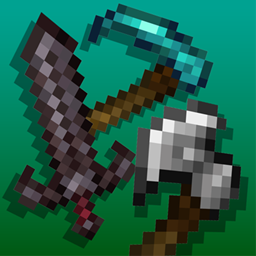
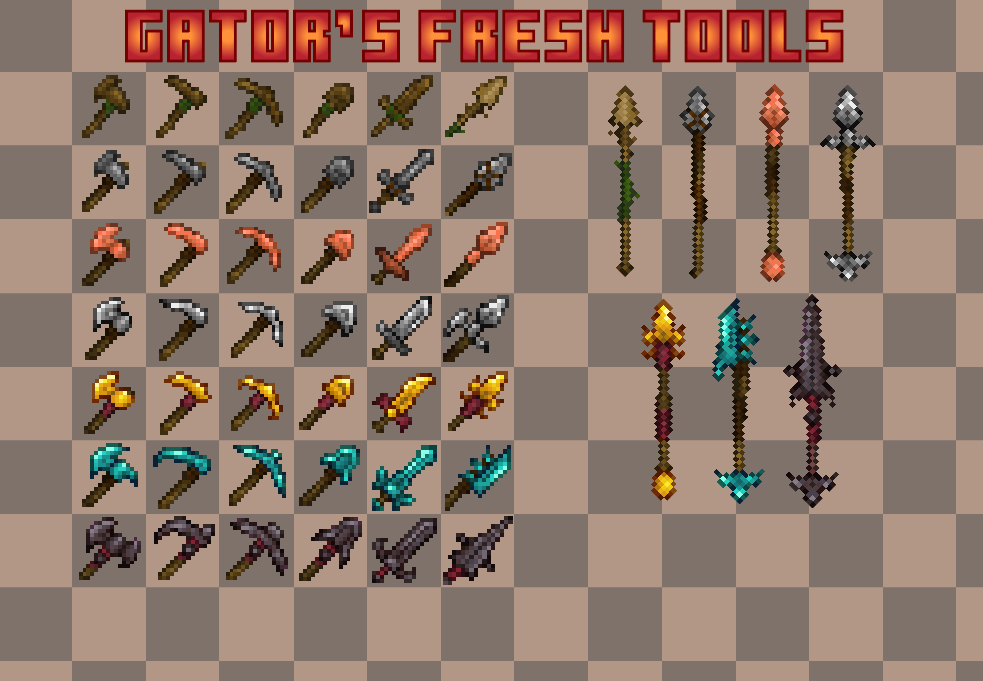
Tools reimagined in a more medieval and somewhat prehistoric style. Compatible with mods like notreepunching, ice and fire, overgeared and many more!
by YVGator
Download Claim this project
5,309 downloads
0 likes
0 followers
Updated Oct 14, 2026
0 hypes
Follow0
16x Medieval
Advertisement Remove ads with Premium →

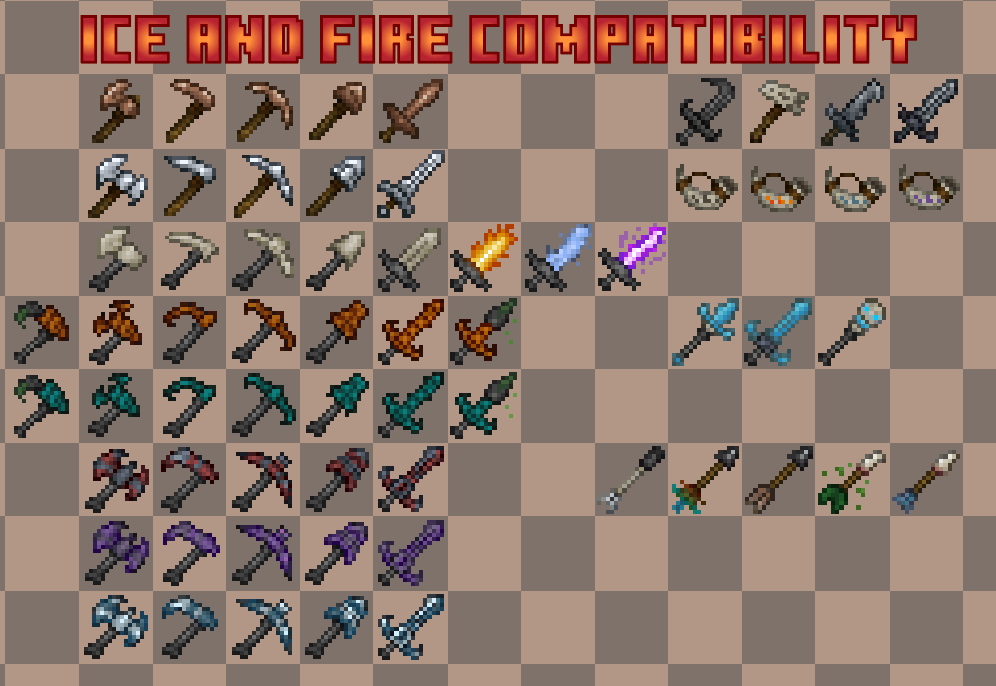
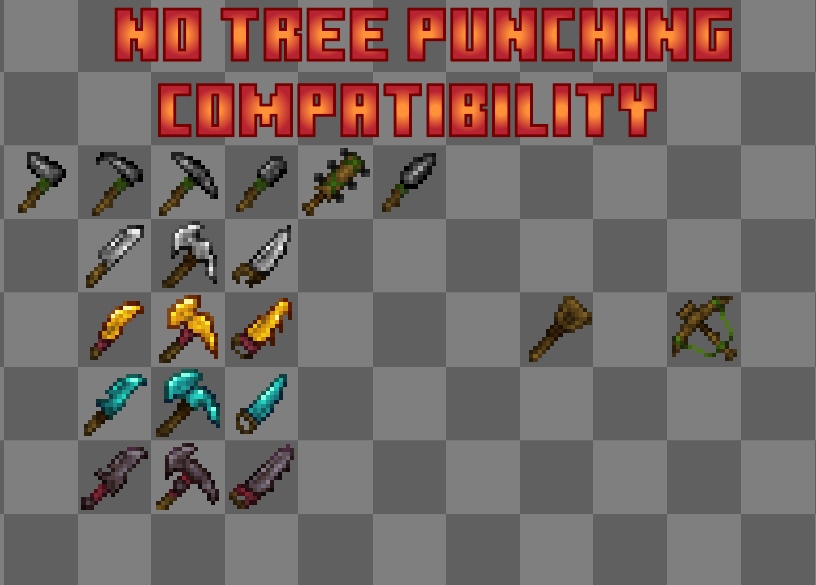
This resourcepack focuses on overhauling all the vanilla sets of tools from every material! Feel free to leave any suggestions on what i could improve and what mod i could make textures for! Check compatibilities down below! Also compatible with various backport mods such as: Vanilla Backport , Backported Spears , Copper Age Backport !

Also  somewhat inspired by: Bexla's Reimagined Tools

Current Compatibilities: 

1.Ice And Fire: Dragons

2.No Tree Punching

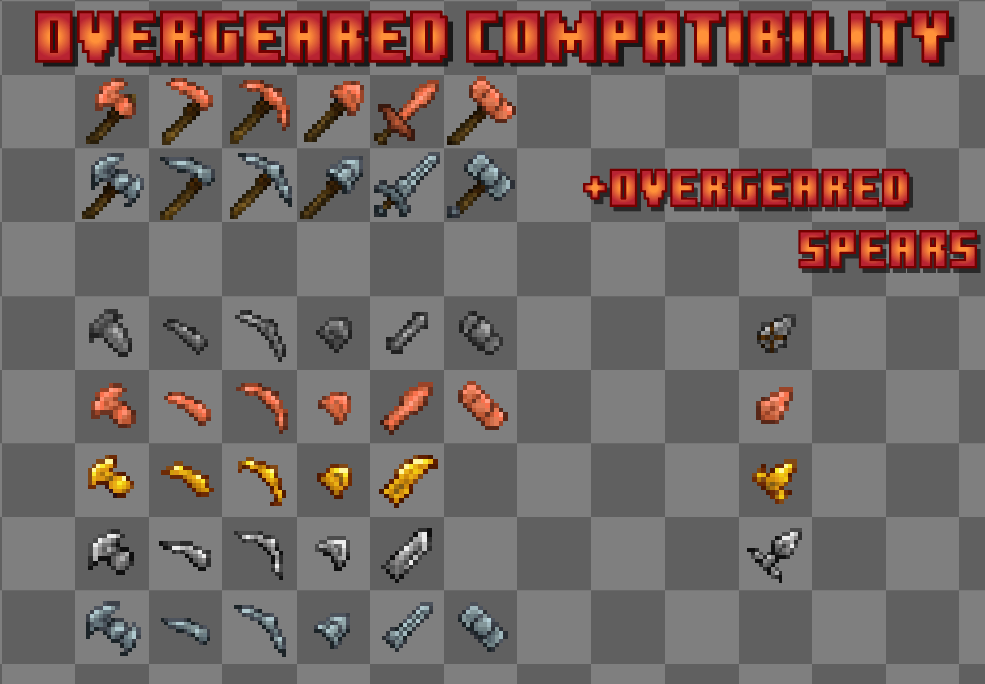
3.Overgeared

4.Overgeared: Backported Spears

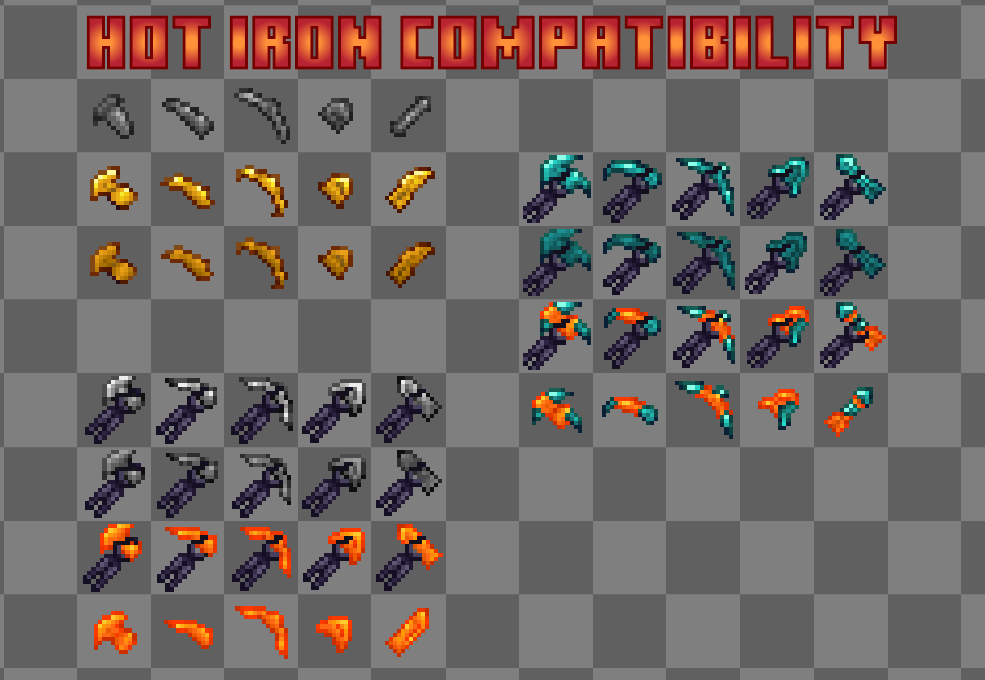
5.Hot Iron

Also compatible with any backport mod so long as it uses the minecraft directory for textures! Heres a couple: Vanilla Backport , Backported Spears , Copper Age Backport !

Planned Compatibilities:

  1. Opposing Force
  2. The Aether
  3. Unusual Prehistory

4.Farmer's Delight

5.Butchery

6.Chisel and Bits

And many more! If you have any ideas for compatibility please go ahead and leave a comment!


Please credit if you plan on using this resourcepack on your modpacks! Also all versions should work there are no known incompatibilities with versions. 

Gator's Fresh Tools1.1.zip
MC 1.0, 1.18.1, 1.16.5, 1.14.4, 1.17, 1.20.5, 1.21.5, 1.20.1, 1.21.1, 1.19.2, 1.12.2, 1.9, 1.21.9, 1.21.11, 26.1, 26.1.2, 26.2, 26.3
Release 2026-06-04 Get
Gator's Fresh Tools1.0.zip
MC 1.16.3, 1.17.1, 1.16.1, 1.16.5, 1.14.4, 1.20.5, 1.20.1, 1.21.1, 1.15.2, 1.18.2, 1.19.2, 1.16.2, 1.11.2, 1.12.2, 1.16.4, 1.21.9, 1.21.11, 26.1
Release 2026-05-24 Get

Requirements & install

How to use this resource pack in Minecraft
Resolution
16x
Minecraft
1.21.1 – 26.3
Install folder
.minecraft/resourcepacks

How to install resource packs

  1. Download the resource pack .zip file (do not extract it).
  2. In Minecraft open Options → Resource Packs → Open Pack Folder.
  3. Drop the .zip into the resourcepacks folder (.minecraft/resourcepacks).
  4. Move the pack to the Selected column and click Done.
Browse more: 16x resource packs 32x resource packs 64x resource packs 128x resource packs 256x resource packs 512x+ resource packs Resource Packs for 26.3 All resource packs

More from YVGator

Advertisement Remove ads with Premium →

You Might Also Like