Mineuniverse
Resource Packs
Gates Gone Gray - Greg's SG Craft Resource Pack

Gates Gone Gray - Greg's SG Craft Resource Pack

RESOURCE PACK
Alternative Textures for Greg's SG Craft
by mallrat208
Download Claim this project
Add a badge to your pageLink to Gates Gone Gray - Greg's SG Craft Resource Pack from a README, website or forum post.
Preview: Badge

Badges update automatically and link to the resource pack page on MineUniverse.

945 downloads
0 likes
0 followers
Updated Oct 14, 2026
0 hypes
Follow0
32x Mod Support
Advertisement Remove ads with Premium →

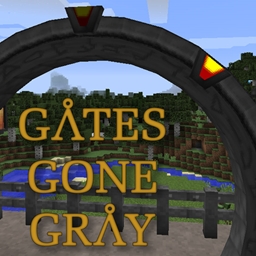
This is a Single Mod Resource Pack. It recolors the SG Craft Stargate to a darker color to be more similar to that of the Stargate franchise.


Currently the Stargate, the blocks used to form the multiblock, and their GUI are retextured. Overall the mod should be more of a Dark Gray/Slate than the bluish hue it has by default.


Quick Comparison


Tested to work with the 1.10.2 and 1.8.9 versions of Greg's SG Craft


Known Issues:

The GUI when inspecting a stargate shows up with Blue Text, this is hardcoded in to the mod and cannot be changed by a resource pack.

SG Craft - Gates Gone Gray.zip
MC 1.10.2, 1.8.9
Release 2017-01-16 Get

Requirements & install

How to use this resource pack in Minecraft
Resolution
32x
Minecraft
1.8.9 – 1.10.2
Install folder
.minecraft/resourcepacks

How to install resource packs

  1. Download the resource pack .zip file (do not extract it).
  2. In Minecraft open Options → Resource Packs → Open Pack Folder.
  3. Drop the .zip into the resourcepacks folder (.minecraft/resourcepacks).
  4. Move the pack to the Selected column and click Done.
Browse more: 16x resource packs 32x resource packs 64x resource packs 128x resource packs 256x resource packs 512x+ resource packs Resource Packs for 1.10.2 All resource packs

More from mallrat208

Advertisement Remove ads with Premium →

You Might Also Like