Mineuniverse
Resource Packs
Garden Gnomes | Copper Golems

Garden Gnomes | Copper Golems

RESOURCE PACK
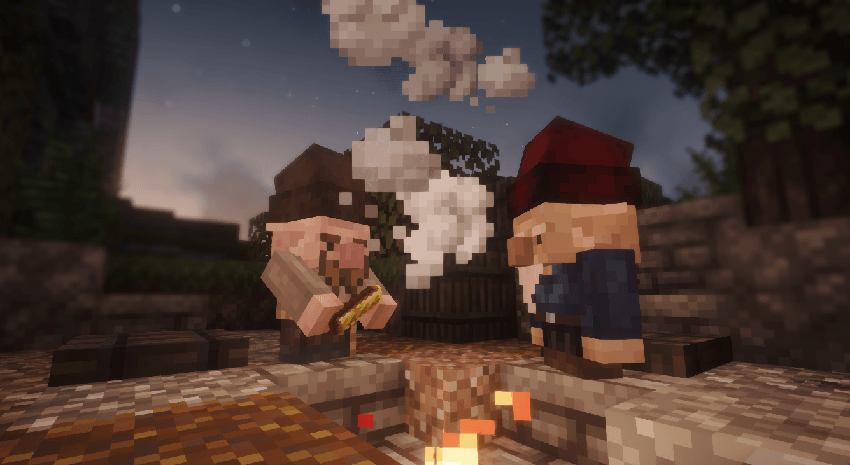
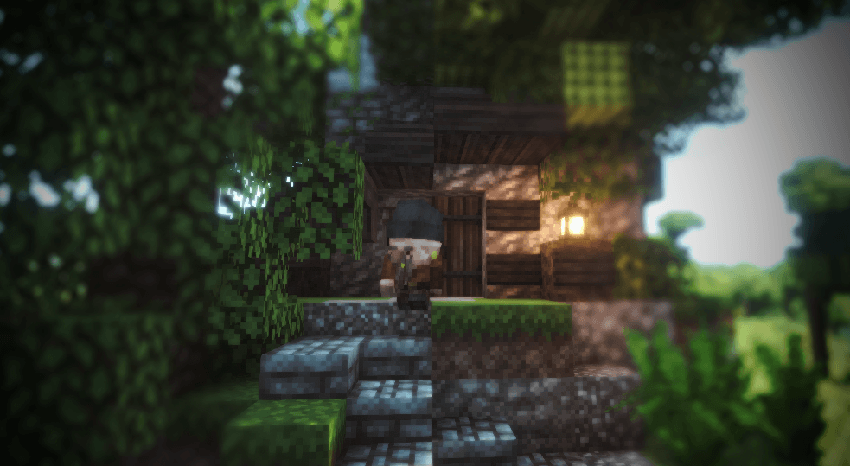
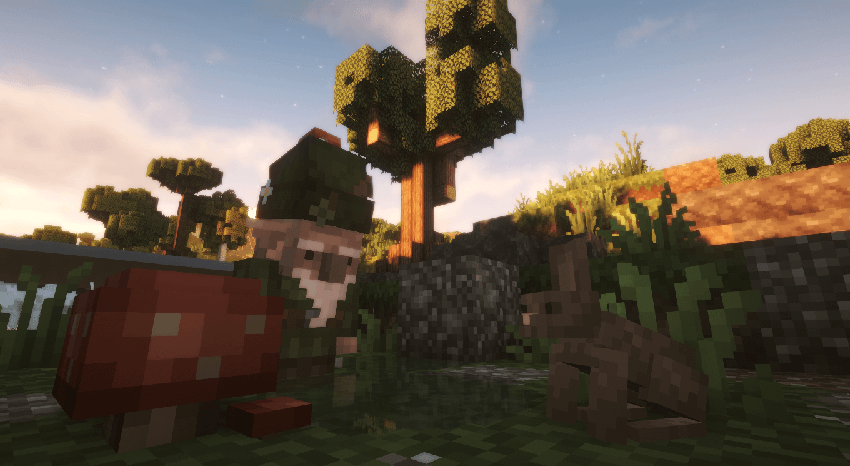
Replaces Copper Golems with 10 randomized Garden Gnome variants, complete with custom audio and Excalibur-style textures.
by doc22005
Download Claim this project
48 downloads
0 likes
0 followers
Updated Oct 14, 2026
0 hypes
Follow0
16x Medieval Mod Support
Advertisement Remove ads with Premium →

🍄 Garden Gnomes | Copper Golem

Transforms the Copper Golem into authentic and rustic garden gnomes. This resource pack completely replaces the Copper Golem's model and textures to introduce charming, detailed gnomes.


🛠️ Features

  • Model and Texture Replacement: Fully replaces the Copper Golem entity.
  • Variants: Includes 10 randomized gnome variants. Further variants will be added in future updates.
  • Custom Audio: Replaces default golem sounds with modified, higher-pitched villager audio files.
  • Art Style: Textures are designed to match the visual style of the Excalibur resource pack.

⚙️ Requirements

  • EMF (Entity Model Features) and ETF (Entity Texture Features) are strictly required for the custom models, animations, and texture randomization to function properly.

🤝 Compatibility

  • Minecraft Versions: Supports 1.20.x through 1.21.x.
  • Mod Support: Fully compatible with the Copper Age Backport mod to spawn the entity in 1.20.1 & 1.21.1 versions.
  • Load Order: If playing with the Excalibur resource pack, place this pack above it in the active resource packs list to prioritize the custom models and sounds.

🧩 Credits & Recommendations

  • Maffhew (Creator of Excalibur): Huge inspiration for the gnome models, art style, and the chicken hat concept.
  • For the ultimate rustic experience, I highly recommend using this pack alongside the Excalibur Resource Pack.

Garden_Gnomes_Copper_Golem_v1.0.0_[1.20-1.21]
MC 1.20.1, 1.21.1, 1.21.9, 1.21.10, 1.21.11
Release 2026-10-08 Get

Requirements & install

How to use this resource pack in Minecraft
Resolution
16x
Minecraft
1.20.1 – 1.21.11
Install folder
.minecraft/resourcepacks

How to install resource packs

  1. Download the resource pack .zip file (do not extract it).
  2. In Minecraft open Options → Resource Packs → Open Pack Folder.
  3. Drop the .zip into the resourcepacks folder (.minecraft/resourcepacks).
  4. Move the pack to the Selected column and click Done.
Browse more: 16x resource packs 32x resource packs 64x resource packs 128x resource packs 256x resource packs 512x+ resource packs Resource Packs for 1.21.11 All resource packs
Advertisement Remove ads with Premium →

You Might Also Like