Mineuniverse
Resource Packs
Gameless V2

Gameless V2

RESOURCE PACK
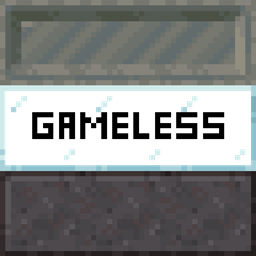
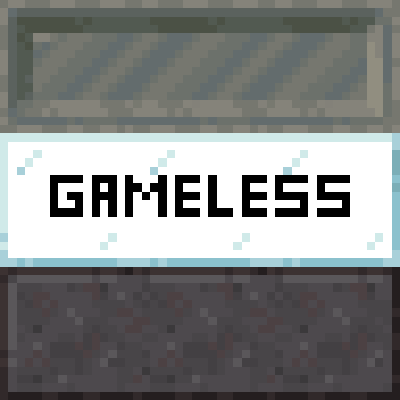
this texturepack add some new things like custom items then you rename it and some inventory changes and connected textures
by Domenik_YT1
Download Claim this project
721 downloads
0 likes
Updated Oct 14, 2026
0 hypes
16x Miscellaneous Mod Support
Advertisement Remove ads with Premium →

GERMAN:
dies ist ein Texturen paket was eine haus eigene Elytra enthält, custom tools und so weiter wenn man Optifine oder CIT Resewn und Continuity nutzt kann man connected textures von blöcken und custom items sehen wenn man die namen ändert.

ENGLISH:
this is a texture pack which contains an in-house Elytra, custom tools and so on if you use
Optifine
or
CIT Resewn
and 
Continuity
 you can see connected textures of blocks and custom items if you change the names.

Credits:
- https://modrinth.com/user/Domenik_YT1)

§6Gameless §ev2§f.zip
MC 1.21.2-Snapshot, 1.21, 1.21.6-snapshot, 1.21.1-Snapshot, 1.21.8, 1.21.5, 1.21.4, 1.21.5-Snapshot, 1.21.1, 1.21.6, 1.21.3, 1.21.7, 1.21-Snapshot, 1.21.4-Snapshot, 1.21.2
Release 2026-05-20 Get
§6Gameless §ev2§f.zip
MC 1.21.2-Snapshot, 1.21, 1.21.6-snapshot, 1.21.1-Snapshot, 1.21.8, 1.21.5, 1.21.4, 1.21.5-Snapshot, 1.21.1, 1.21.6, 1.21.3, 1.21.7, 1.21-Snapshot, 1.21.4-Snapshot, 1.21.2
Release 2026-05-20 Get
Gameless v2.zip
MC 1.21.2-Snapshot, 1.21, 1.21.6-snapshot, 1.21.1-Snapshot, 1.21.8, 1.21.5, 1.21.4, 1.21.5-Snapshot, 1.21.1, 1.21.6, 1.21.3, 1.21.7, 1.21-Snapshot, 1.21.4-Snapshot, 1.21.2
Release 2026-04-09 Get
Gameless v2.zip
MC 1.21.2-Snapshot, 1.21.6-snapshot, 1.21.8, 1.21.5, 1.21.4, 1.21.5-Snapshot, 1.21.1, 1.21.6, 1.21.3, 1.21.7, 1.21.4-Snapshot, 1.21.2, 1.21.9-snapshot, 1.21.9, 1.21.10
Release 2025-12-03 Get

Requirements & install

How to use this resource pack in Minecraft
Resolution
16x
Minecraft
1.21.5 – 1.21.10
Install folder
.minecraft/resourcepacks

How to install resource packs

  1. Download the resource pack .zip file (do not extract it).
  2. In Minecraft open Options → Resource Packs → Open Pack Folder.
  3. Drop the .zip into the resourcepacks folder (.minecraft/resourcepacks).
  4. Move the pack to the Selected column and click Done.
Browse more: 16x resource packs 32x resource packs 64x resource packs 128x resource packs 256x resource packs 512x+ resource packs Resource Packs for 1.21.10 All resource packs

More from Domenik_YT1

Advertisement Remove ads with Premium →

You Might Also Like