Mineuniverse
Resource Packs
G's Smooth Modern HD [256x]

G's Smooth Modern HD [256x]

RESOURCE PACK
Multi-theme 256x texture pack
by Grugsy
Download Claim this project
Add a badge to your pageLink to G's Smooth Modern HD [256x] from a README, website or forum post.
Preview: Badge

Badges update automatically and link to the resource pack page on MineUniverse.

59,683 downloads
0 likes
0 followers
Updated Oct 14, 2026
0 hypes
Follow0
Miscellaneous
Advertisement Remove ads with Premium →

Hi everyone. Welcome to G's Smooth Modern HD.

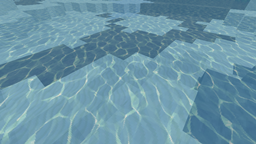
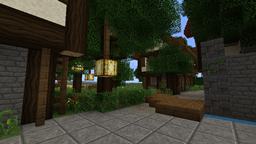
This pack is designed for modern'ish city building, and works best for creative. It is meant to be a nice blend between realism and fantasy, without losing the original feel of Minecraft.
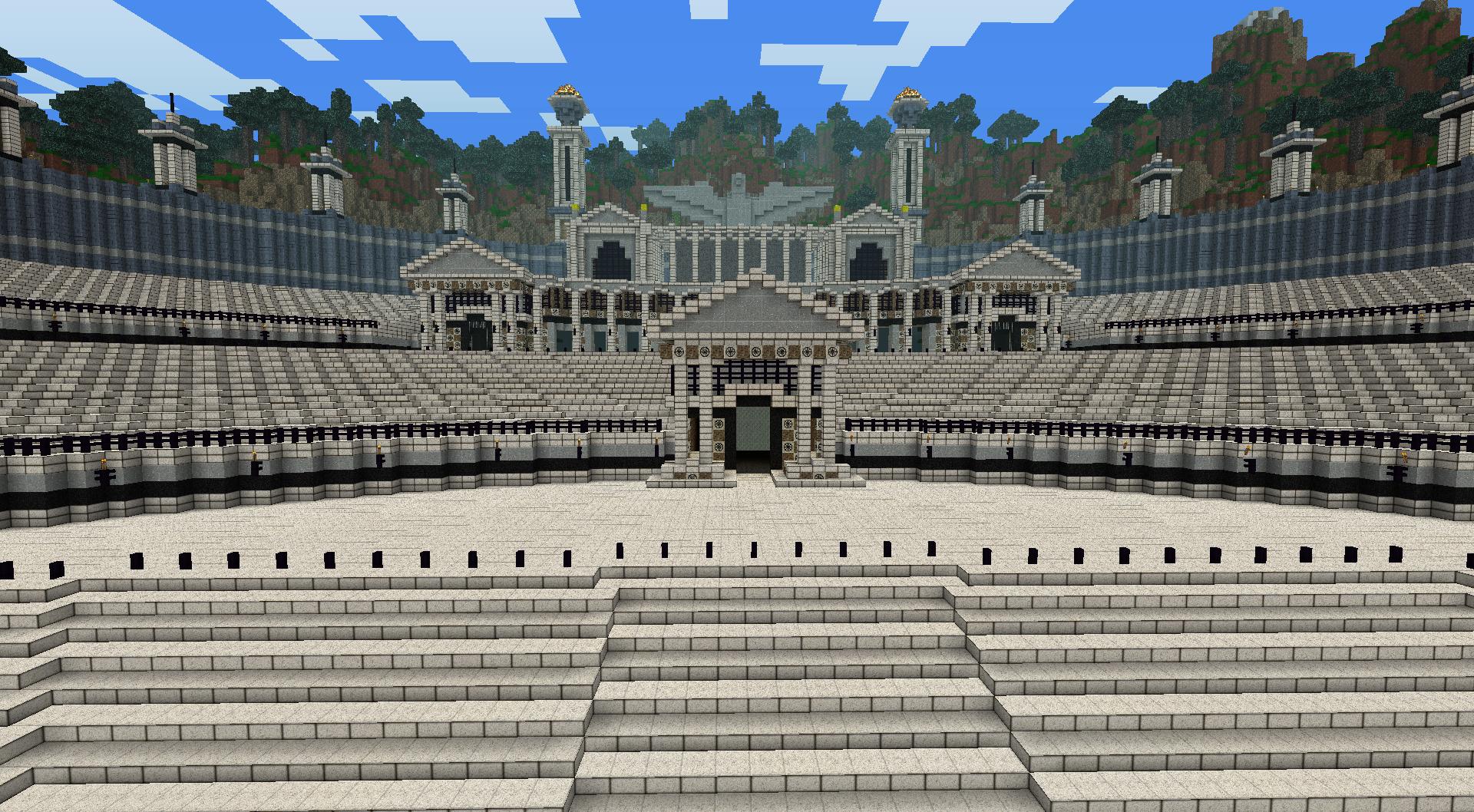
http://i.imgur.com/zOMCm.jpg

It changes the terrain, lighting,biome and block coloring, partial gui, and a few items. it also has an hd font, custom animations, and basic ctm support (pretty much everything mcpatcher adds).. until I get to everything else it will remain a slightly modified default.

If you can't do 256x there is a 64x version available on my mcforum page and here on Curse!

REQUIRES MCPATCHER(for all mod support) OR OPTIFINE TO RUN, THIS PACK IS 256X RESOLUTION

More Screens and info can be found on my Minecraft Forum page.

http://www.minecraftforum.net/topic/527158-256x125-gs-smooth-modern-hd-v2-update-623-wsnapshot-stuff/

Warning: I am no longer using anyone's work as placeholders etc. everything I have not done will remain vanilla, or an hd edit of vanilla textures until redone.

This pack is huge, and requires running minecraft with 2gig of memory or more allocated to java for it to function on most computers. This pack is designed with the use of Dax Nitros GLSL Shader Mod in mind, and the pack looks best with it optimized for 256x textures.

G_s_SMHD_V2.07_256x.zip
MC CB 1.4.5-R0.1
Release 2012-11-19 Get
G_s_SMHD_V2.06_256x.zip
MC 1.3.1
Release 2012-08-17 Get
G_s_Smooth_Modern_HD_v2.05_256x_1.3.1.zip
MC 1.3.1
Release 2012-08-03 Get
G_s_Smooth_Modern_HD_v2.05_256x_1.3.1.zip
MC 1.3.1
Release 2012-08-03 Get
G_s_Smooth_Modern_HD_v2.03.zip
MC CB 1.2.5-R4.0
Release 2012-07-26 Get
G_s_Smooth_Modern_HD_v2.02.zip
MC CB 1.2.5-R4.0
Release 2012-07-24 Get
G_s_Smooth_Modern_HD_v2.02.zip
MC CB 1.2.5-R4.0
Release 2012-07-24 Get
G_s_Smooth_Modern_HD_v2.01.zip
MC CB 1.2.5-R4.0
Release 2012-07-22 Get
G_s_Smooth_Modern_HD_v2.01.zip
MC CB 1.2.5-R4.0
Release 2012-07-22 Get
Gs_Smooth_Modern_HD_v2.zip
MC CB 1.2.5-R4.0
Release 2012-06-23 Get

Requirements & install

How to use this resource pack in Minecraft
Resolution
Not specified
Minecraft
1.3.1
Install folder
.minecraft/resourcepacks

How to install resource packs

  1. Download the resource pack .zip file (do not extract it).
  2. In Minecraft open Options → Resource Packs → Open Pack Folder.
  3. Drop the .zip into the resourcepacks folder (.minecraft/resourcepacks).
  4. Move the pack to the Selected column and click Done.
Browse more: 16x resource packs 32x resource packs 64x resource packs 128x resource packs 256x resource packs 512x+ resource packs Resource Packs for 1.3.1 All resource packs
Advertisement Remove ads with Premium →

You Might Also Like