Mineuniverse
Resource Packs
G&R Potions for Bare Bones (by Alexgig9)

G&R Potions for Bare Bones (by Alexgig9)

RESOURCE PACK
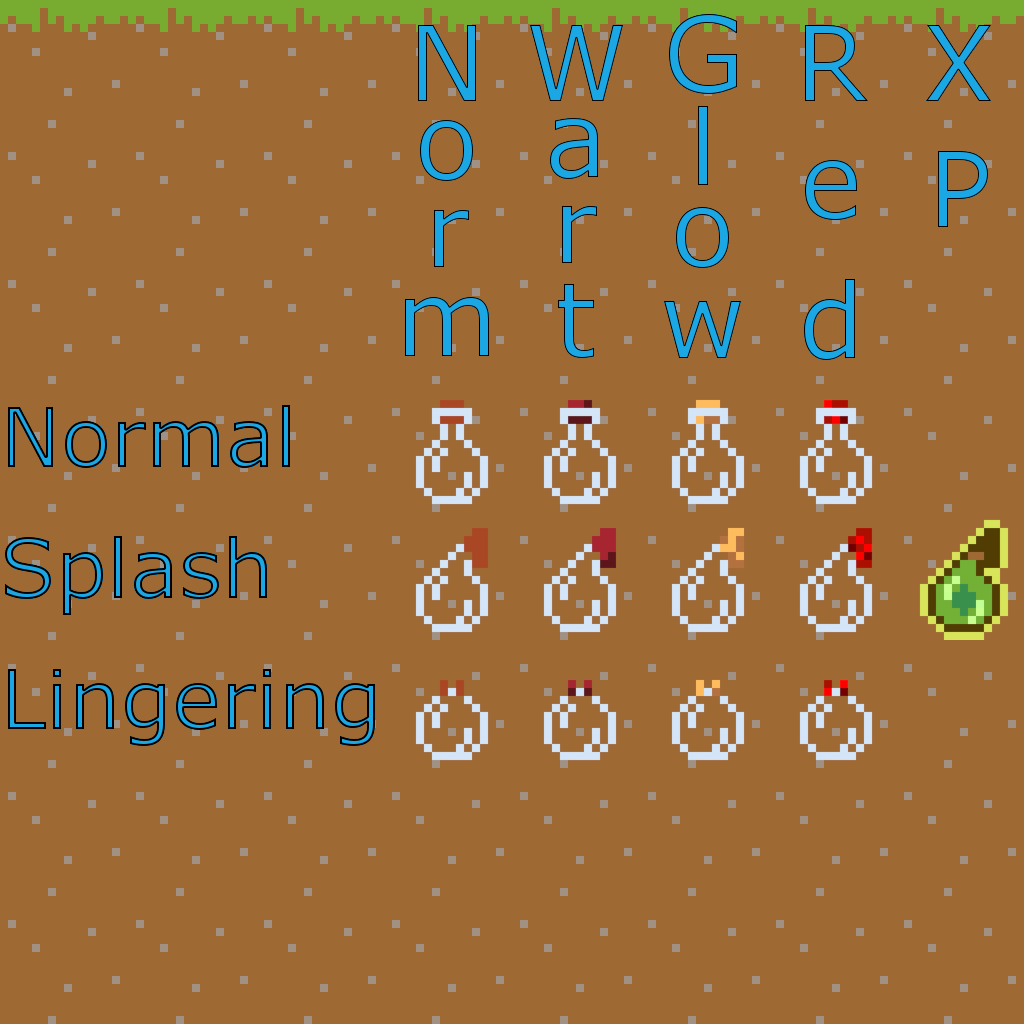
This is a resourcepack made for bare bones which changes the textures of upgraded and lenghtend potions so you can differentiate them from normal ones (it also changes the textures of bottles for awkward, mundane and thick potions).
by Alexgig99
Download Claim this project
Add a badge to your pageLink to G&R Potions for Bare Bones (by Alexgig9) from a README, website or forum post.
Preview: Badge

Badges update automatically and link to the resource pack page on MineUniverse.

283 downloads
0 likes
0 followers
Updated Oct 14, 2026
0 hypes
Follow0
16x Miscellaneous
Advertisement Remove ads with Premium →

This is a resourcepack made for bare bones which changes the textures of upgraded and lenghtend potions so you can differentiate them from normal ones (it also changes the textures of bottles for awkward, mundane and thick potions).
It is entierly made by me.
I made this because I had a problem with not knowing which potion is lenghtened or upgraded and this pack fixes that, it's made for Bare Bones because I use that texturepack when I play minecraft.

Here's a link to Bare Bones texturepack: https://www.curseforge.com/minecraft/texture-packs/bb

Also it fixes the xp bottle to be a splash potion bottle instead of the normal one.

This can be classified as a PvP resourcepack.


Also I am looking for someone to help me make a small utils version of this.

G&R potions SmallUtils 1.1
MC 1.21.6-snapshot, 1.21.8, 1.21.5, 1.21.6, 1.21.7, 1.21.9-snapshot, 1.21.9, 1.21.10, 1.21.11-snapshot
Release 2025-11-24 Get
G&R Potions 1.0
MC 1.21.6-snapshot, 1.21.8, 1.21.5, 1.21.6, 1.21.7, 1.21.9-snapshot, 1.21.9, 1.21.10, 1.21.11-snapshot
Release 2025-11-23 Get
G&R PotionS 1.1
MC 1.21.6-snapshot, 1.21.8, 1.21.5, 1.21.6, 1.21.7, 1.21.9-snapshot, 1.21.9, 1.21.10, 1.21.11-snapshot
Release 2025-11-23 Get

Requirements & install

How to use this resource pack in Minecraft
Resolution
16x
Minecraft
1.21.6-snapshot – 1.21.11-snapshot
Install folder
.minecraft/resourcepacks

How to install resource packs

  1. Download the resource pack .zip file (do not extract it).
  2. In Minecraft open Options → Resource Packs → Open Pack Folder.
  3. Drop the .zip into the resourcepacks folder (.minecraft/resourcepacks).
  4. Move the pack to the Selected column and click Done.
Browse more: 16x resource packs 32x resource packs 64x resource packs 128x resource packs 256x resource packs 512x+ resource packs Resource Packs for 1.21.11-snapshot All resource packs
Advertisement Remove ads with Premium →

You Might Also Like