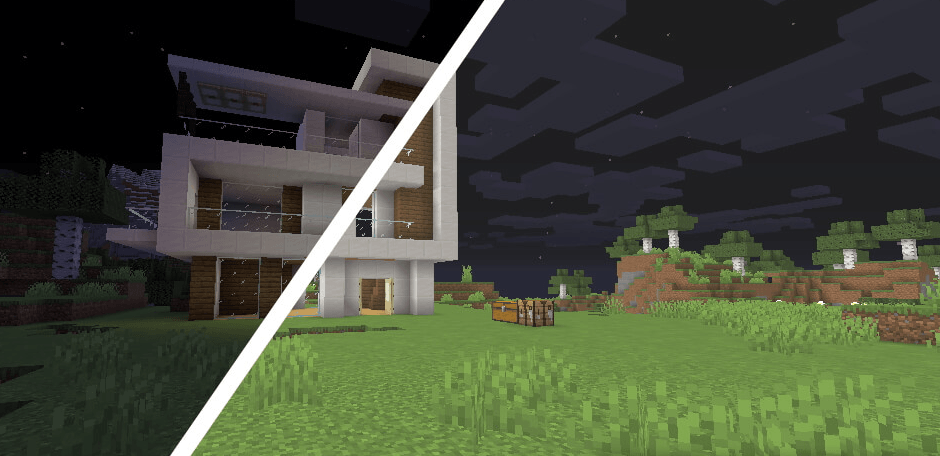
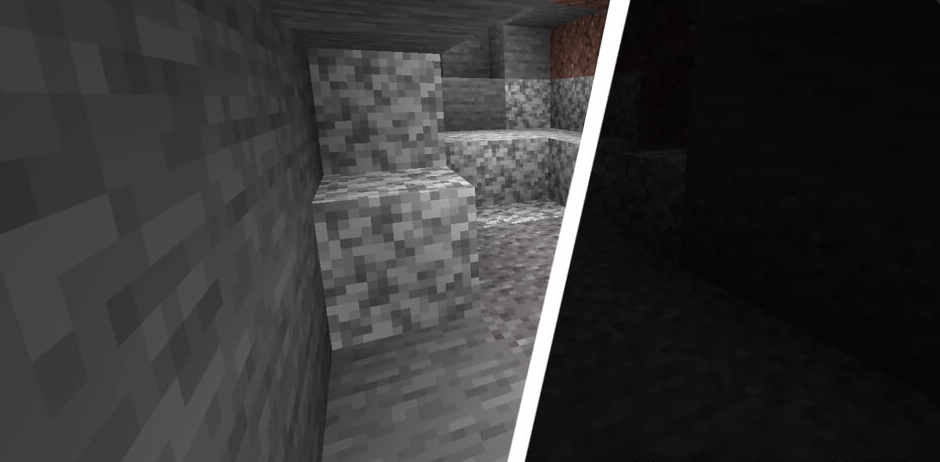
**FullLight** is a high-performance utility texture pack designed to provide perfect, shadow-free visibility throughout your entire game world. By completely remapping the light-level color palettes and transparency settings for all blocks, this pack ensures that every dark corner, deep cavern, and midnight landscape is illuminated as if it were standing in bright, midday sunlight.
**Absolute Visibility:** Experience total illumination. Every block surface is rendered at maximum brightness, rendering dark rooms and underground tunnels perfectly visible without the need for torches or light sources.
**Shadow Suppression:** By adjusting the way the game engine interprets environmental lighting, this pack effectively "flattens" the light map, removing harsh shadows and high-contrast dark spots that usually obscure your view.
**Performance-Friendly:** Because this is a texture-based solution, it requires no complex code or external mod loaders to function. It is a "vanilla-plus" compatible pack that works on any version of the game and has zero impact on your frame rate.
**Immersive Aesthetic:** Unlike some lighting mods that can make the game look washed out or gray, FullBrightness maintains the original vibrancy of your block textures, ensuring that the world looks sharp, clear, and colorful.
| | ------------- |----------------------------------------------------------------- | | Compatibility |Works with all platforms (Java/Bedrock) and versions. | | Mod Support |Fully compatible with all other resource packs (layer it on top). | | System Load |Zero performance cost; hardware-independent. | | Installation |Simple drag-and-drop into your resource pack folder. |
"FullLight is the ultimate convenience tool for builders, miners, and explorers. Whether you are navigating massive cave systems, constructing intricate bases, or simply trying to get a clear view of your world at night, this pack removes the obstacles of darkness, allowing you to see every detail with total clarity."
**Download:** Download the `FullLight.zip` file.
**Locate Folder:** Open your game settings, navigate to **Resource Packs**, and click **Open Pack Folder**.
**Install:** Drag the downloaded `.zip` file into that folder.
**Activate:** Return to the game, select **FullLight** from the available packs list, and move it to the "Selected" column.
**Prioritize:** Ensure it is at the very top of your list for the best results.