Mineuniverse
Resource Packs
FullBright

FullBright

RESOURCE PACK
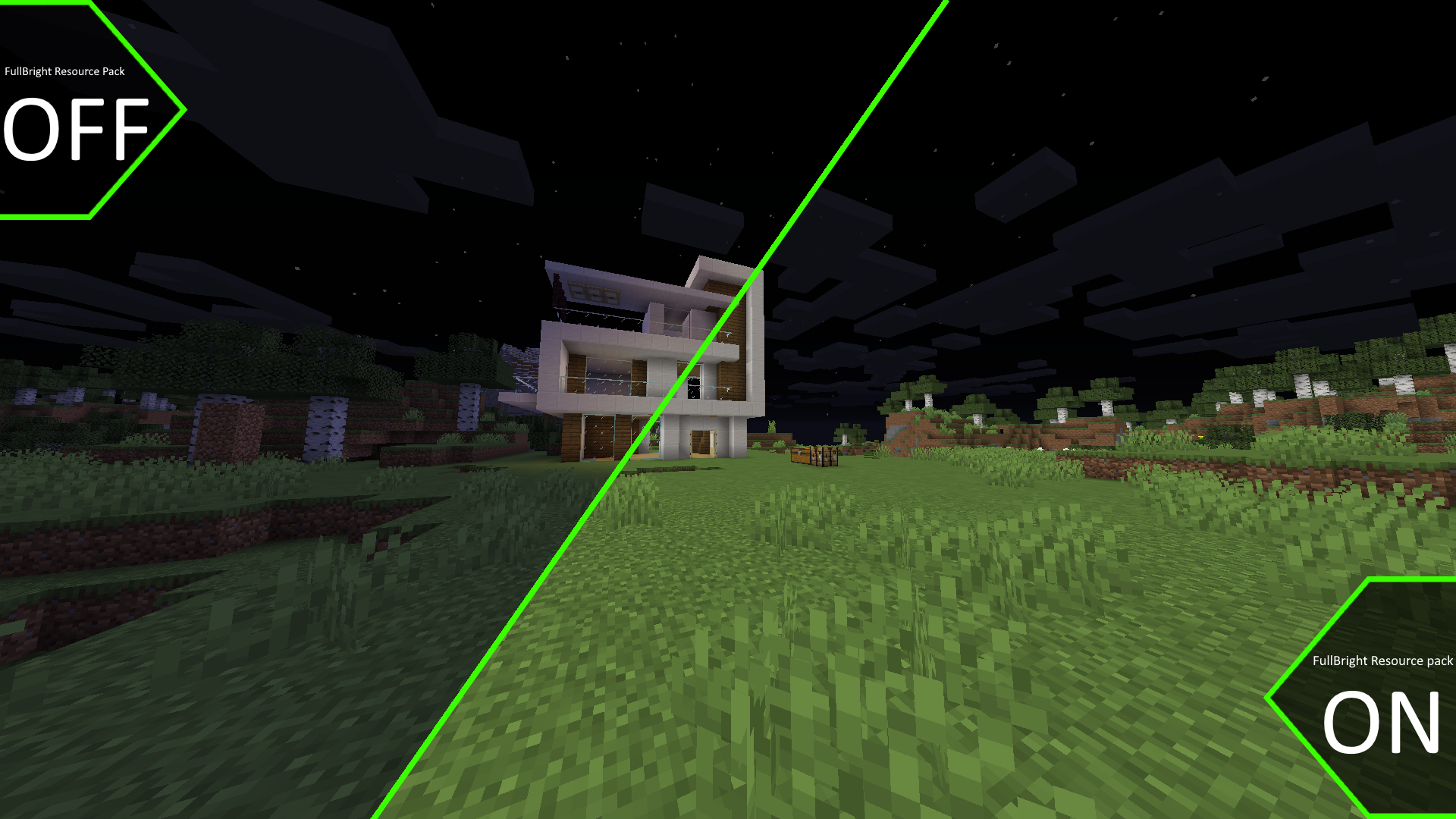
Just like night vision! BUT ALWAYS!
by Beyonderboi
Download Claim this project
5,518,195 downloads
0 likes
Updated Oct 14, 2026
0 hypes
16x Miscellaneous
Advertisement Remove ads with Premium →

OPTIFINE IS REQUIRED


This resource pack changes light levels so that your Minecraft player can always see clearly, even in the end and nether!

Most servers will allow FullBright as it really doesn't give much of a advantage.

FullBright resource pack is used by over 200,000,000 Minecrafters worldwide.


You can use this in versions 1.7 - 1.17!


IMPORTANT!

When downloading for versions 1.6 - 1.12 please don't just download the first file and instead download the additional file, these files will work without problem or tampering.


Night Vision particles not included.


How to download and install FullBright:

1.19.3
MC 1.19.3
Release 2023-07-26 Get
1.19.4
MC 1.19.4
Release 2023-07-26 Get
1.20.x
MC 1.20.1, 1.20
Release 2023-07-26 Get
1.19 - 1.19.2
MC 1.19.2, 1.19.1, 1.19
Release 2022-06-08 Get
1.18.x
MC 1.18.1, 1.18.2, 1.18, 1.18-Snapshot
Release 2021-12-02 Get
1.6.1 – 1.8.9
MC 1.7.6, 1.8.7, 1.7.4, 1.7.7, 1.7.5, 1.6.1, 1.8.4, 1.7.9, 1.8.8, 1.7.2, 1.8.3, 1.8.6, 1.7.8, 1.6.4, 1.7.10, 1.8, 1.8.2, 1.8.5, 1.8.9, 1.8.1, 1.6.2
Release 2021-05-06 Get
1.9 – 1.10.2
MC 1.9.1, 1.9.3, 1.9.4, 1.9.2, 1.10.2, 1.10, 1.10.1, 1.9
Release 2021-05-06 Get
1.11 – 1.12.2
MC 1.12.1, 1.12, 1.11, 1.11.1, 1.11.2, 1.12.2
Release 2021-05-06 Get
1.13 – 1.14.4
MC 1.13.1, 1.14.4, 1.14.1, 1.14.3, 1.13, 1.14, 1.14.2, 1.13.2
Release 2021-05-06 Get
1.15 – 1.16.1
MC 1.16.1, 1.15, 1.16, 1.15.2, 1.15.1
Release 2021-05-06 Get
1.17.x
MC 1.17
Release 2021-05-06 Get
1.16.2 – 1.16.5
MC 1.16.3, 1.16.1, 1.16, 1.16.5, 1.16.4, 1.16.2
Release 2021-04-18 Get

Requirements & install

How to use this resource pack in Minecraft
Resolution
16x
Minecraft
1.18.2 – 1.20.1
Install folder
.minecraft/resourcepacks

How to install resource packs

  1. Download the resource pack .zip file (do not extract it).
  2. In Minecraft open Options → Resource Packs → Open Pack Folder.
  3. Drop the .zip into the resourcepacks folder (.minecraft/resourcepacks).
  4. Move the pack to the Selected column and click Done.
Browse more: 16x resource packs 32x resource packs 64x resource packs 128x resource packs 256x resource packs 512x+ resource packs Resource Packs for 1.20.1 All resource packs

More from Beyonderboi

Advertisement Remove ads with Premium →

You Might Also Like