Mineuniverse
Resource Packs
Full Brightness - Heycronus

Full Brightness - Heycronus

RESOURCE PACK
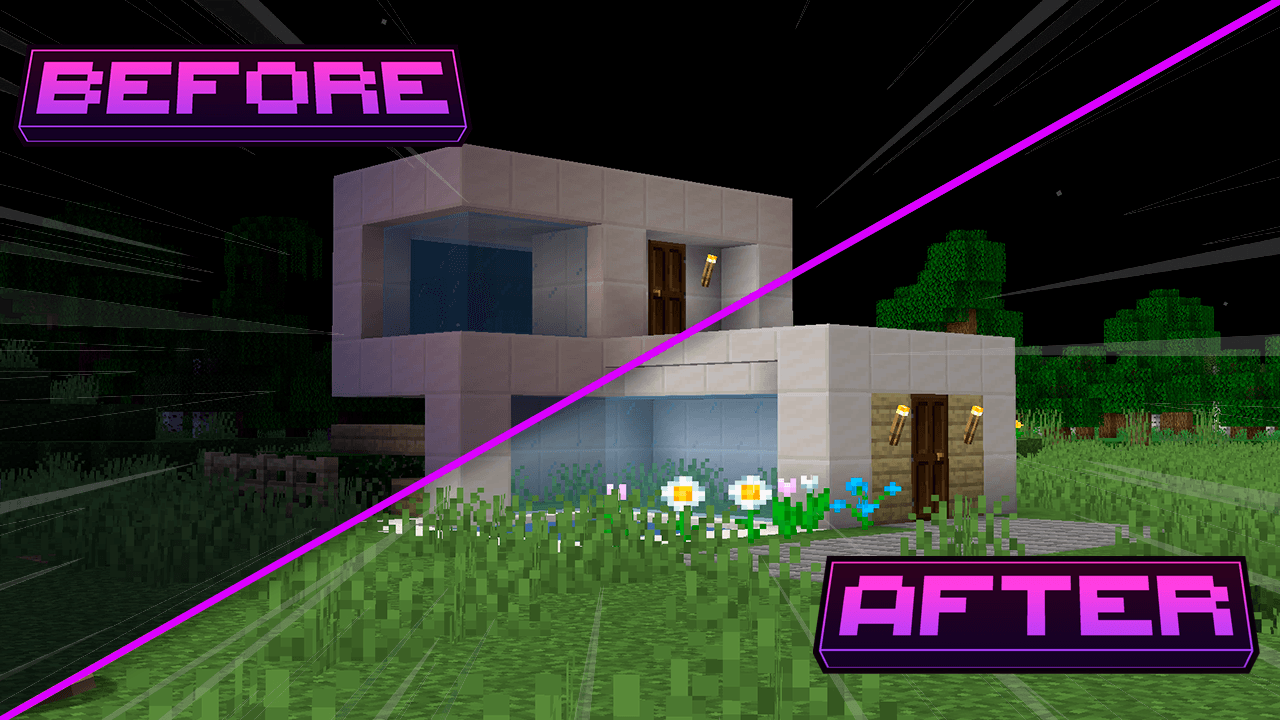
This texture makes minecraft completely clear πŸ’‘
by HeyCronus
Download Claim this project
165,234 downloads
0 likes
Updated Oct 14, 2026
0 hypes
Data Packs Font Packs Miscellaneous Photo Realistic Traditional
Advertisement Remove ads with Premium →

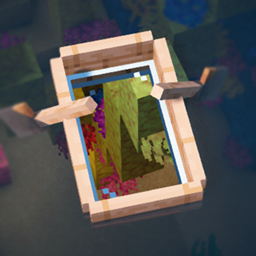
Transform your Minecraft experience with "Full Brightness"! This innovative texture increases the ambient brightness, allowing you to see clearly underwater, in dark caves, and during the night. Say goodbye to darkness and explore the world like never before!

Features:

-Brightness Boost: Elevates the overall brightness of the game, providing visibility in dark areas.
-Underwater Vision: Become an underwater explorer! See clearly even in the depths of the water.
-Illuminated Caves: Venture into caves and mines without fear, with a clear view of the resources and dangers around you.
-Radiant Nights: Navigate through the night as if it were day, without the need for lanterns or torches.
-Compatible with Other Resources: Works well with other texture packs, allowing you to mix styles.

Requirements:

OptiFine: This texture requires OptiFine to function correctly. Make sure to install it before adding the texture pack.


Full Britghness
MC 1.16.3, 1.13.1, 1.16-Snapshot, 1.17.1, 1.21.2-Snapshot, 1.21, 1.21.6-snapshot, 1.15-Snapshot, 1.16.1, 1.18.1, 1.20.2-Snapshot, 1.20.5-Snapshot, 1.14.3, 1.15, 1.16, 1.13
Release 2026-09-21 Get
Full Britghness
MC 1.16.3, 1.13.1, 1.16-Snapshot, 1.17.1, 1.21.2-Snapshot, 1.21, 1.21.6-snapshot, 1.15-Snapshot, 1.16.1, 1.18.1, 1.20.2-Snapshot, 1.20.5-Snapshot, 1.14.3, 1.15, 1.16, 1.13
Release 2026-08-22 Get
Full Britghness.zip
MC 1.16.3, 1.13.1, 1.16-Snapshot, 1.17.1, 1.21.2-Snapshot, 1.21, 1.21.6-snapshot, 1.15-Snapshot, 1.16.1, 1.18.1, 1.20.2-Snapshot, 1.20.5-Snapshot, 1.14.3, 1.15, 1.16, 1.13
Release 2026-06-22 Get
Full Britghness
MC 1.16.3, 1.13.1, 1.16-Snapshot, 1.17.1, 1.21.2-Snapshot, 1.21, 1.21.6-snapshot, 1.15-Snapshot, 1.16.1, 1.18.1, 1.20.2-Snapshot, 1.20.5-Snapshot, 1.14.3, 1.15, 1.16, 1.13
Release 2026-05-18 Get
FBr
MC 1.16.3, 1.13.1, 1.16-Snapshot, 1.17.1, 1.21.2-Snapshot, 1.21, 1.21.6-snapshot, 1.15-Snapshot, 1.16.1, 1.18.1, 1.20.2-Snapshot, 1.20.5-Snapshot, 1.14.3, 1.15, 1.16, 1.13
Release 2026-02-06 Get
Full Brightness
MC 1.16.3, 1.13.1, 1.9.3, 1.8.7, 1.16-Snapshot, 1.17.1, 1.9.1, 1.21.2-Snapshot, 1.21, 1.21.6-snapshot, 1.15-Snapshot, 1.16.1, 1.18.1, 1.20.2-Snapshot, 1.20.5-Snapshot, 1.14.3, 1.15
Release 2025-09-06 Get
Full Britghness
MC 1.16-Snapshot, 1.17.1, 1.9.1, 1.16.3, 1.13.1, 1.9.3, 1.8.7, 1.19.3, 1.20.2, 1.21.2-Snapshot, 1.21, 1.15-Snapshot, 1.16.1, 1.18.1, 1.19.4-Snapshot, 1.20.5, 1.10-Snapshot, 1.9.4
Release 2024-09-29 Get

Requirements & install

How to use this resource pack in Minecraft
Resolution
Not specified
Minecraft
1.19.4-Snapshot – 1.21.6-snapshot
Install folder
.minecraft/resourcepacks

How to install resource packs

  1. Download the resource pack .zip file (do not extract it).
  2. In Minecraft open Options β†’ Resource Packs β†’ Open Pack Folder.
  3. Drop the .zip into the resourcepacks folder (.minecraft/resourcepacks).
  4. Move the pack to the Selected column and click Done.
Browse more: 16x resource packs 32x resource packs 64x resource packs 128x resource packs 256x resource packs 512x+ resource packs Resource Packs for 1.21.6-snapshot All resource packs

More from HeyCronus

Advertisement Remove ads with Premium →

You Might Also Like