Mineuniverse
Resource Packs
Frogcrafting Fairy Totem

Frogcrafting Fairy Totem

RESOURCE PACK
A Legend of Zelda: Breath of the Wild inspired totem replacement resource pack made for Frogcrafting.
by coolbot100s
Download Claim this project
Add a badge to your pageLink to Frogcrafting Fairy Totem from a README, website or forum post.
Preview: Badge

Badges update automatically and link to the resource pack page on MineUniverse.

3,661 downloads
0 likes
0 followers
Updated Oct 14, 2026
0 hypes
Follow0
16x Miscellaneous Traditional
Advertisement Remove ads with Premium →

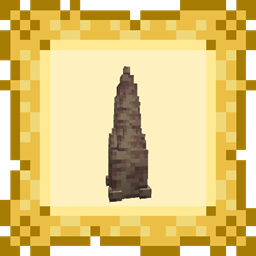
Separator Bar A cute pink and green fairy as your Totem of Undying, designed for Frogcrafting's Twitch and YouTube channels!

This pack remodels and retextures the totem of undying to a cute fairy reminiscent of BotW.
It mirrors itself depending on the hand you're holding it in, is relatively unobtrusive, and can even be worn as a hat (using commands or some mod to do so).

Frogcrafting Fairy Showcase

Check out Frogcrafting's Hardcore Modpack to play with this resource pack (coming soon ™️)!
Check out Frocrafting Hotbar, it's used in the showcase images!
For more fairy goodness, check out Firefly to Fairy!

modrinth curseforge Planet Minecraft discord github Support us twitch-plural

Frogcrafting Fairy Totem v1.0.1
MC 1.16.3, 1.13.1, 1.16-Snapshot, 1.17.1, 1.21.2-Snapshot, 1.21, 1.21.6-snapshot, 1.15-Snapshot, 1.16.1, 1.18.1, 1.20.2-Snapshot, 1.20.5-Snapshot, 1.14.3, 1.15, 1.16, 1.13
Release 2026-03-28 Get
Frogcrafting Fairy Totem V1
MC 1.16-Snapshot, 1.17.1, 1.16.3, 1.13.1, 1.19.3, 1.20.2, 1.21.2-Snapshot, 1.21, 1.15-Snapshot, 1.16.1, 1.18.1, 1.19.4-Snapshot, 1.20.5, 1.21.5, 1.14.4, 1.14.1, 1.12.1, 1.17, 1.12
Release 2025-04-07 Get

Requirements & install

How to use this resource pack in Minecraft
Resolution
16x
Minecraft
1.20.2-Snapshot – 1.21.6-snapshot
Install folder
.minecraft/resourcepacks

How to install resource packs

  1. Download the resource pack .zip file (do not extract it).
  2. In Minecraft open Options → Resource Packs → Open Pack Folder.
  3. Drop the .zip into the resourcepacks folder (.minecraft/resourcepacks).
  4. Move the pack to the Selected column and click Done.
Browse more: 16x resource packs 32x resource packs 64x resource packs 128x resource packs 256x resource packs 512x+ resource packs Resource Packs for 1.21.6-snapshot All resource packs

More from coolbot100s

Advertisement Remove ads with Premium →

You Might Also Like