Mineuniverse
Resource Packs
FreshGrass

FreshGrass

RESOURCE PACK
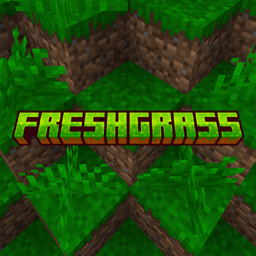
Fresh, bright grass for a more vibrant Minecraft world — simple, clean, beautiful.
by VictorWinner
Download Claim this project
2,161 downloads
0 likes
0 followers
Updated Oct 14, 2026
0 hypes
Follow0
32x Traditional
Advertisement Remove ads with Premium →

Titel


Discord curseforge modrinth


See nature brighter, play happier.

Juicy Grass is a lightweight texture pack designed to enhance the natural beauty of your world. It brightens and refreshes grass textures, giving landscapes a lively, lush, and vibrant look without changing the core style of the game.


📷 Media

ff


<details> <summary>🧱 What's Included?</summary>

A refreshed grass texture that brings a vibrant, juicy, and bright-green look to your world. This pack enhances the natural feel of landscapes, making fields, hills, and forests look more alive and inviting—perfect if you want your game to feel more colorful and full of energy.

</details> <details> <summary>🎯 Who is this for?</summary>

This texture pack is ideal for players who love a clean, lively, and fresh aesthetic. If you enjoy bright environments, rich greenery, and a more cheerful atmosphere, this pack is made for you.

</details> <details> <summary>💡 Note</summary>

This pack focuses solely on grass visuals, keeping the rest of the world untouched for a smooth vanilla-friendly experience. Works great alongside other visual mods and shaders.

</details>

My popular modpacks

ATMCM Rmb LH

FreshGrass 1.0.0
MC 1.16.3, 1.13.1, 1.17.1, 1.21, 1.16.1, 1.18.1, 1.14.3, 1.15, 1.16, 1.13, 1.16.5, 1.10.2, 1.19.3, 1.20.2, 1.19.4, 1.21.8, 1.14.4, 1.14.1, 1.12.1, 1.17, 1.12, 1.20.5, 1.21.5
Release 2025-11-18 Get

Requirements & install

How to use this resource pack in Minecraft
Resolution
32x
Minecraft
1.18.1 – 1.21.8
Install folder
.minecraft/resourcepacks

How to install resource packs

  1. Download the resource pack .zip file (do not extract it).
  2. In Minecraft open Options → Resource Packs → Open Pack Folder.
  3. Drop the .zip into the resourcepacks folder (.minecraft/resourcepacks).
  4. Move the pack to the Selected column and click Done.
Browse more: 16x resource packs 32x resource packs 64x resource packs 128x resource packs 256x resource packs 512x+ resource packs Resource Packs for 1.21.8 All resource packs

More from VictorWinner

Advertisement Remove ads with Premium →

You Might Also Like