Mineuniverse
Resource Packs
Fresh Animations | Epic Fight | Excalibur Compat

Fresh Animations | Epic Fight | Excalibur Compat

RESOURCE PACK
Resource pack patch for Epic Fight when installed along with Fresh Animations and Excalibur
by Dhaseal
Download Claim this project
Add a badge to your pageLink to Fresh Animations | Epic Fight | Excalibur Compat from a README, website or forum post.
Preview: Badge

Badges update automatically and link to the resource pack page on MineUniverse.

583 downloads
0 likes
0 followers
Updated Oct 14, 2026
0 hypes
Follow0
16x Medieval Mod Support
Advertisement Remove ads with Premium →


Unofficial resource pack patch for a texture bug that happens when having along installed Fresh Animations, Excalibur and Epic Fight.


Features:
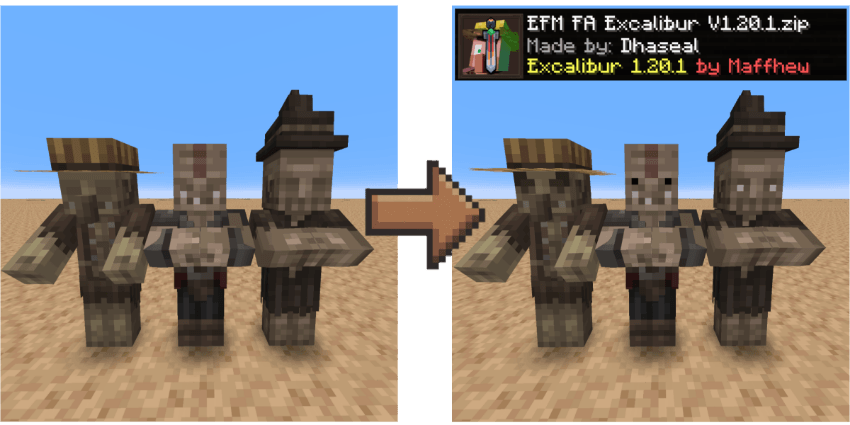
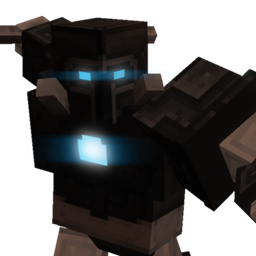
  • This resource pack patches texture problems for the next mobs: Vindicator, Pillager, Evoker, Witch and Zombie Villager. This guys had animated eyes expressions with Fresh Animations, but with Epic Fight installed, causes their texture to bug where all of them have no eyes. This fixes it by disabling their Fresh Animations models and animations.

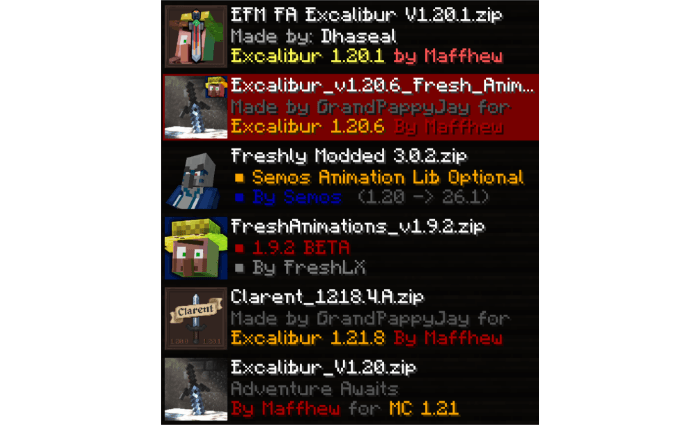
For this to work properly, this is the correct order of texture packs for it:
Credits:

  • Maffhew - Creator of Excalibur
  • FreshXL - Creator of Fresh Animations
  • yesman - Creator of Epic Fight

DISCLAIMER:

This resource pack patch is for my personal modpack. It probably won't receive updates or ports for newer nor older versions, unless it's needed.


Feel free to use this resource pack on anything without my permission, just credit me properly!

EFM FA Excalibur 1.0.3 V1.20.1.zip
MC 1.20.1
Release 2026-09-04 Get
EFM FA Excalibur 1.0.2 V1.20.1.zip
MC 1.20.1
Release 2026-07-26 Get
EFM FA Excalibur V1.20.1.zip
MC 1.20.1
Release 2026-07-23 Get

Requirements & install

How to use this resource pack in Minecraft
Resolution
16x
Minecraft
1.20.1
Install folder
.minecraft/resourcepacks

How to install resource packs

  1. Download the resource pack .zip file (do not extract it).
  2. In Minecraft open Options → Resource Packs → Open Pack Folder.
  3. Drop the .zip into the resourcepacks folder (.minecraft/resourcepacks).
  4. Move the pack to the Selected column and click Done.
Browse more: 16x resource packs 32x resource packs 64x resource packs 128x resource packs 256x resource packs 512x+ resource packs Resource Packs for 1.20.1 All resource packs

More from Dhaseal

Advertisement Remove ads with Premium →

You Might Also Like