Mineuniverse
Resource Packs
Fossils Revived

Fossils Revived

RESOURCE PACK
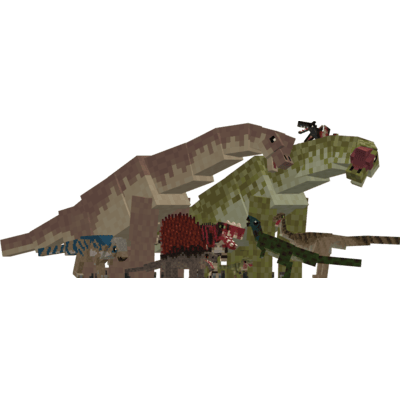
A JP/JW inspired resource pack for fossils and archeology that turns all canon creatures into their movie counter parts
by calebdinoking10
Download Claim this project
Add a badge to your pageLink to Fossils Revived from a README, website or forum post.
Preview: Badge

Badges update automatically and link to the resource pack page on MineUniverse.

678 downloads
0 likes
0 followers
Updated Oct 14, 2026
0 hypes
Follow0
16x
Advertisement Remove ads with Premium →

Fossils Revived a Fossils & Archaeology Resource Pack
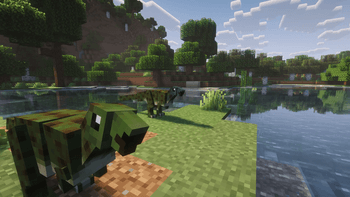
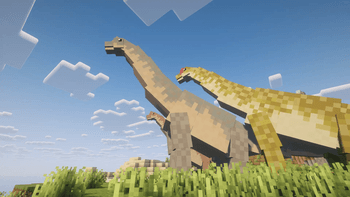
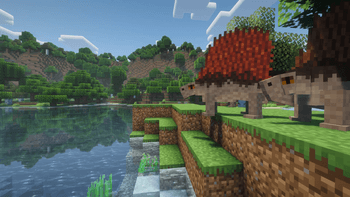
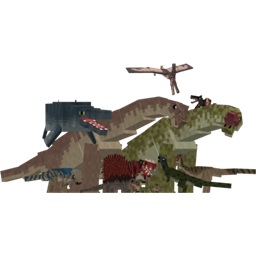
Transform your Minecraft world into a thrilling Jurassic adventure with this resource pack! This pack takes the iconic creatures from the Fossils and Archeology mod and reimagines them in the style of Jurassic Park. Every dinosaur, from the mighty Tyrannosaurus Rex to the swift Velociraptor, has been given a makeover to reflect the classic, cinematic look of Jurassic Park.


  • Re-imagined textures and models for all canon creatures from the Fossils & Archaeology mod in the style of Jurassic Park.

  • Fully immersive experience with a Jurassic aesthetic for every dinosaur.

  • Compatible with both single-player and multiplayer modes.

  • A must-have for any Jurassic Park fan and Minecraft player.

Get ready to bring the roar of dinosaurs back to life with a classic touch!

(Ps extra variants are added with the resource pack so you will need to add the entity texture features mod for them but its not needed unless you want the extra skin variants)

Fossils Revived 1.5
MC 1.19.3, 1.19.4, 1.20.1, 1.18.2, 1.19.2
Release 2026-03-08 Get
Fossils Revived 1.0
MC 1.19.3, 1.19.4, 1.20.1, 1.18.2, 1.19.2
Release 2026-03-05 Get

Requirements & install

How to use this resource pack in Minecraft
Resolution
16x
Minecraft
1.18.2 – 1.20.1
Install folder
.minecraft/resourcepacks

How to install resource packs

  1. Download the resource pack .zip file (do not extract it).
  2. In Minecraft open Options → Resource Packs → Open Pack Folder.
  3. Drop the .zip into the resourcepacks folder (.minecraft/resourcepacks).
  4. Move the pack to the Selected column and click Done.
Browse more: 16x resource packs 32x resource packs 64x resource packs 128x resource packs 256x resource packs 512x+ resource packs Resource Packs for 1.20.1 All resource packs

More from calebdinoking10

Advertisement Remove ads with Premium →

You Might Also Like