Mineuniverse
Resource Packs
Font Trim

Font Trim

RESOURCE PACK
Fancy font and icons helpful on gameplay
by DevDyna
Download Claim this project
275,665 downloads
0 likes
Updated Oct 14, 2026
0 hypes
16x Font Packs Miscellaneous Mod Support Modern
Advertisement Remove ads with Premium →

title 

Module of Vanilla Expansion Collection


Description:

A vanilla+ custom font to allow to see helpful things like ingredient material , item rarity and warden stages


All feature implemented:


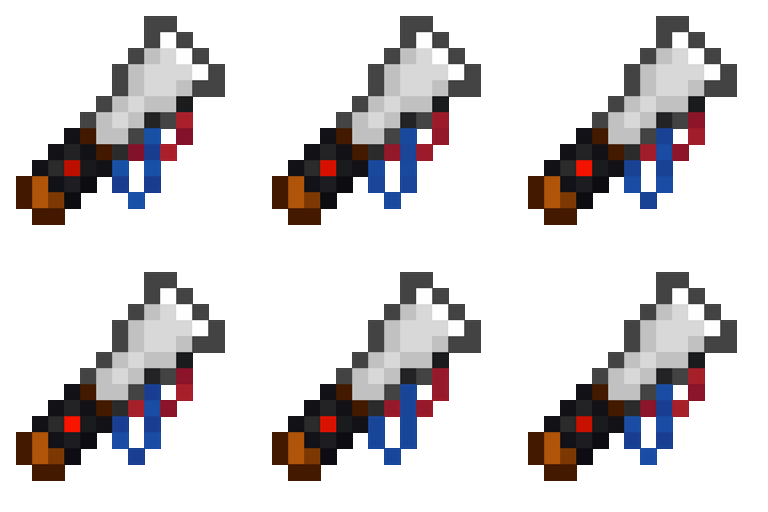
Goat Horns: An updated port from Goat Utils

    - All horns have a custom icon that can define the rarity


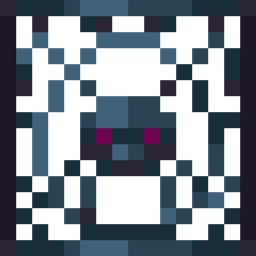
Subtitles: An updated port from Warden Gadgets

    - Shrieker Subtitles show how many shrieker left after the spawn of warden and some warden stages


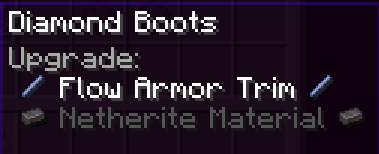
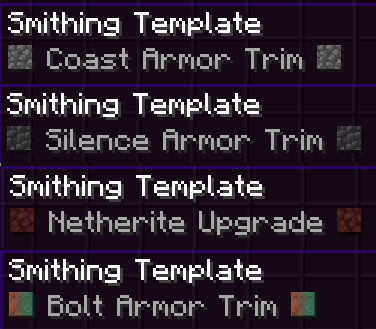
Smithing Template:

   - A custom font to allow to see ingredient materials and ingredient of trimming


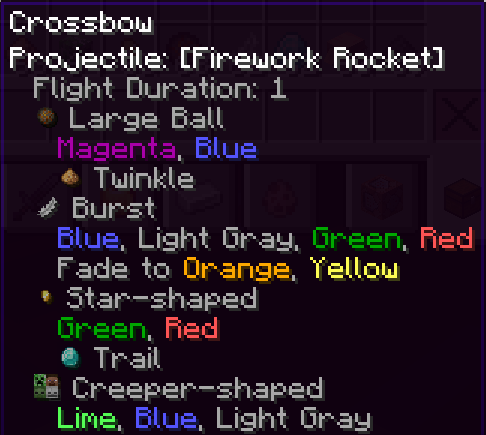
Firework ingredients:

   - A custom font to allow to see ingredient materials and colors

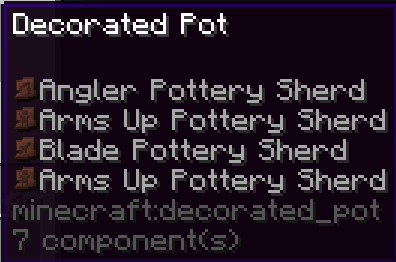
Pottery Sherd on Decorative Pots

  - A custom font to allow to see shards used as item icon

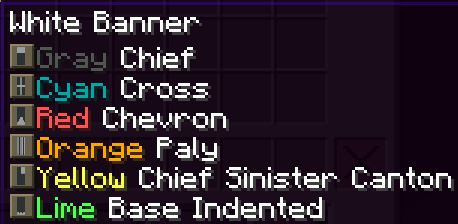
Banner Pattern icons

   - A custom font to allow to see colors and pattern used on ANY banner


Falling Block Damage

 - A custom font to allow to see the damage (anvil was multiplied on block height)


Poison Damage

- A custom font to see the damage of poison


More intuitive Tooltips

 - Custom font to allow a view more intuitive on any armor

Absorption and Regen Hearts

 - A custom font to see hearts from absorption and regeneration effects from consumable items

Enchantments Overhal

 -  Any enchantment now show with all valid items to be applied


 - All enchantments with levels now show with "max level" tip before the level  

 - All enchantments levels are now colored

1.0.3
MC 1.20.2, 1.20.5, 1.20.2-Snapshot, 1.20.5-Snapshot, 1.20.3-Snapshot, 1.20.3, 1.20.1, 1.20, 1.20.6, 1.20.4, 1.20-Snapshot
Release 2024-11-14 Get
2.0
MC 1.21.3
Release 2024-10-29 Get
1.1.2
MC 1.21, 1.21.1, 1.21.2
Release 2024-10-29 Get
1.1.1
MC 1.21, 1.21.1-Snapshot, 1.21-Snapshot, 1.21.1
Release 2024-07-02 Get
1.0.2
MC 1.20.2, 1.20.5, 1.20.2-Snapshot, 1.20.5-Snapshot, 1.20.3-Snapshot, 1.20.3, 1.20.1, 1.20, 1.20.6, 1.20.4, 1.20-Snapshot
Release 2024-07-02 Get
1.0.1
MC 1.20.2, 1.20.5, 1.20.2-Snapshot, 1.20.5-Snapshot, 1.20.3-Snapshot, 1.20.3, 1.20.1, 1.20, 1.20.6, 1.20.4, 1.20-Snapshot
Release 2024-06-29 Get
1.1
MC 1.20.2, 1.21, 1.20.5, 1.20.2-Snapshot, 1.20.5-Snapshot, 1.20.3-Snapshot, 1.20.3, 1.20.1, 1.20, 1.20.6, 1.20.4, 1.21-Snapshot, 1.20-Snapshot
Release 2024-06-19 Get
1.0
MC 1.21, 1.21-Snapshot
Release 2024-06-18 Get

Requirements & install

How to use this resource pack in Minecraft
Resolution
16x
Minecraft
1.20.5 – 1.21.3
Install folder
.minecraft/resourcepacks

How to install resource packs

  1. Download the resource pack .zip file (do not extract it).
  2. In Minecraft open Options → Resource Packs → Open Pack Folder.
  3. Drop the .zip into the resourcepacks folder (.minecraft/resourcepacks).
  4. Move the pack to the Selected column and click Done.
Browse more: 16x resource packs 32x resource packs 64x resource packs 128x resource packs 256x resource packs 512x+ resource packs Resource Packs for 1.21.3 All resource packs

More from DevDyna

Advertisement Remove ads with Premium →

You Might Also Like