Mineuniverse
Resource Packs
Fluxy Gates

Fluxy Gates

RESOURCE PACK
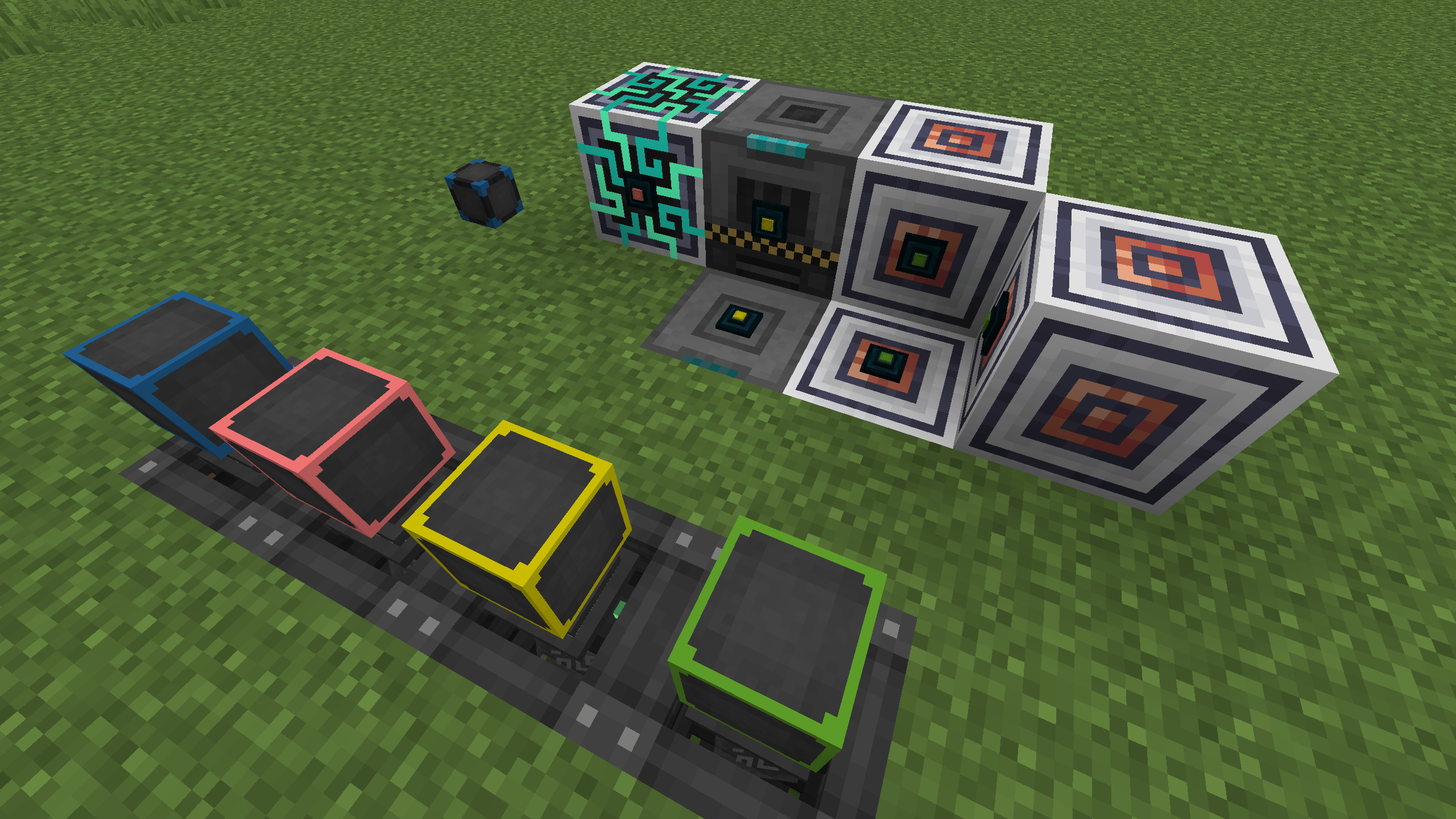
Make the Flux Points from Flux Networks look like the Ender Gates from Powah.
by fash0
Download Claim this project
5 downloads
0 likes
0 followers
Updated Oct 14, 2026
0 hypes
Follow0
32x Miscellaneous
Advertisement Remove ads with Premium →

When using Flux Networks, Flux Points will now look like Ender Gates from Powah. When they're not attached to anything, they'll still look like Flux Points so that you can see and access them.

The Fluxy Gates will have the proper color coding of your network.

There's no way to change the hitbox without making a mod, sorry!


License and credits

Fluxy Gates is licensed under the GNU LGPL v3.0 only. See COPYING.LESSER, COPYING, and NOTICE.md inside the ZIP file.

  • Powah: the gate model and textures are adapted from Powah! Rearchitected (LGPL-3.0), created originally by owmii and maintained by Technici4n and shartte, with textures by Cyn and Mithi83.
  • Flux Networks: no content is reused.

Fluxy Gates is not affiliated with or endorsed by the authors of Powah or Flux Networks. Not an official Minecraft product. Not approved by or associated with Mojang or Microsoft.

Fluxy Gates-1.21.1.zip
MC 1.21.1
Release 2026-10-02 Get

Requirements & install

How to use this resource pack in Minecraft
Resolution
32x
Minecraft
1.21.1
Install folder
.minecraft/resourcepacks

How to install resource packs

  1. Download the resource pack .zip file (do not extract it).
  2. In Minecraft open Options → Resource Packs → Open Pack Folder.
  3. Drop the .zip into the resourcepacks folder (.minecraft/resourcepacks).
  4. Move the pack to the Selected column and click Done.
Browse more: 16x resource packs 32x resource packs 64x resource packs 128x resource packs 256x resource packs 512x+ resource packs Resource Packs for 1.21.1 All resource packs
Advertisement Remove ads with Premium →

You Might Also Like