Mineuniverse
Resource Packs
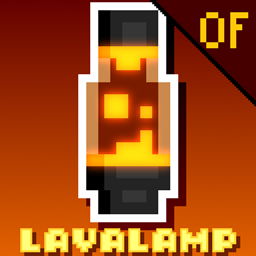
Findrek's Lava Lamps

Findrek's Lava Lamps

RESOURCE PACK
Add Lava Lamps to the game via Optifine CIT
by Findrek_
Download Claim this project
Add a badge to your pageLink to Findrek's Lava Lamps from a README, website or forum post.
Preview: Badge

Badges update automatically and link to the resource pack page on MineUniverse.

2,906 downloads
0 likes
0 followers
Updated Oct 14, 2026
0 hypes
Follow0
16x Animated Miscellaneous Mod Support Modern
Advertisement Remove ads with Premium →

Updated version available on Modrinth: https://modrinth.com/user/Findrek


Add Lava Lamps to Minecraft 

[CIT Optifine Pack]

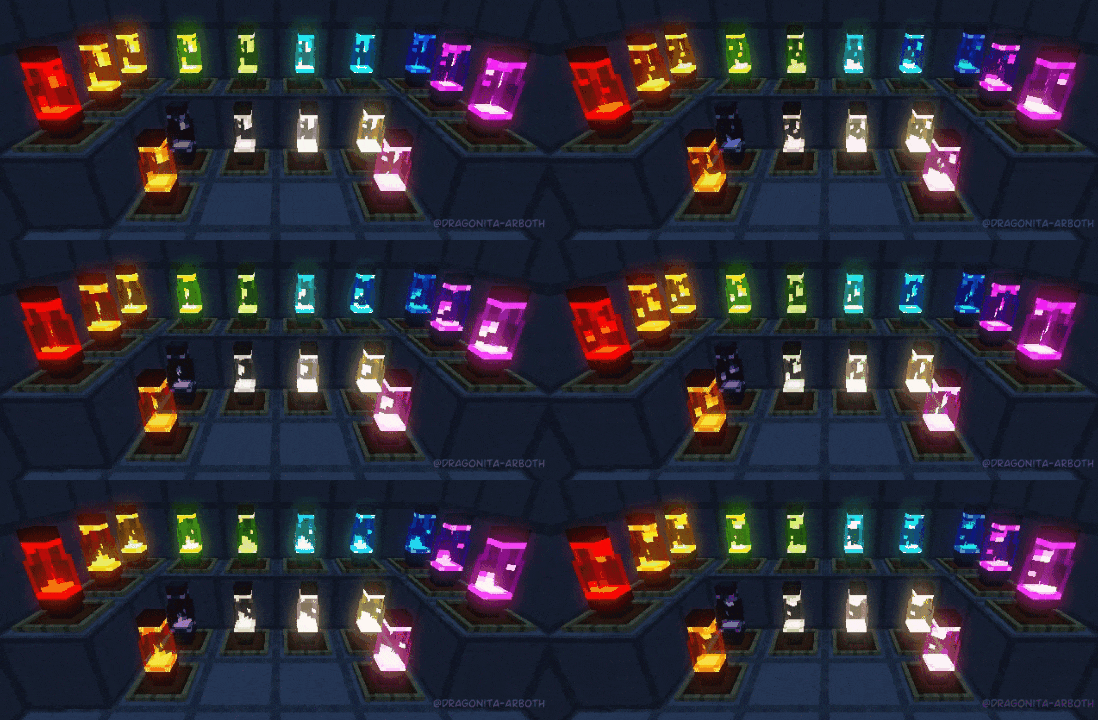
Gif of Lava Lamps in 16 different colors in a dark room

To obtain the Lava Lamps, rename Stained Glass blocks of your color of choice on an anvil to "lava lamp" (or any name as long as it contains the words "lava" and "lamp" in it), and it'll give you a lamp of its respective color.

Recommended to rename a stack of Glass, that way you'll save on enchanting levels and anvil uses.


Anvil GUI, a stack of orange stained glass being renamed to "not a laMP OF Lava", and outputting 64 orange Lava Lamps


To place them in the world, you need to put them on an Item Frame first, otherwise if you place them directly on the world they'll revert back to Stained Glass.


Requires Optifine

Make sure "Custom Items" and "Emissive Textures" settings are enabled to work properly


I'll be posting updates on Tumblr


(Please do not repost the download to other websites, linking is fine)

(Пожалуйста, не размещайте повторно загрузку на других веб-сайтах, ссылки допустимы)

LavaLamp [OPTIFINE] 1.17.zip
MC 1.17
Beta 2021-06-20 Get
LavaLamp [OPTIFINE] 1.16.zip
MC 1.16.3, 1.16.5, 1.16.4, 1.16.2
Release 2021-06-20 Get
LavaLamp [OPTIFINE].zip
MC 1.16.3, 1.16.5, 1.16.4, 1.16.2
Release 2021-06-15 Get

Requirements & install

How to use this resource pack in Minecraft
Resolution
16x
Minecraft
1.16.2 – 1.17
Install folder
.minecraft/resourcepacks

How to install resource packs

  1. Download the resource pack .zip file (do not extract it).
  2. In Minecraft open Options → Resource Packs → Open Pack Folder.
  3. Drop the .zip into the resourcepacks folder (.minecraft/resourcepacks).
  4. Move the pack to the Selected column and click Done.
Browse more: 16x resource packs 32x resource packs 64x resource packs 128x resource packs 256x resource packs 512x+ resource packs Resource Packs for 1.17 All resource packs

More from Findrek_

Advertisement Remove ads with Premium →

You Might Also Like