Mineuniverse
Resource Packs
Favorite Fearless Hero Assets Pack [RUS & ENG]

Favorite Fearless Hero Assets Pack [RUS & ENG]

RESOURCE PACK
Transfers weapons from Puss In Boots and other stuff into Minecraft!
by rdyEmber
Download Claim this project
Add a badge to your pageLink to Favorite Fearless Hero Assets Pack [RUS & ENG] from a README, website or forum post.
Preview: Badge

Badges update automatically and link to the resource pack page on MineUniverse.

1,534 downloads
0 likes
0 followers
Updated Oct 14, 2026
0 hypes
Follow0
16x Miscellaneous Mod Support
Advertisement Remove ads with Premium →

OptiFine/CITResewn required.


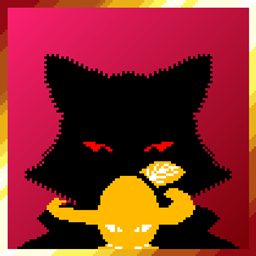
Have you ever wanted to hold or wield weapons from two films about Puss In Boots?
Well then, now you can do it!


Just rename any kind of sword to "Puss's Rapier" to have Puss's Rapier!
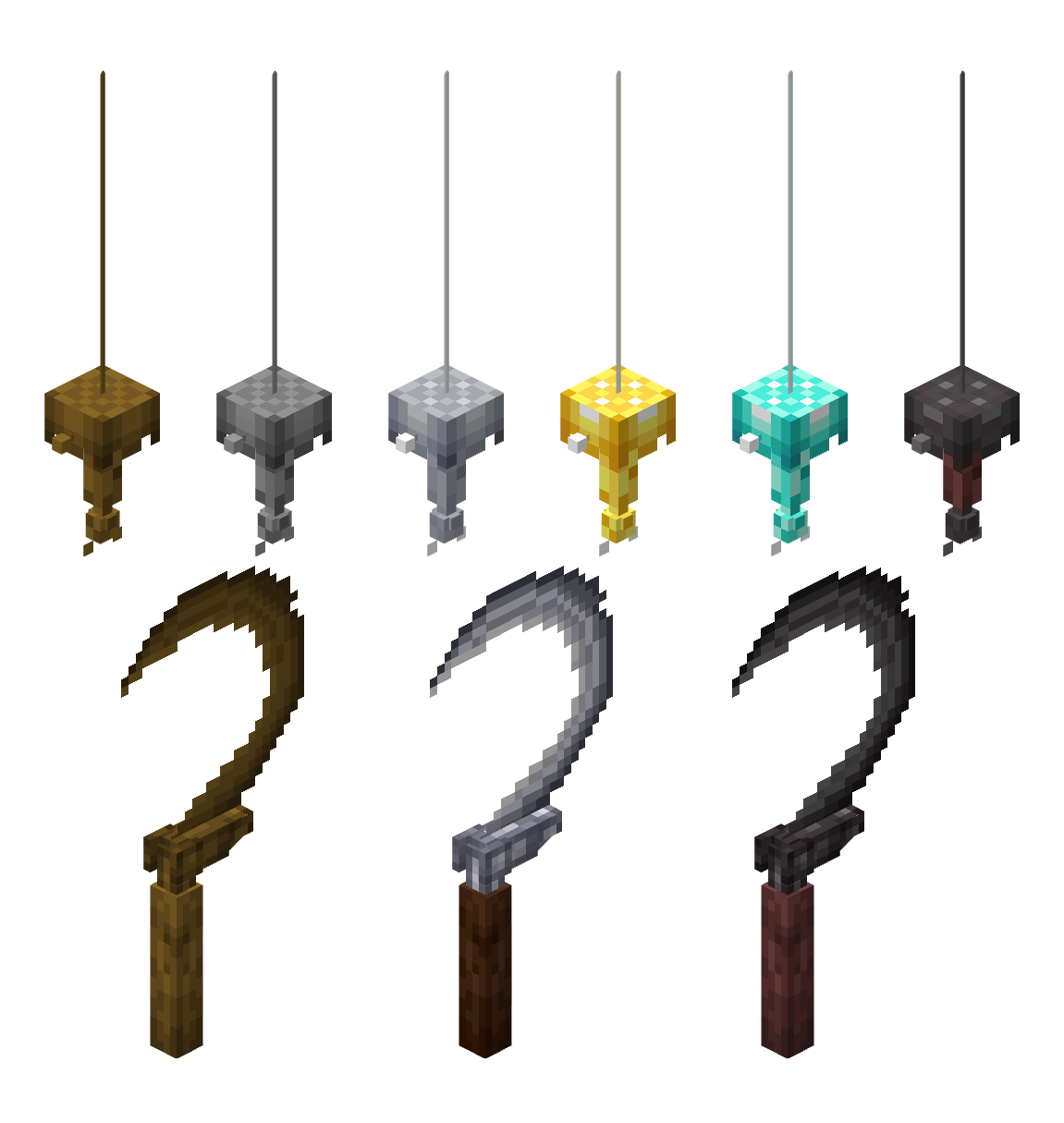
If you want to have Death's sickle - rename it to "Death's Sickle"!
And "Puss's Gatito Blade" also counts!
To grant yourself Puss's hat - rename it a carved pumpkin to "Puss's Hat"!
 
You can add prefixes to Death's Sickle: "Folded", "Folded Marked" and "Marked"!
These two items as well as Gatito Blade also can have different textures! Just remove "Death's" and "Puss's" and add any kind of minecraft material!
 
Examples: "Diamond Rapier", "Folded Marked Netherite Sickle", "Diamond Gatito Blade".
 
RUS:

Просто переименуйте любой вид меча в "Шпага Кота в сапогах", чтобы получить Шпагу Кота в сапогах!
Если вы хотите иметь Серп Смерти - переименуйте его в "Серп Смерти"!
И "Лезвие Котёнка Кота в сапогах" тоже считается!
Чтобы получить Шляпу Кота в сапогах - переименуйте резную тыкву в "Шляпа Кота в сапогах"!

Вы можете добавить префиксы к Серпу Смерти: "Сложенный", "Сложенный Меченый" и "Меченый"!
Эти два предмета, а также Лезвие Котёнка также могут иметь разные текстуры! Просто удалите "Смерти" и "Кота в сапогах" и добавьте любой материал из Майнкрафта!

Примеры: "Алмазная Шпага", "Сложенный Меченый Незеритовый Серп", "Незеритовое Лезвие Котёнка".

-------------------------------------------------------------------------------
 
Puss In Boots, weapons and characters associated with weapons was made by Dreamworks.
Textures and models were made by rdyEmber.
Supports both ENG and RUS languages.
Mod support - soon. 
Puss In Boots Assets Pack [ENG] Ver 1.3 for 1.19+
MC 1.19.3, 1.19-Snapshot, 1.19.2, 1.19.1, 1.19
Release 2023-02-05 Get
Puss In Boots Assets Pack [RUS] Ver 1.3 for 1.19+
MC 1.19.3, 1.19-Snapshot, 1.19.2, 1.19.1, 1.19
Release 2023-02-05 Get
Puss In Boots Assets Pack [ENG] Ver 1.3 for 1.18+
MC 1.18.1, 1.18.2, 1.18, 1.18-Snapshot
Release 2023-02-05 Get
Puss In Boots Assets Pack [RUS] Ver 1.3 for 1.18+
MC 1.18.1, 1.18.2, 1.18, 1.18-Snapshot
Release 2023-02-05 Get
Puss In Boots Assets Pack [ENG] Ver 1.2
MC 1.19.3, 1.19-Snapshot, 1.19.2, 1.19.1, 1.19
Alpha 2023-01-29 Get
Puss In Boots Assets Pack [RUS] Ver 1.2
MC 1.19.3, 1.19-Snapshot, 1.19.2, 1.19.1, 1.19
Alpha 2023-01-29 Get
Puss In Boots Asset Pack [ENG]
MC 1.19.3, 1.19-Snapshot, 1.19.2, 1.19.1, 1.19
Release 2023-01-28 Get
Puss In Boots Asset Pack [RUS]
MC 1.19.3, 1.19-Snapshot, 1.19.2, 1.19.1, 1.19
Release 2023-01-28 Get
Puss In Boots Asset Pack [ENG]
MC 1.19.3, 1.19-Snapshot, 1.19.2, 1.19.1, 1.19
Release 2023-01-28 Get
Puss In Boots Asset Pack [RUS] 1.1
MC 1.19.3, 1.19-Snapshot, 1.19.2, 1.19.1, 1.19
Release 2023-01-28 Get

Requirements & install

How to use this resource pack in Minecraft
Resolution
16x
Minecraft
1.18 – 1.19.3
Install folder
.minecraft/resourcepacks

How to install resource packs

  1. Download the resource pack .zip file (do not extract it).
  2. In Minecraft open Options → Resource Packs → Open Pack Folder.
  3. Drop the .zip into the resourcepacks folder (.minecraft/resourcepacks).
  4. Move the pack to the Selected column and click Done.
Browse more: 16x resource packs 32x resource packs 64x resource packs 128x resource packs 256x resource packs 512x+ resource packs Resource Packs for 1.19.3 All resource packs

More from rdyEmber

Advertisement Remove ads with Premium →

You Might Also Like