Mineuniverse
Resource Packs
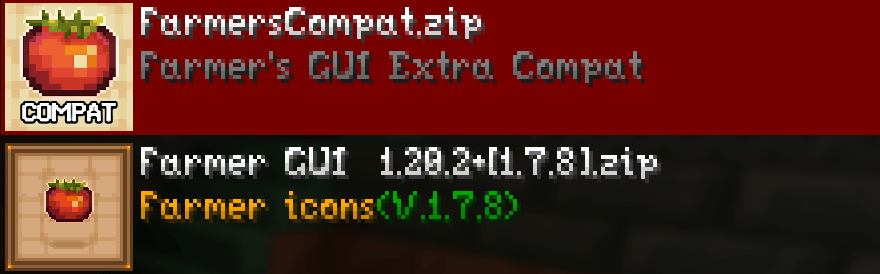
Farmer GUI Compat

Farmer GUI Compat

RESOURCE PACK
Extra mod compatability for the Farmer GUI resource pack
by 619doof
Download Claim this project
403 downloads
0 likes
Updated Oct 14, 2026
0 hypes
16x Miscellaneous Mod Support
Advertisement Remove ads with Premium →

This pack is meant to be used alongside the Farmer GUI resource pack, which can be found here.

All credits for this pack go to Matik, the creator of Farmer GUI. 

Also check out Add-ons for Farmer's GUI and Farmer GUI - Compats & Fixes.


Farmer GUI is a resource pack that redesigns the GUIs of Minecraft and over 190 other mods. However, as of recently, updates for extra mod support have died down. This pack serves to add compatibility with mods not currently included in the base pack and to fix inconsistencies with existing textures. 

This pack currently adds support for...

  • Alloy Forgery
  • Amendments
  • Artifacts
  • Cardiac
  • Caverns and Chasms
  • Cook's Collection
  • Entity Texture Features
  • Field Guide
  • Hero's Tiered
  • Legendary Gemstones
  • Manual Labour
  • Modest Mining
  • Overgeared
  • Questlog
  • Runes
  • Species
  • TieredZ
  • Vanity

As well as fixes for...

  • EMI
  • Farmer's Delight
  • L_Ender's Cataclysm
  • Miner's Delight +
  • Quark
  • Spell Engine
  • Supplementaries

Feel free to request any additional fixes/compatibility. 

FarmersCompat_1.6.zip
MC 1.20.1, 1.21.1
Release 2026-09-08 Get
FarmersCompat_1.5.zip
MC 1.20.1, 1.21.1
Release 2026-09-07 Get
FarmersCompat_1.4.zip
MC 1.20.1, 1.21.1
Release 2026-08-24 Get
FarmersCompat_1.3.zip
MC 1.20.1, 1.21.1
Release 2026-08-16 Get
FarmersCompat_1.2.zip
MC 1.20.1, 1.21.1
Release 2026-07-17 Get
FarmersCompat_1.1.zip
MC 1.20.1, 1.21.1
Release 2026-07-07 Get
FarmersCompat_1.0.zip
MC 1.20.1, 1.21.1
Release 2026-06-30 Get

Requirements & install

How to use this resource pack in Minecraft
Resolution
16x
Minecraft
1.20.1 – 1.21.1
Install folder
.minecraft/resourcepacks

How to install resource packs

  1. Download the resource pack .zip file (do not extract it).
  2. In Minecraft open Options → Resource Packs → Open Pack Folder.
  3. Drop the .zip into the resourcepacks folder (.minecraft/resourcepacks).
  4. Move the pack to the Selected column and click Done.
Browse more: 16x resource packs 32x resource packs 64x resource packs 128x resource packs 256x resource packs 512x+ resource packs Resource Packs for 1.21.1 All resource packs

More from 619doof

Advertisement Remove ads with Premium →

You Might Also Like