Mineuniverse
Resource Packs
Fancy Dirt !

Fancy Dirt !

RESOURCE PACK
A better, updated look for Dirt and its related blocks!
by Napino
Download Claim this project
2,292 downloads
0 likes
Updated Oct 14, 2026
0 hypes
16x Miscellaneous Modern Traditional
Advertisement Remove ads with Premium →

Title of the project: "Fancy DIrt!"

ko-fi

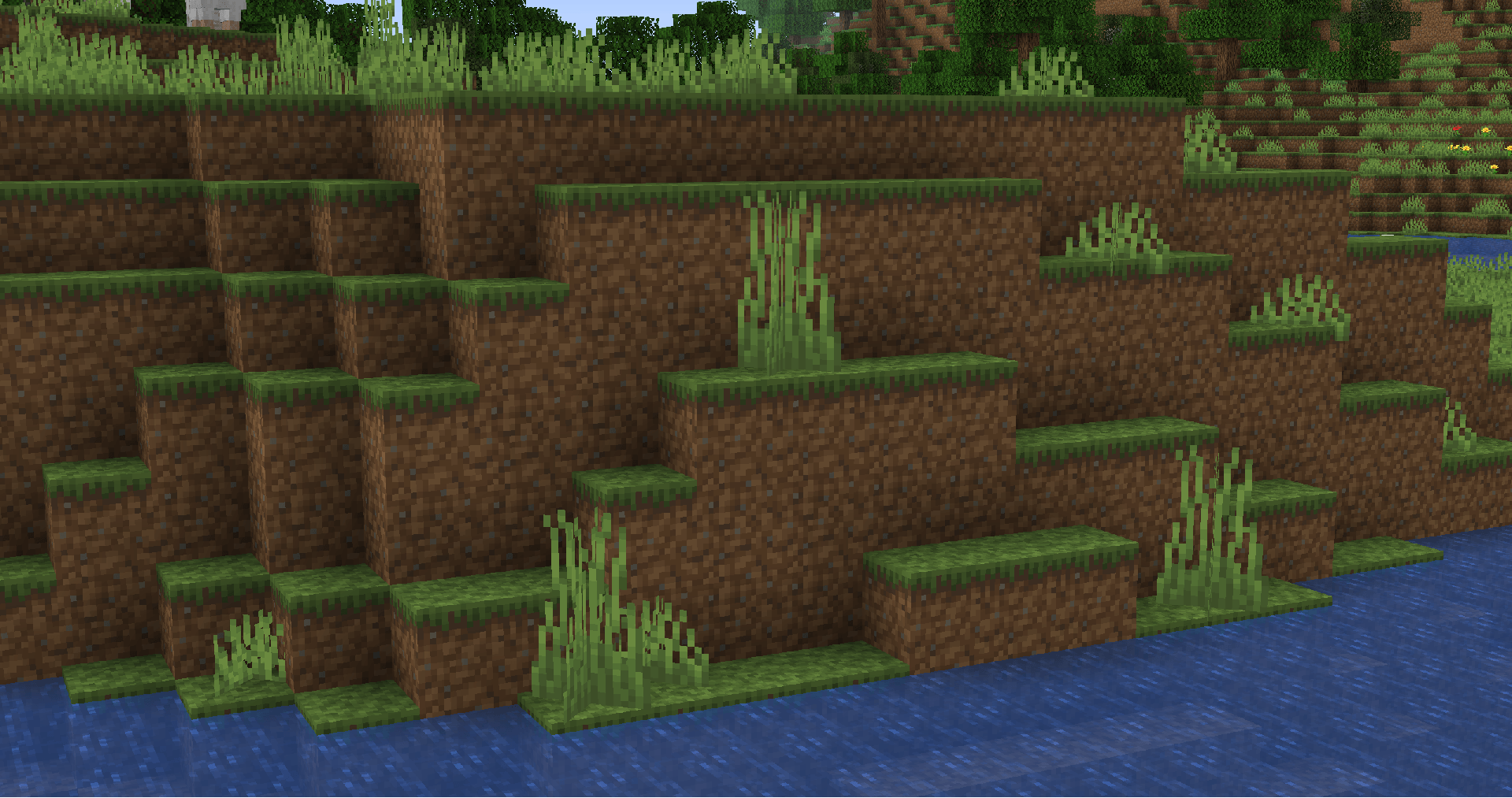
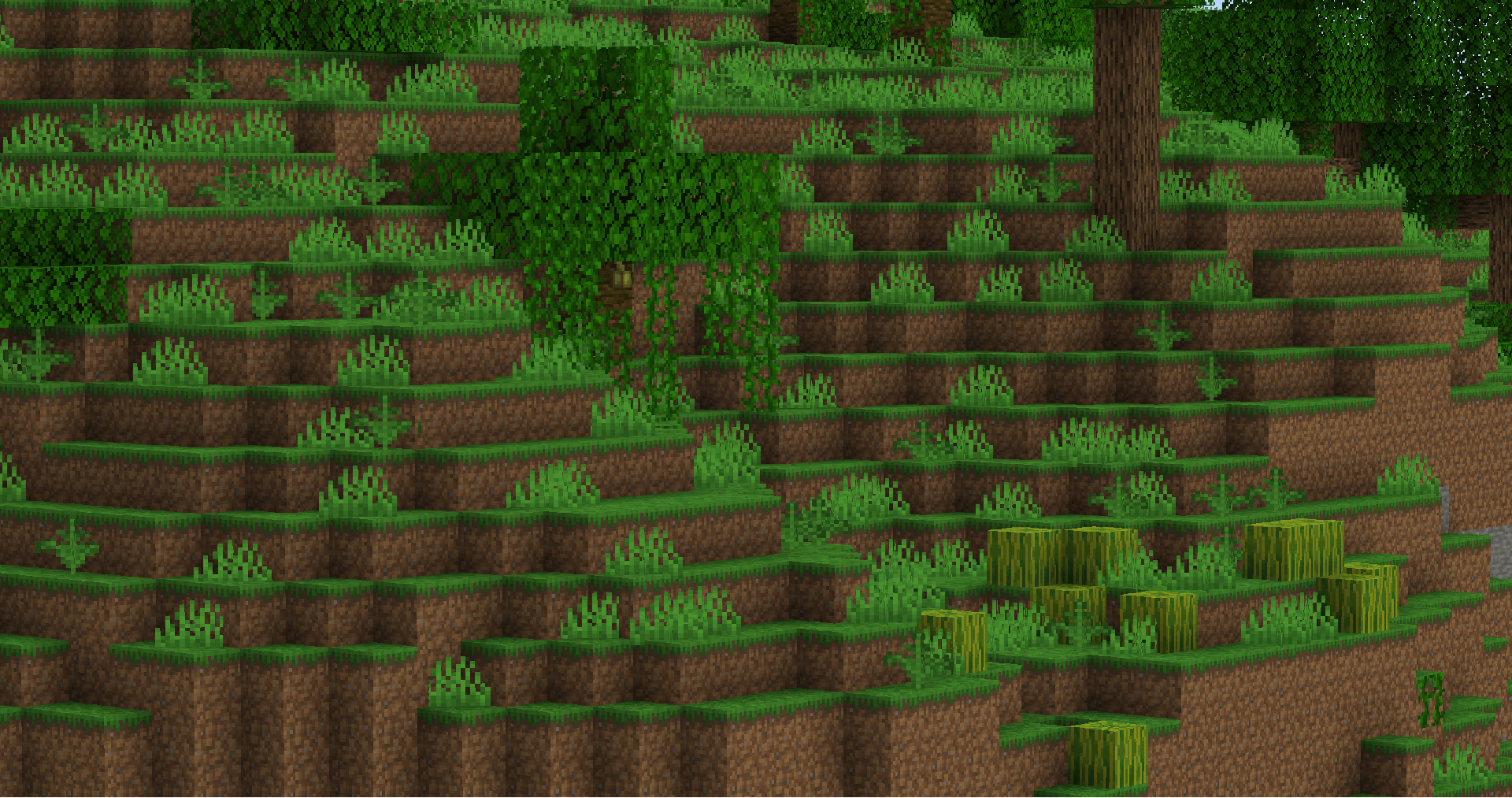
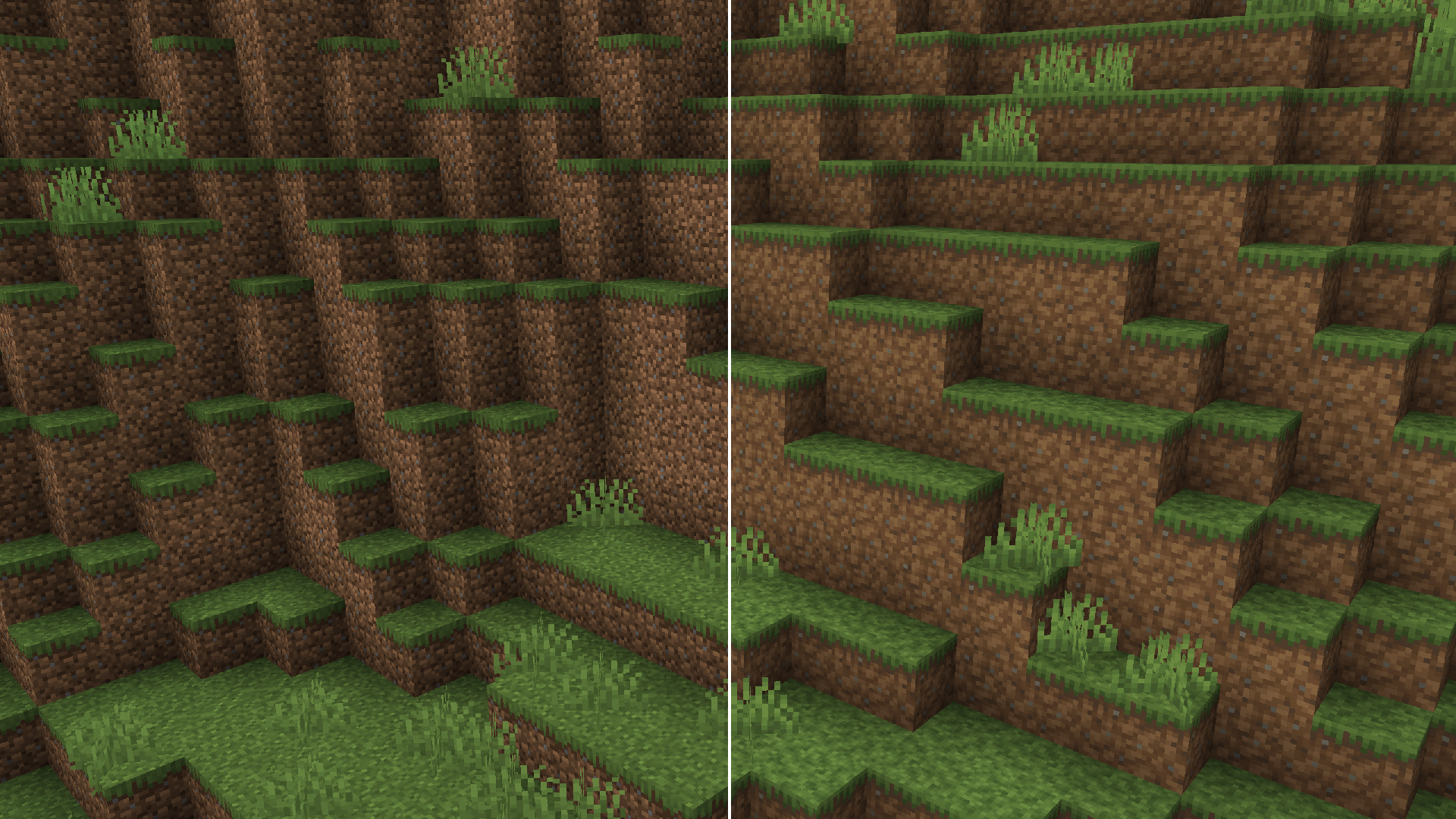
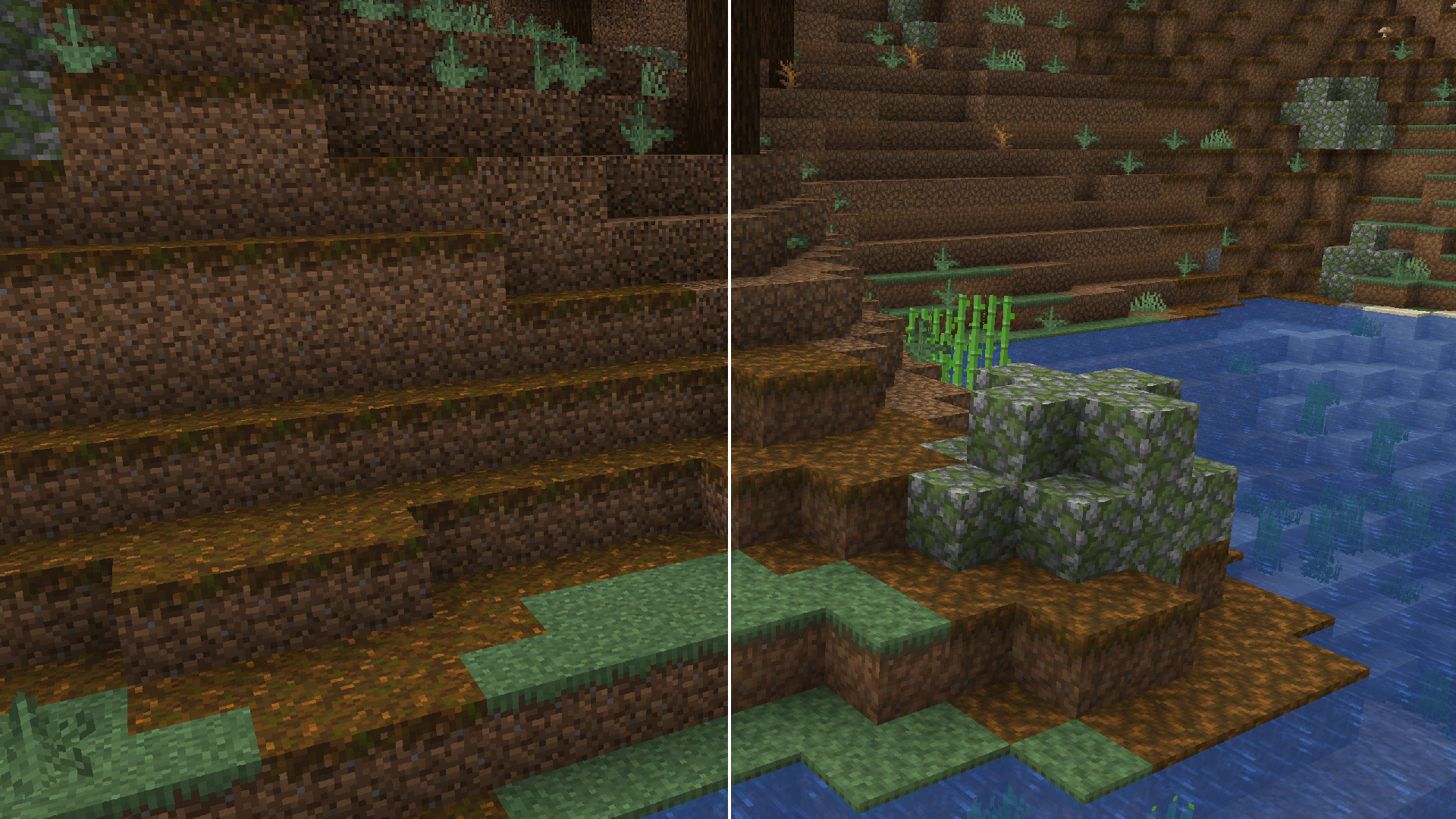
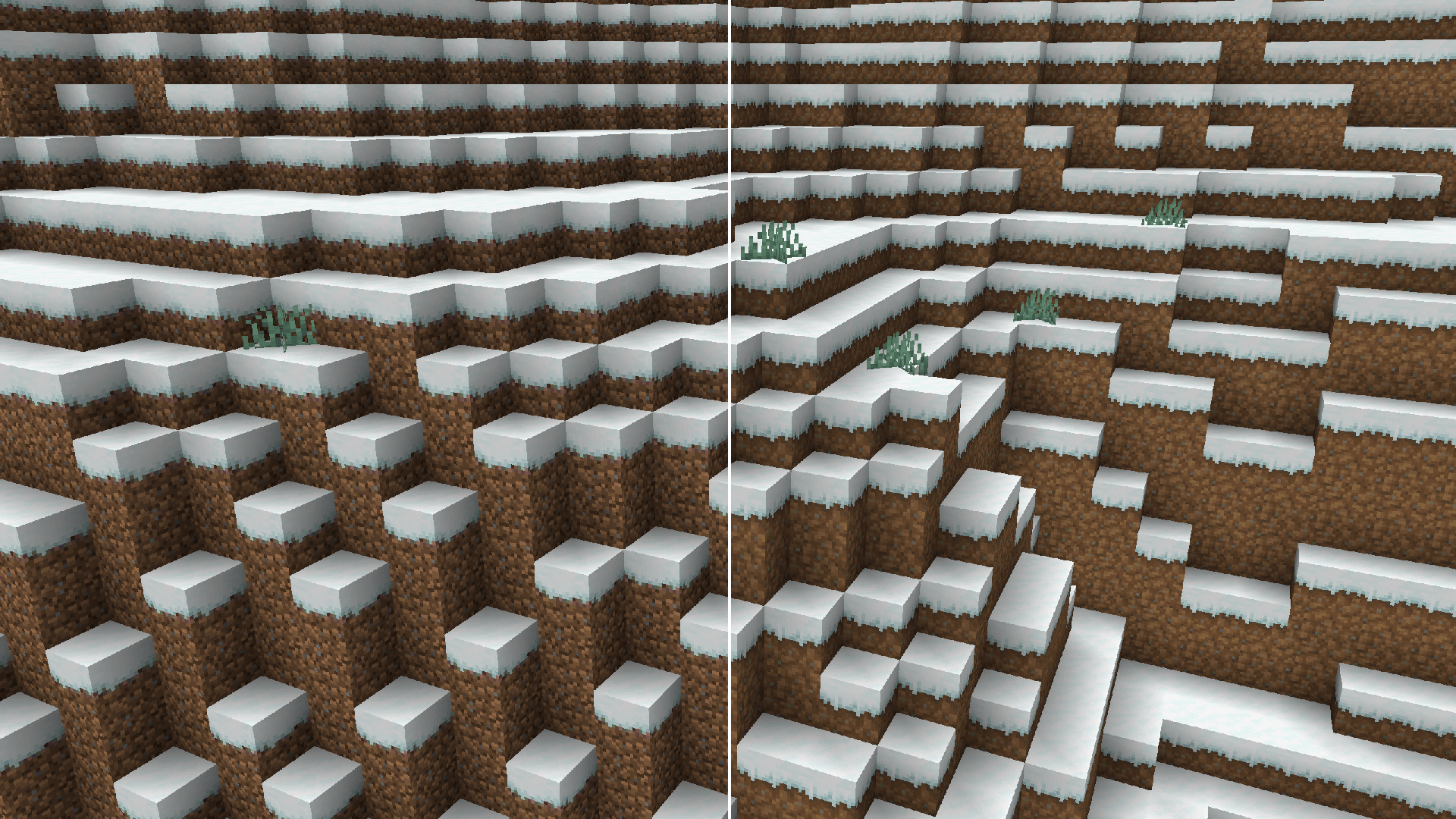
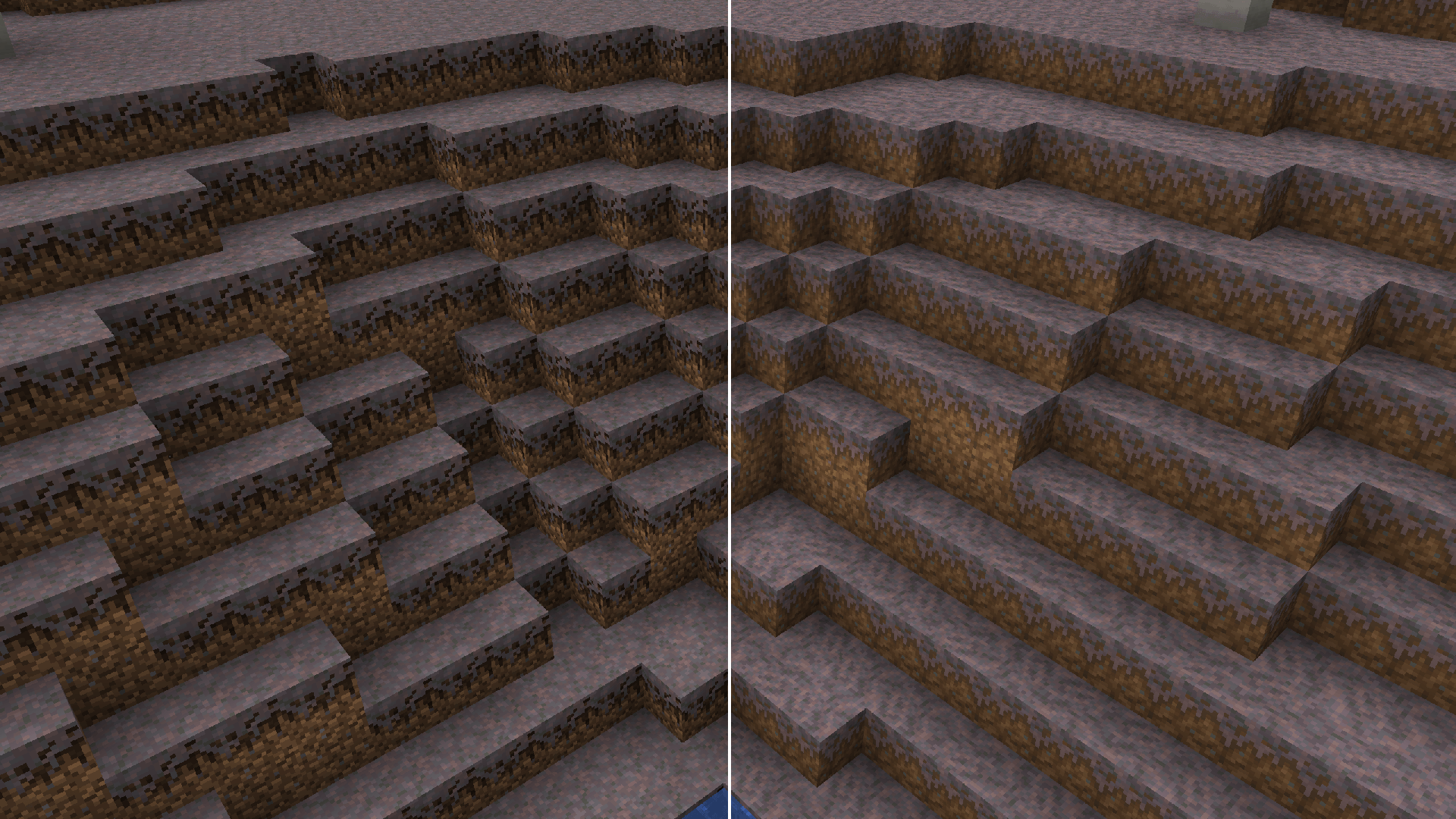
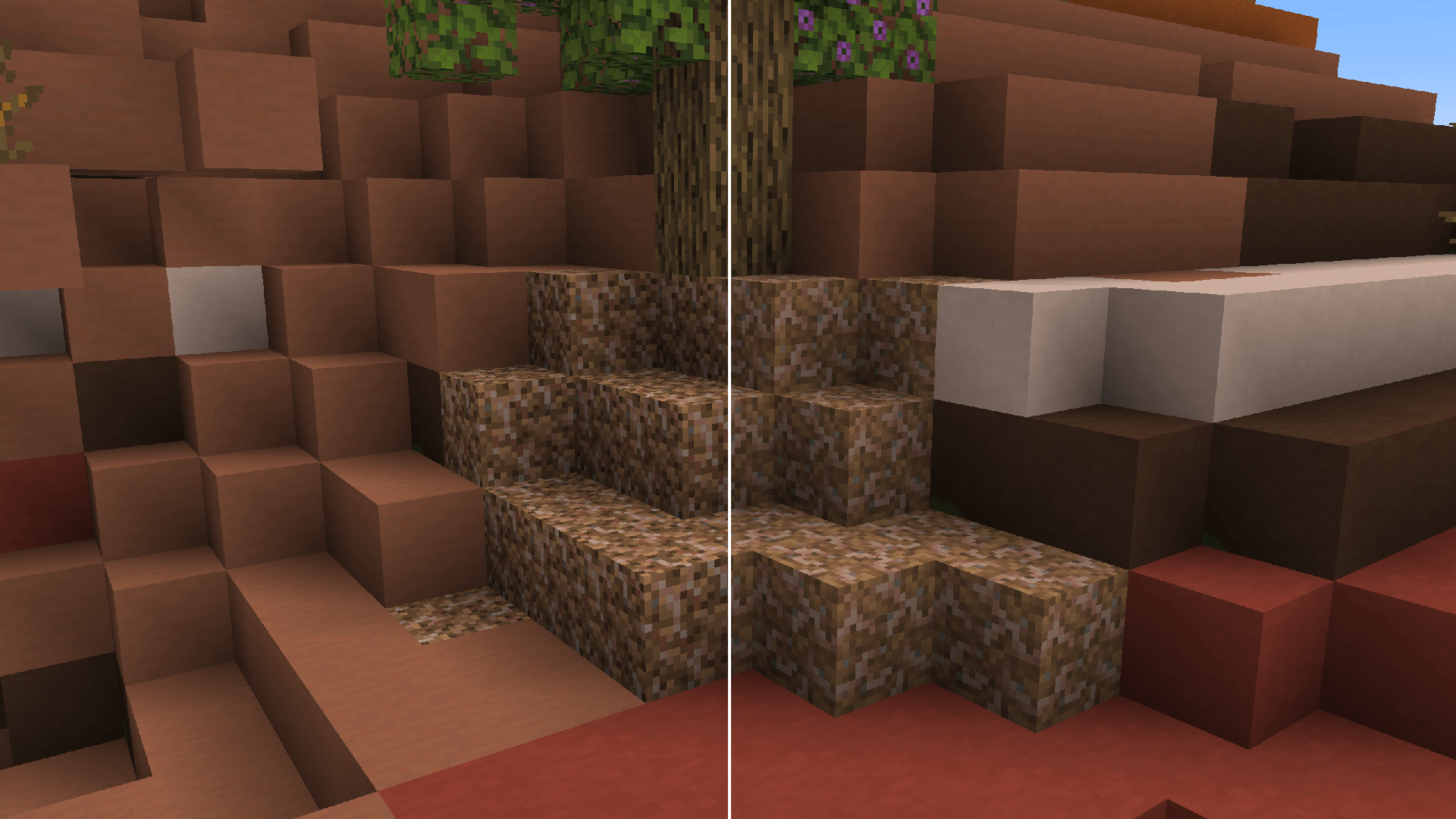
Fancy Grass! is a small Resource Pack that replaces the texture of Dirt and every Dirt-related block, updating their looks to appear fresher, and more in line with the current Vanilla style.

Because of this, most blocks in this Resource Pack are much more colorful and have less overall contrast!
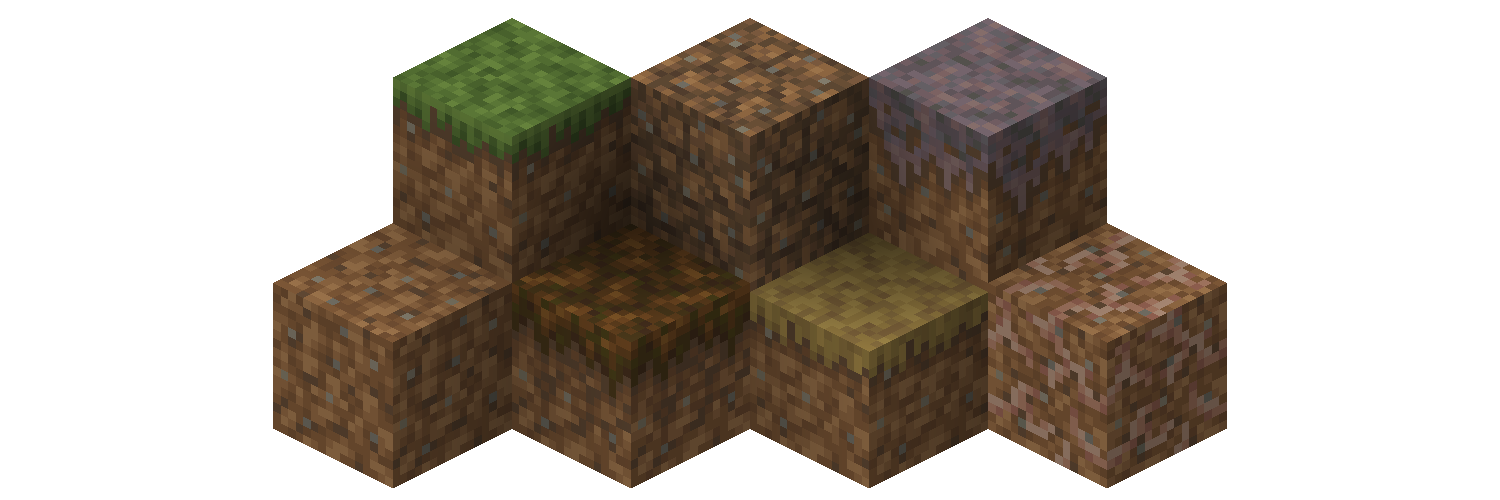
Isometric render of the updated blocks. Specifically, here is a list of all the blocks that have been updated:

  • Dirt, Coarse Dirt and Rooted Dirt blocks.
  • Grass Block, Short Grass and Tall Grass blocks.
  • Mycelium and Podzol blocks.
  • Dirt Paths.

The Resource Pack is fully compatible with MC 1.9-1.21.8, with support planned for any future versions!


Support

If you like my Data Packs, Resource Packs or textures, consider donating, it would really mean a lot to me. If you are interested in commissioning any content, contact me on any available platform, I'll try to reach out to you as fast as I can.

Suggestions for future Minecraft content are also well received. Thank you for taking a look at my content. :)

Fancy Dirt 1.13+ v1.0.zip
MC 1.17.1, 1.16.3, 1.13.1, 1.19.3, 1.20.2, 1.21.2-Snapshot, 1.21, 1.21.6-snapshot, 1.15-Snapshot, 1.16.1, 1.18.1, 1.19.4-Snapshot, 1.20.5, 1.21.5, 1.14.4, 1.14.1, 1.17
Release 2025-07-25 Get
Fancy Dirt 1.9 - 1.12.2 v1.0.zip
MC 1.9.1, 1.9.3, 1.10-Snapshot, 1.9.4, 1.9.2, 1.12.1, 1.12, 1.10.2, 1.11, 1.10, 1.10.1, 1.11.1, 1.11.2, 1.9, 1.11-Snapshot, 1.12.2, 1.12-Snapshot
Release 2025-07-25 Get

Requirements & install

How to use this resource pack in Minecraft
Resolution
16x
Minecraft
1.19.3 – 1.21.6-snapshot
Install folder
.minecraft/resourcepacks

How to install resource packs

  1. Download the resource pack .zip file (do not extract it).
  2. In Minecraft open Options → Resource Packs → Open Pack Folder.
  3. Drop the .zip into the resourcepacks folder (.minecraft/resourcepacks).
  4. Move the pack to the Selected column and click Done.
Browse more: 16x resource packs 32x resource packs 64x resource packs 128x resource packs 256x resource packs 512x+ resource packs Resource Packs for 1.21.6-snapshot All resource packs

More from Napino

Advertisement Remove ads with Premium →

You Might Also Like