Mineuniverse
Resource Packs
Faithful Edit

Faithful Edit

RESOURCE PACK
Many changes on Faithful Texture Pack
by 5E8A
Download Claim this project
12,105 downloads
0 likes
0 followers
Updated Oct 14, 2026
0 hypes
Follow0
32x Miscellaneous Modern
Advertisement Remove ads with Premium →

Project Abandoned, It will not get updated or supported anymore


What this texture pack change?

It changes many things like custom gui, smaller food etc.

*Full list of things you can see below*


How to install this texture pack?

1. Download Faithful Edit and Default Faithful in correct version

2. Put two of these packs in resource pack folder

Full list of changes (newest version)

- Emisssive and Connected Ores (Optifne required)*
- Connected textures (Optifne required) :
          - Iron block
          - Gold block
          - Lapis block
          - Polished andesite
          - Polished diorite
          - Polished granite
- Many custom items according to enchants (Optifne required) ( Full list you can see on 1.2 Update description )
- Completely custom GUI
- Smaller food, totem of undying
- Smaller crosshair
- Colorful connection quality
- Lower shield
- Lower fire
- Better sticky pistons, hoppers, levers
- Animated observers
- Outline ores
- Better bow pulling texture
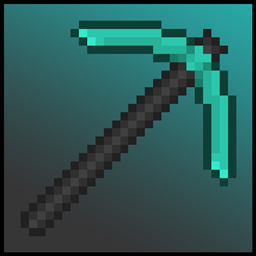
- Redesigned diamond and iron tools
- Smaller swords
- Removed effects background
- Quiter Nether Portal
- Quiter Pistons
- Quiter Dispensers and Droppers
- Quiter Endermans
- Quiter Ghasts
- Quiter Minecarts
- Quiter drop item sound from dispensers
- No Vignette
- No Pumpkin Blur
- Custom Dyes
- Custom Iron Golems with roses
- Better Scaffolding
- Clear Hay
- Custom Redstone lines
- Emerald armor (Diamond armor 4/3) is now working with newest Optifine 1.16.3


* Except Nether Quartz Ore because Default Faithful has more than one texture of Nether Quartz



Faithful Edit 1.5 - 1.16.5
MC 1.16.3, 1.16.1, 1.16, 1.16.5, 1.16.4, 1.16.2
Release 2021-03-07 Get
Faithful Edit 1.4 - 1.16.4
MC 1.16.3, 1.16.1, 1.16, 1.16.4, 1.16.2
Beta 2020-11-07 Get
Faithful Edit 1.4 - 1.16.3
MC 1.16.3, 1.16.1, 1.16, 1.16.2
Beta 2020-10-16 Get
Faithful Edit 1.4 - 1.15.2
MC 1.15, 1.15.2, 1.15.1
Release 2020-07-08 Get
Faithful Edit 1.3 - 1.15.2
MC 1.15, 1.15.2, 1.15.1
Beta 2020-03-13 Get
Faithful Edit 1.2 - 1.15.2
MC 1.15, 1.15.2, 1.15.1
Beta 2020-03-06 Get
Faithful Edit 1.1 - 1.15.2
MC 1.15, 1.15.2, 1.15.1
Beta 2020-02-29 Get
Faithful Edit 1.0 - 1.15.2
MC 1.15, 1.15.2, 1.15.1
Beta 2020-02-28 Get

Requirements & install

How to use this resource pack in Minecraft
Resolution
32x
Minecraft
1.15.1 – 1.16.5
Install folder
.minecraft/resourcepacks

How to install resource packs

  1. Download the resource pack .zip file (do not extract it).
  2. In Minecraft open Options → Resource Packs → Open Pack Folder.
  3. Drop the .zip into the resourcepacks folder (.minecraft/resourcepacks).
  4. Move the pack to the Selected column and click Done.
Browse more: 16x resource packs 32x resource packs 64x resource packs 128x resource packs 256x resource packs 512x+ resource packs Resource Packs for 1.16.5 All resource packs

More from 5E8A

Advertisement Remove ads with Premium →

You Might Also Like