Mineuniverse
Resource Packs
Faithful Better Farmland

Faithful Better Farmland

RESOURCE PACK
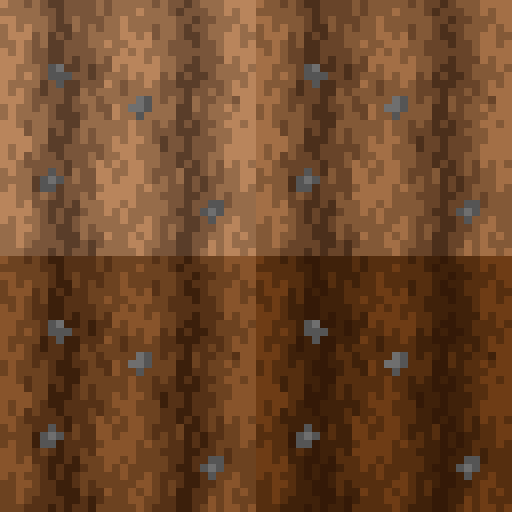
Faithful texture pack only. Enhance your farmland with smoother, more immersive transitions between wet and dry states.
by Po3stell3d
Download Claim this project
Add a badge to your pageLink to Faithful Better Farmland from a README, website or forum post.
Preview: Badge

Badges update automatically and link to the resource pack page on MineUniverse.

1,718 downloads
0 likes
0 followers
Updated Oct 14, 2026
0 hypes
Follow0
32x Miscellaneous Traditional
Advertisement Remove ads with Premium →

About

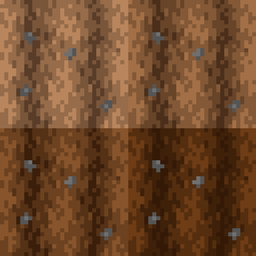
Transform your farmland with smoother and more immersive transitions! Faithful Better Farmland is addon/resource pack for Faithful designed to enhance the visual quality of farmland blocks, especially when transitioning between wet and dry states. Whether you're planting crops or admiring your farm's aesthetics, this pack ensures your agricultural landscapes look seamless and polished.

This is perfect for players who appreciate subtle, realistic enhancements that elevate the beauty of their Minecraft worlds.

Compatibility

This pack is compatible only with the official Faithful texture pack. Make sure you are using either Optifine or you have Indium and Continuity on the mods folder if you are using Sodium.

Credits

  • Faithful Team (I am one of the contributors and addon makers)
  • Faithful 32x


If you are going to share this addon/texture pack to others through YouTube and other websites, please remember to properly credit me. I am seeing other websites stealing my work without my permission.


Other Projects


Donations

I would appreciate donations if possible. The money I receive will be spent on a new computer so I can work on these projects much faster.

Faithful Better Farmland.zip
MC 1.21, 1.21.3, 1.21.1, 1.21.2
Release 2024-11-30 Get

Requirements & install

How to use this resource pack in Minecraft
Resolution
32x
Minecraft
1.21 – 1.21.3
Install folder
.minecraft/resourcepacks

How to install resource packs

  1. Download the resource pack .zip file (do not extract it).
  2. In Minecraft open Options → Resource Packs → Open Pack Folder.
  3. Drop the .zip into the resourcepacks folder (.minecraft/resourcepacks).
  4. Move the pack to the Selected column and click Done.
Browse more: 16x resource packs 32x resource packs 64x resource packs 128x resource packs 256x resource packs 512x+ resource packs Resource Packs for 1.21.3 All resource packs

More from Po3stell3d

Advertisement Remove ads with Premium →

You Might Also Like