Mineuniverse
Resource Packs
Faerie Forged Armory

Faerie Forged Armory

RESOURCE PACK
Give your wands and staves 3D looks!
by Count_Sjorn_Paradox
Download Claim this project
Add a badge to your pageLink to Faerie Forged Armory from a README, website or forum post.
Preview: Badge

Badges update automatically and link to the resource pack page on MineUniverse.

1,926 downloads
0 likes
0 followers
Updated Oct 14, 2026
0 hypes
Follow0
128x Medieval Miscellaneous Mod Support
Advertisement Remove ads with Premium →

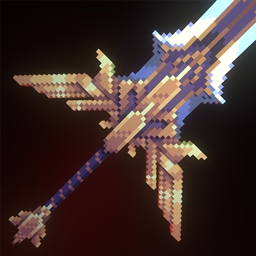
Here i give you: Faerie Forged Armory! A resource pack for wizards, giving all of the default wands and staves brand new 3D models each with various themes depending on the magic school they're from. With this you'll finally be using a spellcasting tool fit for a valiant arch mage! You'll need the Wizards mod in order for this to work.


You may use this in your mod packs but you cannot redistribute this project


Link to the Wizards mod by Daedelus: https://www.curseforge.com/minecraft/mc-mods/wizards

Now with support for Spellblades! By Forg aka cleanrooster: https://www.curseforge.com/minecraft/mc-mods/spellblade-next


Now with support for Paladins and Priests!: https://www.curseforge.com/minecraft/mc-mods/paladins-and-priests

Have fun and happy sorcery!


Faerie Forge Armory Fresh Canvas Update.zip
MC 1.20.2, 1.20.5, 1.20.3, 1.20.1
Release 2024-04-29 Get
Faerie Forged Armory.zip
MC 1.20.1
Release 2024-02-26 Get
Tools of Sorcery
MC 1.20.1, 1.20
Release 2024-02-08 Get
Tools of Sorcery
MC 1.19.3, 1.19.4, 1.19.2, 1.20.1, 1.20, 1.19.1
Release 2023-09-12 Get
Tools of Sorcery Void and Fire
MC 1.19.3, 1.19.4, 1.19.2, 1.20.1, 1.19.1
Release 2023-08-28 Get
Tools of Sorcery void & fire hotfix
MC 1.19.3, 1.19.4, 1.19.2, 1.20.1, 1.19.1, 1.19
Release 2023-08-28 Get
Tools of Sorcery
MC 1.19.3, 1.19.2, 1.19.1, 1.19
Release 2023-08-15 Get
Tools of Sorcery
MC 1.19.3, 1.19.4, 1.19.2, 1.19.1, 1.19
Release 2023-06-25 Get
Tools of Sorcery.zip
MC 1.19.3, 1.19.2, 1.19.1, 1.19
Release 2023-04-07 Get

Requirements & install

How to use this resource pack in Minecraft
Resolution
128x
Minecraft
1.19.2 – 1.20.5
Install folder
.minecraft/resourcepacks

How to install resource packs

  1. Download the resource pack .zip file (do not extract it).
  2. In Minecraft open Options → Resource Packs → Open Pack Folder.
  3. Drop the .zip into the resourcepacks folder (.minecraft/resourcepacks).
  4. Move the pack to the Selected column and click Done.

Packs from 128x upwards need more video memory: install a performance mod such as Sodium for smooth frame rates.

Browse more: 16x resource packs 32x resource packs 64x resource packs 128x resource packs 256x resource packs 512x+ resource packs Resource Packs for 1.20.5 All resource packs

More from Count_Sjorn_Paradox

Advertisement Remove ads with Premium →

You Might Also Like