Mineuniverse
Resource Packs
Fade in and Out

Fade in and Out

RESOURCE PACK
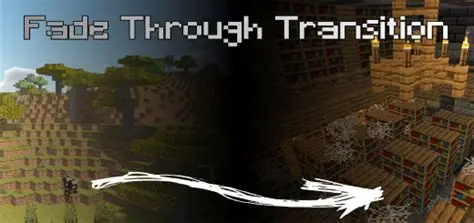
This resource pack adds a cinematic fade in and out screen transition that can be activated with a command
by Xegon1
Download Claim this project
192 downloads
0 likes
0 followers
Updated Oct 14, 2026
0 hypes
Follow0
Data Packs Font Packs Miscellaneous
Advertisement Remove ads with Premium →

Fade In and Out

Fade In and Out adds cinematic fade transitions using a custom full-screen texture

The pack is designed for cutscenes that require smooth transitions between scenes, locations, or events.

The effect is created by replacing a private-use Unicode character with a full-screen texture, allowing map creators to trigger fade effects using a title command.

Usage

Display the transition:

/title @a title {"text":"󰀀"}

Set fade timings:

/title @a times

Example:

/title @a times 20 60 20

Clear the transition:

/title @a clear

Features

  • Full-screen fade transitions
  • No mods required
  • Customizable timings
  • Perfect for cutscenes and adventure maps
  • Compatible with multiplayer maps

Notes

GUI must be enabled for the effect to appear.
The pack uses a private-use Unicode character.
Other packs using the same character may cause conflicts.


Fade in and out pack.zip
MC 1.20.1
Release 2026-06-25 Get

Requirements & install

How to use this resource pack in Minecraft
Resolution
Not specified
Minecraft
1.20.1
Install folder
.minecraft/resourcepacks

How to install resource packs

  1. Download the resource pack .zip file (do not extract it).
  2. In Minecraft open Options → Resource Packs → Open Pack Folder.
  3. Drop the .zip into the resourcepacks folder (.minecraft/resourcepacks).
  4. Move the pack to the Selected column and click Done.
Browse more: 16x resource packs 32x resource packs 64x resource packs 128x resource packs 256x resource packs 512x+ resource packs Resource Packs for 1.20.1 All resource packs

More from Xegon1

Advertisement Remove ads with Premium →

You Might Also Like