Mineuniverse
Resource Packs
Extra Flowery GUI

Extra Flowery GUI

RESOURCE PACK
An addon to Overgrown Flowery GUI modernizing your favorite pack and adding more floral effects. Flowers everywhere, hooray!
by coolbot100s
Download Claim this project
Add a badge to your pageLink to Extra Flowery GUI from a README, website or forum post.
Preview: Badge

Badges update automatically and link to the resource pack page on MineUniverse.
175,266 downloads
0 likes
0 followers
Updated Oct 14, 2026
0 hypes
Follow0
16x Miscellaneous Mod Support
Advertisement Remove ads with Premium →

Banner

Become even closer to living out your cottagecore dreams using this GUI overhaul!

Spawned from an idea for a sequel to Overgrown Flowery GUI, Extra Flowery GUI has become an add-on for those who want a modernized take on your favorite GUI, with more vines and flowers!

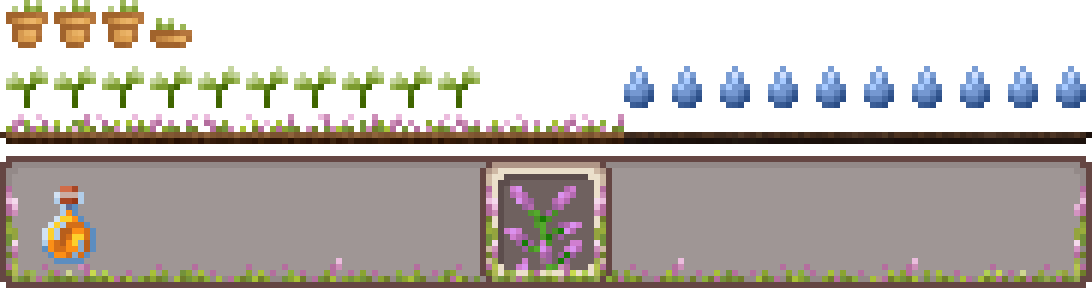
Many screens will now have flowers and vines everywhere, and who wouldn't want that?
This version also reshapes many UIs giving it a cleaner more modern aesthetic, and allowing more visibility when you have your inventory open!
One big change is the removal of container label text cause, after all, I think you know when you're using a crafting table already.

This project is still early in development, only a few containers have been modified, make sure you also install the original Overgrown Flowery GUI for the full effect but keep this pack on top of your list!
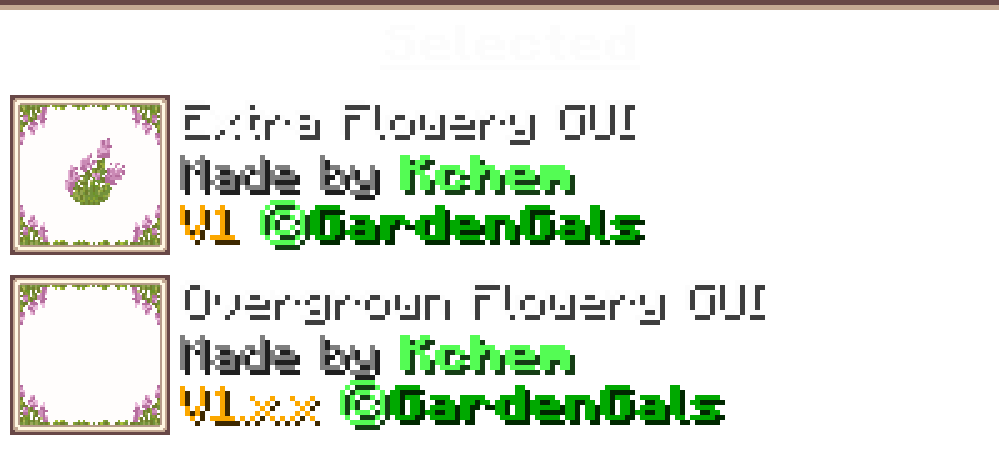
Image showcasing that Extra Flowery GUI should be loaded above Overgrown Flowery GUICheck out the Slider Showcase to compare to the original and Vanilla style!
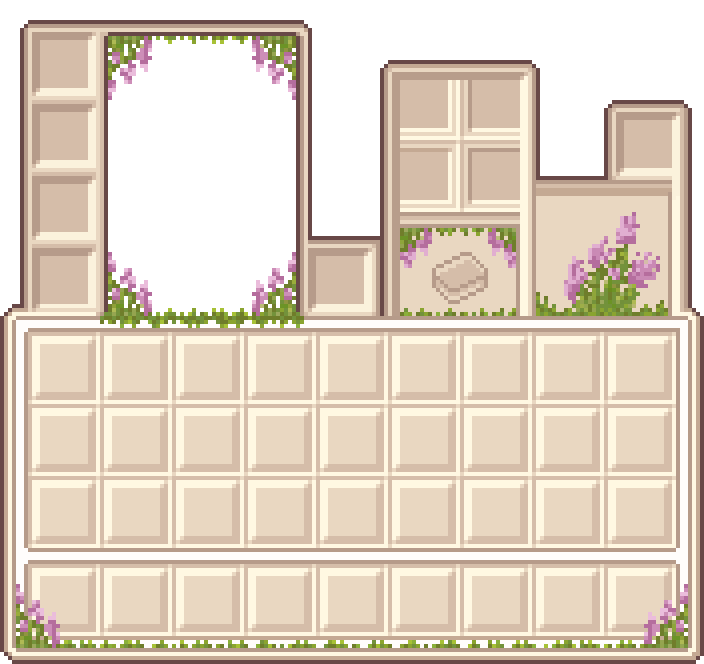
Inventory Showcase

Are you a fan of the new look? Make your opinions known on our discord server, or by leaving a comment on your platform of choice your feedback can affect the development of this addon.

modrinth curseforge Planet Minecraft Overgrown Flowery GUI Colllection discord github Support us

Hotbar Seperator

Extra Flowery GUI v1.1.2
MC 1.16.3, 1.13.1, 1.9.3, 1.8.7, 1.7.4, 1.7.7, 1.7.6, 1.16-Snapshot, 1.17.1, 1.9.1, 1.21.2-Snapshot, 1.21, 1.21.6-snapshot, 1.15-Snapshot, 1.7.5, 1.6.1, 1.16.1, 1.18.1
Release 2026-03-28 Get
Extra Flowery GUI v1.1.1
MC 1.16-Snapshot, 1.17.1, 1.9.1, 1.16.3, 1.13.1, 1.9.3, 1.19.3, 1.20.2, 1.21.2-Snapshot, 1.21, 1.15-Snapshot, 1.16.1, 1.18.1, 1.19.4-Snapshot, 1.20.5, 1.10-Snapshot, 1.9.4, 1.9.2
Release 2025-01-19 Get
Extra Flowery GUI v1.1
MC 1.16-Snapshot, 1.17.1, 1.16.3, 1.13.1, 1.19.3, 1.20.2, 1.21.2-Snapshot, 1.21, 1.15-Snapshot, 1.16.1, 1.18.1, 1.19.4-Snapshot, 1.20.5, 1.14.4, 1.14.1, 1.12.1, 1.17, 1.12
Release 2024-10-11 Get
Extra Flowery GUI 1.0
MC 1.16-Snapshot, 1.17.1, 1.16.3, 1.13.1, 1.19.3, 1.20.2, 1.21.2-Snapshot, 1.21, 1.15-Snapshot, 1.16.1, 1.18.1, 1.19.4-Snapshot, 1.20.5, 1.14.4, 1.14.1, 1.12.1, 1.17, 1.12
Release 2024-10-04 Get

Requirements & install

How to use this resource pack in Minecraft
Resolution
16x
Minecraft
1.18.1 – 1.21.6-snapshot
Install folder
.minecraft/resourcepacks

How to install resource packs

  1. Download the resource pack .zip file (do not extract it).
  2. In Minecraft open Options → Resource Packs → Open Pack Folder.
  3. Drop the .zip into the resourcepacks folder (.minecraft/resourcepacks).
  4. Move the pack to the Selected column and click Done.
Browse more: 16x resource packs 32x resource packs 64x resource packs 128x resource packs 256x resource packs 512x+ resource packs Resource Packs for 1.21.6-snapshot All resource packs

More from coolbot100s

Advertisement Remove ads with Premium →

You Might Also Like