Mineuniverse
Resource Packs
EvenBetterGUI

EvenBetterGUI

RESOURCE PACK
Make Minecraft's GUI even better! With support for mods and customization through Respackopts!
by ArgilRants
Download Claim this project
105 downloads
0 likes
Updated Oct 14, 2026
0 hypes
16x Mod Support
Advertisement Remove ads with Premium →

EvenBetterGUI (EBG)

EBG has the goal is to make Minecraft's GUI & HUD even better that still sticks to a vanilla style. This pack currently has support for 5 mods, with more coming soon! Customizable options/addons are avaliable through Respackopts! Check out the wiki for more info. EBG will not be backported to versions prior to 1.20.3

Vanilla

EBG supports Minecraft versions 1.20.3 upwards. Verions below 1.20.3 will not be supported. EBG keeps to the style of vanilla just in a slightly darker, rounder and smoother look. EBG also changes the hud icons so they're more saturated, and wither hearts are way more clear, and the hunger bar is now juicy glow berries!
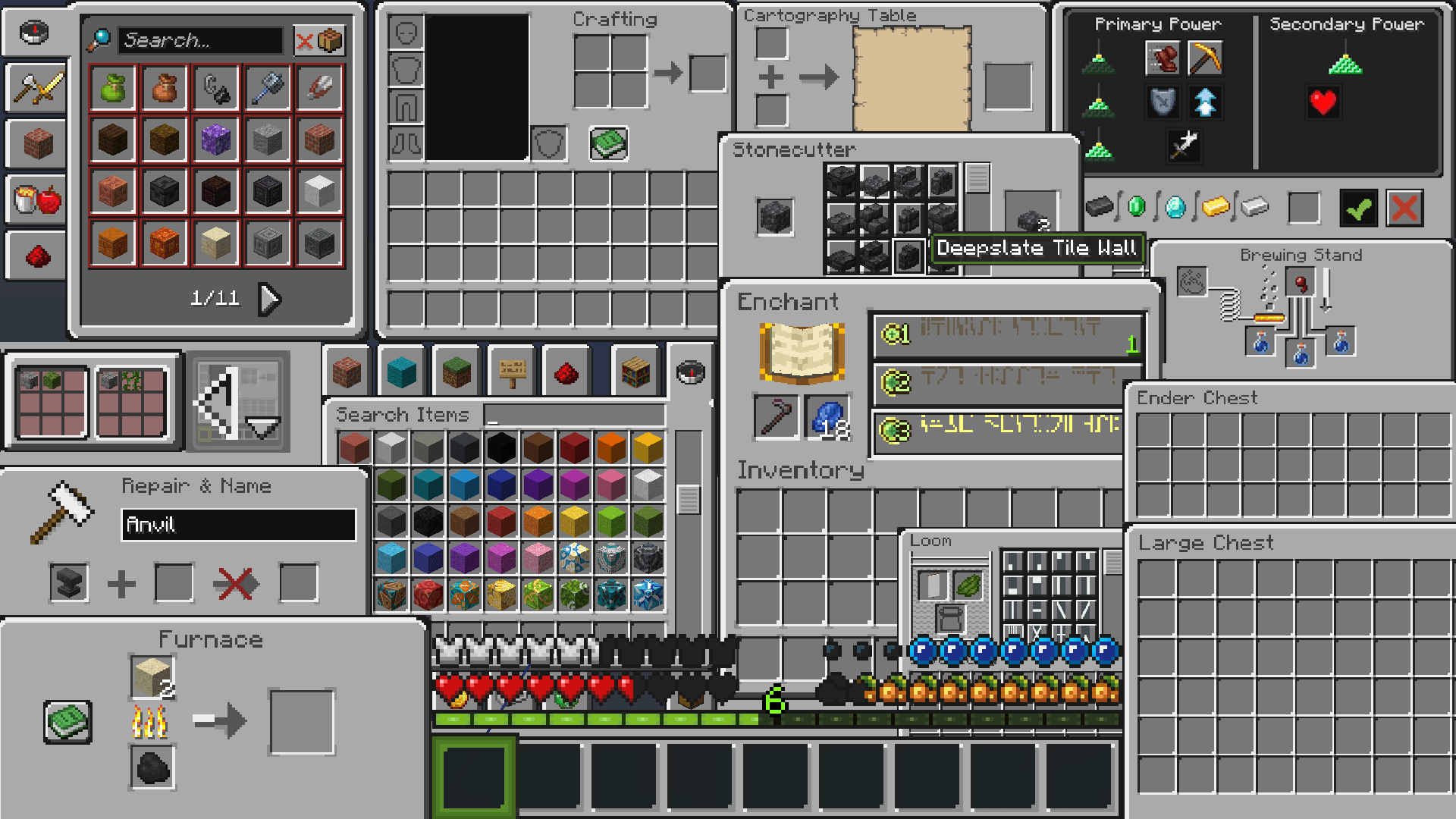
collage of all the different gui menus in vanilla minecraft with EBG turned on

Customizable

EvenBetterGUI has customizability, and extra addons, allowing for more than 3 million combinations, achieved via Respackopts.
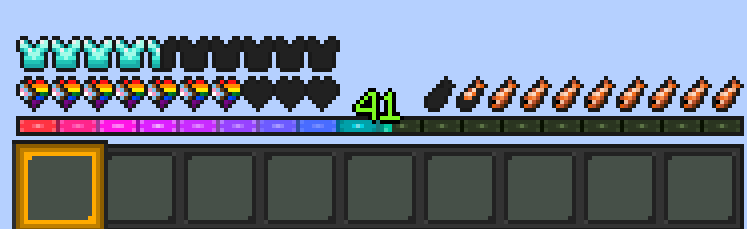
minecraft hud with ebg with oled hotbar, progress flag hearts, tropical fish hunger bar, diamond armor icons, rainbow xp bar with gold hotbar selector all avaliable through respackopts

Learn more about the options avaliable on the wiki!

Mod Support

EBG supports mods like Simple Voice Chat, Axiom, AppleSkin and more

OptiGUI Support

EvenBetterGUI has support for OptiGUI! This allows for little block-like icons in the top right of the inventory for slightly easier browsing of your shulker box monster.
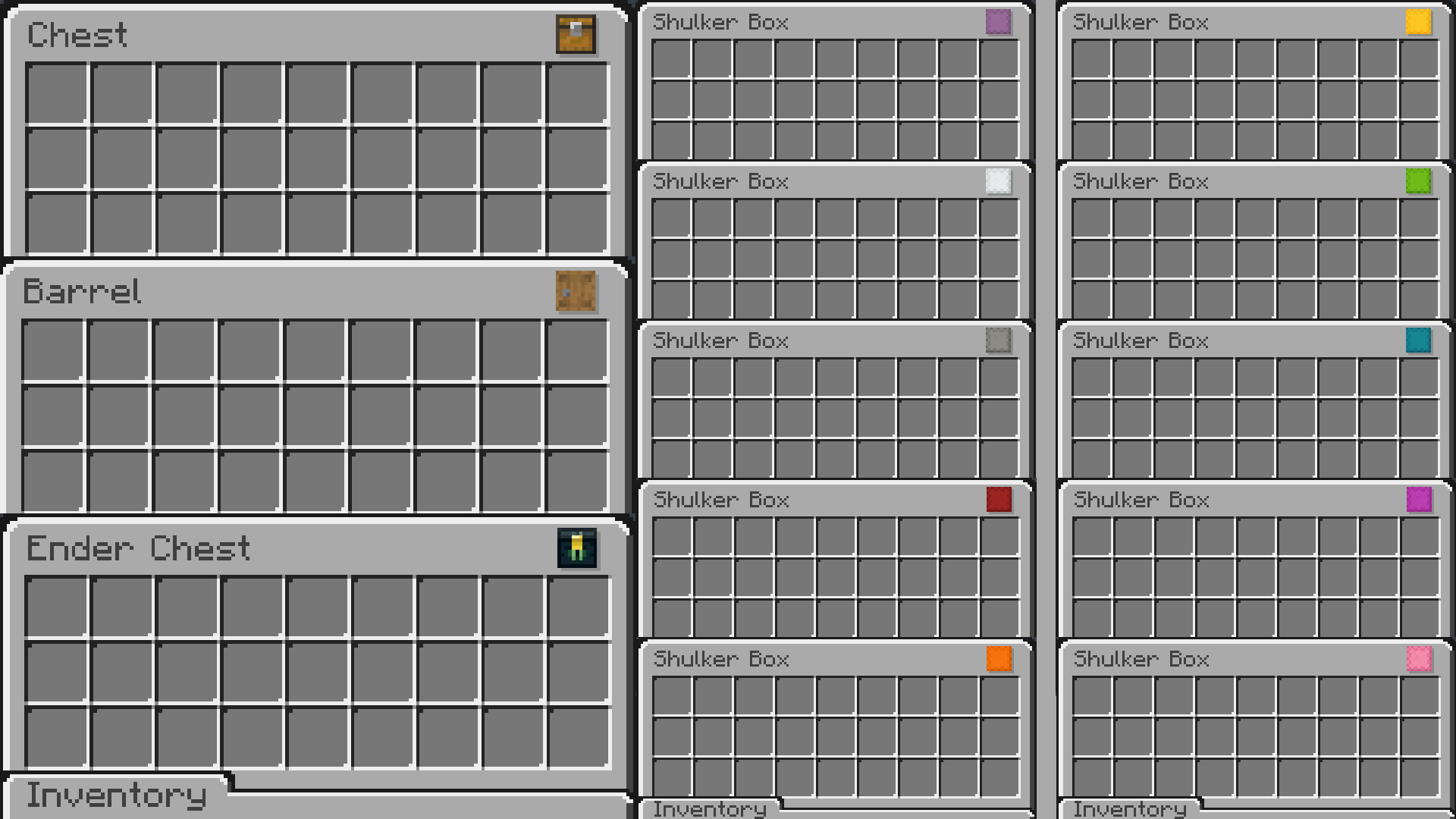

open inventorys for Chest, Barrel, Ender Chest and 10 shulker box colors. Icons resembling their respective block is in the top right

EvenBetterGUI (v1.3.1).zip
MC 1.21, 1.20.5, 1.21.5, 1.21.4, 1.20.3, 1.20.6, 1.20.4, 1.21.3, 1.21.1, 1.21.2
Release 2025-05-04 Get

Requirements & install

How to use this resource pack in Minecraft
Resolution
16x
Minecraft
1.20.5 – 1.21.5
Install folder
.minecraft/resourcepacks

How to install resource packs

  1. Download the resource pack .zip file (do not extract it).
  2. In Minecraft open Options → Resource Packs → Open Pack Folder.
  3. Drop the .zip into the resourcepacks folder (.minecraft/resourcepacks).
  4. Move the pack to the Selected column and click Done.
Browse more: 16x resource packs 32x resource packs 64x resource packs 128x resource packs 256x resource packs 512x+ resource packs Resource Packs for 1.21.5 All resource packs
Advertisement Remove ads with Premium →

You Might Also Like