Mineuniverse
Resource Packs
Escola Redstone

Escola Redstone

RESOURCE PACK
Redstone the easy way, see how redstone works by showing its strength level, funnels, ejectors and relays with indicative arrows.
by ElderBR_
Download Claim this project
Add a badge to your pageLink to Escola Redstone from a README, website or forum post.
Preview: Badge

Badges update automatically and link to the resource pack page on MineUniverse.

3,036 downloads
0 likes
0 followers
Updated Oct 14, 2026
0 hypes
Follow0
32x Miscellaneous
Advertisement Remove ads with Premium →

Escola Redstone


This texture modifies the components that use redstone, improving your understanding bringing some information that is important for its functioning.
For the best use use OptiFine


Background

Background


Modified Items

- Redstone Dust

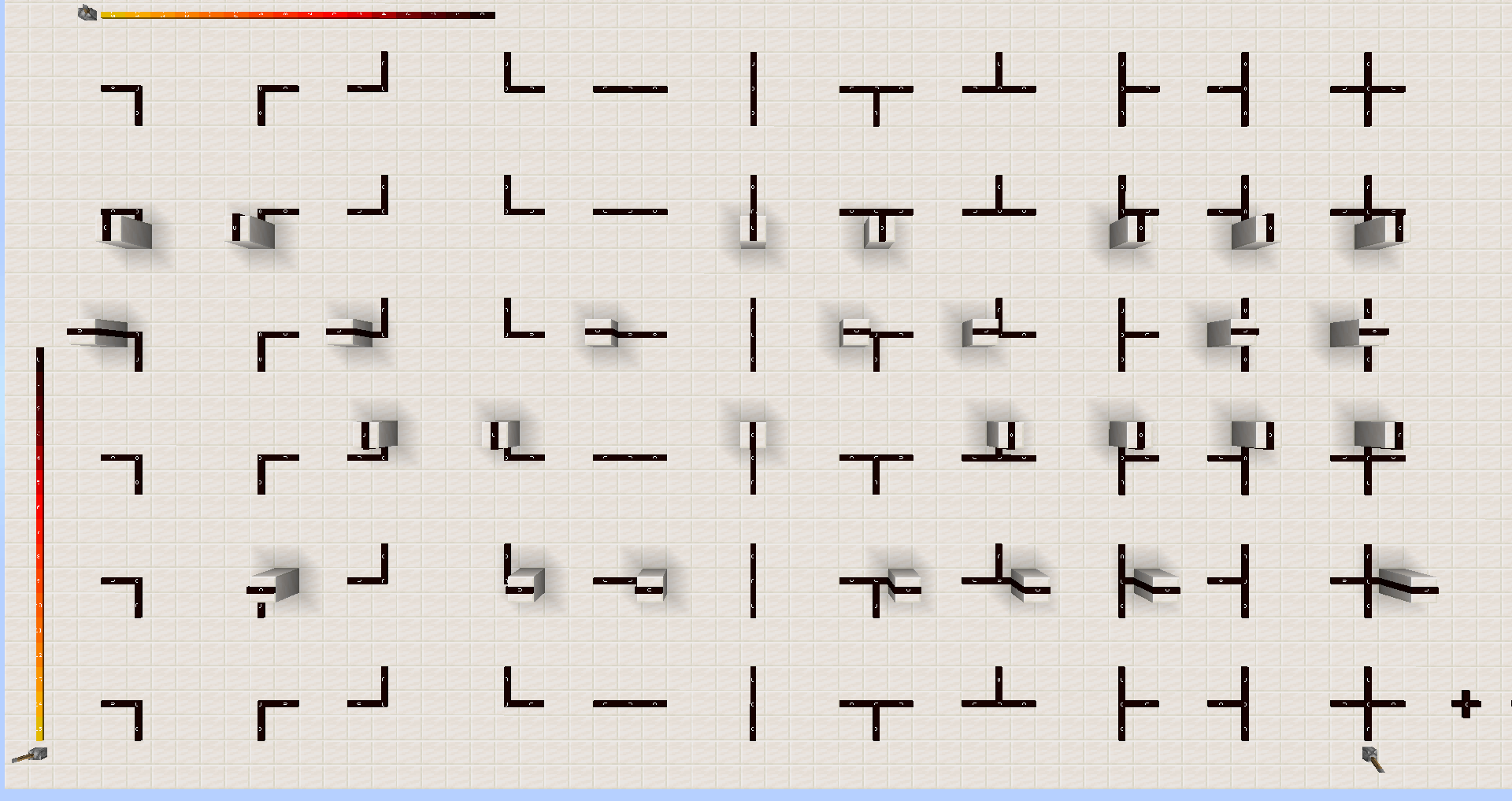
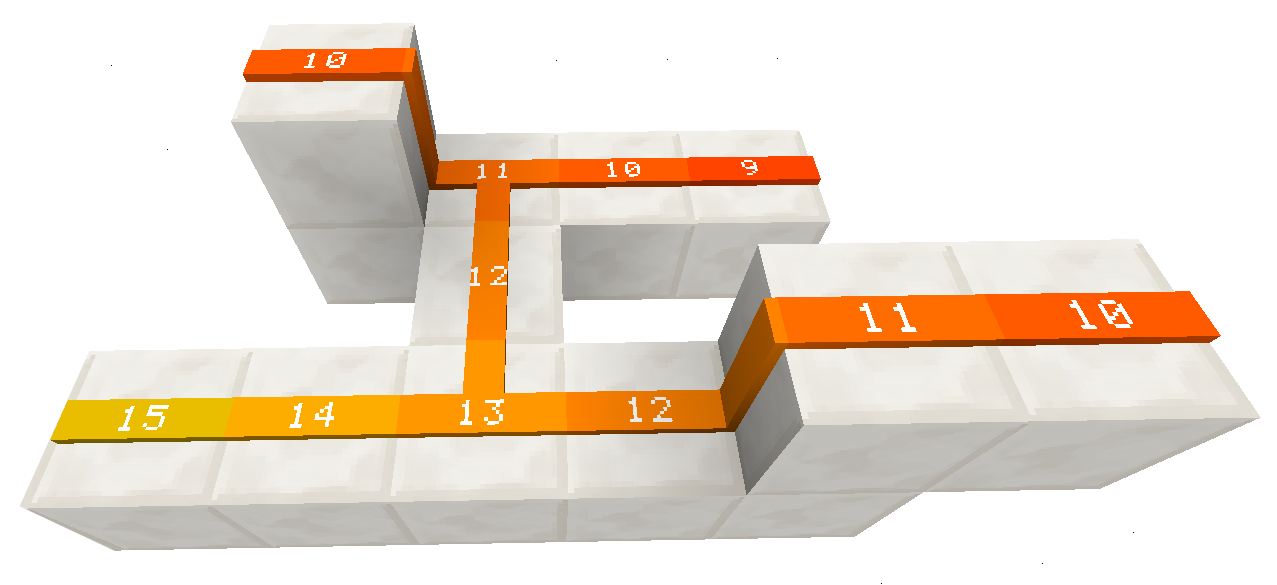
Pó de Redstone recebe energia e ela pode variar entre 0 á 15. Mais isso você não consegue vê, mas agora você vai ver e saber o nível de energia que o pó de redstone está recebendo, e mais além de mostrar o nível ela altera a sua cor conforme sua energia.


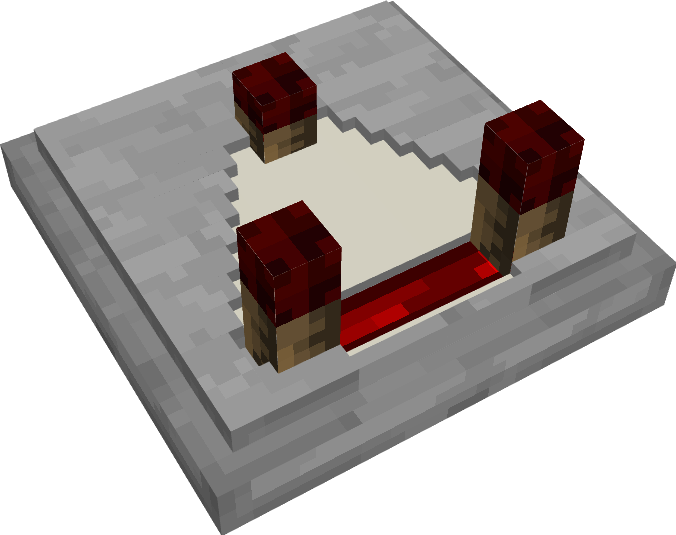
- Comparator

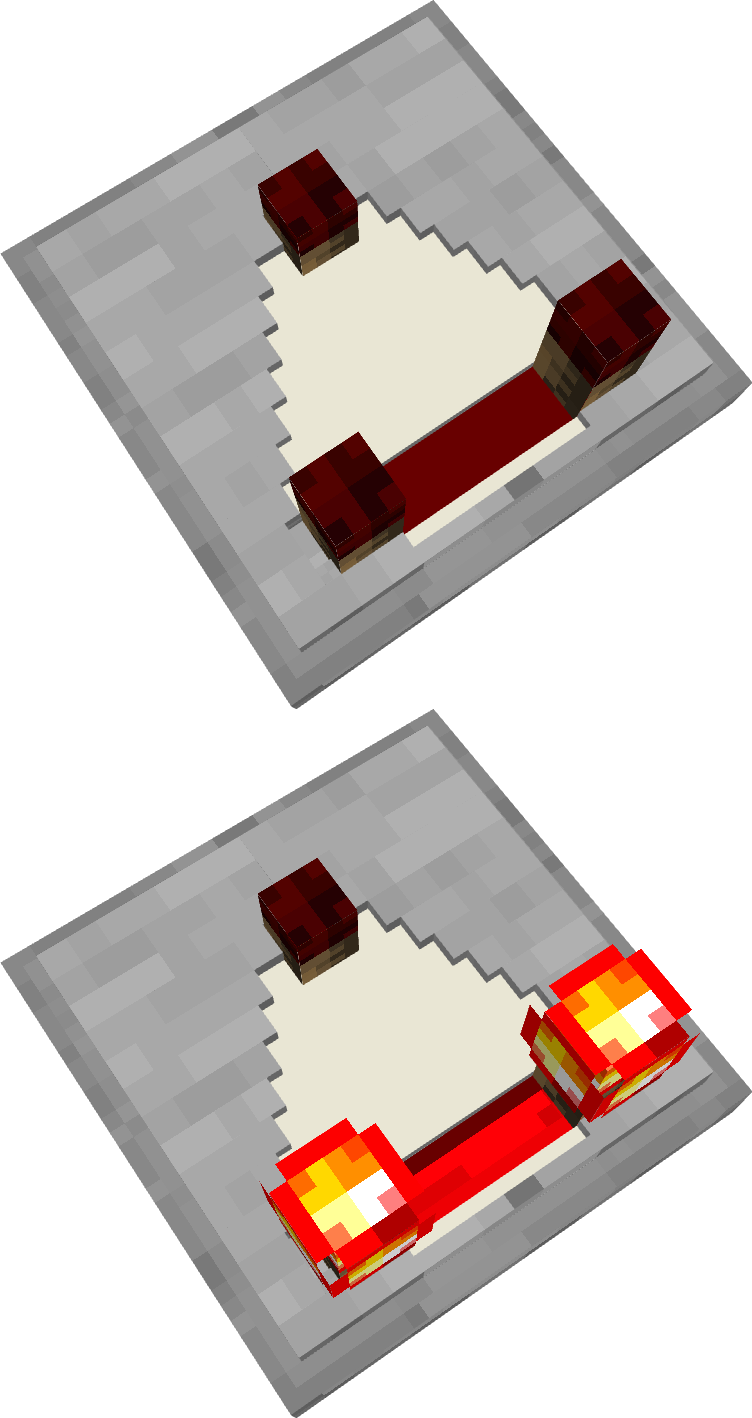
Comparador trás uma nova textura trazendo melhor entendimento do seu funcionamento.
Comparator


- Repeater

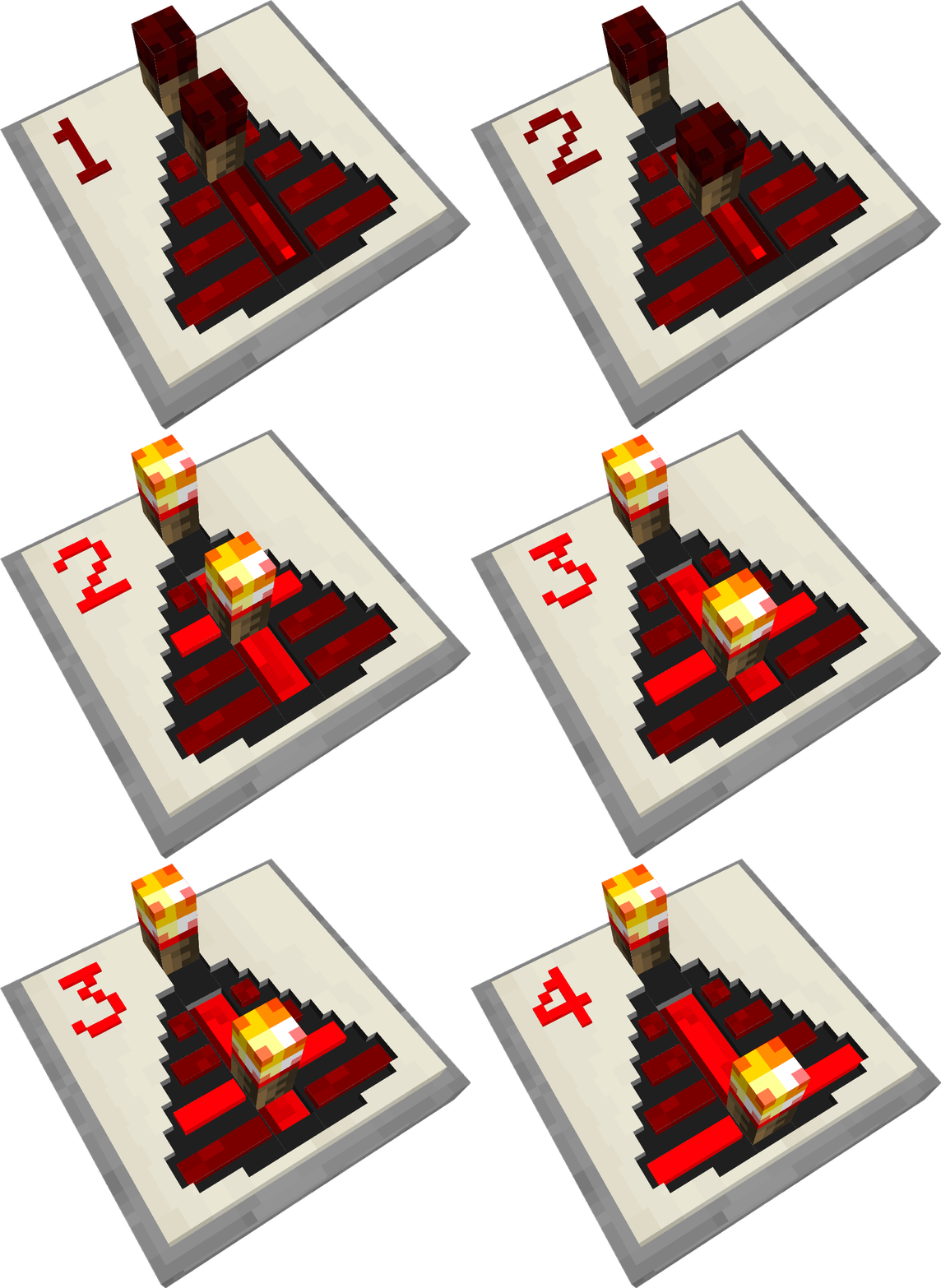
Repetidor existe quatro níveis de delay ele ativo ou não, também tem o modo bloqueio, com a nossa textura você consegue ver o seu nível.
Repeater


- Observer

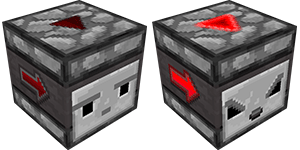
Observador mostra dois lad um fica do lado e outro sobre o observador, quando acionado o lad pisca indicando que foi ativado.
Observer


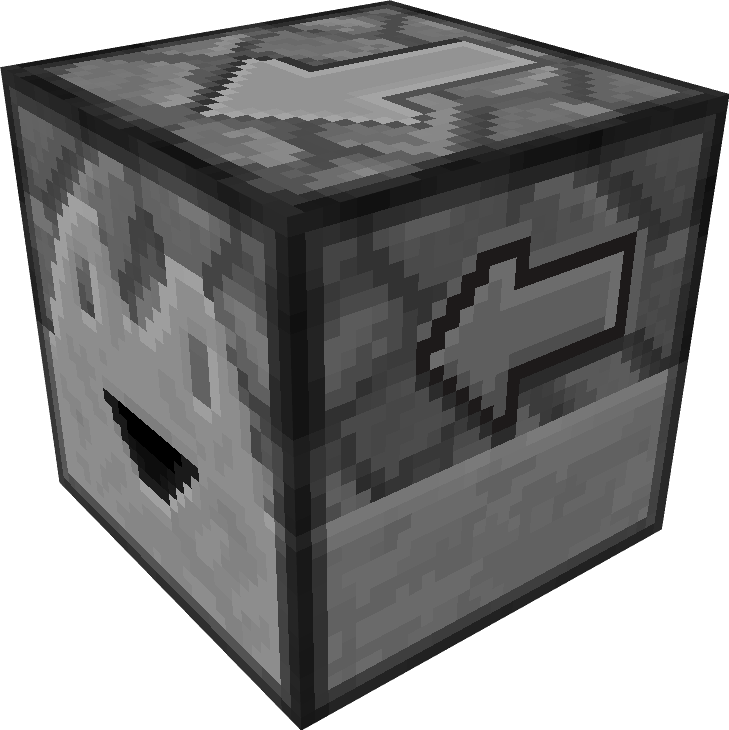
- Dropper

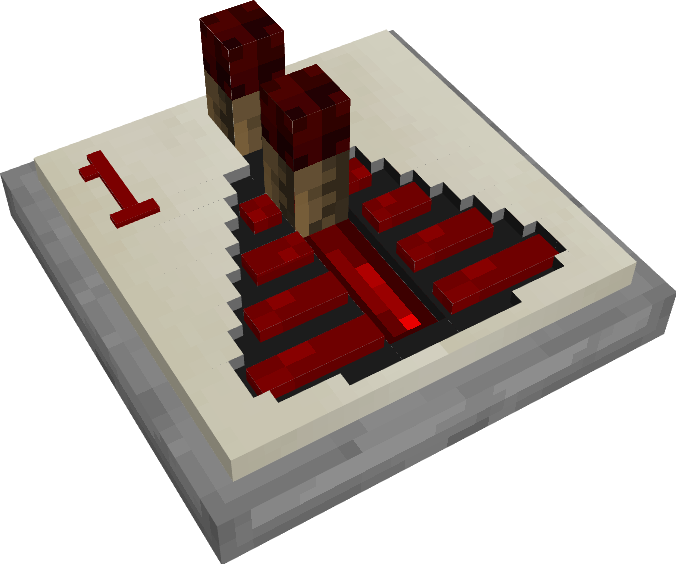
Ejetor contém um seta mostrando para onde está apontado.
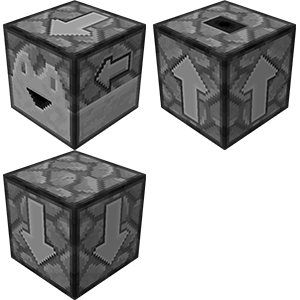
Dropper


- Dispenser

Liberador contém um seta mostrando para onde está apontado.
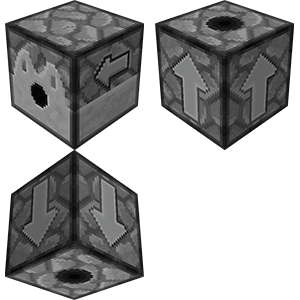
Dispenser


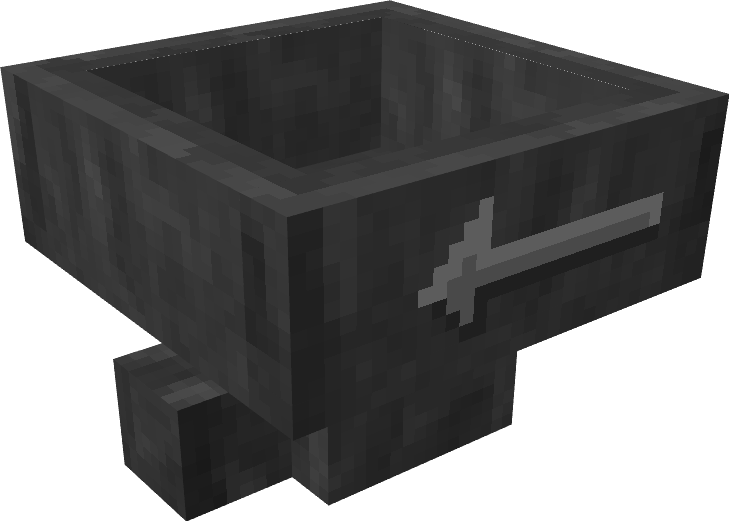
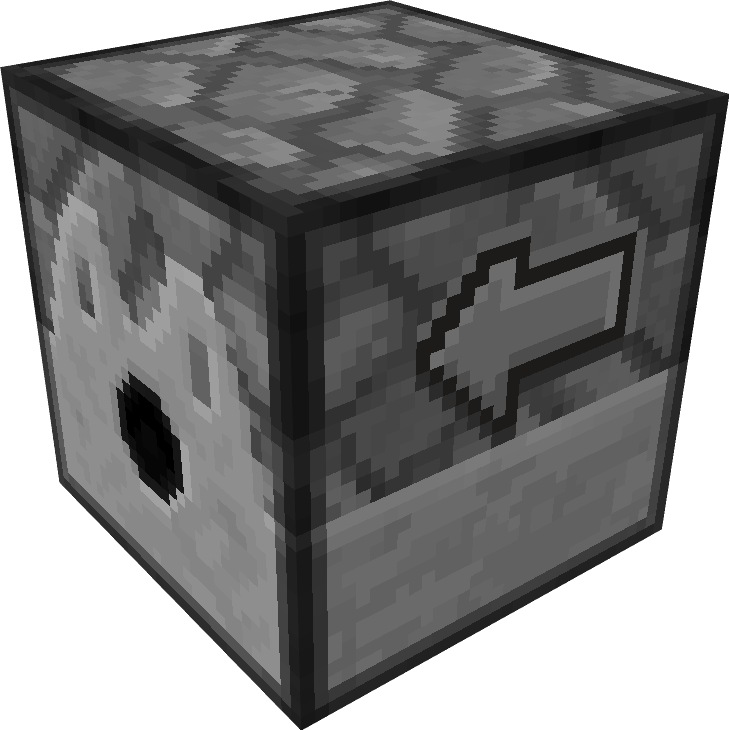
- Hopper

Funil contém um seta mostrando para onde está apontado.

Hopper


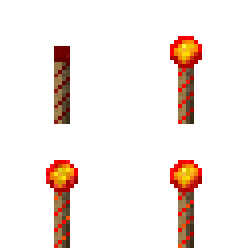
- Redstone Torch

Torch Redstone


- Lever

Alavanca contém leds que mostra o estado de ligado e desligado.

Lever


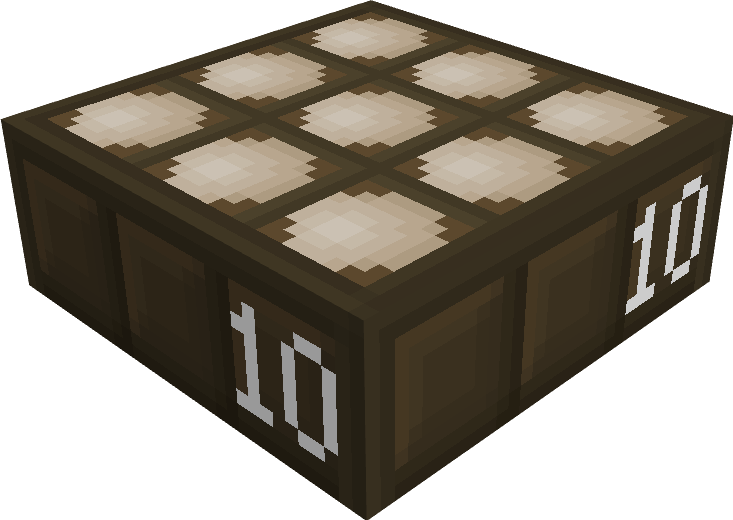
- Light weighted pressure plate

Placa de pressão de ouro mostra o nível de pressão que está sendo recebido.
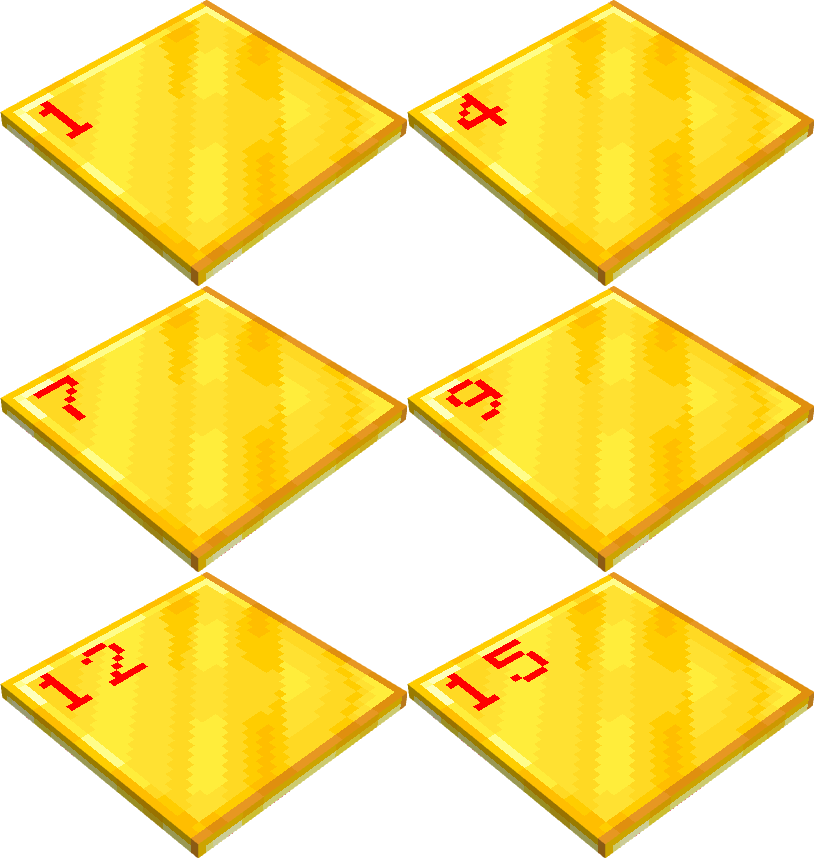
light weighted pressure plate


- Heavy weighted pressure plate

Placa de pressão de ferro mostra o nível de pressão que está sendo recebido.
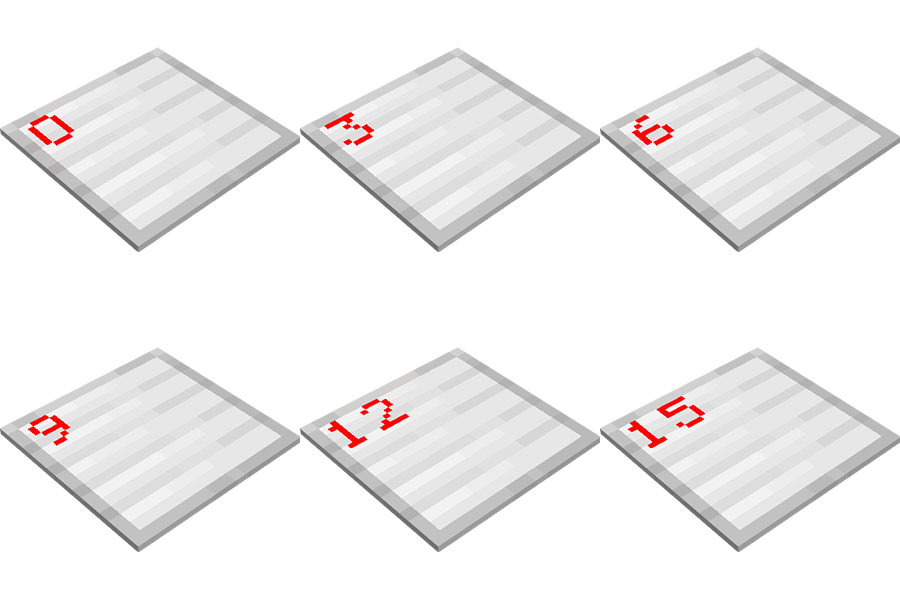
Heavy weigted pressure plate


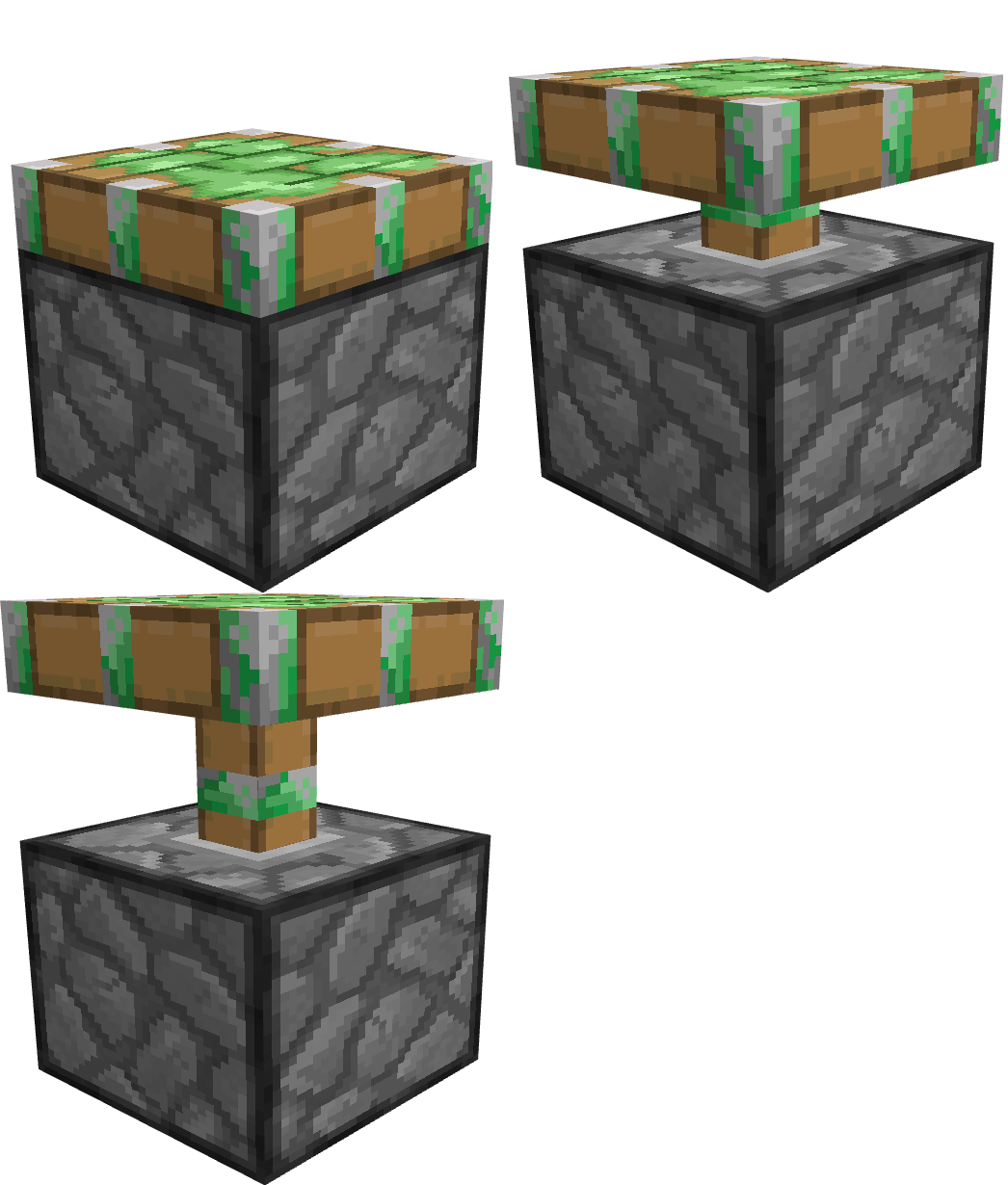
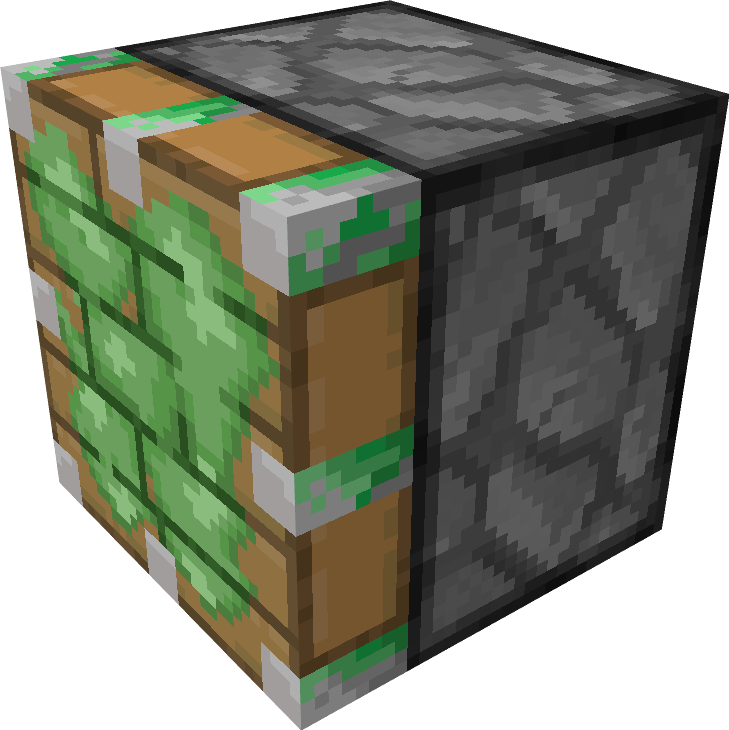
- Sticky Piston

Pistão com slime mostra o slime no braço e cabeça
Stick Piston

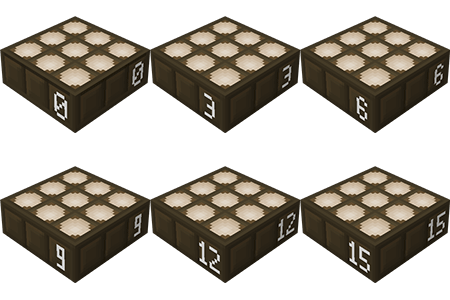
- Daylight Detector

Sensor de Luz mostra o nível de luz que está recebendo, tanto de dia quanto a noite
Daylight Detector
 

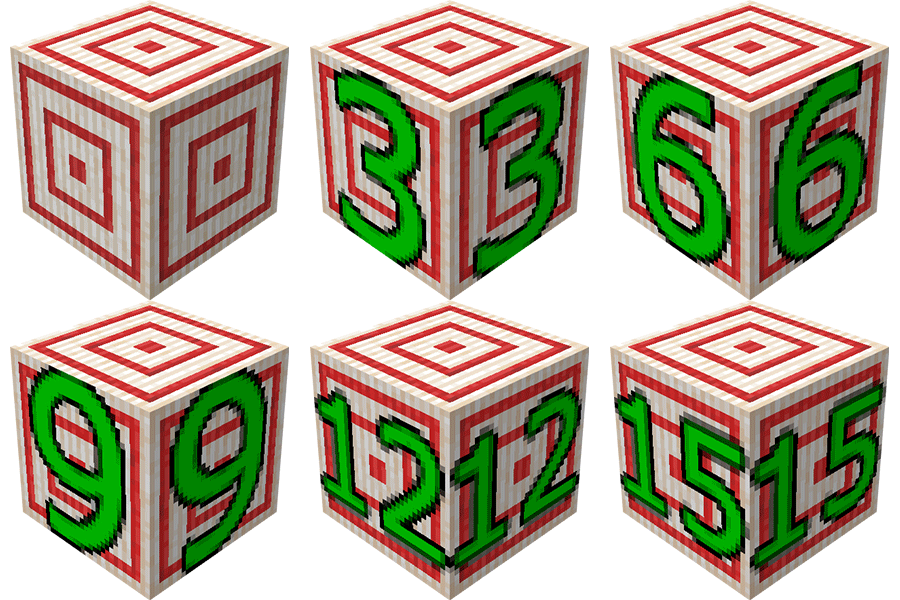
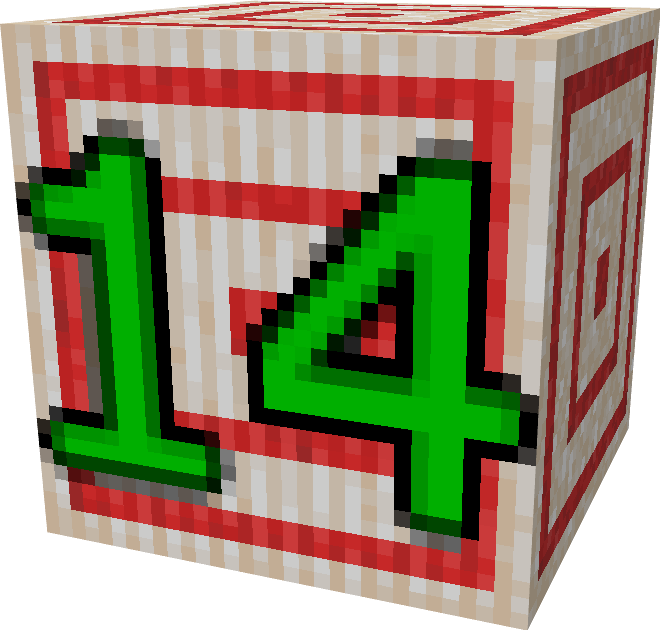
- Target

No alvo mostra o nível de acerto do 1 ao 15Target


Redstone dust

Redstone dust receives energy and it can range from 0 to 15. But you can't see this, with the Escola Redstone texture it will show the energy level the redstone dust is receiving, and beyond of showing the level it changes its color according to its energy. 

redstone dust power


1 - Redstone has become a paste and also shows its level of resistance contained, it makes a gradient from vibrant red to yellow white.

2 - The repeater has been improved its texture and now shows its level of delay.

3 - The comparator has improved its texture.

4 - The hopper, ejector and releaser now shows an arrow indicating where it is aimed.

5 - Sticky piston at its edges shows small pieces of slimes

6 - Target when hit shows the score.


Texture presentation:


Escola Redstone
MC 1.20.4
Release 2024-03-20 Get
EscolaRedstone.zip
MC 1.19.4-Snapshot, 1.19.4
Release 2023-06-27 Get
Escola Redstone v1.4
MC 1.19
Release 2022-07-23 Get
Escola Redstone
MC 1.18.1, 1.18.2, 1.18, 1.18-Snapshot
Release 2022-04-22 Get
Escola Redstone v1.2
MC 1.17.1, 1.17, 1.17-Snapshot
Release 2021-08-20 Get
Escola Redstone v1.1-1.17.1
MC 1.17.1, 1.17, 1.17-Snapshot
Release 2021-08-17 Get
Escola Redstone v1 - 1.17
MC 1.17.1, 1.17, 1.17-Snapshot
Release 2021-08-11 Get
Escola Redstone 1.17
MC 1.17.1, 1.17, 1.17-Snapshot
Alpha 2021-08-08 Get
Escola Redstone 1.17
MC 1.17, 1.17-Snapshot
Release 2021-07-13 Get
Redstone.zip
MC 1.16.5
Release 2021-04-02 Get

Requirements & install

How to use this resource pack in Minecraft
Resolution
32x
Minecraft
1.18-Snapshot – 1.20.4
Install folder
.minecraft/resourcepacks

How to install resource packs

  1. Download the resource pack .zip file (do not extract it).
  2. In Minecraft open Options → Resource Packs → Open Pack Folder.
  3. Drop the .zip into the resourcepacks folder (.minecraft/resourcepacks).
  4. Move the pack to the Selected column and click Done.
Browse more: 16x resource packs 32x resource packs 64x resource packs 128x resource packs 256x resource packs 512x+ resource packs Resource Packs for 1.20.4 All resource packs

More from ElderBR_

Advertisement Remove ads with Premium →

You Might Also Like