Mineuniverse
Resource Packs
Epic Blood and Madness - Epic Fight Compatibility for Blood and Madness

Epic Blood and Madness - Epic Fight Compatibility for Blood and Madness

RESOURCE PACK
Epic Fight compatibility for Blood and Madness
by PatchEye125
Download Claim this project
Add a badge to your pageLink to Epic Blood and Madness - Epic Fight Compatibility for Blood and Madness from a README, website or forum post.
Preview: Badge

Badges update automatically and link to the resource pack page on MineUniverse.

21,937 downloads
0 likes
0 followers
Updated Oct 14, 2026
0 hypes
Follow0
Data Packs Mod Support
Advertisement Remove ads with Premium →

There are TWO versions of the datapack.


IMPORTANT NOTE: The normal version has my custom values. If you are planning to edit the datapack to your liking, use the Prototype version. The differences are:


EpicBloodandMadness - Custom Epic Fight and attack speed values set by me.


EpicBloodandMadness (Prototype) - Every value is set to 0. Made so players can set their own values. Also used by me for testing and fixing things.


What does this do?

This is a datapack that allows the Blood and Madness mod to use the weapon animations from the Epic Fight mod.


Issues:
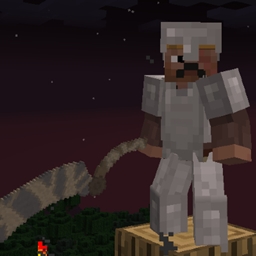
The Threaded Cane does not do the whip animation when attacking. However, I have adjusted the hitbox to be really long, that way you can use it like a whip from a distance. You just won't see it extend. This can only be done when it is extended into a whip.


Saw Cleaver when extended uses the longsword animation which means the Liechtenauer special ability looks kinda funny.



Epic Blood and Madness v1
MC 1.20.1
Release 2023-12-20 Get
Epic Blood and Madness (Prototype)
MC 1.19.2
Release 2023-12-20 Get
Epic Blood and Madness v1
MC 1.19.2
Release 2023-12-20 Get
Epic Blood and Madness (Prototype)
MC 1.18.2
Release 2023-12-20 Get
Epic Blood and Madness v1
MC 1.18.2
Release 2023-12-20 Get
Epic Blood and Madness (Prototype)
MC 1.20.1
Release 2023-12-19 Get

Requirements & install

How to use this resource pack in Minecraft
Resolution
Not specified
Minecraft
1.18.2 – 1.20.1
Install folder
.minecraft/resourcepacks

How to install resource packs

  1. Download the resource pack .zip file (do not extract it).
  2. In Minecraft open Options → Resource Packs → Open Pack Folder.
  3. Drop the .zip into the resourcepacks folder (.minecraft/resourcepacks).
  4. Move the pack to the Selected column and click Done.
Browse more: 16x resource packs 32x resource packs 64x resource packs 128x resource packs 256x resource packs 512x+ resource packs Resource Packs for 1.20.1 All resource packs
Advertisement Remove ads with Premium →

You Might Also Like





