Mineuniverse
Resource Packs
Enhanced Faithcraft

Enhanced Faithcraft

RESOURCE PACK
nonintrusive 3D models and model variations without extra textures
by Kepis_72
Download Claim this project
Add a badge to your pageLink to Enhanced Faithcraft from a README, website or forum post.
Preview: Badge

Badges update automatically and link to the resource pack page on MineUniverse.

6,405 downloads
0 likes
0 followers
Updated Oct 14, 2026
0 hypes
Follow0
32x Miscellaneous Traditional
Advertisement Remove ads with Premium →

Enhanced Faithcraft

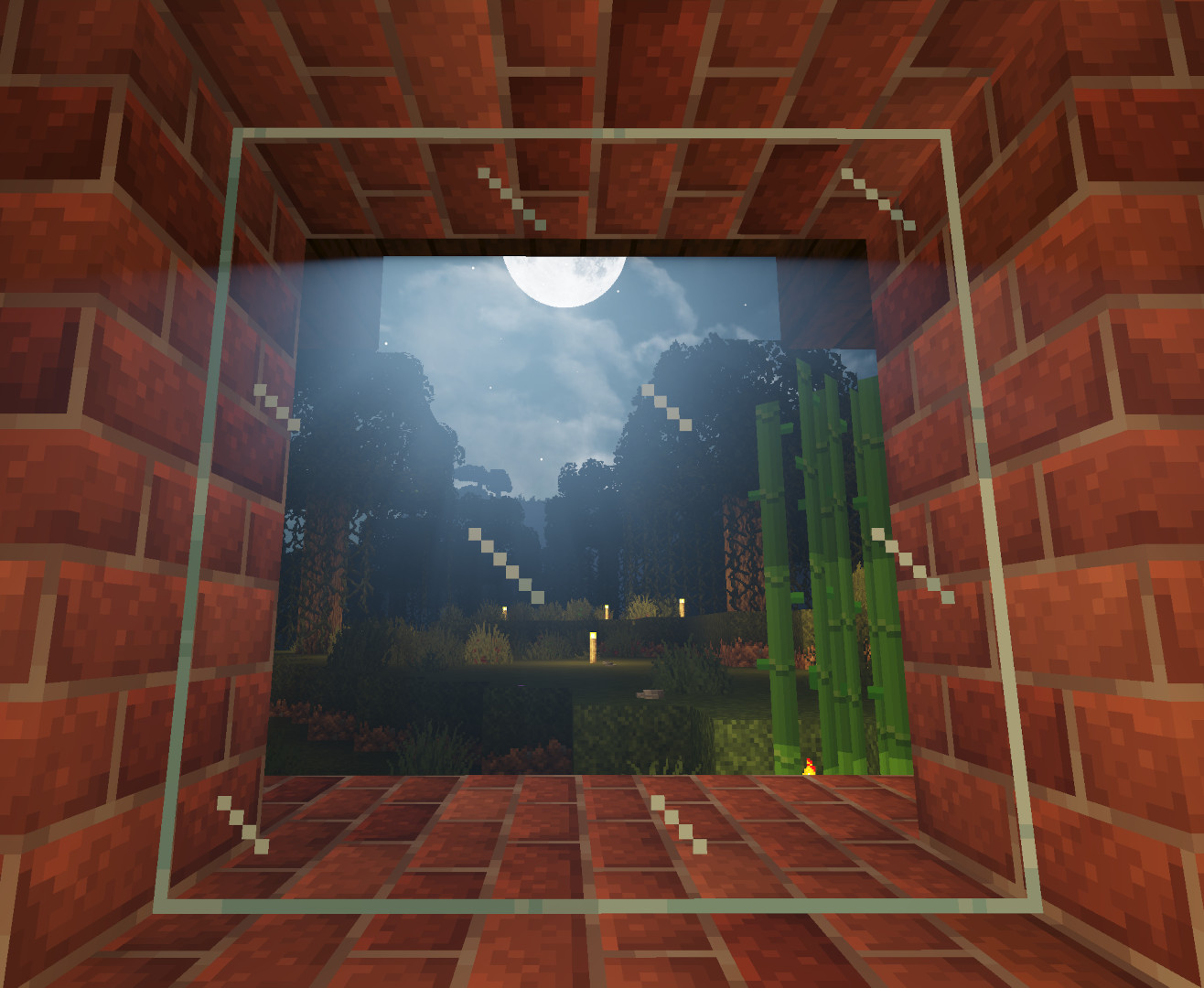
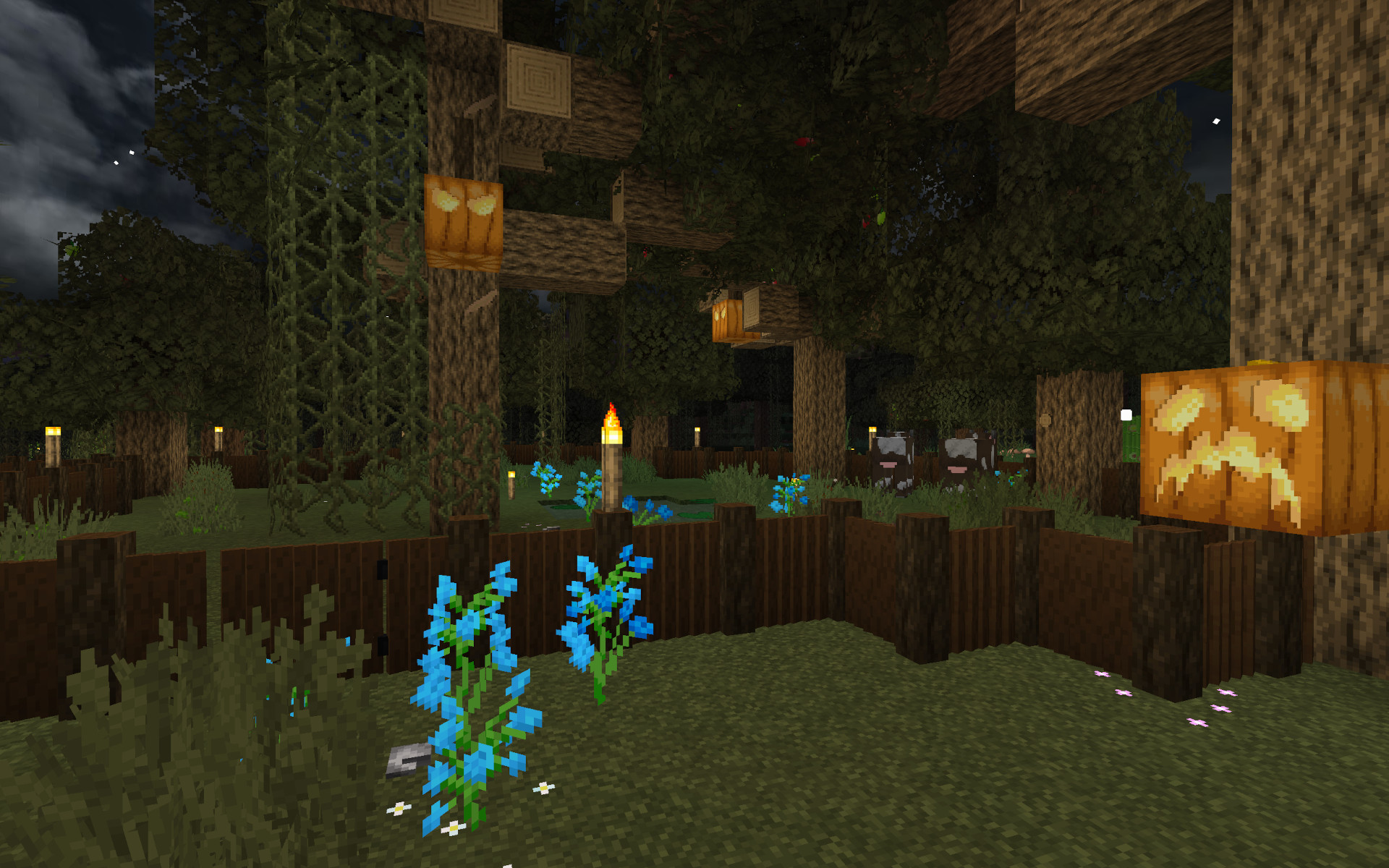
This pack features:

  • connected textures (CTM)
  • extensive block variants (all brick types, ores...)
  • bushy leaves
  • long grass blocks
  • 3D door, fence and log models
  • 3D rails
  • 3D tulips and a few other flowers
  • 3D models for most utility blocks

Compatibility

  • Faithful x32 is a dependency, this is just an extensive addon
  • 3D models are x16 compatible
  • please remove assets/minecraft/optifine/ctm/bookshelf folder from Faithful to fix bookshelf model

Config

This pack has 2 variants for better performace or better looks of leaves, to change the version, go to assets/minecraft/models/3d/version and rename the version you want to current. Available are: light, heavy

For more bushy leaves and more depth of wood logs use heavy. For avoiding bushy leaves and jams on logs use light.

Screenshots

image image image

Recommended additions

Credits

Foreign model sources

  • Faithful 3D
    • model use permitted here
    • flower models by: @AlkatreizeGME
    • bookshelf, cake, eye models by: @Juknum

My model inspiration

Other texture sources - packs/addons:

EF Light v1.7.3: texture variation trimdown
MC 1.17.1, 1.16.3, 1.13.1, 1.19.3, 1.20.2, 1.16.1, 1.18.1, 1.14.4, 1.14.1, 1.17, 1.14.3, 1.15, 1.16, 1.13, 1.19.4, 1.16.5, 1.18.2, 1.19.2, 1.20.3, 1.15.2, 1.14, 1.20.1, 1.20
Beta 2024-02-18 Get
EF Heavy v1.7.3: texture variation trimdown
MC 1.17.1, 1.16.3, 1.13.1, 1.19.3, 1.20.2, 1.16.1, 1.18.1, 1.14.4, 1.14.1, 1.17, 1.14.3, 1.15, 1.16, 1.13, 1.19.4, 1.16.5, 1.18.2, 1.19.2, 1.20.3, 1.15.2, 1.14, 1.20.1, 1.20
Release 2024-02-18 Get
EF-Heavy.zip
MC 1.17.1, 1.20.2, 1.14.4, 1.19.4, 1.16.5, 1.18.2, 1.20.3, 1.15.2, 1.20.1, 1.20, 1.20.4, 1.13.2
Release 2024-01-12 Get
EF-Light.zip
MC 1.20.2, 1.14.4, 1.17, 1.19.4, 1.16.5, 1.18.2, 1.20.3, 1.15.2, 1.20.1, 1.20, 1.20.4, 1.13.2
Beta 2024-01-12 Get
EF-Heavy.zip
MC 1.17.1, 1.14.4, 1.19.4, 1.16.5, 1.18.2, 1.15.2, 1.20.1, 1.20, 1.13.2
Release 2023-07-29 Get
EF-Light.zip
MC 1.17.1, 1.14.4, 1.19.4, 1.16.5, 1.18.2, 1.15.2, 1.20.1, 1.20, 1.13.2
Beta 2023-07-29 Get
EF-Heavy
MC 1.16-Snapshot, 1.17.1, 1.16.3, 1.13.1, 1.19.3, 1.15-Snapshot, 1.16.1, 1.18.1, 1.19.4-Snapshot, 1.14.4, 1.14.1, 1.17, 1.14.3, 1.15, 1.16, 1.13, 1.19.4, 1.19-Snapshot, 1.16.5
Release 2023-07-02 Get
EF-Light
MC 1.16-Snapshot, 1.17.1, 1.16.3, 1.13.1, 1.19.3, 1.15-Snapshot, 1.16.1, 1.18.1, 1.19.4-Snapshot, 1.14.4, 1.14.1, 1.17, 1.14.3, 1.15, 1.16, 1.13, 1.19.4, 1.19-Snapshot, 1.16.5
Beta 2023-07-02 Get

Requirements & install

How to use this resource pack in Minecraft
Resolution
32x
Minecraft
1.19.3 – 1.20.4
Install folder
.minecraft/resourcepacks

How to install resource packs

  1. Download the resource pack .zip file (do not extract it).
  2. In Minecraft open Options → Resource Packs → Open Pack Folder.
  3. Drop the .zip into the resourcepacks folder (.minecraft/resourcepacks).
  4. Move the pack to the Selected column and click Done.
Browse more: 16x resource packs 32x resource packs 64x resource packs 128x resource packs 256x resource packs 512x+ resource packs Resource Packs for 1.20.4 All resource packs
Advertisement Remove ads with Premium →

You Might Also Like