Mineuniverse
Resource Packs
Enhanced Boss Bars Addon

Enhanced Boss Bars Addon

RESOURCE PACK
An Addon for the Resource pack Enhanced Boss Bars
by phenixcraft
Download Claim this project
Add a badge to your pageLink to Enhanced Boss Bars Addon from a README, website or forum post.
Preview: Badge

Badges update automatically and link to the resource pack page on MineUniverse.

1,012 downloads
0 likes
0 followers
Updated Oct 14, 2026
0 hypes
Follow0
16x Mod Support
Advertisement Remove ads with Premium →

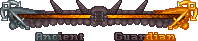
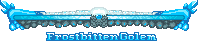
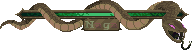
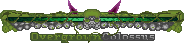
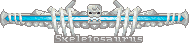
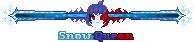
An Addon for the Resource pack Enhanced Boss Bars The changes compared to the normal resource pack will be shown through images. (Suggest your ideas in the comments and I'll do my best to add them). Warning: requires Universal Retexture, as some boss health bars such as the UR-Ghast's have been remade in the Universal Retexture style. and this add-on is incompatible with the normal resource pack (the normal one takes precedence and the add-on therefore makes no difference). Also, some bossbars depend on the "Mini Boss Bossbars" mod; however, with this mod, you must launch the world for the first time with *only* that mod installed—otherwise, bugs will prevent anything from appearing.

Enhanced Boss Bars X Legendary Monsters.zip
MC 1.20.1, 1.21.1
Release 2026-10-15 Get
Enhanced Boss Bars Addon New Edition.zip
MC 1.20.1, 1.21.1
Release 2026-09-02 Get
Enhanced Boss Bars Chorusent Name Fix.zip
MC 1.20.1, 1.21.1
Release 2026-06-29 Get
Enhanced Boss Bars Legendary Monsters Bosses Addon.zip
MC 1.20.1, 1.21.1
Release 2026-06-28 Get
Enhanced Boss Bars Legendary Monsters Overworld Bosses Addon.zip
MC 1.20.1, 1.21.1
Release 2026-06-25 Get
Enhanced Boss Bars Legendary Monsters Overworld Bosses Fix.zip
MC 1.20.1, 1.21.1
Release 2026-06-25 Get
Enhanced Boss Bars Frostbitten Golem Addon.zip
MC 1.20.1
Release 2026-06-11 Get
Enhanced Boss Bars Twilight Forest Full.zip
MC 1.20.1
Release 2026-05-29 Get

Requirements & install

How to use this resource pack in Minecraft
Resolution
16x
Minecraft
1.20.1 – 1.21.1
Install folder
.minecraft/resourcepacks

How to install resource packs

  1. Download the resource pack .zip file (do not extract it).
  2. In Minecraft open Options → Resource Packs → Open Pack Folder.
  3. Drop the .zip into the resourcepacks folder (.minecraft/resourcepacks).
  4. Move the pack to the Selected column and click Done.
Browse more: 16x resource packs 32x resource packs 64x resource packs 128x resource packs 256x resource packs 512x+ resource packs Resource Packs for 1.21.1 All resource packs

More from phenixcraft

Advertisement Remove ads with Premium →

You Might Also Like