Mineuniverse
Resource Packs
Enhanced 3D Models

Enhanced 3D Models

RESOURCE PACK
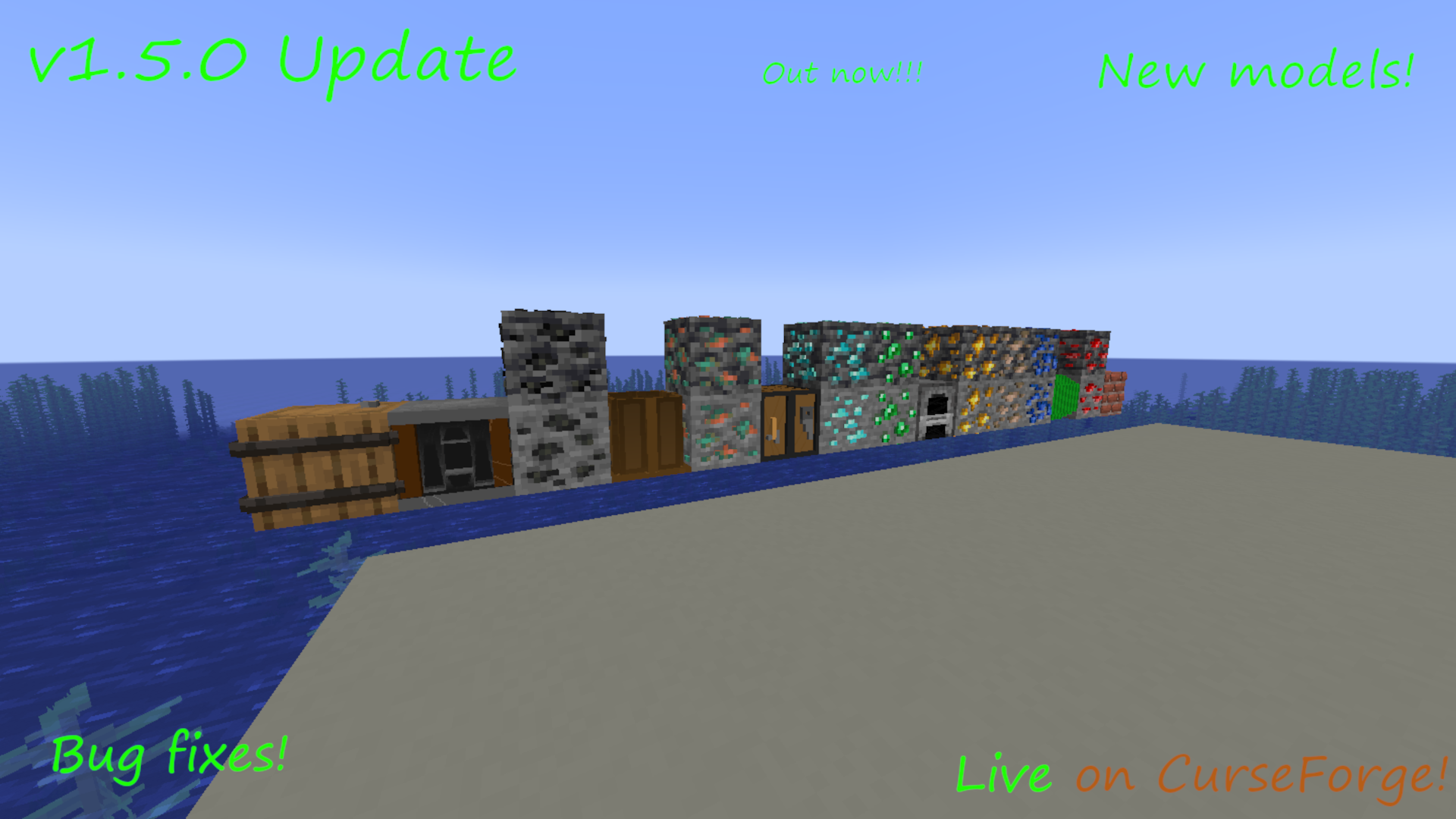
This pack gives more depth to Minecraft's flat models!
by IhuntsYT
Download Claim this project
Add a badge to your pageLink to Enhanced 3D Models from a README, website or forum post.
Preview: Badge

Badges update automatically and link to the resource pack page on MineUniverse.

5,760 downloads
0 likes
0 followers
Updated Oct 14, 2026
0 hypes
Follow0
32x Modern Photo Realistic
Advertisement Remove ads with Premium →

Welcome to the Enhanced 3D Models Resource Pack!

It took a long time to get here, so I hope you will enjoy the pack!

This pack changes the way that Minecraft looks by changing the Items and Blocks in game Models.


The pack has been moved to Modrinth. Please use THIS LINK to view the latest downloads.


If you have any bugs to report, please report them in the Issues Tab, or contact me in the Comments.


 v1.5.0 Update Video:


Description:

Are you looking for a Resource Pack that makes Minecraft look more.... Realistic?

Well do I have some great news for you! Congratulations! You just found a 3D Realistic Resource Pack!

This Pack supports Versions from 1.15.1, to 1.20.4! And I regularly update the Pack, so it wont ever get boring.... Hopefully!


Remember to follow me for Notifications on Future Updates! (I think that's how it works anyway. I'm still new to Curse Forge, so if you have any tips, please tell me in the Comments!) 


Notes:
This pack does NOT require Optifine to run, However using it is encouraged, if possible.

Can't find the version you want? Try looking HERE!


Credits:

This pack has been Created/Coded/Designed by:
Ihunts.
The 3D Totem Of Undying was Created by Former PMC user, Wisampah. I got permission from him before I used his model.
Idea came from:
Mr. Xuiryus and his Tutorials.

Special thanks to ScotsMiser for helping me create the new name!
Models and Textures were created Using:
BlockBench.

E3DM-v1.6_1.20.3-1.20.4.zip
MC 1.20.3, 1.20.4
Release 2024-03-28 Get
3D v1.6.0-beta.1_1.20.3-1.20.4.zip
MC 1.20.3, 1.20.4
Beta 2023-12-23 Get
3D v1.5.1_1.20.1.zip
MC 1.20.1, 1.20, 1.20-Snapshot
Release 2023-10-07 Get
3D v1.5.0_1.20.1.zip
MC 1.20.1, 1.20
Release 2023-09-27 Get
Official Release v1.4 1.17
MC 1.17.1, 1.17, 1.17-Snapshot
Release 2022-11-03 Get
Official Release v1.4 1.16.2-1.16.5
MC 1.16.3, 1.16.5, 1.16.4, 1.16.2
Release 2022-11-03 Get
Official Release v1.4 1.15-1.16.1
MC 1.16-Snapshot, 1.16.1, 1.16, 1.15.2, 1.15.1
Release 2022-11-03 Get
Official Release v1.4 1.18
MC 1.18.1, 1.18.2, 1.18, 1.18-Snapshot
Release 2022-11-03 Get
Official Release v1.4 1.19
MC 1.19.2, 1.19.1, 1.19
Release 2022-11-03 Get

Requirements & install

How to use this resource pack in Minecraft
Resolution
32x
Minecraft
1.19 – 1.20.4
Install folder
.minecraft/resourcepacks

How to install resource packs

  1. Download the resource pack .zip file (do not extract it).
  2. In Minecraft open Options → Resource Packs → Open Pack Folder.
  3. Drop the .zip into the resourcepacks folder (.minecraft/resourcepacks).
  4. Move the pack to the Selected column and click Done.
Browse more: 16x resource packs 32x resource packs 64x resource packs 128x resource packs 256x resource packs 512x+ resource packs Resource Packs for 1.20.4 All resource packs

More from IhuntsYT

Advertisement Remove ads with Premium →

You Might Also Like