Mineuniverse
Resource Packs
Enderite Upgrade

Enderite Upgrade

RESOURCE PACK
upgrade your netherite equipment
by paul90317
Download Claim this project
5,867 downloads
0 likes
Updated Oct 14, 2026
0 hypes
Data Packs Medieval Miscellaneous
Advertisement Remove ads with Premium →

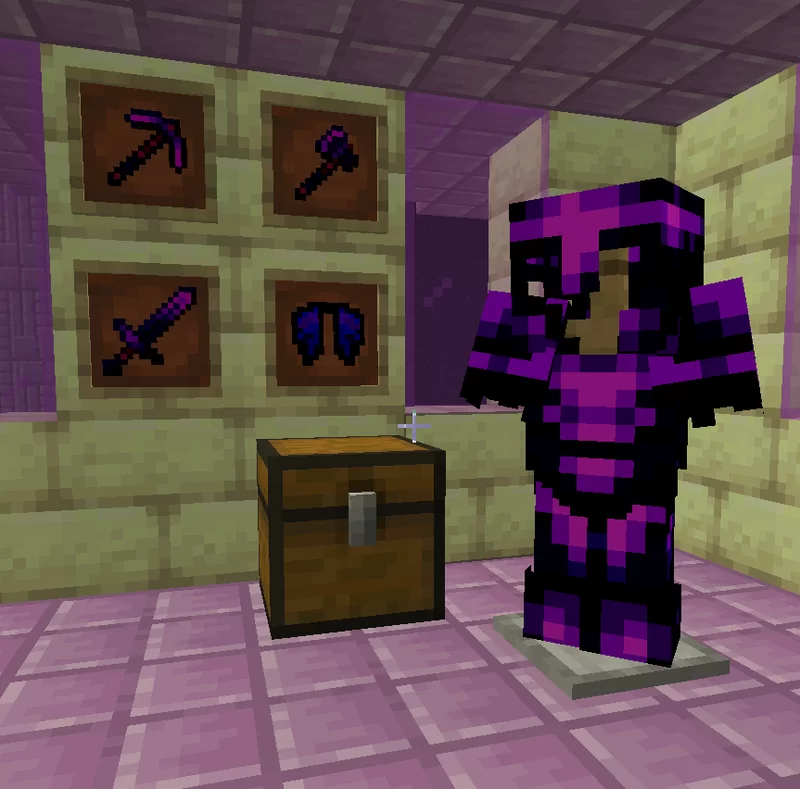
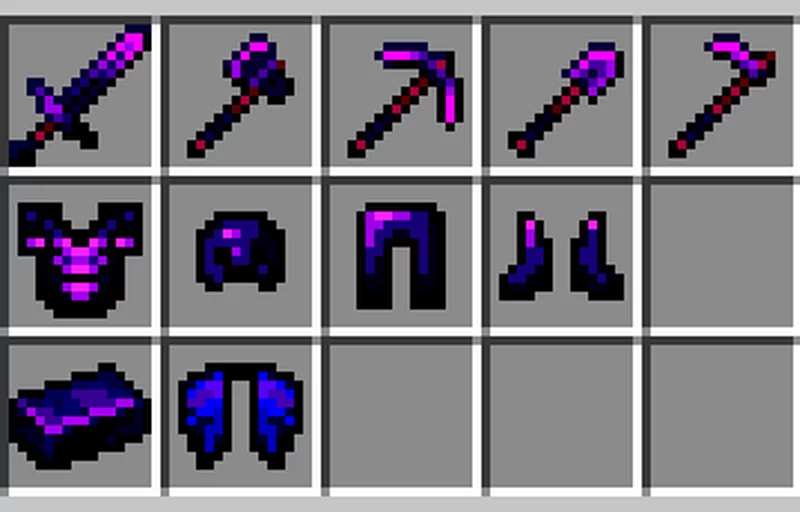
I bring Enderite to Minecraft which is upgraded from Netherite

Recipes

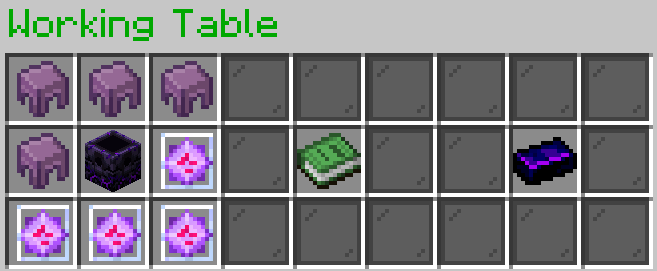
To complete the recipes, you need to know the custom crafting blocks in my Custom Craft system

Enderite Ingot
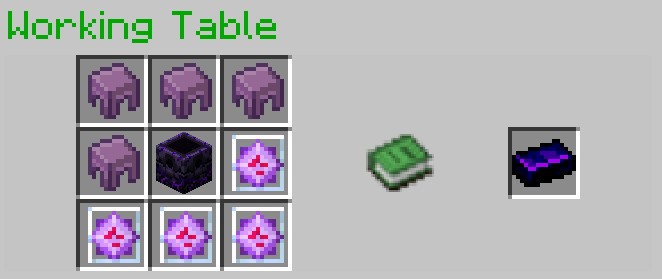
Upgrade to the Enderite One
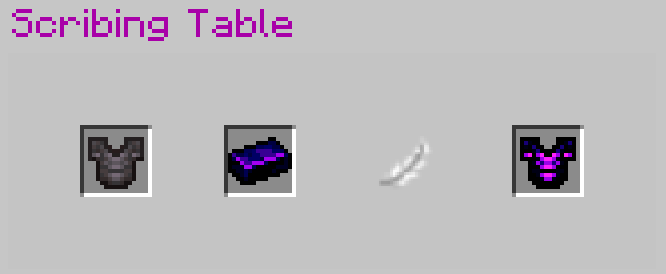
All Netherite items can be upgraded like the recipe above.

Enderite Elytra
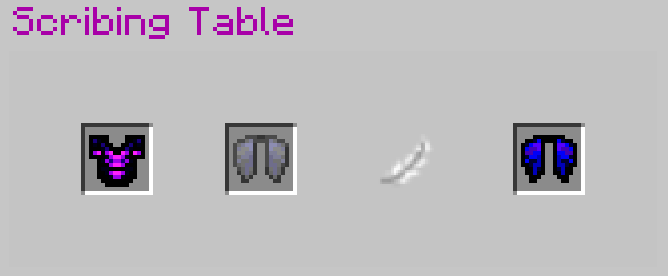
After the upgrade, the Enchantments and custom NBT data will be preserved on your equipment.

What is the improvement

For the armor, the armor toughness increases by 2 (based on Netherite), which performs good damage reduction when big damage is dealt to the player. Consider the formula below.

formula

and it increases knockback resistance by 1. For each tool and weapon, upgrade to Enderite one increasing 1 damage.

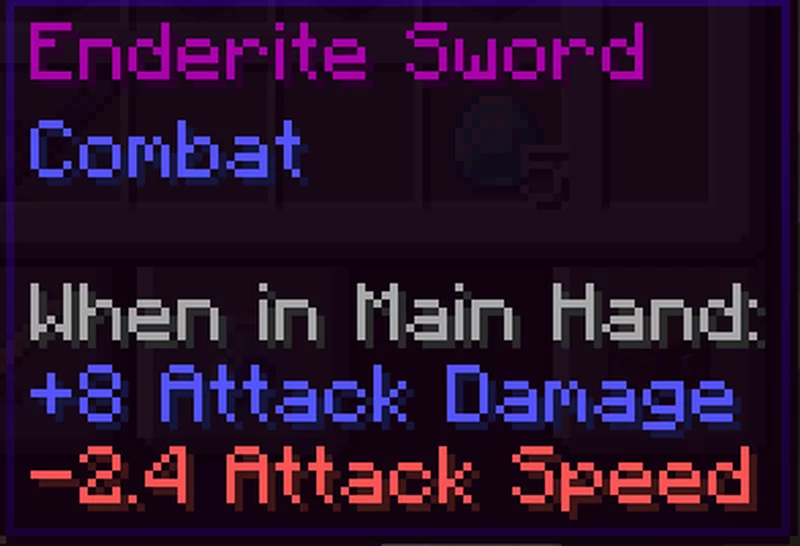
Comparison


Known that the base damage is 1 and the attack speed is 4, so the damage of Enderite Sword is 1+8=9, and the attack speed is 4-2.4=1.6


Requirements

Optional

enderite_upgrade-v4.4.zip
MC 1.17.1, 1.19.3, 1.18.1, 1.19.4-Snapshot, 1.17, 1.20.2-Snapshot, 1.19.4, 1.19-Snapshot, 1.18.2, 1.19.2, 1.20.1, 1.20, 1.19.1, 1.20-Snapshot, 1.17-Snapshot, 1.18, 1.18-Snapshot
Release 2023-08-27 Get
enderite_upgrade-merged-v4.2.zip
MC 1.17.1, 1.19.3, 1.18.1, 1.19.4-Snapshot, 1.17, 1.19.4, 1.19-Snapshot, 1.18.2, 1.19.2, 1.19.1, 1.17-Snapshot, 1.18, 1.18-Snapshot, 1.19, 1.19.3-Snapshot
Release 2023-04-21 Get
enderite_upgrade-datapack-v4.1.zip
MC 1.17.1, 1.19.3, 1.18.1, 1.17, 1.19.4, 1.19-Snapshot, 1.18.2, 1.19.2, 1.19.1, 1.17-Snapshot, 1.18, 1.18-Snapshot, 1.19
Release 2023-04-16 Get
enderite_upgrade-merged-v4.1.zip
MC 1.17.1, 1.19.3, 1.18.1, 1.17, 1.19.4, 1.19-Snapshot, 1.18.2, 1.19.2, 1.19.1, 1.17-Snapshot, 1.18, 1.18-Snapshot, 1.19
Release 2023-04-16 Get

Requirements & install

How to use this resource pack in Minecraft
Resolution
Not specified
Minecraft
1.19.3-Snapshot – 1.20.2-Snapshot
Install folder
.minecraft/resourcepacks

How to install resource packs

  1. Download the resource pack .zip file (do not extract it).
  2. In Minecraft open Options → Resource Packs → Open Pack Folder.
  3. Drop the .zip into the resourcepacks folder (.minecraft/resourcepacks).
  4. Move the pack to the Selected column and click Done.
Browse more: 16x resource packs 32x resource packs 64x resource packs 128x resource packs 256x resource packs 512x+ resource packs Resource Packs for 1.20.2-Snapshot All resource packs

More from paul90317

Advertisement Remove ads with Premium →

You Might Also Like