Mineuniverse
Resource Packs
Enchanted Books: Re-covered

Enchanted Books: Re-covered

RESOURCE PACK
The new look of enchanted books' covers
by carl_classic
Download Claim this project
302,938 downloads
0 likes
0 followers
Updated Oct 14, 2026
0 hypes
Follow0
16x Animated Miscellaneous Traditional
Advertisement Remove ads with Premium →

Supported Minecraft versions


Version Support
26.1 + ✓
1.21.5 + ✓
1.21.4 - 1.21.2 ⓘ Variants-CIT required
1.21.1 - 1.18 ⓘ CIT Resewn or OptiFine required

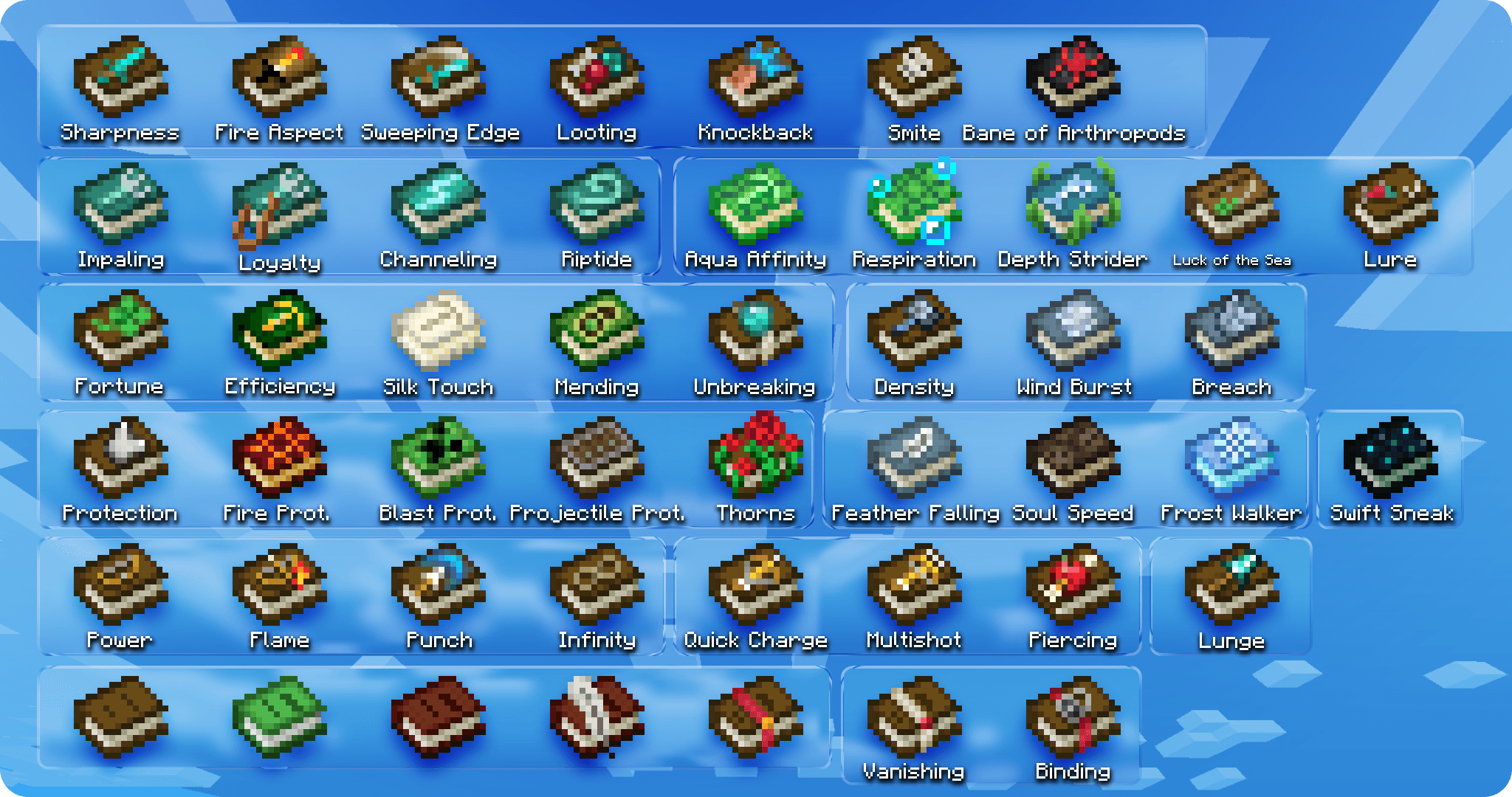
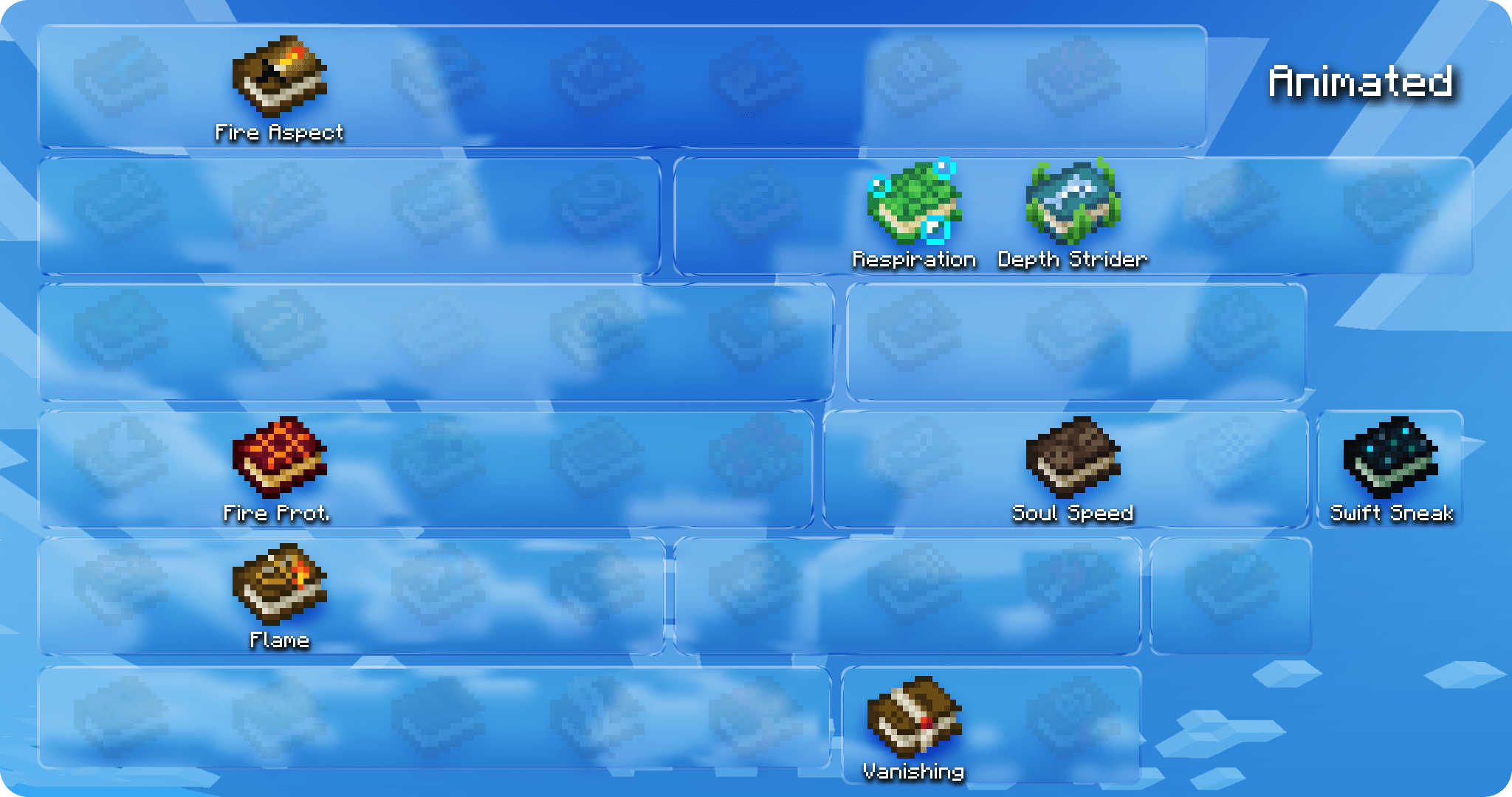
Image showing all books

Also available on Modrinth

About


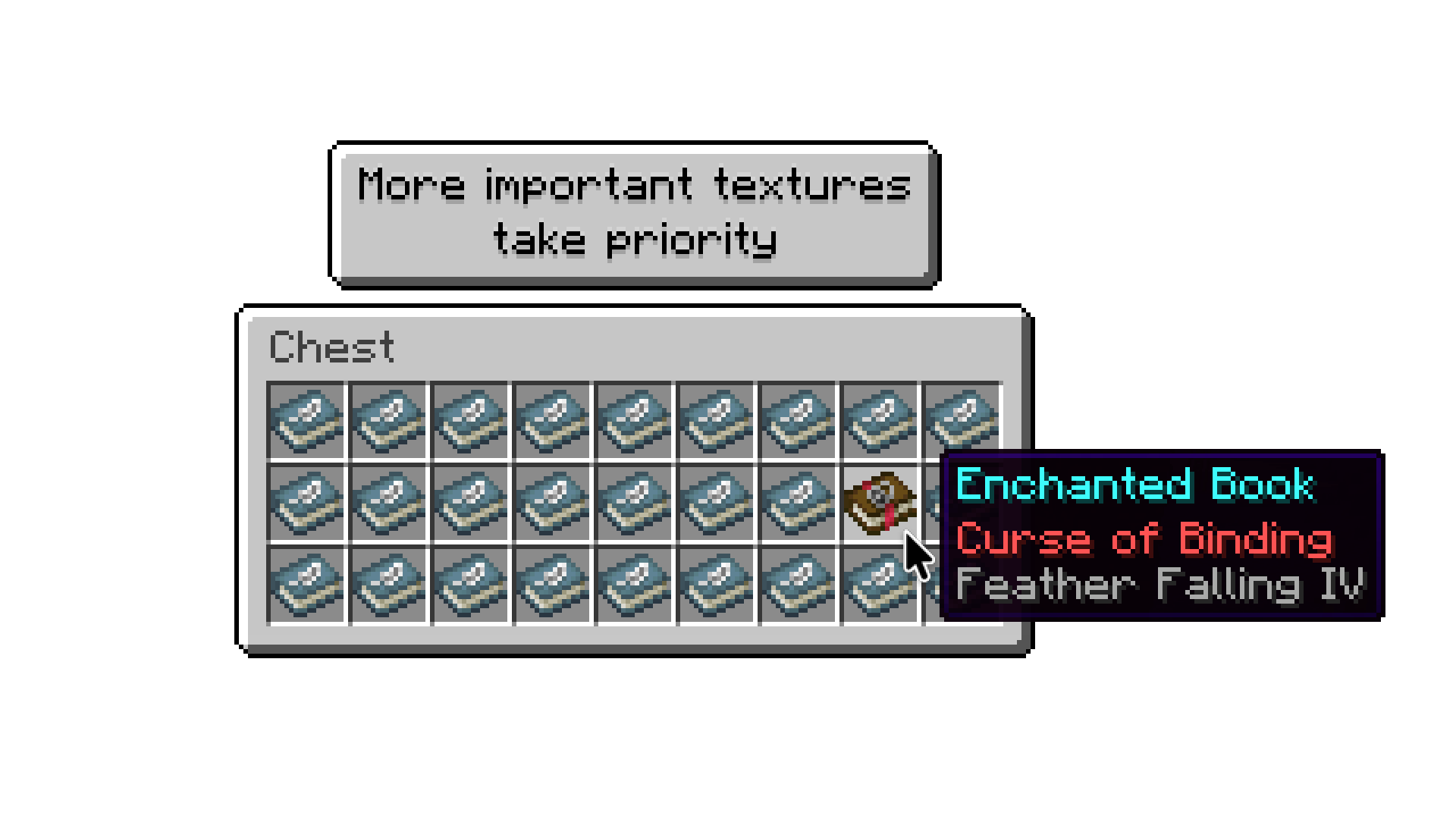
Re-covered gives new textures to enchanted books, each with unique and intuitive look.
Drawn in vanilla art style, using symbols that represent enchantments' effects.
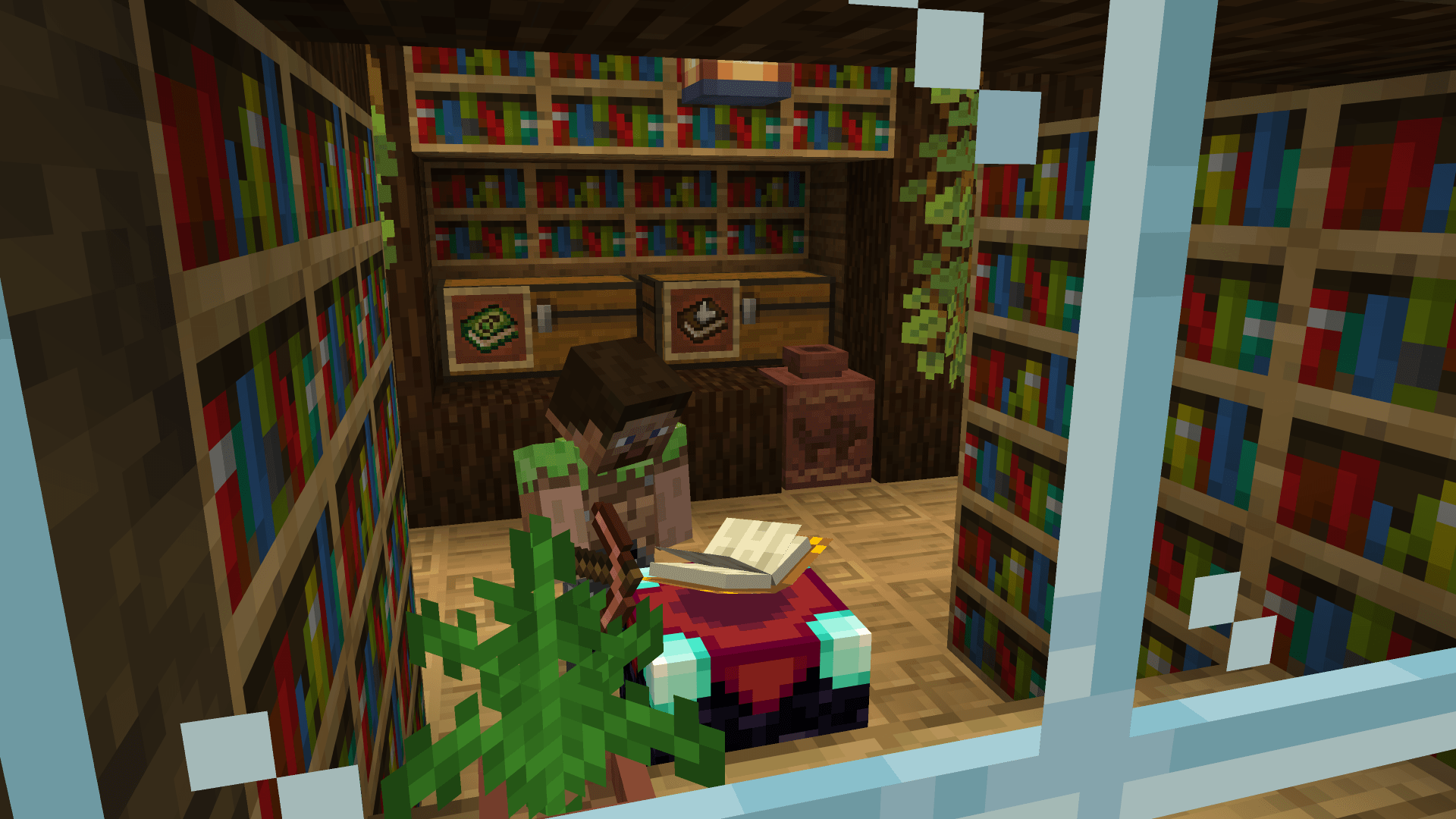
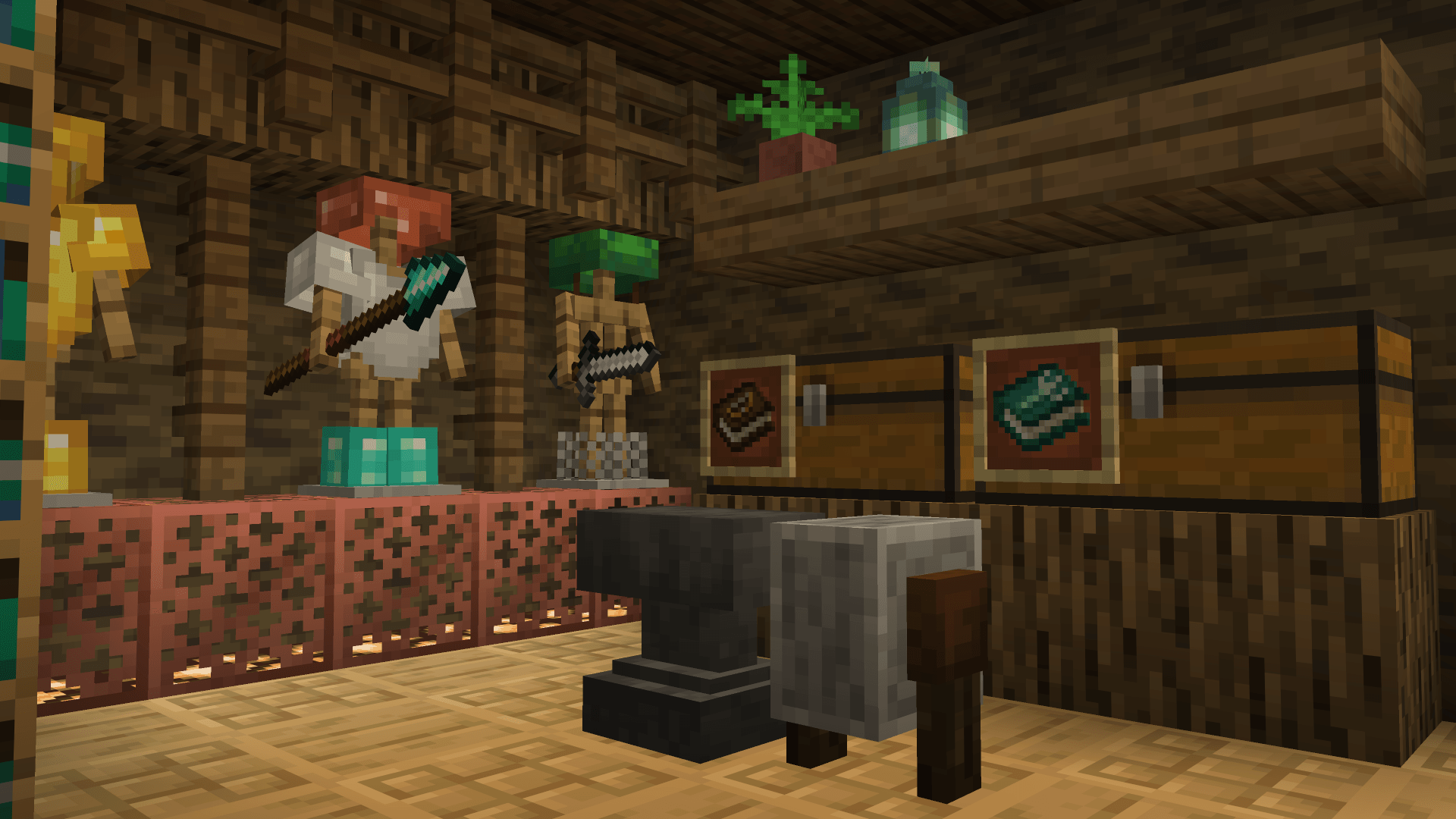
The era of organized chests has arrived, and the days of endless item searching are over!
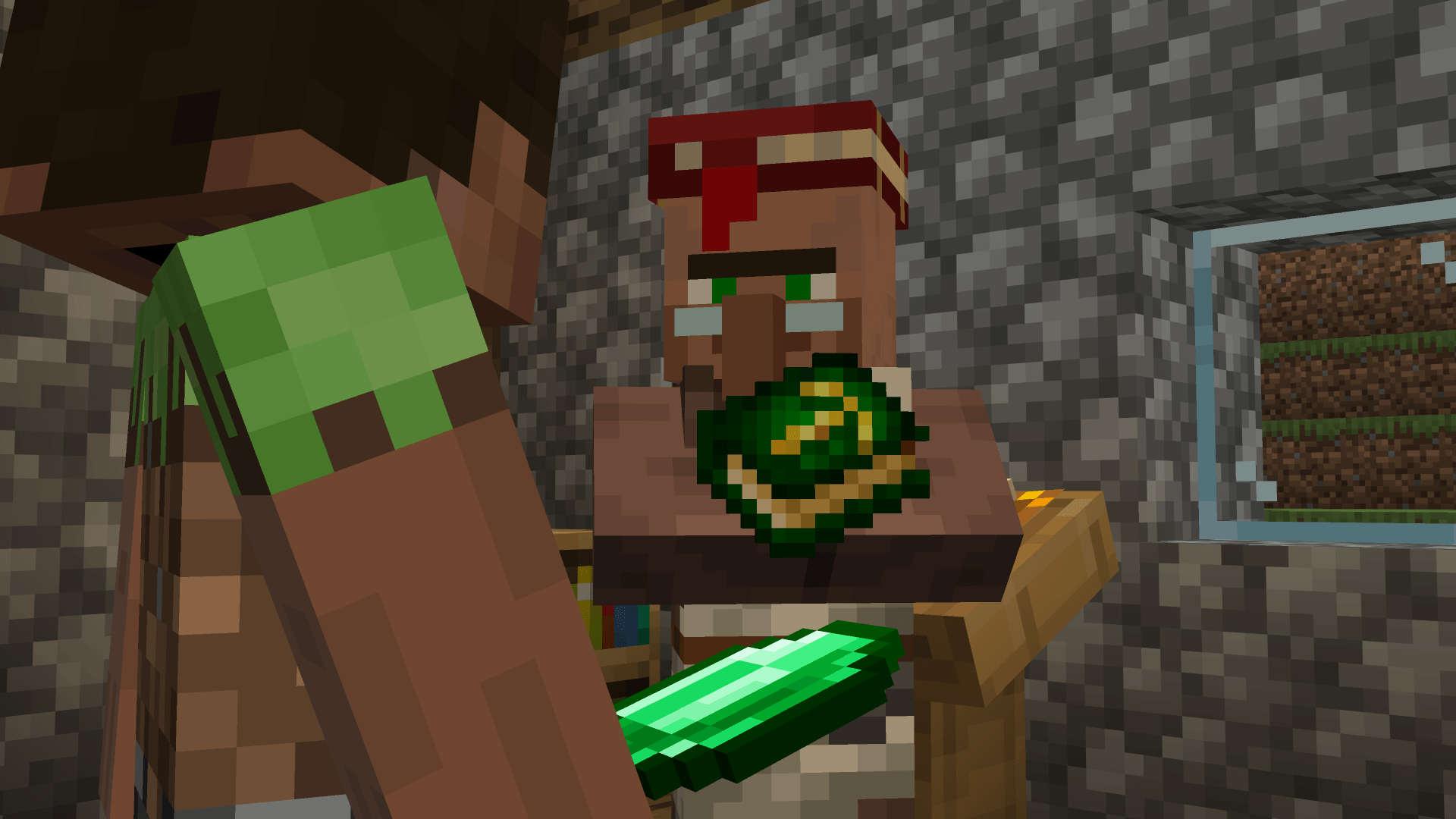
Now you can simply judge the book… by its cover.

Settings


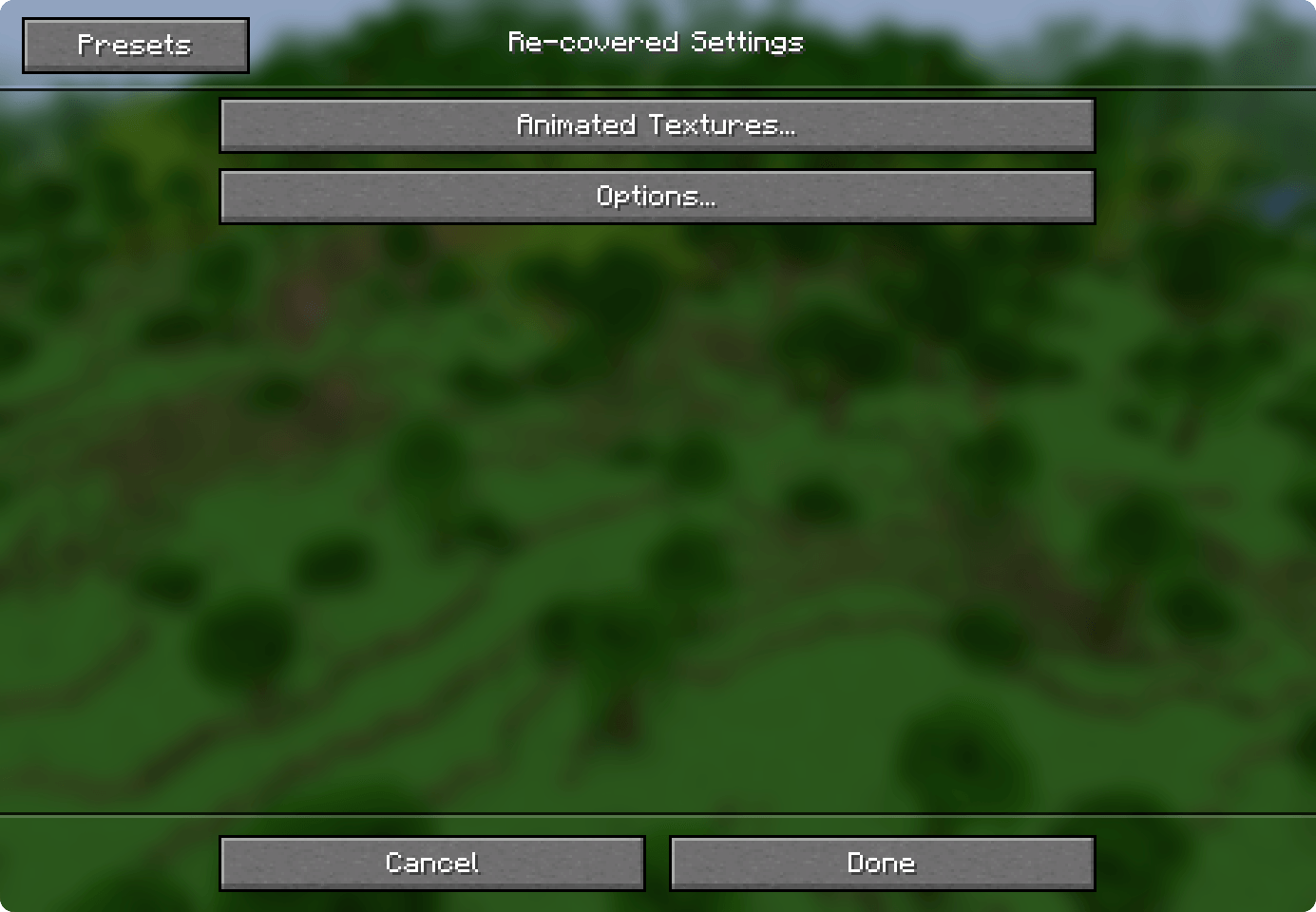
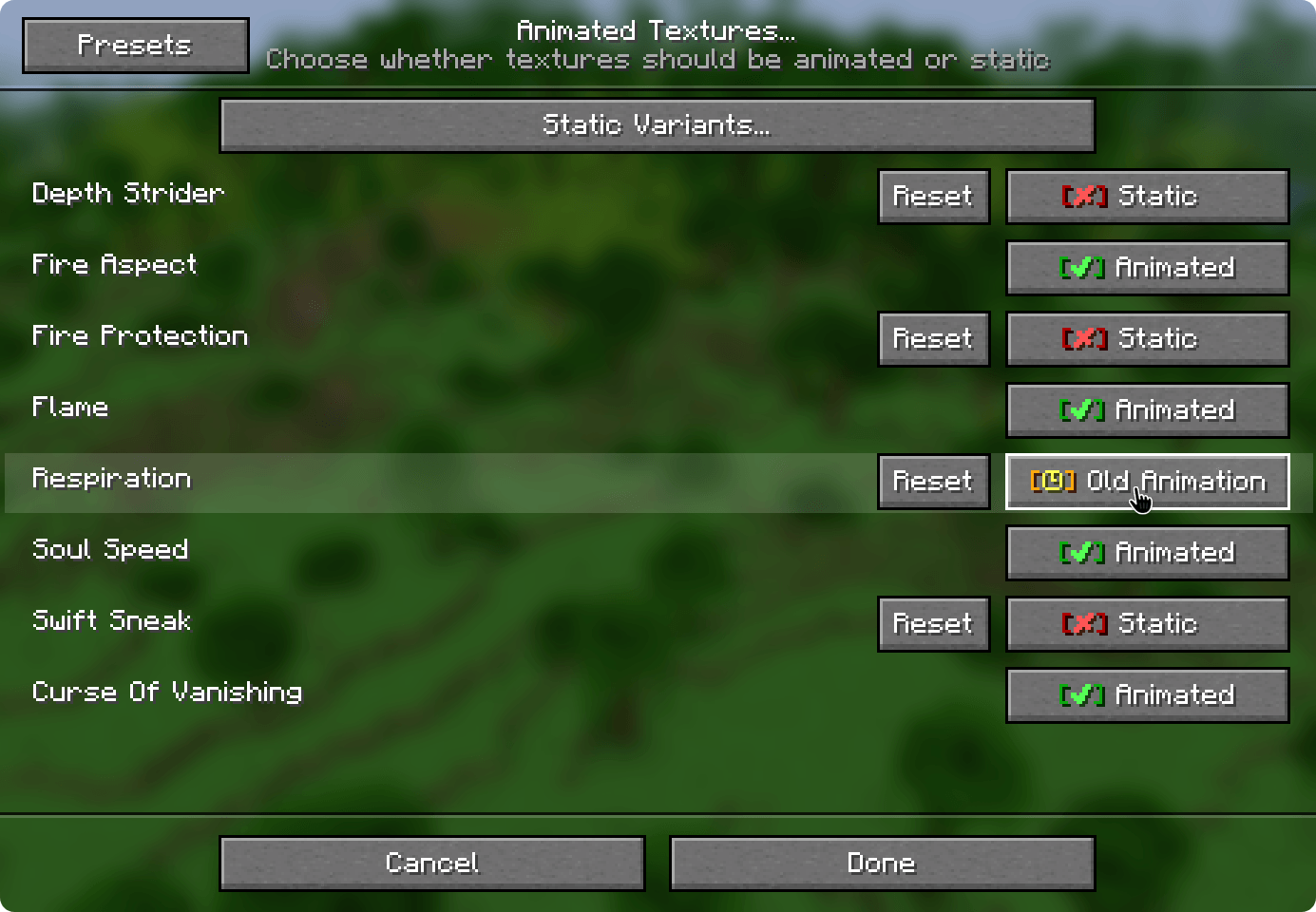
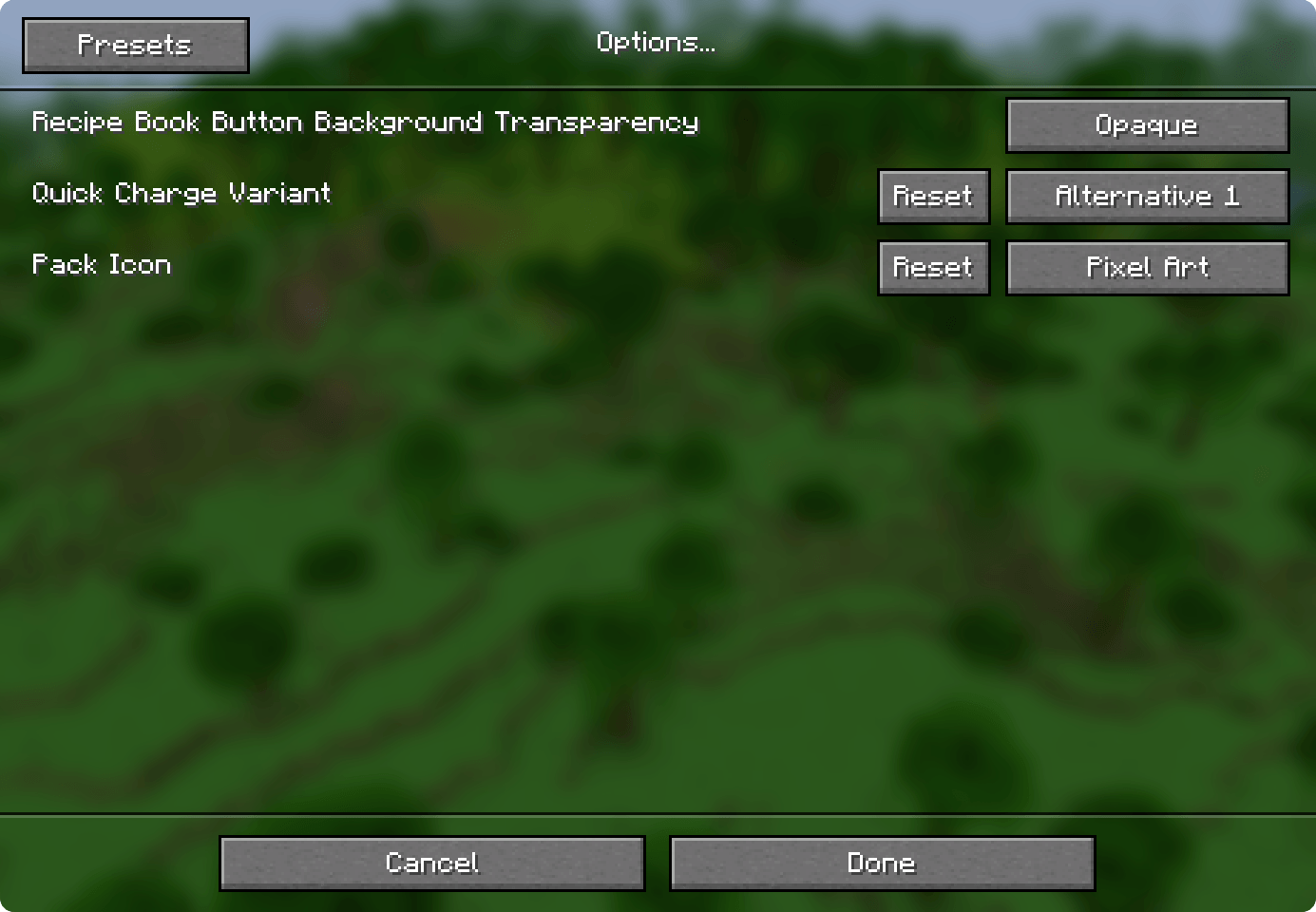
Re-covered can be configured in game using the mod Respackopts.

Re-covered with a settings button shown in the in-game resource packs menu


Alternatively, you can use your file explorer to change which files this resource pack should use.

ⓘ When using older Minecraft versions, find the folder where textures are stored, and act analogically.

  • Disable animated textures

Go to "/assets/carl/textures/item/" and replace the animated textures with the ones located in the "not_animated/" folder.

  • Old animated textures

Old versions of the animated textures for Respiration and Depth Strider can be found in the "/assets/carl/textures/item/alternative/" folder. Make sure to also replace the *.png.mcmeta files.

  • Make the background of the recipe book button transparent

Go to "/assets/minecraft/textures/gui/sprites/recipe_book/" and replace the textures with the ones located in the "transparent/" folder.

  • Use an alternative texture for Quick Charge

Go to "/assets/carl/textures/item/" and replace 'quick_charge.png' with one of the textures located in the "alternative/" folder.

  • Pixelated Pack Icon

In the root directory, replace the 'pack.png' file with 'pack_32x32.png'.

Contact • Feedback • Permissions


  • You can contact me directly at: [email protected]
  • For feedback, bugs, questions, criticism, or suggestions, visit the GitHub repository
  • You may use the included .json code for personal and commercial use. The license applies to the rest of the project
Re-covered 4.0 CIT Resewn
MC 1.21, 1.18.1, 1.19.3, 1.20.2, 1.19.4, 1.20.5, 1.18, 1.20.1, 1.20, 1.20.6, 1.21.1, 1.19.1, 1.20.4, 1.18.2, 1.19.2, 1.20.3, 1.19
Release 2026-08-30 Get
Re-covered 4.0 Variants-CIT
MC 1.21.4, 1.21.3, 1.21.2
Release 2026-08-30 Get
Re-covered 4.0
MC 1.21.8, 1.21.5, 1.21.6, 1.21.7, 1.21.9, 1.21.10, 1.21.11, 26.1, 26.1.1, 26.1.2, 26.2, 26.3
Release 2026-08-30 Get
Re-covered 3.0.1
MC 1.21.8, 1.21.5, 1.21.6, 1.21.7, 1.21.9, 1.21.10, 1.21.11, 26.1, 26.1.1, 26.1.2, 26.2, 26.3
Release 2026-03-11 Get
Re-covered 3.0 CIT Resewn
MC 1.21, 1.18.1, 1.19.3, 1.20.2, 1.19.4, 1.20.5, 1.18, 1.20.1, 1.20, 1.20.6, 1.21.1, 1.19.1, 1.20.4, 1.18.2, 1.19.2, 1.20.3, 1.19
Release 2026-02-24 Get
Re-covered 3.0 Variants-CIT
MC 1.21.4, 1.21.3, 1.21.2
Release 2026-02-24 Get
Re-covered 3.0
MC 1.21.8, 1.21.5, 1.21.6, 1.21.7, 1.21.9, 1.21.10, 1.21.11
Release 2026-02-24 Get
Re-covered 2.2
MC 1.21, 1.18.1, 1.19.3, 1.20.2, 1.19.4, 1.21.8, 1.20.5, 1.21.5, 1.18, 1.21.4, 1.20.1, 1.20, 1.20.6, 1.21.1, 1.21.6, 1.21.3, 1.21.7, 1.19.1, 1.20.4, 1.18.2, 1.19.2, 1.20.3, 1.19
Release 2025-12-22 Get
Re-covered 2.1
MC 1.21, 1.18.1, 1.19.3, 1.20.2, 1.19.4, 1.21.8, 1.20.5, 1.21.5, 1.18, 1.21.4, 1.20.1, 1.20, 1.20.6, 1.21.1, 1.21.6, 1.21.3, 1.21.7, 1.19.1, 1.20.4, 1.18.2, 1.19.2, 1.20.3, 1.19
Release 2025-12-15 Get
Re-covered 2.0
MC 1.21, 1.18.1, 1.19.3, 1.20.2, 1.19.4, 1.21.8, 1.20.5, 1.21.5, 1.18, 1.21.4, 1.20.1, 1.20, 1.20.6, 1.21.1, 1.21.6, 1.21.3, 1.21.7, 1.19.1, 1.20.4, 1.18.2, 1.19.2, 1.20.3, 1.19
Release 2025-12-14 Get
Re-covered 1.4
MC 1.19.3, 1.20.2, 1.21, 1.18.1, 1.20.5, 1.21.5, 1.19.4, 1.21.8, 1.21.9, 1.21.10, 1.21.4, 1.18.2, 1.19.2, 1.20.3, 1.20.1, 1.20, 1.20.6, 1.19.1, 1.20.4, 1.21.3, 1.21.7, 1.21.1
Release 2025-09-18 Get
Re-covered 1.2.1b-optifine-cit
MC 1.19.3, 1.20.2, 1.21, 1.18.1, 1.20.5, 1.19.4, 1.21.4, 1.18.2, 1.19.2, 1.20.3, 1.20.1, 1.20, 1.20.6, 1.19.1, 1.20.4, 1.21.3, 1.21.1, 1.18, 1.19, 1.21.2
Release 2025-06-20 Get
Re-covered 1.3
MC 1.21.6-snapshot, 1.21.5, 1.21.7, 1.21.6
Release 2025-06-20 Get
Re-covered 1.2b-optifine-cit
MC 1.19.3, 1.20.2, 1.21.2-Snapshot, 1.21, 1.18.1, 1.19.4-Snapshot, 1.20.5, 1.20.2-Snapshot, 1.20.5-Snapshot, 1.19.4, 1.19-Snapshot, 1.21.1-Snapshot, 1.21.4, 1.18.2, 1.19.2
Release 2025-04-01 Get
Re-covered 1.2
MC 1.21.5
Release 2025-04-01 Get
Re-covered 1.1
MC 1.21.5
Release 2025-03-31 Get
Re-covered 1.1b-optifine-cit
MC 1.19.3, 1.20.2, 1.21.2-Snapshot, 1.21, 1.18.1, 1.19.4-Snapshot, 1.20.5, 1.20.2-Snapshot, 1.20.5-Snapshot, 1.19.4, 1.19-Snapshot, 1.21.1-Snapshot, 1.21.4, 1.18.2, 1.19.2
Release 2025-03-31 Get

Requirements & install

How to use this resource pack in Minecraft
Resolution
16x
Minecraft
1.21.9 – 26.3
Install folder
.minecraft/resourcepacks

How to install resource packs

  1. Download the resource pack .zip file (do not extract it).
  2. In Minecraft open Options → Resource Packs → Open Pack Folder.
  3. Drop the .zip into the resourcepacks folder (.minecraft/resourcepacks).
  4. Move the pack to the Selected column and click Done.
Browse more: 16x resource packs 32x resource packs 64x resource packs 128x resource packs 256x resource packs 512x+ resource packs Resource Packs for 26.3 All resource packs

More from carl_classic

Advertisement Remove ads with Premium →

You Might Also Like