Mineuniverse
Resource Packs
EMP's Bushier Leaves

EMP's Bushier Leaves

RESOURCE PACK
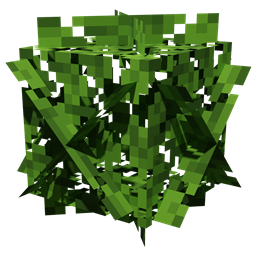
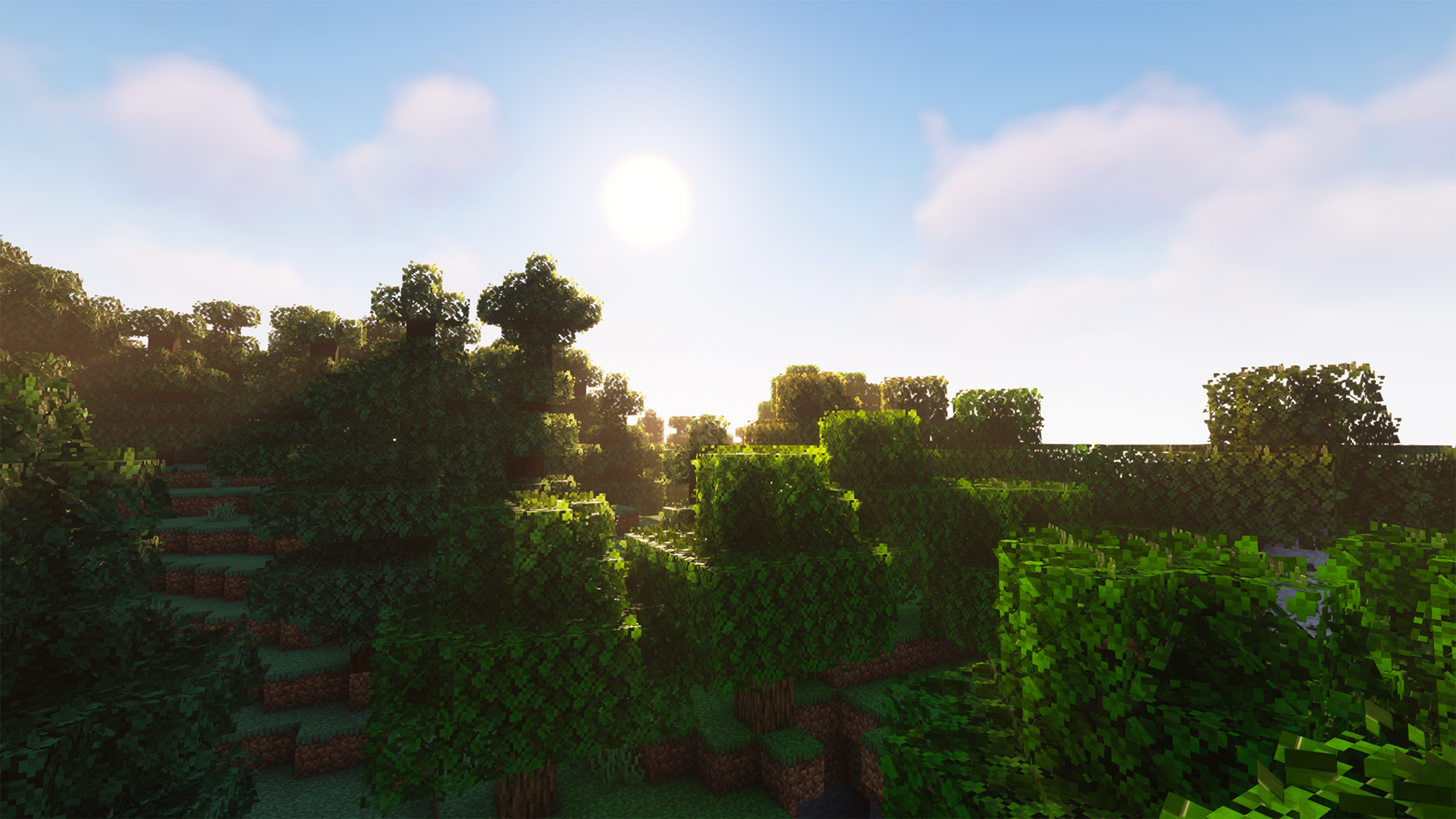
Makes Minecraft's leaves bushier, fuller. Great for pictures, and use with shaders, as well as everyday gameplay!
by emp_playz
Download Claim this project
Add a badge to your pageLink to EMP's Bushier Leaves from a README, website or forum post.
Preview: Badge

Badges update automatically and link to the resource pack page on MineUniverse.

4,421 downloads
0 likes
0 followers
Updated Oct 14, 2026
0 hypes
Follow0
16x Miscellaneous Modern
Advertisement Remove ads with Premium →

Do you ever wish that Minecraft's leaves looked nicer? Maybe bushier or fuller? Well, this pack is the answer to your question!

What? 👂

Makes vanilla leaves look bushier. 🌿

How 🤨

By applying a different model to leaves through a resource pack.

Help! My leaves aren't bushier! 😫

You may have made one of two mistakes.

  1. You didn't install the pack correctly, watch this video on how if you don't understand - https://www.youtube.com/watch?v=X3idBsCTNio

  2. You may need to reload your game or you have a pack overriding this one, to reload the game while in a world, press F3 + T, and make sure that this pack is at the top of your resource pack list.

Help! Only some leaves are bushier! 😩

If you have a mod that culls the models of leaves in the distance, they may appear wrong.

HeLP mY gaMe iS dyInG!1!11 😵

This pack makes leaves a little more complex to render, and leaves already are harder to render, these in combination may create a little lag on lower-end systems. One fix is to lower your render distance and/or install a leaf culling mod.

Leaf Culling Mods: (From most aggressive to least)

  1.  Cull Leaves
  2.  Cull Less Leaves
  3.  Optifine

    If you need any help or have suggestions please email me at [email protected] or message me through curseforge!
EMP's Bushier Leaves.zip
MC 1.16-Snapshot, 1.17.1, 1.16.3, 1.19.3, 1.20.2, 1.15-Snapshot, 1.16.1, 1.18.1, 1.19.4-Snapshot, 1.14.4, 1.14.1, 1.17, 1.20.2-Snapshot, 1.14.3, 1.15, 1.16, 1.19.4, 1.19-Snapshot
Release 2023-10-31 Get

Requirements & install

How to use this resource pack in Minecraft
Resolution
16x
Minecraft
1.17.1 – 1.20.2
Install folder
.minecraft/resourcepacks

How to install resource packs

  1. Download the resource pack .zip file (do not extract it).
  2. In Minecraft open Options → Resource Packs → Open Pack Folder.
  3. Drop the .zip into the resourcepacks folder (.minecraft/resourcepacks).
  4. Move the pack to the Selected column and click Done.
Browse more: 16x resource packs 32x resource packs 64x resource packs 128x resource packs 256x resource packs 512x+ resource packs Resource Packs for 1.20.2 All resource packs

More from emp_playz

Advertisement Remove ads with Premium →

You Might Also Like