Mineuniverse
Resource Packs
Emissive Glowing Forge (PBR, Optifine, GTCE-U)

Emissive Glowing Forge (PBR, Optifine, GTCE-U)

RESOURCE PACK
Emissive textures for a variety of forge mods.
by anonymouse
Download Claim this project
Add a badge to your pageLink to Emissive Glowing Forge (PBR, Optifine, GTCE-U) from a README, website or forum post.
Preview: Badge

Badges update automatically and link to the resource pack page on MineUniverse.

3,780 downloads
0 likes
0 followers
Updated Oct 14, 2026
0 hypes
Follow0
16x Animated Miscellaneous Mod Support
Advertisement Remove ads with Premium →

This resource pack adds glowing textures in various formats (Supports labPBR-enabled shaders, Optifine emissive textures, and GTCE-U's Glow). More textures will be added over time. Supports 1.7.10 through to 1.12.2 officially.

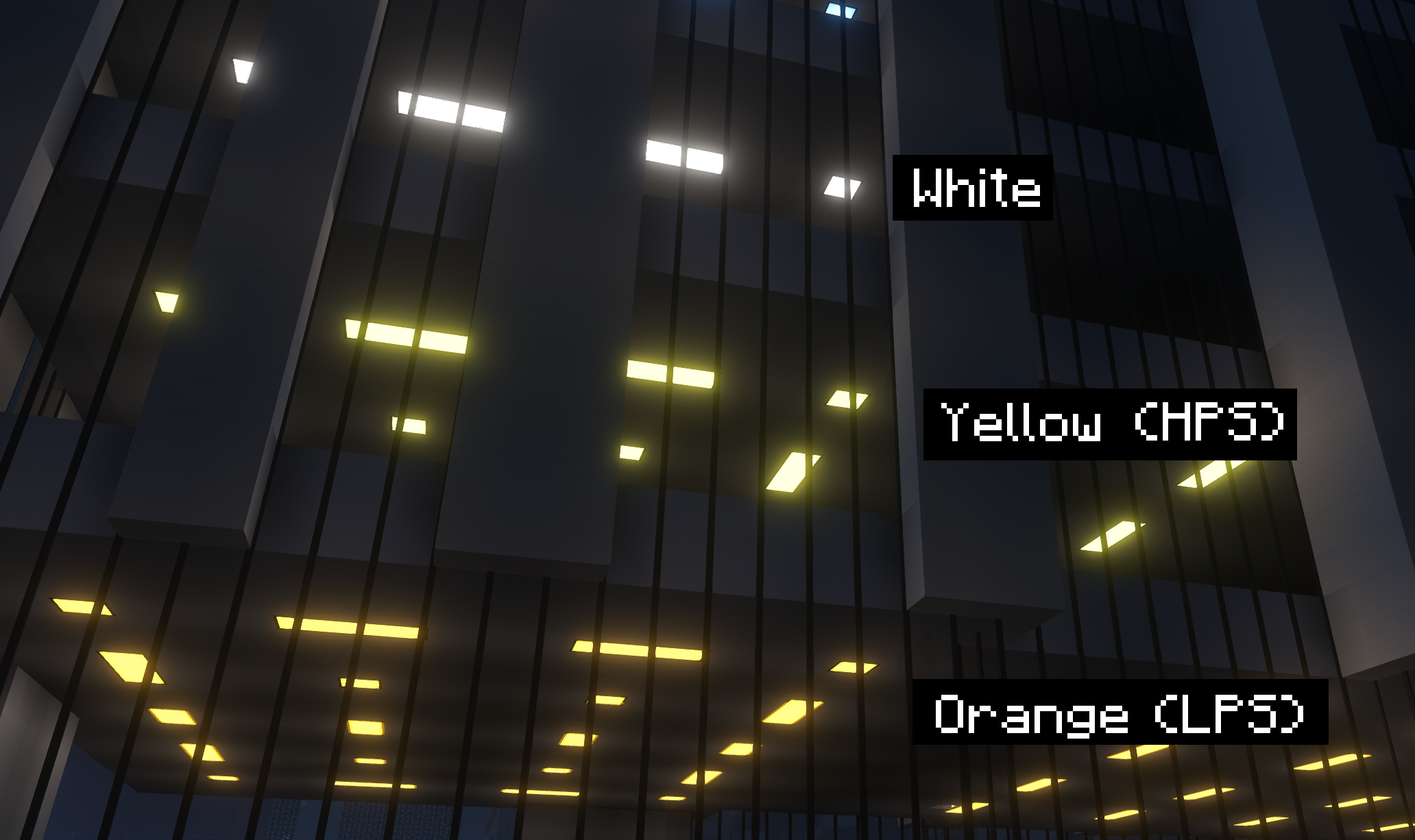
Re-colorgraded GTCE-U Lamps
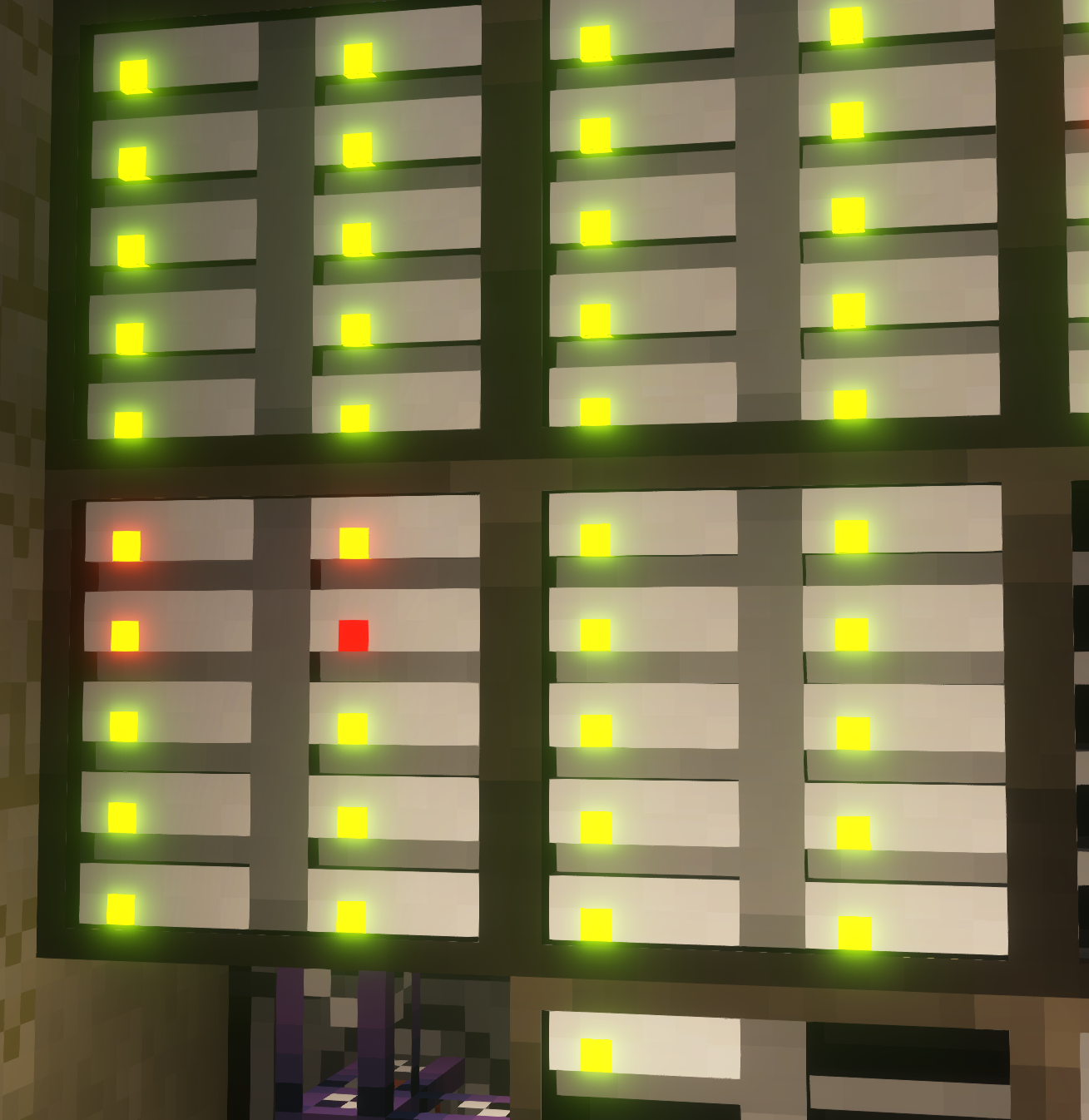
Re-colourgraded AE2 Drive Lights
Emissive support added to:

  • Gregtech Community Edition Unofficial (with ZedTech installed). (Thanks for the script goes to Aproxia)
  • Chisel
  • Xtones
  • Applied Energistics 2
  • Avaritia
  • Deep Mob Learning/Evolution


Texture updates applied to:

  • Applied Energistics 2 : Will now use the modern, white looking textures from newer versions.
  • Applied Energestics 2 : Updated drive lights to match the emission wavelengths of Red, Orange, and Green LED's (750nm, 630nm, 555nm).
  • GTCE-U : Orange & Yellow lamps have had their colours changed to represent the spectra emitted by LPS and HPS lamps.


Addon packs:


Will support:

  • Ender IO
  • Vanilla

Need help? Want to share cool screenshots? Join the Discord.


Notes about compatability

1. This pack explicitly supports Optifine on 1.12.2, and 1.7.10 without texture interpolation (not the end of the world). This pack will not support anything 1.13+.
2. You should set Old Lighting: ON in the optifine shading menu, so blocks with custom renderer's (like architecturycraft) correctly display texture colours.
3. censoredASM `onDemandAnimatedTextures=true` makes textures only animate when observed, but doesnt apply to gtceu's glowing texture layer, causing textures to "desync", where the glowing layer doesnt follow the texture layer. Edit `.minecraft/config/loliasm.cfg` and change its value to `false`.
4. LittleTiles requires mipmapping to be enabled in any form if optifine is installed. PBR Mapping and mipmaps do not go well together. Resource Packer will eventually generate proper mipmaps that dont look like garbage, but this will make stuff look weird at a distance. This effect is most visible on the ME Controller
5. * This pack will probably work on 1.13+ for some mods, if you rename all folders named `blocks/particles/items` to `block/particle/item`.

emissive-glowing-forge.zip
MC 1.7.6, 1.9.1, 1.9.3, 1.8.7, 1.7.4, 1.7.7, 1.7.5, 1.10-Snapshot, 1.9.4, 1.9.2, 1.8.4, 1.7.9, 1.12.1, 1.12, 1.8.8, 1.7.3, 1.7.2, 1.10.2, 1.8-Snapshot, 1.8.3, 1.11, 1.8.6, 1.10
Release 2024-02-02 Get

Requirements & install

How to use this resource pack in Minecraft
Resolution
16x
Minecraft
1.9.3 – 1.12.1
Install folder
.minecraft/resourcepacks

How to install resource packs

  1. Download the resource pack .zip file (do not extract it).
  2. In Minecraft open Options → Resource Packs → Open Pack Folder.
  3. Drop the .zip into the resourcepacks folder (.minecraft/resourcepacks).
  4. Move the pack to the Selected column and click Done.
Browse more: 16x resource packs 32x resource packs 64x resource packs 128x resource packs 256x resource packs 512x+ resource packs Resource Packs for 1.12.1 All resource packs

More from anonymouse

Advertisement Remove ads with Premium →

You Might Also Like