Mineuniverse
Resource Packs
Eco Attire

Eco Attire

RESOURCE PACK
Enhance your Minecraft experience with biome-specific mob clothing, blending seamlessly into each unique environment.
by MR_CHOO
Download Claim this project
2,180 downloads
0 likes
Updated Oct 14, 2026
0 hypes
16x Miscellaneous Modern Traditional
Advertisement Remove ads with Premium →

Eco Attire


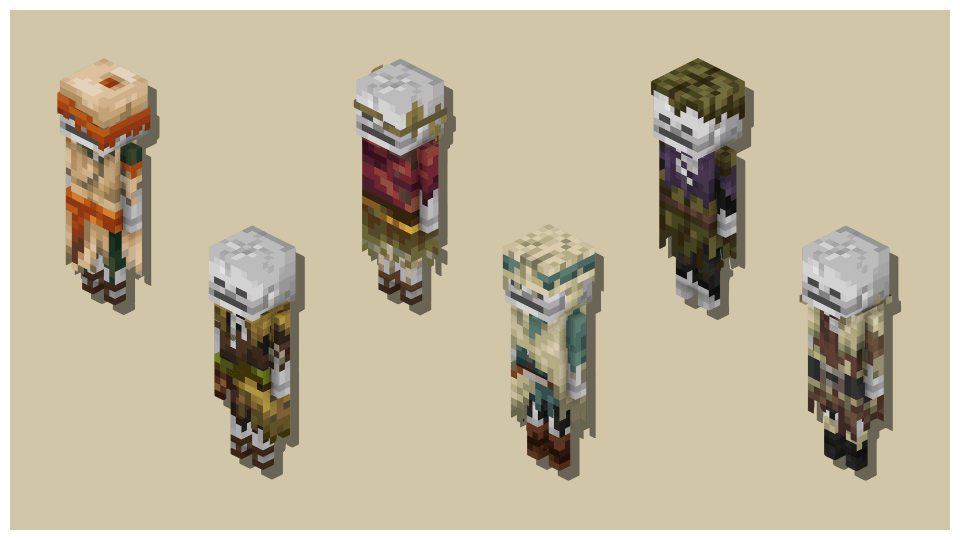
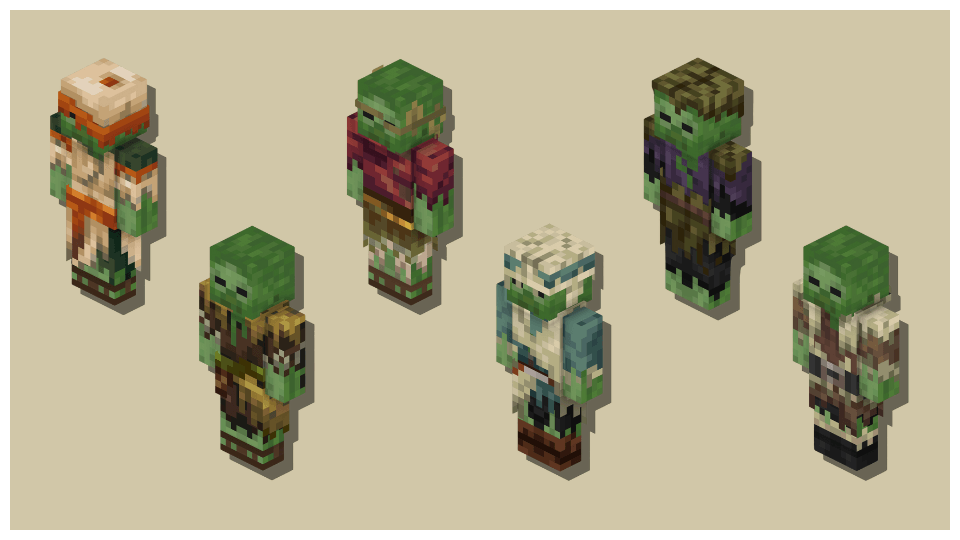
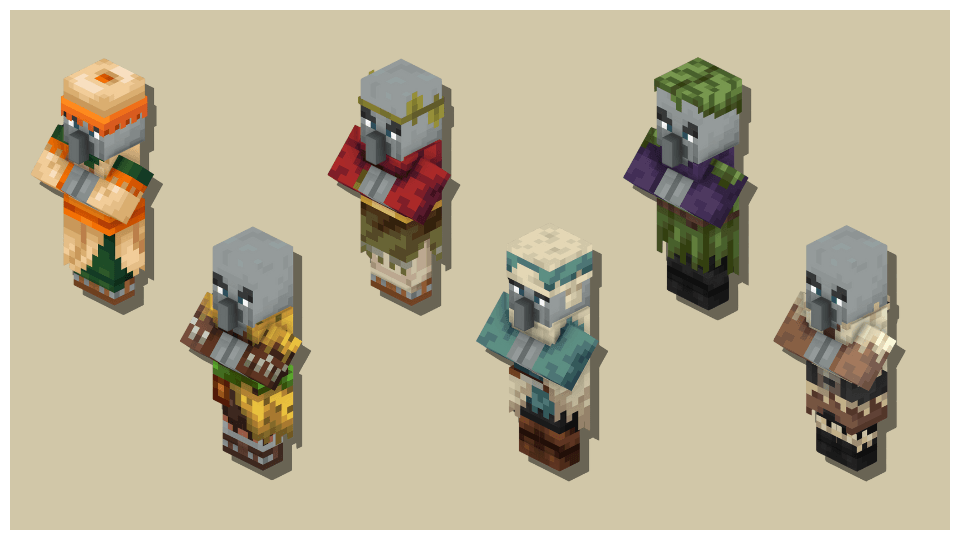
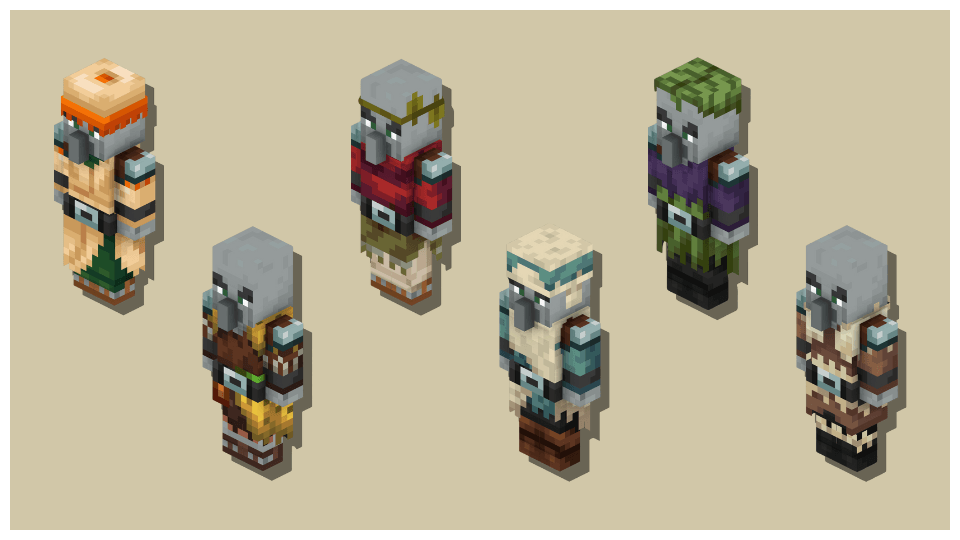
Eco Attire brings a fresh look to your Minecraft mobs by adapting the biome-specific clothing of Villagers to Pillagers, Vindicators, Skeletons, and Zombies. Explore a world where mobs blend seamlessly into their environments with unique outfits for each biome.

Features:


Biome-Specific Attire: Villagers, Pillagers, Vindicators, Skeletons, and Zombies wear unique outfits that adapt to their biome.

Attire:


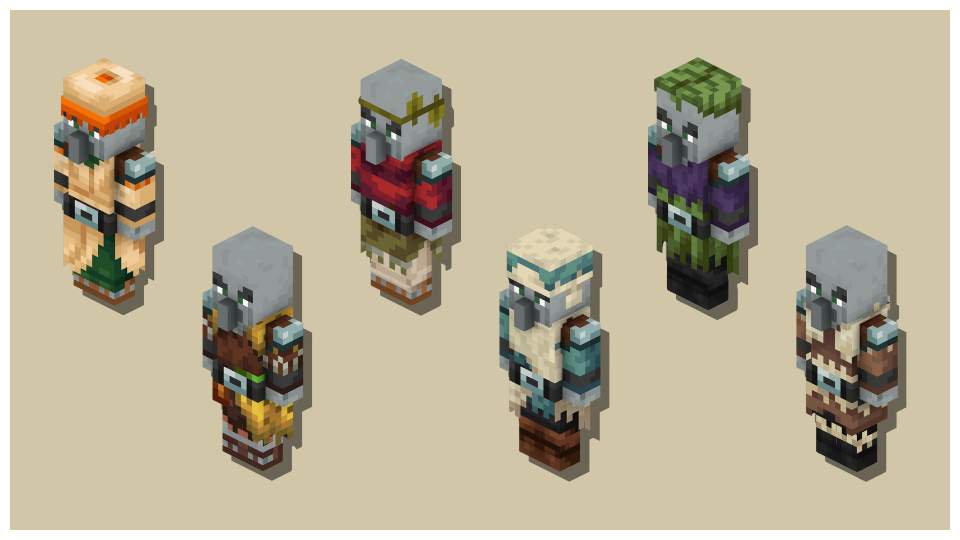
Pillagers:

Pillager Attire

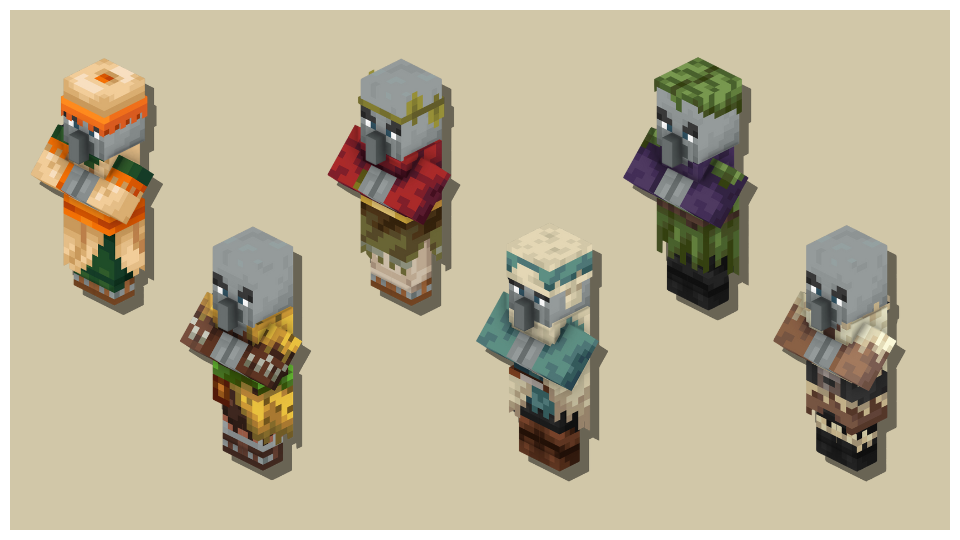
Vindicators:

Vindicator Attire

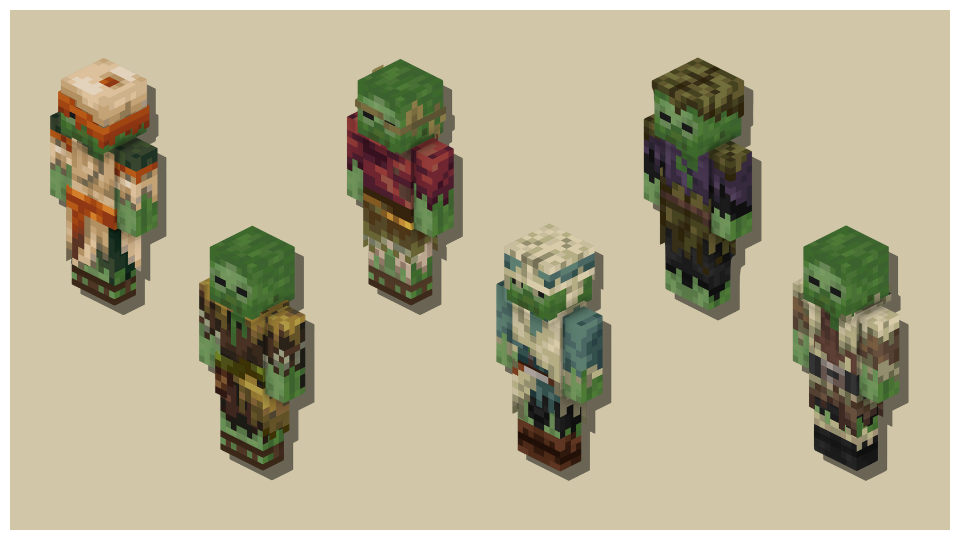
Zombies:

Zombie Attire

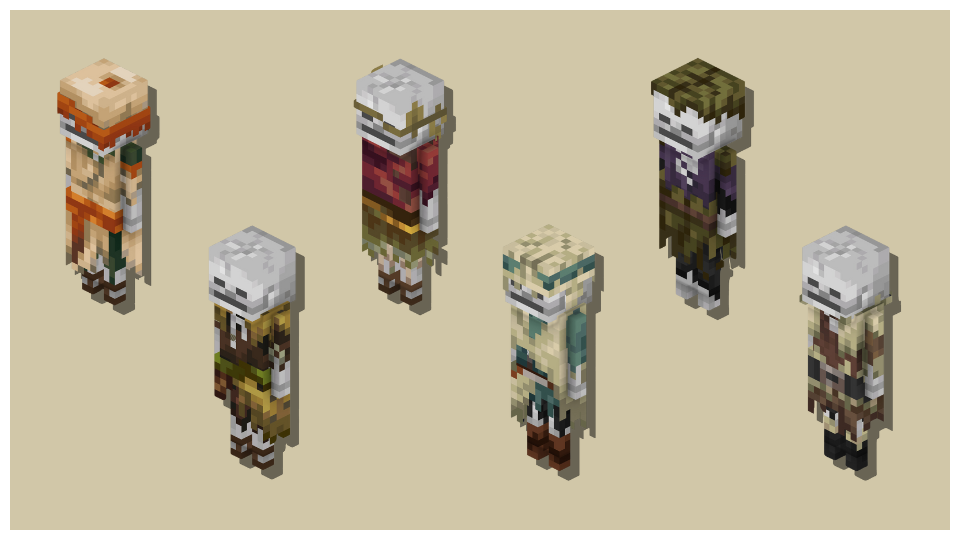
Skeletons:

Skeleton Attire

Compatibility:


Eco Attire supports all versions starting from 1.17, ensuring a seamless experience across various versions. Please note that you will need to use Optifine or Entity Model Features and Entity Texture Features to ensure compatibility.

Installation:


To install Eco Attire, simply download the appropriate version for your game and place it in your resource pack folder.


Eco Attire 1.21
MC 1.21
Release 2024-07-16 Get

Requirements & install

How to use this resource pack in Minecraft
Resolution
16x
Minecraft
1.21
Install folder
.minecraft/resourcepacks

How to install resource packs

  1. Download the resource pack .zip file (do not extract it).
  2. In Minecraft open Options → Resource Packs → Open Pack Folder.
  3. Drop the .zip into the resourcepacks folder (.minecraft/resourcepacks).
  4. Move the pack to the Selected column and click Done.
Browse more: 16x resource packs 32x resource packs 64x resource packs 128x resource packs 256x resource packs 512x+ resource packs Resource Packs for 1.21 All resource packs

More from MR_CHOO

Advertisement Remove ads with Premium →

You Might Also Like