Mineuniverse
Resource Packs
Ecliptic Seasons - Motschen's Better Leaves

Ecliptic Seasons - Motschen's Better Leaves

RESOURCE PACK
Snowy Leaves Model compatibility pack for Ecliptic Seasons and Better Leaves
by joe_vettek
Download Claim this project
Add a badge to your pageLink to Ecliptic Seasons - Motschen's Better Leaves from a README, website or forum post.
Preview: Badge

Badges update automatically and link to the resource pack page on MineUniverse.

2,313 downloads
0 likes
0 followers
Updated Oct 14, 2026
0 hypes
Follow0
16x Mod Support
Advertisement Remove ads with Premium →

📖 Overview

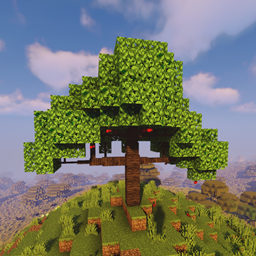
Motschen's Better Leaves adds beautiful, lush foliage. However, the snowy leaf models from Ecliptic Seasons were originally designed for vanilla leaves, which can cause alignment issues when used together.

This resource pack provides compatibility models, allowing players and modpack authors to freely enjoy both features without visual glitches.

Difference


⚙ Features

  • Keeps Ecliptic Seasons snowy leaf overlay ✅
  • Supports Better Leaves lush foliage ✅
  • Includes fine-tuned models to fix offset between tinted and non-tinted leaves ✅
  • Prevents snow overlay flickering on certain leaves (e.g., cherry) ❌✨

🔧 Usage

  1. Place this resource pack into your resourcepacks folder.

  2. In the resource pack loading order, make sure this pack is placed above Better Leaves (higher priority).

    • Otherwise, some leaves may flicker when snowed.

📝 Notes

  • This pack only provides model/render compatibility and does not add or change any blocks.
  • Intended for players and modpack authors who use Ecliptic Seasons together with Better Leaves.
Ecliptic Seasons - Better Leaves.zip
MC 1.20.1, 1.21.1
Release 2025-10-03 Get

Requirements & install

How to use this resource pack in Minecraft
Resolution
16x
Minecraft
1.20.1 – 1.21.1
Install folder
.minecraft/resourcepacks

How to install resource packs

  1. Download the resource pack .zip file (do not extract it).
  2. In Minecraft open Options → Resource Packs → Open Pack Folder.
  3. Drop the .zip into the resourcepacks folder (.minecraft/resourcepacks).
  4. Move the pack to the Selected column and click Done.
Browse more: 16x resource packs 32x resource packs 64x resource packs 128x resource packs 256x resource packs 512x+ resource packs Resource Packs for 1.21.1 All resource packs

More from joe_vettek

Advertisement Remove ads with Premium →

You Might Also Like