Mineuniverse
Resource Packs
Don's Old Church Slavonic

Don's Old Church Slavonic

RESOURCE PACK
Custom Old Church Slavonic Language and Font by Don for Minecraft
by SilentuDono
Download Claim this project
Add a badge to your pageLink to Don's Old Church Slavonic from a README, website or forum post.
Preview: Badge

Badges update automatically and link to the resource pack page on MineUniverse.

291 downloads
0 likes
0 followers
Updated Oct 14, 2026
0 hypes
Follow0
Font Packs Medieval Miscellaneous Traditional
Advertisement Remove ads with Premium →

Dive Deep into History with Don’s Custom Old Church Slavonic Pack!

After a colossal 48 hours of relentless dedication, researching ancient alphabets, linguistic nuances, and diving into massive tomes on Old Slavonic orthography, I’m proud to present something truly unique. This project wasn’t just a translation—it was a journey through time, uncovering the rich history of Slavic writing systems.

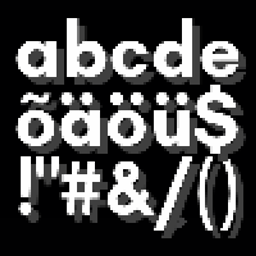
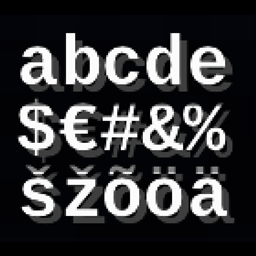
What does this mean for you, the player? A complete Old Church Slavonic language pack, meticulously crafted to reflect the depth and beauty of an ancient era. But that’s not all. Alongside the translation, I’ve designed a custom font that perfectly complements the game, offering a visually pleasing experience that takes Minecraft to new, historical heights.

Key Features:

  • Full Old Church Slavonic translation for Minecraft.
  • Authentic custom font designed for maximum aesthetic appeal.
  • Hours of research and passion behind every letter and word!

It was a long, exhausting, but deeply rewarding process. I hope you enjoy this piece of Slavic history brought to life in your game. So, without further ado, welcome to Minecraft in Old Church Slavonic—a labor of love, worthy of your attention!

How to Enable the Old Church Slavonic Language:

  1. Go to Settings and click on the Language button.

  2. Scroll through the list until you reach the letter "C" (in the English alphabet). There, you will find Old Church Slavonic listed between Catala and Czech. The region for the language is set to Polesiе.

  3. Add the language and, if you have the option for multilingual settings:

    • Move Old Church Slavonic to the top of your language list.
    • Set Pre-reform Russian as the second language.
    • Place Modern Russian in the third position.

That’s it! Your game is now set up with Old Church Slavonic.

Don's Old Church Slavonic (+ Font)
MC 1.20.2, 1.21, 1.20.5, 1.20.3, 1.20.1, 1.20, 1.20.6, 1.20.4, 1.21.1
Release 2024-10-18 Get

Requirements & install

How to use this resource pack in Minecraft
Resolution
Not specified
Minecraft
1.20.1 – 1.21.1
Install folder
.minecraft/resourcepacks

How to install resource packs

  1. Download the resource pack .zip file (do not extract it).
  2. In Minecraft open Options → Resource Packs → Open Pack Folder.
  3. Drop the .zip into the resourcepacks folder (.minecraft/resourcepacks).
  4. Move the pack to the Selected column and click Done.
Browse more: 16x resource packs 32x resource packs 64x resource packs 128x resource packs 256x resource packs 512x+ resource packs Resource Packs for 1.21.1 All resource packs

More from SilentuDono

Advertisement Remove ads with Premium →

You Might Also Like