Mineuniverse
Resource Packs
Doggy Talents Next X New Wolves

Doggy Talents Next X New Wolves

RESOURCE PACK
Adding 1.20.5 Wolves and DTNP wolves into DTN's Skin Customization Menu!
by MashXP
Download Claim this project
Add a badge to your pageLink to Doggy Talents Next X New Wolves from a README, website or forum post.
Preview: Badge

Badges update automatically and link to the resource pack page on MineUniverse.

33,155 downloads
0 likes
0 followers
Updated Oct 14, 2026
0 hypes
Follow0
16x Mod Support
Advertisement Remove ads with Premium →

Disclaimer:

+ This Resource pack requires Doggy Talents Next to work! You can find the mod here: https://www.curseforge.com/minecraft/mc-mods/doggy-talents-next

+ NWxDTN is only visible to those who installed this RP. Otherwise, it would render as a Classical Wolf.

+ NWxDTN is compatible with ALL versions of DTN even if Minecraft prompt you that this RP is "incompatible".


Tired of waiting for DTN and DTNP to update?

Introducing...


🦴🐾 === New Wolves X Doggy Talents Next === 🐾🦴

You can use it on ANY server that has Doggy Talents Next installed!

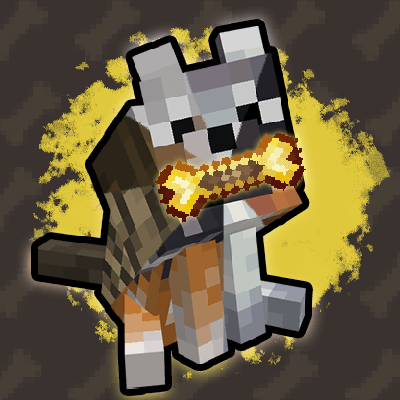
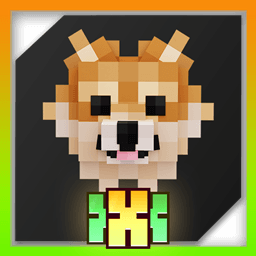
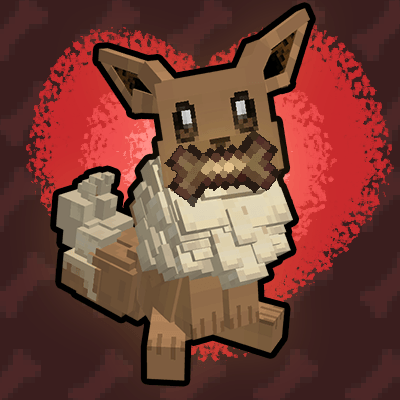
This mod adds ALL of the Wolf Variants from Minecraft 1.20.5 New Wolves, DTN and DTNP as selectable skins!


🦴🐾 === How to access the Skins === 🐾🦴

1. Sneak-click a Trained Dog to access the Dog Menu.

2. Navigate to Style Tab -> Skins

3. The newly added skins will be at the end of the list (or you can utilize Search by Tag)
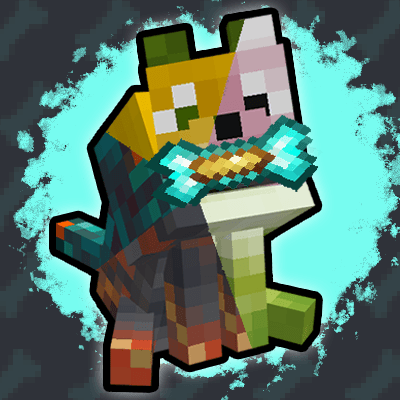
 

Demo.gif


-------------🦴🐾Check out other products!🦴🐾-------------


  1. Doggy Talents Next's Palette Of Paws
  2. Doggy Talents Next
  3. BetterDogs X DTN (client)
  4. Doggy Talents Next's Community Skin Expansion (client)


Having issues? Please post all issues and questions on Github or our Discord Server! It would make our work a lot easier we can get together on the same page!


We also made a YouTube channel:【 狼才能次 】🦴 DoggyTalentsNextMod OFFICIAL 🦴


All rights reserved to Mojang Studios.

DTNxNW-1.6.zip
MC 1.21, 1.18.2, 1.19.2, 1.20.1, 1.20, 1.21.3, 1.21.1
Release 2025-03-01 Get
DTNxNW-1.5.zip
MC 1.21, 1.18.2, 1.19.2, 1.20.1, 1.20, 1.21.1
Release 2024-11-04 Get
NewWolvesForDTN-1.4-1.18.2.zip
MC 1.18.2
Release 2024-09-12 Get
NewWolvesForDTN-1.4-1.19.2.zip
MC 1.19.2
Release 2024-09-12 Get
NewWolvesForDTN-1.4-1.20.1.zip
MC 1.20.1, 1.20
Release 2024-09-12 Get
NewWolvesForDTN-1.4-1.21.zip
MC 1.21, 1.21.1
Release 2024-09-12 Get
NewWolvesForDTN-1.3-1.18.2.zip
MC 1.18.2
Release 2024-07-08 Get
NewWolvesForDTN-1.3-1.19.2.zip
MC 1.19.2
Release 2024-07-08 Get
NewWolvesForDTN-1.3-1.20.1.zip
MC 1.20.1, 1.20
Release 2024-07-08 Get
NewWolvesForDTN-1.3-1.21.zip
MC 1.21
Release 2024-07-08 Get
NewWolvesForDTN-1.2.zip
MC 1.20.2, 1.18.2, 1.19.2, 1.20.1, 1.20, 1.20.6
Release 2024-06-10 Get
NewWolvesForDTN-1.1.zip
MC 1.18.2, 1.19.2, 1.20.1, 1.20, 1.20.6
Release 2024-06-07 Get
NewWolvesForDTN-1.0.zip
MC 1.18.2, 1.19.2, 1.20.1, 1.20, 1.20.6
Release 2024-03-15 Get

Requirements & install

How to use this resource pack in Minecraft
Resolution
16x
Minecraft
1.19.2 – 1.21.3
Install folder
.minecraft/resourcepacks

How to install resource packs

  1. Download the resource pack .zip file (do not extract it).
  2. In Minecraft open Options → Resource Packs → Open Pack Folder.
  3. Drop the .zip into the resourcepacks folder (.minecraft/resourcepacks).
  4. Move the pack to the Selected column and click Done.
Browse more: 16x resource packs 32x resource packs 64x resource packs 128x resource packs 256x resource packs 512x+ resource packs Resource Packs for 1.21.3 All resource packs

More from MashXP

Advertisement Remove ads with Premium →

You Might Also Like