Mineuniverse
Resource Packs
Divine Pack

Divine Pack

RESOURCE PACK
Ginger's pack -Java
by GingerNuggy
Download Claim this project
4,017 downloads
0 likes
Updated Oct 14, 2026
0 hypes
16x Miscellaneous
Advertisement Remove ads with Premium →

this may not work for snapshots

this has 2 versions 1.11-1.12 and 1.13-1.14

there are custom name textures for both the chicken and tamed wolf (1.13-1.14)

i originally made this for me but decided to release it so people could use it


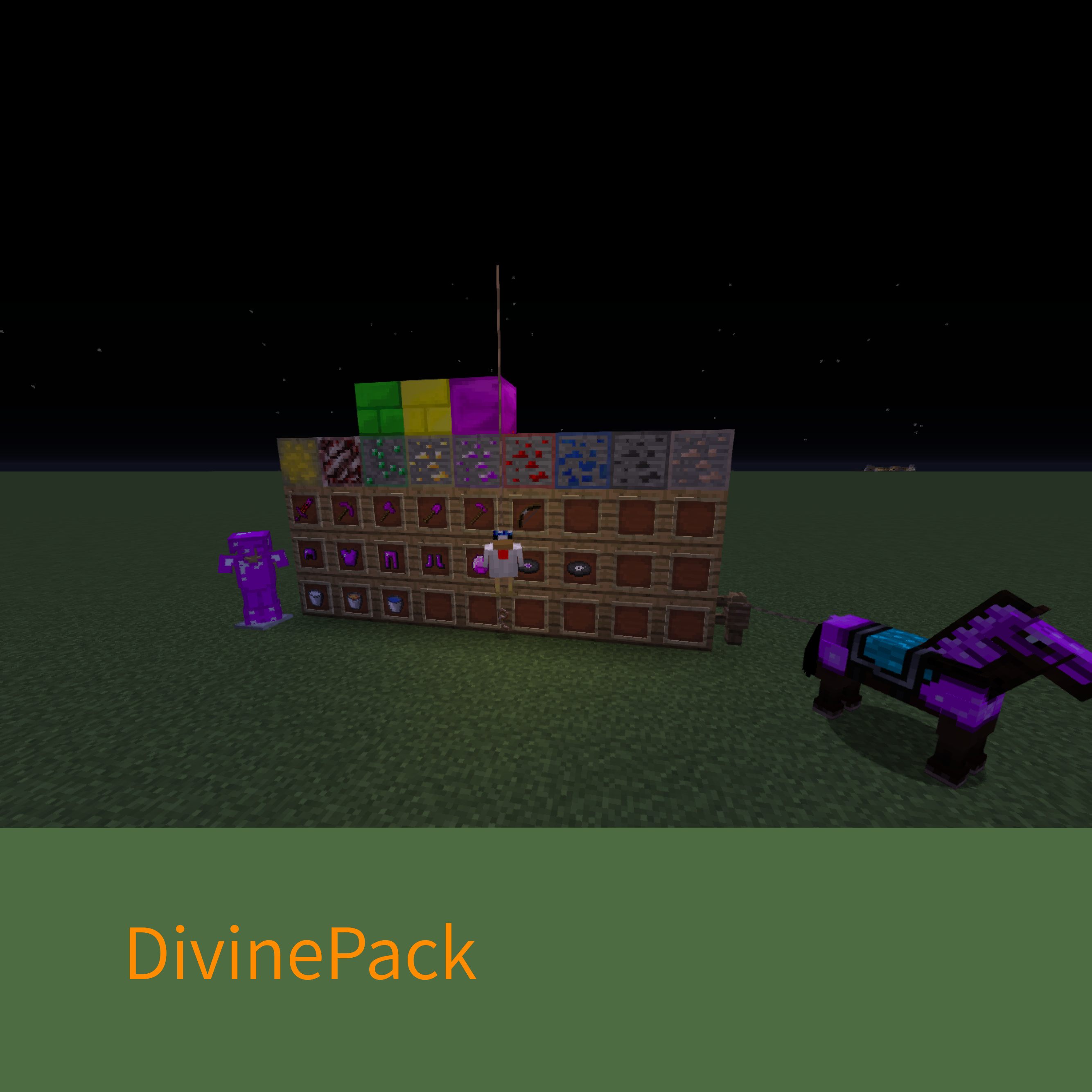
The pack has custom textures for all diamond items including horse armor while on the horse, music disc changes (currently only cat and chirp with changed music ), 3 custom sword textures that you need to change with a anvil for a diamond sword (i cannot get it to work on 1.12) renaming a chicken McDezFly or finding a chicken will make it have a paper blue crown (half  the chickens spawn with it i will try change that) and name a TAMED wolf MrBlu and it will get a mask on it of the player MrBlu05 (badly made cuz idk how to make stuff like that) there is also block changed (ores have a border around and gold and emerald block have changed textures and more 

 

GingersPackV6.7-1.11-1.12.zip
MC 1.12.1, 1.12, 1.12.2
Release 2019-09-29 Get
GingersPackV6.7-1.13-1.14.zip
MC 1.14.4, 1.14.1, 1.14.3, 1.14, 1.14.2
Release 2019-09-29 Get
GingersPackV6.6-1.13-1.14.zip
MC 1.13.1, 1.14.4, 1.14.1, 1.14.3, 1.13, 1.14, 1.14.2, 1.13.2
Release 2019-09-25 Get
GingersPackV6.6-1.11-1.12.zip
MC 1.12.1, 1.12, 1.12.2
Release 2019-09-25 Get
GingersPackV6.6-1.11-1.12.zip
MC 1.12.1, 1.12, 1.11, 1.11.1, 1.11.2, 1.12.2
Release 2019-09-24 Get
GingersPackV6.6-1.11-1.12.zip
MC 1.12.1, 1.12, 1.11, 1.11.1, 1.11.2, 1.12.2
Release 2019-09-21 Get

Requirements & install

How to use this resource pack in Minecraft
Resolution
16x
Minecraft
1.13 – 1.14.4
Install folder
.minecraft/resourcepacks

How to install resource packs

  1. Download the resource pack .zip file (do not extract it).
  2. In Minecraft open Options → Resource Packs → Open Pack Folder.
  3. Drop the .zip into the resourcepacks folder (.minecraft/resourcepacks).
  4. Move the pack to the Selected column and click Done.
Browse more: 16x resource packs 32x resource packs 64x resource packs 128x resource packs 256x resource packs 512x+ resource packs Resource Packs for 1.14.4 All resource packs
Advertisement Remove ads with Premium →

You Might Also Like