Mineuniverse
Resource Packs
Discerning The Eldritch Reimagined

Discerning The Eldritch Reimagined

RESOURCE PACK
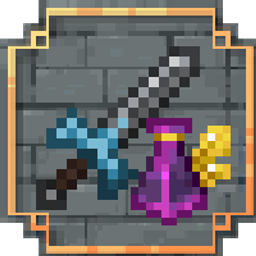
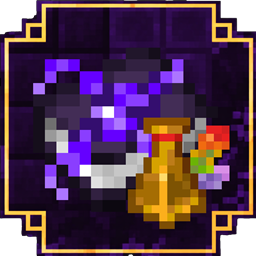
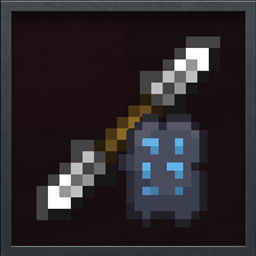
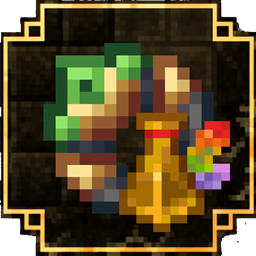
Transforms the bulky 3D icons from Discerning The Eldritch into clean, stylish 2D visuals inspired by classic Minecraft
by Waffy
Download Claim this project
1,047 downloads
0 likes
0 followers
Updated Oct 14, 2026
0 hypes
Follow0
16x Miscellaneous Mod Support Traditional
Advertisement Remove ads with Premium →

av

About

Discerning The Eldritch Reimagined converts the bulky 3D GUI and item icons from Dungeons And Combat x Iron's Spells into a clean, vanilla-style 2D interface, making menus easier to read, visuals lighter, and the overall experience more immersive.

ℹ️ Important: This pack only affects the GUI, HUD, and item icons.
It does not change world models, blocks, or gameplay mechanics.

P.S. You are welcome to use this resource pack in your modpacks

alt text

alt text

What this resource pack changes:

  • 11 items redesigned with clean 2D icons
  • Bulky 3D GUI elements replaced with flat, readable visuals
  • Simplified 3D models in vanilla Minecraft style
  • Improved readability during combat and inventory management

alt text

❔ Will this pack break my game or the mod?
✅ No. This is a standard resource pack that only modifies visual elements and is completely safe to use.

❔ Do I need OptiFine?
✅ No. The pack works perfectly without OptiFine.

❔ Will new items be supported in future updates?
✅ Yes! New 2D icons and simplified 3D models will be added as Dungeons And Combat x Iron's Spells receives updates.

alt text

⚖️ Rights: This project is a fan-made resource pack. All rights for the original mod belong to its creator, Ace_The_Eldritch_King. We are simply enhancing its visual presentation.

DTE Reimagined v1 for NeoForge
MC 1.21.1
Release 2026-02-16 Get

Requirements & install

How to use this resource pack in Minecraft
Resolution
16x
Minecraft
1.21.1
Install folder
.minecraft/resourcepacks

How to install resource packs

  1. Download the resource pack .zip file (do not extract it).
  2. In Minecraft open Options → Resource Packs → Open Pack Folder.
  3. Drop the .zip into the resourcepacks folder (.minecraft/resourcepacks).
  4. Move the pack to the Selected column and click Done.
Browse more: 16x resource packs 32x resource packs 64x resource packs 128x resource packs 256x resource packs 512x+ resource packs Resource Packs for 1.21.1 All resource packs

More from Waffy

Advertisement Remove ads with Premium →

You Might Also Like